Universal TV Remote Control for Element E2SW5518
How to Use Your Phone as a Remote for Element E2SW5518
Losing the handset
A missing remote becomes particularly frustrating when you need to change inputs on an Element E2SW5518. Rather than purchasing the first generic handset you find, establish whether this particular television can be controlled over Wi-Fi. Different Element families can use different operating systems and remote-control arrangements, even where the screen sizes seem similar. With Universal TV Remote Control for Element E2SW5518, compatibility depends on this specific device rather than the brand name alone.
Recover basic controls
Look for the exact model number in Settings or on the rear label. If the television has working network access, connect an iPhone to the same router and try locating it with a compatible remote app. Follow any authorization shown on the TV. If the model does not offer remote access over the network, use its physical controls to select an input or source while you arrange a replacement.
For the iPhone option, explore universal remote tv control and verify device support before purchasing anything.
Finding a Lost Remote
Do not confuse an app finding a Roku or Fire TV player attached to the television with controlling the Element set itself. A connected player may accept navigation commands while the TV still needs an infrared handset for power or inputs. Check each command separately to understand where control stops. A sensible test of Universal TV Remote Control for Element E2SW5518 should focus on what your actual television can do.
Keeping access convenient for everyone
If multiple people use the television, make sure at least one working physical remote remains available for first-time prompts and visitors. A phone-controlled setup is personal: someone else may not have the same app or local-network permission. Demonstrate the basic navigation buttons and note how to reconnect after the television restarts. That prevents an easy convenience feature from becoming a support issue.
Read our Remote TV app guide for general setup advice.
How to test a reliable connection
Try five actions in a fixed order: move right in the menu, press Back, change volume by one step, open the input selector and reconnect after closing the app. This small test reveals more than a successful discovery message. If only one feature fails, investigate that feature rather than reinstalling everything. Firmware and app updates may also change supported functions, so recheck the connection after a major update. Keep the device model in mind when searching for Universal TV Remote Control for Element E2SW5518 rather than choosing an app by the brand name alone.
Troubleshooting without a factory reset
A factory reset should be a last resort because it can erase apps, Wi-Fi passwords, preferences and account sessions. First close and reopen the remote app, ensure the TV is on, verify local network permissions and restart the TV normally. If an old pairing entry remains, remove it from the app and connect again. Only consult reset instructions that name your actual television model; commands for another platform may not apply.
Related guide: how to connect universal remote to smart tv.
After you regain control
Once you regain control, record your TV model and the remote part number. It will make future replacement purchases more accurate and may save another evening searching behind furniture. The safest way to evaluate Universal TV Remote Control for Element E2SW5518 is to keep a working physical fallback nearby.
Get Universal TV Remote
Control your Element E2SW5518 TV from your phone — free to download.
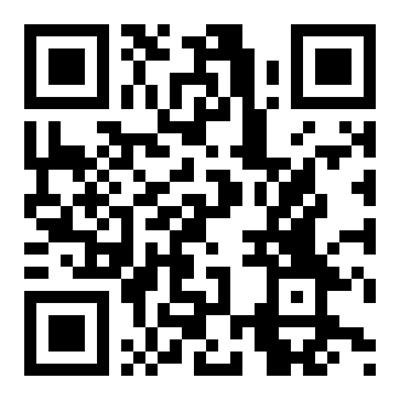

Scan QR to download on iPhone
Disclaimer
This content is for educational purposes only.
Begamob is not affiliated with or endorsed by Element E2SW5518. All trademarks and product names are the property of their respective owners and are used solely for identification purposes.