Hisense TV Remote Batteries: Size, Replacement, Drain, and Fixes
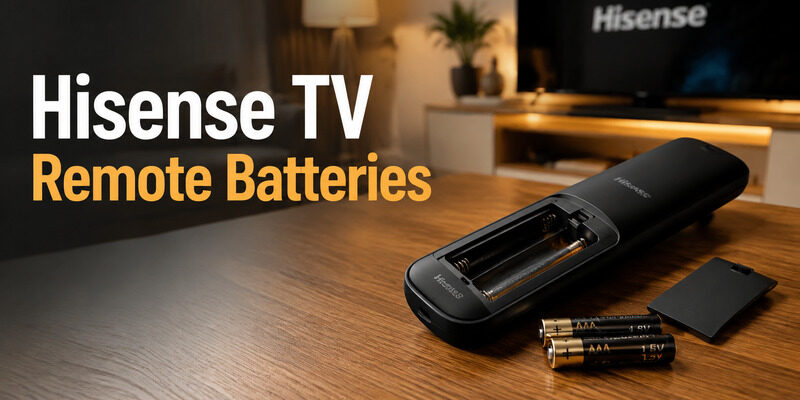
Most Hisense TV remote batteries are two AAA alkaline cells, and that holds for Google TV, Fire TV, Roku TV and VIDAA remotes alike. Hisense’s own quick-start guides list AAA, replacement remotes sold for Hisense Roku TVs also take two AAA, and only a few older or third-party remotes use AA. Newer solar models such as the U8 series skip swappable cells altogether. Check the label inside the compartment to be sure, then follow the steps below to open the cover, swap the cells, and fix a remote that still won’t respond.
Quick answer
- Battery type: 2 × AAA (1.5V) alkaline for standard, Google TV, Fire TV Edition, Roku TV and VIDAA remotes.
- AA? Only on some older or third-party remotes. Confirm on the compartment label.
- Solar remotes (e.g. ERF6A66 for U7/U8): built-in rechargeable cell, charged by light. No disposable batteries.
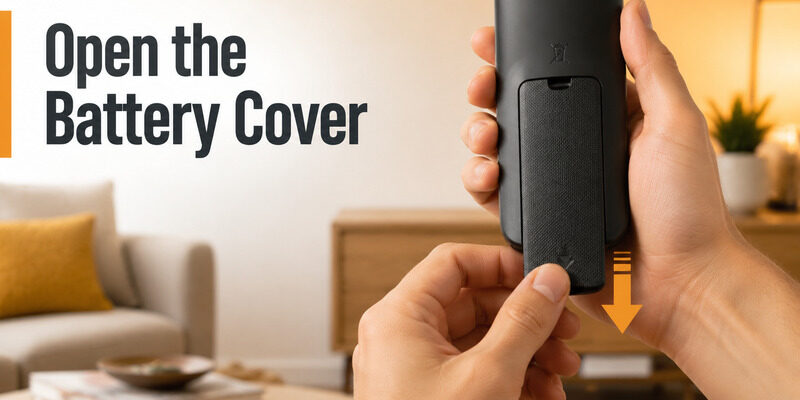
- To open it: press the back cover firmly just below the thumb notch and slide it down.
- New batteries not working? Check the +/- direction, clean the contacts, then remove the cells and hold Power for about 20 seconds.
What Size Are Hisense Smart TV Remote Batteries: AAA or AA?
Hisense TV remote batteries are almost always two AAA 1.5V cells. Remote layouts still vary by platform and model year, so read the size and +/- diagram embossed inside the compartment before you buy anything. If the markings are worn off, look up your TV model number on Hisense support and compare the remote illustration.
| Remote type | Battery | Notes |
|---|---|---|
| Standard IR remote | 2 × AAA | Most common |
| Google TV / Android TV remote | 2 × AAA | Voice + Bluetooth |
| Fire TV Edition remote | 2 × AAA | Alexa voice button |
| Roku TV remote | 2 × AAA | Simple or voice version |
| VIDAA remote | 2 × AAA | Standard or voice |
| Older / third-party replacement | Sometimes AA | Check the label |
| Solar remote (ERF6A66 etc.) | Built-in rechargeable | Charges from light |
Hisense Roku TV remote batteries: also AAA
Hisense Roku TV remote batteries follow the same rule. Replacement remotes made for Hisense Roku TVs are listed with two AAA cells, so you don’t need AA for these sets. The “AA for Roku” idea comes from some older Roku player remotes, which are a different product.
Solar and rechargeable Hisense remotes
Some premium Hisense TVs ship with a solar remote. Hisense says the ERF6A66 collects ambient light into a built-in lithium capacitor and can run for over 100 days on a full charge. There are no Hisense TV remote batteries to swap on these. If the remote goes quiet, leave it face-up under a lamp or near a window for 10 to 20 minutes, and check your model’s manual, since some versions can also charge over USB-C.
💡 Discover Helpful Guides: Hisense TV Code for Universal Remote: Verified Codes and Programming Steps
How Do I Open a Hisense Remote and Replace the Batteries?
Hisense TV remote batteries sit behind a sliding back cover. The cover is often tight on a new remote, especially on the smooth-backed Fire TV and Google TV versions, which is normal and not a defect.
How to open the Hisense remote battery cover
- Turn the remote face down and look for a thumb indent, arrow or textured patch on the back.
- Place both thumbs just below the indent and press down firmly.
- Slide the cover toward the bottom of the remote. Hisense support confirms that the back slides down to come off.
- If it won’t budge, brace the top with your fingers and push harder. A rubber grip or slightly damp fingertips give you extra traction, as one Best Buy owner reported.
- Avoid prying with metal. As a last resort, run a thin plastic tool along the side seam without touching the electronics.
If the cover lifts on one side but not the other, it is still caught on a rail. Return to the slide direction instead of forcing a corner.
Replace Hisense remote batteries as a matched pair
- Remove both old cells and check for residue, bent springs or a battery that was fitted backwards.
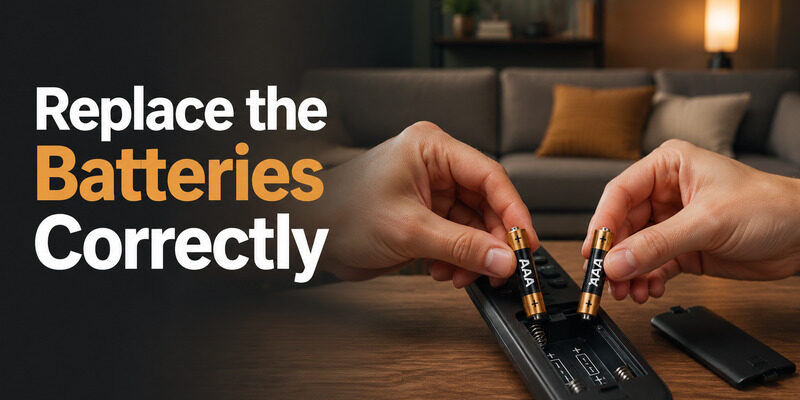
- Insert two fresh AAA batteries of the same brand and age. Press the negative end against the spring first, then lower the positive end.
- Close the cover until it clicks and test Power from normal distance before trying any pairing.
Never mix old and new cells, or alkaline with rechargeable. Uneven voltage makes Hisense TV remote batteries seem unreliable even when one cell is still good. Stop using a remote that feels hot, swollen or heavily corroded.
📘 Find the Right Guide: Hisense TV Remote Batteries: Size, Replacement, Drain, and Fixes
Hisense TV Remote Not Working With New Batteries? Try These Fixes
Fresh Hisense TV remote batteries fix most dead remotes. When they don’t, the problem is usually contact, polarity or pairing, not the battery brand. Work through these in order.
Recheck polarity and clean the contacts
Remove the cells and compare the +/- direction with the diagram. Wipe the terminals with a dry, lint-free swab. For light residue, use a barely damp swab with electronics-safe alcohol and let everything dry fully before reinserting. Don’t scrape the plated contacts with a knife.
Power-cycle the remote
Take the batteries out, press and hold the Power button for about 20 seconds to drain leftover charge, then put the cells back in.
Work out whether it’s power or pairing
Aim the remote at a phone camera and press a button. A flashing emitter means the remote has power. If the IR Power button works but voice, Home or navigation fails, the Bluetooth link is lost, not the battery. Wake the TV with its physical button, open Settings > Remote & Accessories, and follow the pairing steps for your model. Also check that the remote isn’t set to a different transmission mode (IR vs Bluetooth) than the TV.
| Symptom | Likely cause | Next test |
|---|---|---|
| No light, no response | Polarity or contact | Reinstall, clean terminals |
| Light works, TV doesn’t react | IR path or pairing | Camera test, re-pair |
| Works only when squeezed | Loose contact or cover | Check spring pressure |
Rule out the TV
Update the TV software (on many models: Settings > Device Preferences > About > System Update) and turn off accessibility features such as RemoteNow if they interrupt commands. If a new TV still ignores a fresh remote, contact Hisense support.
Control your Hisense TV from your phone with Remote TV App
Why Do Hisense Remote Batteries Drain So Fast?
Hisense TV remote batteries should last several months to a year or more, since typical alkaline cells run about 6 to 18 months in a standard remote. If a fresh pair is gone in days, the remote is drawing current constantly.
- Stuck key: press and release every button and look for one that sits lower or feels slow.
- Residue or moisture: sticky edges can hold a key down.
- Mixed cells: one weak cell drags the pair down. Replace both together.
- Bluetooth searching: a remote that keeps hunting for the TV burns power. Re-pair it.
To test, install a matched pair, note the date, and remove them whenever the remote isn’t in use for one interval. If Hisense TV remote batteries still drain within days, the remote has a circuit fault and needs replacing. Rechargeable AAA cells work, but don’t mix them with alkaline, and expect different voltage behavior.
If a cell has leaked, wear gloves, clean with a dry swab, and dispose of the battery properly. Corrosion that has reached the circuit board means a new remote, not another battery swap. See our Hisense TV remote replacement guide and how to pair a Hisense remote to your TV.
No Spare Hisense Smart TV Remote Batteries? Use Your Phone Instead
You don’t have to stop watching while you hunt for AAA cells. Begamob Remote turns your phone into a Hisense TV remote over Wi-Fi, so you can open menus, adjust volume and launch apps while you sort out your Hisense TV remote batteries. Put the TV and phone on the same network, keep the TV’s physical power button handy to wake it, and you’re set.
It’s a backup, not a repair. A phone can’t fix corrosion or a remote that is hot or leaking, so replace a damaged handset when you can.
Try Begamob Remote and keep your TV under control from the couch.
Hisense TV Remote Batteries FAQ (People Also Ask)
Are TV remote batteries AAA or AA?
Most are AAA, and that includes nearly every Hisense TV remote. A few older or third-party remotes use AA, which is physically larger (about 50 mm long). Always match the size printed in the compartment.
How do I open my Hisense remote?
Press firmly below the thumb indent on the back and slide the cover down. If it’s stiff, use a rubber grip or damp fingers for traction and push with both thumbs. Don’t pry with metal tools.
My Hisense TV remote isn’t working even with new batteries. What can I do to fix it?
Check the +/- direction, clean the contacts with a dry swab, then remove the cells and hold Power for about 20 seconds. If the camera test shows the remote has power but the TV doesn’t react, re-pair it from Settings > Remote & Accessories after waking the TV. A Hisense TV remote not working with new batteries usually has a contact or pairing fault, not a battery fault.
How to check battery on Hisense remote?
Most Hisense remotes have no battery meter. Press a button and watch for the indicator light or a phone-camera flash from the IR emitter, and notice weak range or slow response. On some Google TV and Fire TV models, the Remotes & Accessories menu shows battery level for a paired remote. For a precise reading, a multimeter should show about 1.5V per fresh AAA, and well under 1.2V means the cell is nearly spent.
How long do Hisense remote batteries last?
With typical use, alkaline AAA cells last roughly 6 to 18 months. If they die within days, look for a stuck key, residue or a connection problem instead.
Can I use rechargeable batteries in my Hisense remote?
Yes, in a matched set with a suitable charger, but never mixed with alkaline. Rechargeables deliver lower voltage than 1.5V alkaline, so the remote may drop out sooner.
Which batteries do Hisense Roku TV remotes and smart TV remotes take?
Hisense Roku TV remote batteries and Hisense smart TV remote batteries for Google TV, Fire TV and VIDAA models are all two AAA cells. Solar remotes charge from light and don’t take disposable batteries.
Download LG TV Remote📖 Read More Guides: Hisense TV Remote Replacement: Complete Buying Guide