BPL TV Remote Control App Download: Match Your Model Before Installing
Short answer: Use Google TV for a compatible BPL Google TV or Android TV model; an infrared remote app instead requires a phone with an IR transmitter and a working BPL code profile. A bpl tv remote control app download is not automatically compatible just because the app icon carries the television’s brand. BPL sells televisions with different operating systems, including models with the same screen size. This guide helps you identify the relevant platform, evaluate the download, connect through the appropriate method, and check the buttons you actually need. It also explains why a webOS label needs model-specific confirmation and what to do when the television is offline or the original remote is missing.
Start with the Model, Not the Screen Size
Compare Two Real 32-Inch Examples
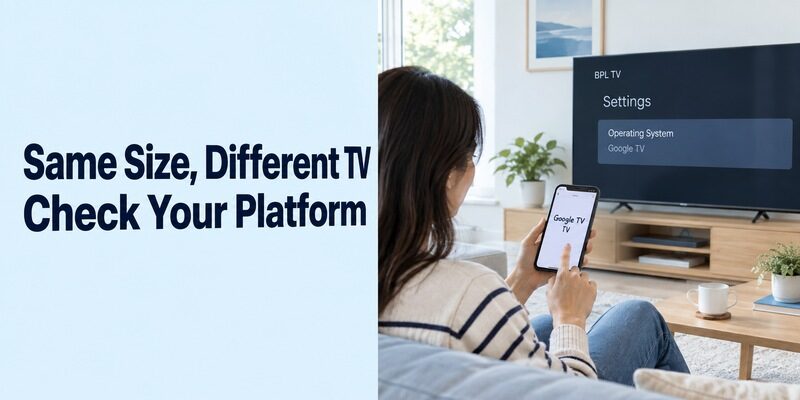
Screen size does not identify the remote-control platform. BPL’s official product pages describe the 32H-D5300 as a Google TV model and the 32H-D7300 as a webOS model. Both are 32-inch televisions, yet their software families differ. These examples establish why a size-only search cannot settle app compatibility.
A bpl tv remote control app download should follow the model label on your television. Read the rear label or the model information in its settings, then compare it with the matching BPL product page or manual. Copy the complete model identifier rather than just “BPL 32.”
Identify the Interface You Want to Control
If the screen shows a connected streaming box, its interface may belong to that box rather than the BPL television. Change to the television’s own Home screen using an available remote, or inspect the HDMI connection before deciding which device needs an app.
Someone searching bpl led tv 32 inch remote download may need either native TV navigation or control of an external player. Write down both device names when they are separate. This prevents a successful connection to the player from being mistaken for complete television control.
| What you identify | Starting route | Confirm before proceeding |
|---|---|---|
| BPL Google TV or Android TV | Google TV phone app | Supported platform and network access |
| BPL webOS television | Exact model’s documented app route | Named app and compatibility instructions |
| Older TV with infrared remote | Compatible IR app and phone | Built-in IR transmitter and matching codes |
| HDMI streaming player | Player platform’s remote app | Player model, separate from the display |
If the label is difficult to reach, photograph it without moving a wall-mounted television unnecessarily. Compare the photograph with the box or purchase record if available. Similar-looking model names can differ by a small suffix, so retain the complete wording in your setup note. You do not need to publish a serial number to ask a general compatibility question.
Check What Your Phone Can Actually Send
Wi-Fi Control Needs a Compatible Receiver
A network remote and an infrared remote use different communication paths. For the network route, the TV needs a compatible remote service and an accessible connection. Installing an app does not add that service to an unrelated operating system. An internet-connected television is not automatically compatible with every Wi-Fi controller.
Before choosing a bpl tv remote control app download, check that you can still access the TV’s settings. If it has never joined your current network, plan how you will enter the Wi-Fi password. A phone app that cannot discover the offline TV is not a substitute for that initial access.
Infrared Needs Physical Hardware
For IR control, check the exact phone manufacturer’s specifications for an IR blaster or infrared transmitter. Do not infer that capability from a camera, proximity sensor, Bluetooth support, or the presence of a remote app in the store. Software alone cannot create the missing emitter. If your phone cannot send infrared commands, compare free universal TV remote app options carefully, because a download still cannot replace missing phone hardware or an unsupported TV connection.
This hardware check can save an unnecessary bpl tv remote control app download. If your phone lacks IR and the TV has no supported network-control route, a compatible physical replacement is the practical option. If you use an external IR accessory, follow that accessory’s own compatibility and app instructions.
BPL TV Remote Control App Download: Inspect the Publisher
Read the Listing Beyond Its Title
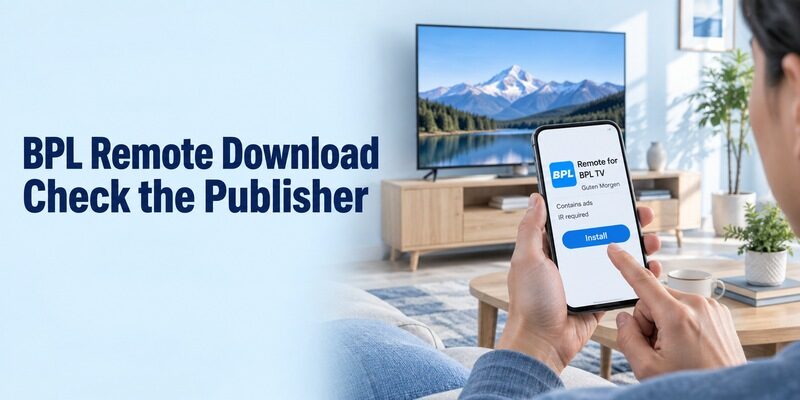
A brand-named app can be independently developed. The Google Play listing for Remote for BPL TV identifies Guten Morgen as its publisher, explicitly describes the app as unofficial, requires an IR-emitter phone, and indicates that it contains ads. Those details matter more than the BPL wording in the title.
Treat this bpl tv remote control app download as an IR option to evaluate, not a manufacturer-backed guarantee for every television. Check the current listing on your own phone because availability and device requirements can differ. A supported installation is only the beginning of the compatibility test.
Confirm Costs and the Installation Destination
Download the phone controller to the phone. Do not install a similarly named TV application merely because your television has an app store. The receiving TV software and the handheld control interface have different roles; the model instructions should identify any additional component that is genuinely required.
For a bpl tv remote control app download advertised as free, inspect ads, purchase prompts, and access to essential buttons before relying on it. Keep any trial terms visible until you understand them. There is no reason to commit to a paid feature before confirming that basic navigation reaches your TV. Before choosing an alternative, compare free TV remote apps for Android by their connection method and the functions that remain available without an upgrade.
For a shared phone, place the chosen app where the regular viewer can find it and explain which icon opens the actual remote. Avoid leaving several similarly named trial apps on the first screen during testing. Once you have established a working controller, the saved app and device name should be enough to repeat the process without another store search.
Set Up the Infrared Route One Button at a Time
Choose a Profile and Aim at the TV
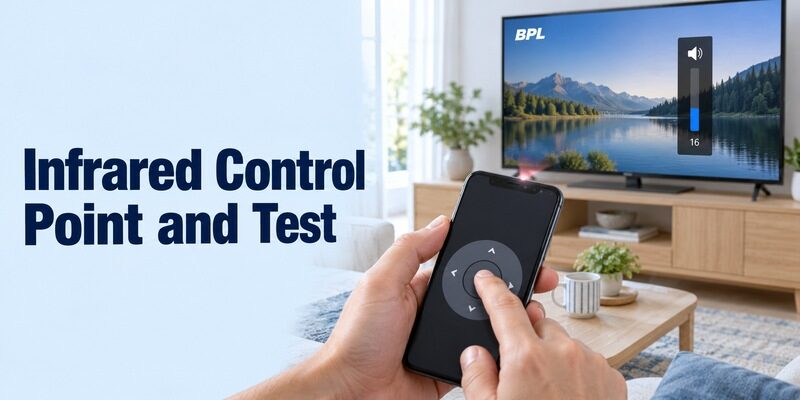
Test IR from a clear position facing the television’s receiver. Open the installed app and follow its available BPL profile-selection flow. The exact screens vary by developer. Hold the phone so its transmitter points toward the TV, with furniture and decorative objects out of the signal path.
During a bpl tv remote control app download setup, use a short button press and watch for one response. If the app offers several profiles, compare them methodically. Record which profile responds instead of repeatedly switching back and forth without noting the result.
Validate More Than Power
A code profile may operate one function while missing others. After a successful power test, check volume, mute, directions, selection, and the source menu if those buttons are available. Stay in ordinary viewing menus; there is no need to enter service settings to assess a household remote.
Save the profile only after this broader bpl tv remote control app download test. Name it for the room and television so another viewer can recognize it. If none of the available profiles provides the commands you need, return to the TV model and replacement-remote route rather than assuming repeated installations will change the code set.
Pair Google TV with a Supported BPL Television
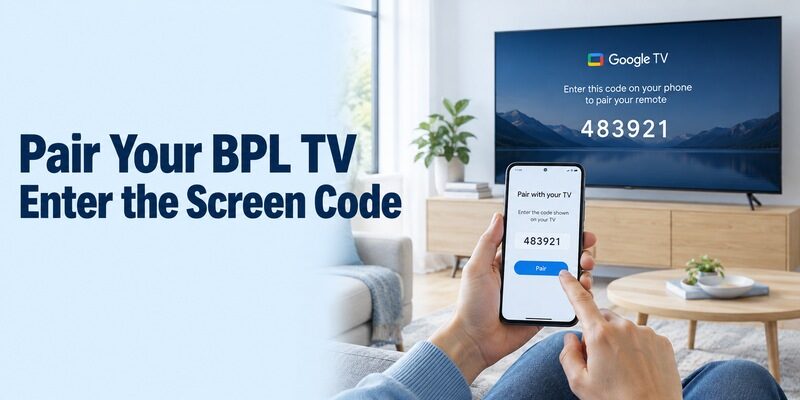
Install the Google-Published Phone App
For a compatible Google TV or Android TV television, use Google’s own remote workflow. Find Google TV in your phone’s supported app store and verify Google as the publisher. Keep the television awake and place the phone on the same home network before opening the remote controls. For a compatible BPL Google TV or Android TV model, this Google TV remote app for Android guide explains the normal phone-control route.
In this case, a bpl tv remote control app download does not need BPL in its app title. The relevant match is the television platform. If your phone already has Google TV, check that existing installation rather than adding a second controller with a confusingly similar icon.
Complete the On-Screen Pairing
Google’s support guide directs Android users to open Google TV, choose TVs nearby, select the device, enter the code shown by the television, and tap Pair. Follow the equivalent prompts on your app version. Select the room you are standing in before entering its code.
After this bpl tv remote control app download connection, move one tile and return to the starting point. That simple test establishes which television accepted the pairing. If the app lists several devices, give them clear room names through their supported settings before sharing the setup with other viewers.
Try entering a short, harmless search term after selecting a text field on the TV. Then clear it and return to the previous screen. This tests a practical advantage of phone control without entering account credentials during initial setup. If text entry is unavailable, keep using the on-screen keyboard and assess whether that limitation affects how you normally watch television.
Handle BPL webOS Models Separately
Look for Explicit App Support
Do not assume that a BPL webOS television supports every app marketed for LG TVs. The operating-system name establishes a software family, but it does not prove support for a particular manufacturer’s account service or mobile controller. Look for a named remote app in the exact BPL manual or its on-screen connection instructions.
For this bpl tv remote control app download branch, a documented QR code or model-specific support answer is more useful than a generic compatibility claim. If the instructions identify an app, verify its publisher and follow the stated pairing process. Avoid substituting an unrelated product simply because its screenshots look similar.
Keep a Working Alternative Available
If you cannot confirm a network app for the model, test a compatible infrared route when your phone has the necessary transmitter. Otherwise, use the original or a model-matched physical remote. This gives you access to inputs and settings while you resolve the mobile-control question.
When asking BPL support about a bpl tv remote control app download, provide the full TV model, phone model, phone operating system, and the app you considered. Ask specifically whether mobile remote control is supported and which publisher supplies it. That is more actionable than asking whether the television is “smart.”
Run a Practical Control Check Before Depending on the App
Check Your Normal Viewing Routine
A useful remote must cover your daily tasks, not just show a connected status. Open the TV’s home interface, select an application, return, and adjust sound at a comfortable level. If you normally watch an HDMI-connected receiver, test the source menu and remember that channel changes may belong to that receiver.
Complete this bpl tv remote control app download check while another working controller is nearby. If a button does nothing, note the specific function and the current screen. “Volume fails while directions work” is a much clearer diagnosis than “the remote app is broken.”
Record Any Functions That Need Another Remote
Separate essential functions from conveniences such as voice entry or a keyboard. An infrared controller that handles ordinary buttons should not be assumed to reproduce a Bluetooth voice remote. Likewise, a network controller’s keyboard may depend on the text field currently selected on the television.
Keep a short household note after your bpl tv remote control app download is working. Include the app name, target room, connection type, and any remaining physical-remote tasks. This makes the setup understandable without turning every viewing session into another troubleshooting exercise.
| Test | Useful observation | Next action if it fails |
|---|---|---|
| One direction and selection | Correct TV responds once | Confirm target device or IR profile |
| Volume and mute | Intended speakers change | Check audio output and control support |
| Source selection | Required HDMI input is reachable | Keep TV remote for source changes |
| Reopen the phone app | Saved target reconnects | Check network or saved IR profile |
| Wake after standby | TV becomes available as expected | Review model-supported standby behavior |
For a useful bpl tv remote control app download assessment, repeat the same small set of actions after closing and reopening the application. A single successful tap can be misleading if the wrong room was selected or a physical remote was being used at the same time. Ask other viewers to pause their controls during this check so each response has an identifiable source.
Recover a Missing or Unresponsive Connection
Diagnose Wi-Fi Discovery First
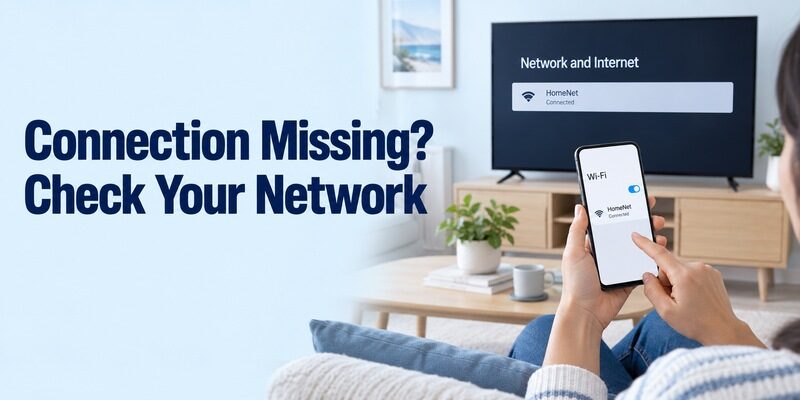
Start with the connection method that is actually failing. For Google’s network remote, its troubleshooting page recommends checking that phone and TV share the same Wi-Fi network. On Google TV, inspect Settings, then Network & Internet. A mobile-data connection on the phone does not replace membership of the TV’s home network. For a compatible Google-based television, use this guide to set up the Google TV remote app on iPhone when you need to compare the iPhone connection route with Android.
If your bpl tv remote control app download worked earlier, record what changed: a new router, a different network name, or the TV being moved. Google’s guide also describes restarting the television by unplugging it for ten seconds and then pairing again. Follow the TV’s normal shutdown guidance and avoid interrupting an update.
Diagnose Infrared Without Changing Wi-Fi
For an IR controller, face the receiver again and inspect the saved profile. Compare the result with a working physical remote if one is available. If both fail, check the television’s power state and the receiver’s line of sight before spending time on the phone application.
Do not factory-reset the TV as the first response to a bpl tv remote control app download problem. A reset can remove the network setup you need for mobile control. Change one relevant condition at a time and retest the same button so you can tell which action made a difference.
Keep a Backup for Offline Setup and Standby
A phone remote is easier to trust when you have a recovery path. Keep a compatible physical controller for first-time network setup, router changes, and functions the app does not expose. Before relying on a replacement, review universal TV remote setup options and confirm that the controller supports your exact BPL model and essential buttons. Check the television’s manual for its physical controls rather than assuming every BPL model uses the same button position or menu behavior.
Before putting the original remote away, let the television enter standby and try reconnecting later. Record the result for your model. A bpl tv remote download that works while the screen is already on has not yet proved that it can wake the set under your normal power settings.
If a replacement is needed, match the complete TV model and required features. A basic infrared replacement and a voice-capable smart remote are not interchangeable promises. For broader setup guidance across your devices, use and keep each controller associated with the equipment it actually operates.
Store the backup somewhere predictable and keep its batteries in working condition. If several remotes share a drawer, label them by device rather than by the streaming service currently being watched. Keep the original pairing notes nearby so a visitor does not have to repeat your research during an ordinary evening. That distinction is especially helpful when the television, receiver, and soundbar each accept different commands. A simple room-level arrangement makes recovery faster for everyone in the household.
Final Thoughts
Identify the BPL model, establish its control method, and test the important buttons before making the app your everyday remote. A bpl tv remote control app download can be straightforward on a supported Google TV model, while webOS and older infrared-controlled sets need their own compatibility checks. Verify the publisher, keep the TV reachable, and save a clear working profile or device name. With a physical backup available, you can use the phone confidently without losing access when the network or power state changes.