LG Magic Remote Pointer Not Working? 7 Fixes to Bring the Cursor Back
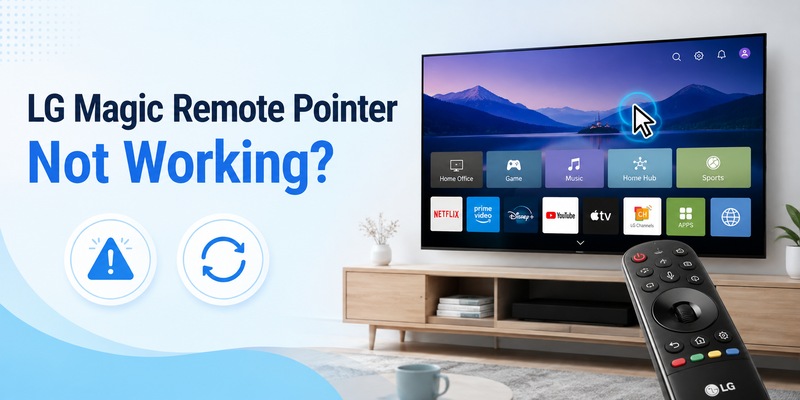
If your LG Magic Remote pointer is not working but the volume and power buttons still respond, the remote is usually fine. The cursor has often fallen asleep, the batteries are weak, the remote lost its pairing, or Audio Guidance is switched on. These are the same causes LG Support lists. Follow the quick answer below in order, and most LG TVs get their pointer back without a factory reset.
Quick answer: LG Magic Remote pointer not working
- Wake it: shake the remote and scroll the wheel.
- Replace both batteries with a fresh pair.
- Turn off Audio Guidance: Settings > All Settings > General > Accessibility > Audio Guidance (2020 and older: All Settings > Accessibility).
- Re-pair: hold Back + Home for 5 seconds until the power button blinks 3 times, then point at the TV and press the Wheel (OK).
- Power reset: unplug the TV, hold the TV’s own power button for 15 seconds, wait a few minutes, plug it back in.
Factory reset is the last resort. It erases apps, logins and Wi-Fi settings.
Why Is My LG Magic Remote Pointer Not Working?
The pointer depends on the remote’s motion sensing and its wireless link to the TV. When an LG Magic Remote pointer is not working, LG points to five causes: low batteries or an unsupported remote, Audio Guidance turned on, a disconnected remote or wireless interference, a temporary system glitch, or a hardware fault.
Your symptom tells you where to start:
| What you see | Most likely cause | Go to |
|---|---|---|
| No button works at all | Dead batteries or remote hardware | Batteries (H2 2) |
| Buttons work, no pointer | Audio Guidance on, or remote unpaired | H2 3 and H2 4 |
| Pointer vanishes after arrow keys | Normal switch to button navigation | Shake the remote (H2 2) |
| Pointer shows but lags or freezes | Interference, weak batteries, glitch | H2 5 |
| Still no pointer after buying a new remote | New remote not registered, or TV glitch | H2 3, 4 and 6 |
| Using a standard (non-Magic) remote | No pointer by design | Use a Magic Remote or phone (H2 7) |
An LG magic pointer not working on a standard remote is not a fault. Only the Magic Remote has the on-screen pointer. Not sure which remote you have? See What Is a Magic Remote Control for LG TV?
Explore Related Articles: How to Connect LG Remote to TV: Complete Pairing and Recovery Guide
How Do I Get My Cursor Back on My LG Magic Remote?
Start with the two fastest checks. Together they fix many cases of LG Magic Remote pointer not working.
Wake the pointer first
Point the remote at the TV, shake it gently side to side, scroll the wheel up and down, then press Wheel (OK) once. Press Home and test on the home screen, because some apps handle the pointer differently. After you press the arrow keys, the TV may switch to button navigation, so move the remote again to bring the cursor back.
Replace the batteries
Press any button. The power button should light up. If it does not, or the batteries are old, replace both with a fresh matching pair. Check polarity and keep the contacts clean. Weak batteries often show up as an LG Magic Remote pointer not moving smoothly, or appearing and disappearing.
For more pairing help, see How to Connect LG Remote to TV.
LG TV Magic Remote Pointer Not Working: Why Is the Pointer Not Showing?
If the buttons work but the pointer is missing, the Audio Guidance feature may have been switched on by accident. This is a common reason for an LG TV Magic Remote pointer not working, and it takes less than a minute to check.
Turn off Audio Guidance
- 2021 and newer (webOS 6.0+): Settings > All Settings > General > Accessibility > Audio Guidance > Off.
- 2020 and older (webOS 5.0 or earlier): Settings > All Settings > Accessibility > Audio Guidance > Off.
Menus vary slightly by model, so use the TV’s search if you can’t find it.
Replaced the remote and still no pointer?
A new remote has to be registered with the TV too. Pair it using the steps below, turn off Audio Guidance, then power-reset the TV. If the pointer is still missing after that, the fault is more likely on the TV side than in the remote.
How Do I Reset and Re-Pair My LG Magic Remote?
If the power and volume buttons work but the pointer does not, the remote has probably lost its connection. This is the most reliable fix when an LG Magic Remote pointer is not working.
- Unpair: hold Back + Home together for at least 5 seconds. The power button blinks three times, and an on-screen message confirms the remote is disconnected.
- Pair again: point the remote at the TV and press the Wheel (OK). A message confirms pairing and the pointer returns.
Some LG pages list slightly different combos, so use the table for your model year:
| TV model year | Re-register if Wheel (OK) alone doesn’t work |
|---|---|
| 2021 and 2025 | Hold Home + Settings for 5+ seconds until on-screen instructions appear |
| 2020 | Hold the Guide button until on-screen instructions appear |
| Any year | Turn on the TV, wait about 20 seconds, then press the Wheel (OK) toward the TV |
Control your LG TV from your phone with the Begamob remote app
Why Is My LG Magic Pointer Not Working or Not Moving Smoothly?
When the cursor shows but acts up, the cause is usually interference, weak power or a one-off glitch, so the fix differs from a missing pointer.
Why is the LG Magic Remote pointer not moving or freezing?
- Replace the batteries first.
- Keep the Wi-Fi router at least 8 inches (20 cm) away from the TV.
- Move other wireless gear (Bluetooth devices, game consoles, USB 3.0 devices) away from the TV, then restart the remote.
- Test from the Home screen. If the pointer works there but not in one app, the problem is that app. Close it and reopen it.
Why does the cursor keep disappearing?
- After arrow keys: normal. Move the remote.
- Randomly: weak batteries or poor pairing. Replace the batteries, then re-pair.
- Only from far away: check interference and try a closer distance.
- Erratic after all fixes: the motion sensor may be failing, especially if the remote was dropped.
How do I improve pointer accuracy?
The LG guides we reviewed have no separate calibration step. The closest fixes are re-pairing the remote and adjusting pointer options (speed, size) in the TV settings if your webOS version offers them. Set speed to medium and size to something clearly visible.
How Do I Reset My LG TV If the Magic Remote Pointer Still Won’t Work?
If an LG TV Magic Remote pointer is still not working after all the steps above, reset the TV, starting with the lighter option.
Power reset (no data lost): unplug the TV, press and hold the TV’s physical power button for 15 seconds, wait a few minutes, plug it in, and test the pointer.
Factory reset (last resort): this erases app logins, Wi-Fi passwords and channel settings, so have your account details ready.
- 2021 and newer: Settings > All Settings > General > System > Reset to Initial Settings.
- 2020: Settings > All Settings > Support > Reset to Initial Settings.
- 2019 and older: Settings > All Settings > General > Reset to Initial Settings.
If nothing works, use LG’s chat or request a technician visit.
What Can I Use to Control My LG TV While the Pointer Is Down?
You don’t have to live with arrow keys while an LG Magic Remote pointer is not working. Here are your options:
| Option | Best for | Needs | Watch out |
|---|---|---|---|
| LG ThinQ app (official) | Staying within LG’s own ecosystem | LG account; phone and TV on the same network | Setup and login take longer |
| Begamob Remote (Universal TV Remote) | Fast backup remote for LG and 1,000+ other TV brands | Phone and TV on the same Wi-Fi | Not a hardware fix for the Magic Remote |
| Replacement Magic Remote | Remote with confirmed hardware failure | Correct model for your TV, then paired | Costs money. Rule out batteries, Audio Guidance and pairing first |
| TV buttons or standard remote | Emergencies | Nothing | No pointer, basic navigation only |
Tired of fighting a stubborn remote? Explore the Begamob Remote app for LG TVs. It is a simple backup that keeps your TV controllable while you sort out the Magic Remote. For a full overview, see LG Remote TV: Complete Guide.
FAQ: LG Magic Remote Pointer Problems
Why is my LG Magic Remote pointer not working?
The common causes are low batteries, Audio Guidance turned on, a lost pairing, wireless interference or a temporary glitch. Wake the pointer, replace the batteries, turn off Audio Guidance, then re-pair the remote.
How do I get my cursor back on my LG Magic Remote?
Shake the remote, scroll the wheel and press Wheel (OK). If the cursor stays hidden, replace the batteries and re-pair with Back + Home. Press the Wheel while pointing at the TV to finish pairing.
Why is the pointer not showing on my LG TV?
If the buttons work but the pointer is missing, Audio Guidance may be on, the remote may be unpaired, or you may be using a standard remote. Turn off Audio Guidance, re-pair, and confirm you have a Magic Remote.
How do I reset my LG Magic Remote?
Hold Back + Home for at least 5 seconds until the power button blinks three times. Then point the remote at the TV and press the Wheel (OK) to pair it again. Some 2020–2025 models use Home + Settings or Guide to re-register.
How do I calibrate the pointer on my LG TV Magic Remote?
LG’s help pages describe no separate calibration step. Re-pair the remote, use fresh batteries, keep the router 20 cm from the TV, and adjust pointer speed and size if your webOS version has those options.
Why is my LG Magic Remote pointer not moving?
A frozen cursor usually means weak batteries, interference or a glitch. Replace the batteries, move wireless devices away from the TV, and test from the Home screen. If it still doesn’t move, power-reset the TV.
Why is my LG magic pointer not working after replacing the remote?
The new remote must be registered with the TV. Pair it with the Wheel (OK), turn off Audio Guidance and power-reset the TV. If it still fails, the TV side is the more likely cause.
Can the LG Magic Remote work without the pointer?
Yes. The arrow keys, Wheel (OK), volume and power buttons keep working, and you can use your phone as a backup remote.
Do I need to factory reset my LG TV?
Usually not. Try batteries, Audio Guidance, re-pairing and a power reset first. A factory reset erases apps, logins and Wi-Fi settings.
Download LG TV Remote