Hisense TV Remote Flashing Blue: What It Means and How to Fix It
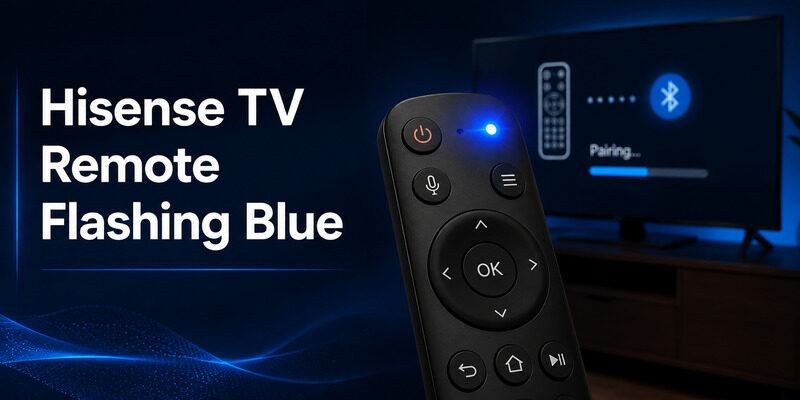
A Hisense TV remote flashing blue usually means the remote is searching for your TV over Bluetooth or has lost its pairing. The good news: in most cases you can fix a Hisense TV remote flashing blue in a few minutes with fresh batteries, a power cycle and a re-pair, no factory reset needed.
Quick answer: A Hisense TV remote flashing blue = the remote is trying to pair or has lost its Bluetooth link to the TV. Try this order:
- Replace the batteries and release any stuck key.
- Unplug the TV for 1–2 minutes, take the batteries out of the remote and press Power for about 20 seconds, then reinsert them.
- Wake the TV with its physical button, open Settings > Remotes & Accessories > Pair Remote, and hold the pairing keys (on many Google TV and VIDAA models, Home + Back for about 5 seconds) until the light stops flashing or a pairing prompt appears.
Roku TV and Fire TV models pair differently; see the platform tips below.
Why Is My Hisense TV Remote Flashing Blue?
The blue light on a Hisense TV remote flashing blue is a wireless status signal, not a fault code. Most Hisense voice remotes use Bluetooth, so a flashing blue LED normally means one of two things: the remote is in pairing mode and looking for the TV, or it lost the connection and is trying to reconnect.
Is a blinking blue light ever normal? Yes. Many remotes blink blue a few times when batteries first go in, after you pull the battery tab, or when pairing succeeds. That is fine. The problem starts when your Hisense TV remote blinking blue never stops and the TV still ignores your buttons.
Watch the light for a few seconds before you press anything. The pattern tells you where to start:
| What you see | What it usually means | First thing to try |
|---|---|---|
| Blue pulses nonstop, TV ignores keys | Remote is searching for the TV (Bluetooth) | Re-pair the remote |
| Blue blinks a few times, then the TV responds | Normal power-up or successful pairing | Nothing, you’re done |
| Blue flashes only while you press keys | Remote has power; the link may be weak | Replace batteries, move closer |
| Light is on with no key pressed | Stuck key or hardware fault | Release keys, remove batteries |
| Red light instead of blue | Infrared signal or low battery, not pairing | Check line of sight and batteries |
Blue and red do not mean the same thing. If your Hisense TV remote flashing blue turns red, aim it at the TV and test the infrared emitter with a phone camera before you try any pairing reset.
💡 Discover Helpful Guides: Hisense TV Code for Universal Remote: Verified Codes and Programming Steps
How Do I Fix a Hisense TV Remote Flashing Blue?
Work through these in order. Each one is quicker and safer than the next, so you may not need them all to stop a Hisense TV remote flashing blue.
Are weak batteries or a stuck key causing it?
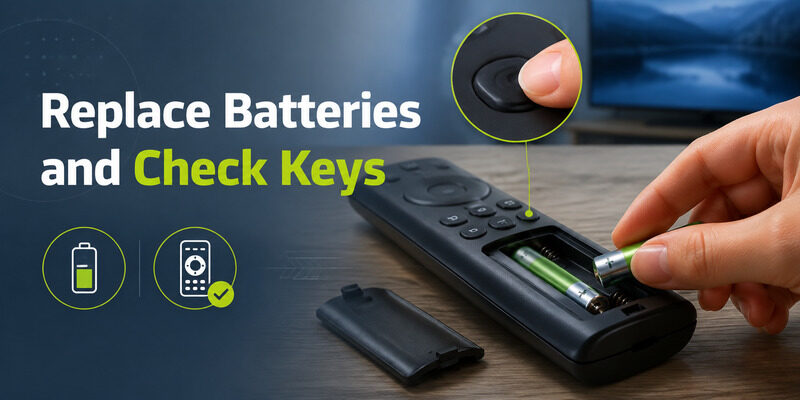
Install a fresh matched pair of AAA batteries, check polarity, then press and release every key, especially Home, Back, the microphone and the directional ring. A stuck key can hold the remote in a pairing loop, which is a common reason for a Hisense TV remote flashing blue without any input. Low voltage alone can also cause Bluetooth dropouts.
How do I power cycle the remote and the TV?
Unplug the TV for 1–2 minutes. Meanwhile, remove the remote’s batteries and hold the Power button for 20–30 seconds to drain leftover charge. Plug the TV back in, wait for the home screen, then reinsert the batteries. Test one normal key before pairing. This clears a stale Bluetooth session and keeps your apps and Wi-Fi settings, so a Hisense TV remote flashing blue is often fixed right here.
How do I re-pair a Hisense Google TV or VIDAA remote?
Wake the TV with its physical button (pairing usually will not finish in standby). Keep the remote within a few feet and open Settings > Remotes & Accessories > Pair Remote. Hold the pairing keys until the light changes or the TV shows a prompt. Many Google TV and VIDAA models use Home + Back for about 5 seconds, but check your model’s manual because the keys vary. If the Hisense TV remote flashing blue continues after the TV says “paired”, restart the TV and delete duplicate remote entries.
What if my Hisense TV runs Roku or Fire TV?
Use the platform’s own method, not the Google TV one. On Fire TV, Amazon says to press and hold Home for about 10 seconds to pair; if that fails, unplug the device for 60 seconds, hold Left + Menu + Back for 12 seconds, remove the batteries, plug the device in, reinsert the batteries and press Home. A blue blink there means the remote paired. A simple infrared Roku remote cannot pair at all, so a Hisense TV remote flashing blue on a Roku TV means you have the voice (wireless) version.
Should I forget and re-add the remote?
Only if you can still reach Settings through a phone app or a second remote. Forget the failed remote, then add it again once. Don’t remove your last working controller first, or you may lock yourself out of the menu you need. If a Hisense TV remote flashing blue shows no entry in Accessories, the TV hasn’t discovered it yet; go back to the power cycle.
Hisense TV remote flashing blue? Control your TV from your phone with the Remote TV app
Hisense TV Remote Not Working and Blue Light Flashing? Check for Hardware Problems
If you’ve tried every fix and the Hisense TV remote not working blue light flashing problem keeps coming back, the remote itself may be failing. Suspect hardware when:
- The LED stays on with no key pressed
- Fresh batteries drain within days
- The remote was dropped or got wet
- You have to squeeze the case to get a response
Inspect the battery contacts, and remove any leftover plastic tab or corrosion. If you see heat, swelling or liquid, stop using it and replace the remote. When shopping, match the replacement to your TV platform (Google TV, VIDAA, Roku or Fire TV) and to voice or Bluetooth support, since a mismatched remote will leave a Hisense TV remote flashing blue again.
Hisense TV Remote Blinking Blue and You Can’t Open Settings? Use Your Phone
When the Hisense TV remote blinking blue won’t connect, your phone is the easiest backup. Connect your phone and TV to the same Wi-Fi, use the phone to open Settings, then pair or re-add the physical remote without being stuck. Keep in mind that no phone app can pair a Bluetooth remote while the TV is fully offline.
One app, every TV. Try Remote TV App by Begamob for a free backup remote that works while you sort out your Hisense TV remote flashing blue.
FAQ: Hisense TV Remote Flashing Blue
Why is my TV remote flashing blue?
A TV remote flashing blue usually means it is in Bluetooth pairing mode or has lost its connection to the TV. For a Hisense TV remote flashing blue, replace the batteries, power cycle the TV, then re-pair through Remotes & Accessories.
How do I reset my Hisense TV remote?
Remove the batteries, press and hold the Power button for 20–30 seconds, and reinsert fresh batteries. Then unplug the TV for 1–2 minutes and re-pair the remote from the TV menu. You rarely need a factory reset to stop a Hisense TV remote flashing blue.
Why is my Hisense TV not connecting to the remote?
Common causes are weak batteries, the TV being in standby, a stale Bluetooth session, or the wrong pairing method for your platform. Wake the TV, put the remote within a few feet, and use the pairing steps for Google TV/VIDAA, Roku or Fire TV.
Why is my TV not responding to the remote?
If the TV ignores the remote and you see a Hisense TV remote not working blue light flashing, it is usually a pairing or battery issue. If there is no light at all, check battery polarity, remove any plastic tab and clean the contacts. A red light points to an infrared or line-of-sight problem instead.
Final Thoughts
A Hisense TV remote flashing blue is a pairing clue, not a reason to factory-reset your TV. Replace the batteries, power cycle the TV and remote, then pair using the method for your platform. If it still fails, test a compatible second remote and keep Remote TV App installed as a backup.
Download LG TV Remote