TCL TV Remote Battery: Size, Replacement, Fast Drain & Fixes
By the Remote TV App Team
Last updated: September 2026
If you need to replace a TCL TV remote battery, check the markings inside the remote’s battery compartment before buying batteries. TCL uses different remote designs across Roku TV, Google TV, Android TV, and other models, so there is no single battery size that applies to every TCL remote.
Some remotes use replaceable batteries, while the exact size and recommended battery type depend on the remote model.
For TCL Roku remotes, TCL specifically recommends installing fresh batteries of the same type, following the + and – markings inside the compartment. For certain Roku voice remotes, TCL also recommends alkaline batteries rather than rechargeable NiCd or NiMH batteries.
Quick TCL Remote Battery Guide
| Situation | What to do first |
|---|---|
| Not sure what battery size to buy | Check inside the battery compartment |
| Remote stopped working | Reseat or replace both batteries |
| New batteries do not help | Check polarity, contacts, pairing, and remote type |
| Batteries die every few days | Check voice-remote pairing and stuck buttons |
| Power works but voice does not | Check Bluetooth/wireless pairing |
| Remote works only when pointed at TV | Check IR line of sight |
| Only one button fails | Inspect for dirt or physical wear |
| Physical remote has no power | Use a compatible phone remote temporarily |
1. What Battery Does a TCL TV Remote Use?
The correct TCL remote battery size depends on the remote supplied with your television.
TCL has used several different remote designs across:
- TCL Roku TV
- TCL Google TV
- TCL Android TV
- Standard TCL smart TVs
- Voice remotes
- Basic infrared remotes
Because of that, a battery recommendation for one TCL remote should not automatically be applied to another.
Check the Battery Compartment
Turn the remote over and remove the rear cover.
Inside, look for:
- Battery size marking
-
- and – polarity symbols
- Remote model number
- Pairing button, if present
Use the size printed inside the remote.
Do not assume that another TCL remote uses the same batteries simply because the TVs look similar.
Battery Size and Battery Type Are Different
The physical size—such as AA or AAA—is only one part of the answer.
Battery chemistry also matters.
For example:
- Alkaline
- Rechargeable NiMH
- Rechargeable NiCd
- Other supported battery types
For some TCL Roku voice remotes, TCL specifically recommends alkaline batteries and says not to use rechargeable Nickel Cadmium or Nickel Metal Hydride batteries.
That guidance should not be generalized to every TCL remote, though.
If your remote’s manual specifies another battery type, follow the exact model documentation.
2. How to Replace TCL TV Remote Batteries
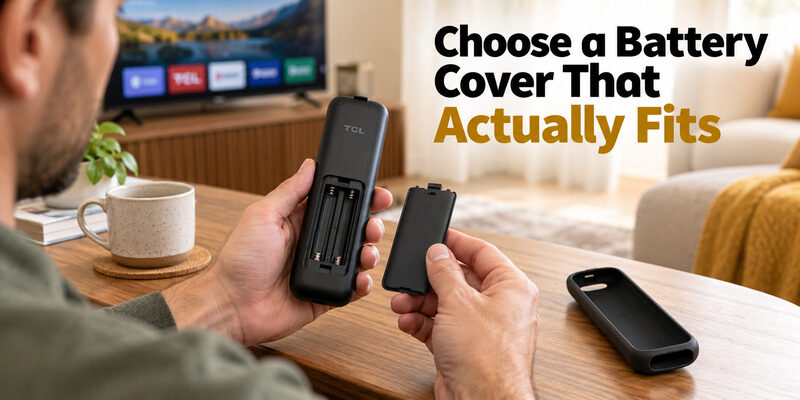
Replacing the batteries is simple, but incorrect installation is one of the most common reasons a remote stops working after a battery change.
Step 1: Remove the Battery Cover
Turn the remote over.
Depending on the design, the cover may:
- Slide downward
- Lift from a notch
- Release from a clip
Do not force the cover if it does not move easily.
Step 2: Remove Both Old Batteries
Take out both batteries rather than replacing only one.
If one battery is weak and one is fresh, remote performance may become inconsistent.
TCL’s current Roku remote troubleshooting guidance recommends replacing the batteries with a fresh set and avoiding mixed old/new batteries.
Step 3: Check the Battery Contacts
Before installing the new batteries, inspect the metal contacts.
Look for:
- Dirt
- Corrosion
- Battery leakage
- Bent contacts
- Loose springs
If the contacts are dirty, clean them carefully before continuing.
Step 4: Match the Polarity
Insert the batteries according to the symbols inside the compartment:
+ → positive
– → negative
TCL specifically instructs users to follow the battery orientation marked inside the remote.
One reversed battery can make the remote appear completely dead.
Step 5: Close the Cover and Test the Remote
After installing the batteries, test:
- Power
- Home
- Navigation
- Volume
- Voice, if supported
If everything works, no further setup is required.
If nothing happens, continue to the troubleshooting section below.
3. Why Does My TCL Remote Drain Batteries So Fast?
A TCL remote should not normally require a fresh set of batteries every few days.
If it does, the problem may not be the battery itself.
Cause 1: Voice Remote Is Not Properly Paired
This is one of the most important causes to check on supported TCL Roku voice remotes.
TCL specifically states that if a Roku voice remote is not properly paired with the TV, it can drain the batteries within a few days.
If you have a voice or enhanced remote:
- Open the battery compartment.
- Look for a pairing button.
- Put the remote into pairing mode.
- Restart the TV if necessary.
- Wait for the remote to reconnect.
TCL’s support guidance recommends re-pairing the voice remote when unusually fast battery drain occurs.
Cause 2: A Button Is Stuck
A physically stuck button can keep the remote active continuously.
Inspect:
- Power
- Volume
- Navigation buttons
- Voice button
- Playback buttons
Press each one several times.
If a key:
- Feels sunken
- Stays pressed
- Feels sticky
- Does not spring back
it may be causing unnecessary battery use.
Cause 3: Poor Battery Contacts
If the batteries repeatedly lose contact, the remote may reconnect or behave inconsistently.
Check:
- Springs
- Flat contacts
- Corrosion
- Loose battery fit
A poor contact can look like a battery problem even when the batteries are still good.
Cause 4: Incorrect Battery Type
For TCL Roku voice remotes covered by TCL’s battery-drain guidance, TCL recommends alkaline batteries and advises against rechargeable NiCd or NiMH batteries.
Again, check your exact remote model before generalizing this recommendation.
Cause 5: Remote Hardware Problem
If:
- Fresh batteries repeatedly drain very quickly
- Pairing is correct
- No button is stuck
- Contacts look normal
the remote itself may be faulty.
At that point, replacement may be more practical than continuing to replace batteries.
4. New Batteries Installed but TCL Remote Still Doesn’t Work?
A fresh battery set does not automatically rule out a remote problem.
Use the symptoms below to narrow down the cause.
| Symptom | Most likely area to check |
|---|---|
| No buttons work | Polarity, battery contact, battery quality |
| Remote works only close to TV | IR signal / obstruction |
| Power works but voice does not | Wireless/Bluetooth pairing |
| Navigation fails but basic IR works | Pairing |
| One or two buttons fail | Physical button wear |
| Phone remote works but physical remote does not | Physical remote problem |
| Pairing light never flashes | Battery or remote hardware |
Check the Batteries Again
Remove the batteries and reinstall them.
TCL recommends reseating the batteries first when the remote is unresponsive or responds intermittently. If that does not help, replace them with a fresh set.
Restart the TV
If battery replacement makes no difference, restart the television.
For many TCL Roku TV issues, TCL recommends unplugging the TV, waiting, then reconnecting power before testing the remote again.
This can help when the remote itself is fine but the TV’s remote connection is temporarily stuck.
Check Whether the Remote Uses IR or Wireless Pairing
A basic IR remote and a voice remote fail in different ways.
IR Remote
An infrared remote usually:
- Needs line of sight
- Must be pointed toward the TV
- Does not require Bluetooth pairing
Make sure:
- No soundbar blocks the TV sensor
- No decoration sits in front of the receiver
- You are pointing directly at the television
TCL specifically recommends keeping the IR receiver unobstructed.
Voice / Enhanced Remote
Voice or enhanced remotes may need to be paired.
If basic functions work but voice or wireless navigation does not, check the remote connection rather than replacing the batteries again.
5. TCL Voice Remote Battery and Pairing Problems
A voice remote can appear to have a battery problem when the actual issue is pairing.
This is especially important because basic and advanced remote functions may not use exactly the same communication path.
TCL Roku Voice Remote
TCL’s support documentation says some Roku voice remotes have a pairing button inside the battery compartment.
If the remote is not properly paired, TCL notes that battery drain can become unusually fast.
A typical supported re-pairing flow is:
- Open the battery compartment.
- Locate the pairing button.
- Hold it until the pairing light begins flashing.
- Restart the TCL Roku TV.
- Wait for the TV to detect the remote.
TCL’s current documentation shows that exact timing can vary between support pages and remote generations, so use the instructions for your specific model when available.
TCL Android TV Voice Remote
For supported TCL Android TV voice remotes, TCL says pairing may use:
HOME + OK
while standing close to the television.
If pairing fails, TCL recommends checking the batteries first, moving closer, restarting the TV, and then trying again.
Power Works but Other Buttons Do Not
This symptom can indicate that basic remote communication is working but the wireless connection is not fully established.
For supported TCL Android TV remotes, TCL specifically notes that Power may still work while other functions require re-pairing.
So if fresh batteries do not restore navigation or voice functions:
check pairing before buying another set of batteries.
6. How to Test a TCL IR Remote After Changing Batteries
If you use a standard infrared remote, you can perform a simple test with a smartphone camera.
TCL itself recommends this method for IR remotes.
Smartphone Camera Test
- Open your phone camera.
- Point the front tip of the TCL remote toward the camera.
- Press and hold a remote button.
- Watch the phone screen.
You may see a flashing light from the IR emitter.
If You See the Flashing Light
The remote is transmitting.
If the TV still does not respond:
- Check the TV’s IR receiver
- Remove obstacles
- Move closer
- Test another button
If You Do Not See a Flashing Light
Try:
- Fresh batteries
- Reseating the batteries
- Testing a different button
If no signal appears after that, the remote may have a hardware problem.
TCL notes that some smartphone cameras show IR more clearly than others, so this test is useful but should not be treated as a perfect diagnostic on every phone.
7. How Long Should TCL Remote Batteries Last?
There is no single battery-life number that applies to every TCL remote.
Battery life depends on:
- Remote type
- Battery quality
- Voice/Bluetooth usage
- How often the remote is used
- Pairing condition
- Stuck buttons
- Hardware condition
A basic IR remote may behave differently from a voice remote that maintains a wireless connection.
When Battery Drain Is Abnormal
You should investigate if a fresh set of batteries lasts only a few days.
TCL specifically identifies battery drain every few days as a potential symptom of an improperly paired Roku voice remote.
Check:
- Pairing
- Stuck buttons
- Battery contacts
- Battery type
- Remote hardware
Do not simply keep replacing batteries without finding the cause.
FAQs About TCL TV Remote Batteries
Do all TCL remotes use two AAA batteries?
No. The correct TCL TV remote battery type depends on the handset. The C645 manual describes two AAA cells, while Roku documents AA and AAA remotes and also has rechargeable models. Read the compartment marking and instructions for the accessory you own.
Can I use rechargeable AA or AAA cells?
Only if the remote’s instructions permit them. Some TCL documentation specifically advises against rechargeable replacements. A remote designed with an internal rechargeable battery is a different product; its charging capability does not make loose rechargeable cells suitable for another handset.
Why does the battery warning return after replacement?
First confirm that the complete set was fresh, correctly specified, and properly installed. Then note whether control actually deteriorates, inspect button freedom, and check the relevant voice connection. A returning warning needs investigation; it does not establish a universal TCL TV remote battery defect.
Will a silicone sleeve fix a missing battery door?
No. A sleeve is an outer accessory and should not be treated as a structural replacement for the compartment door. Find the rigid cover that matches the remote model and its latch arrangement, then check the sleeve separately for unobstructed buttons and openings.
How long should the batteries last?
There is no single dependable interval for every TCL handset and usage pattern. Remote type, cell condition, listening features, and connection problems can change the result. Record the installation date and normal use so a sudden change can be explained clearly to support.
Use a Remote TV App When Your TCL Remote Battery Dies
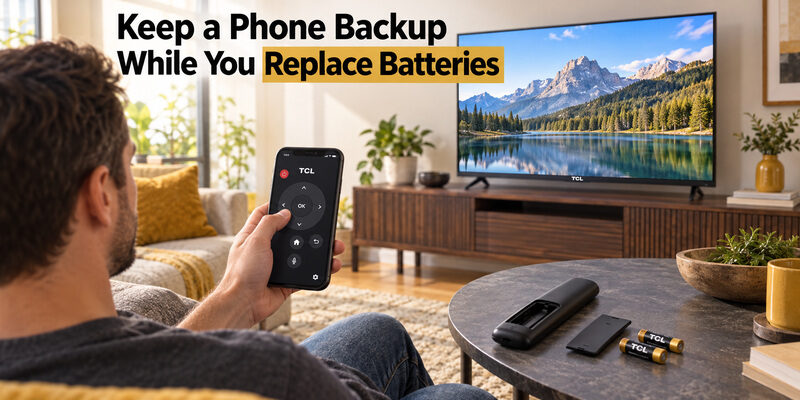
If your TCL TV remote battery is dead, you do not have to wait until you find replacement batteries. A Remote TV App can turn your smartphone into a temporary or even long-term TCL remote.
Simply download a compatible remote control app, connect your phone and TCL TV to the same Wi-Fi network, and select your TV when it appears. Once connected, you can use your phone to control common functions such as volume, navigation, Home, Back, channel selection, and app launching.
This is especially useful when your physical remote suddenly stops responding and you are not sure whether the problem is caused by weak batteries or the remote itself.
Quick solution:
- Download the Remote TV App on your phone.
- Make sure your TCL TV and phone use the same Wi-Fi network.
- Open the app and select your TCL TV.
- Start controlling the TV directly from your phone.
Using a Remote TV App gives you immediate access to your TCL TV while you replace the batteries or troubleshoot the physical remote.
Download TV Remote App