TCL TV Remote Original With Voice Control: Compatibility, Setup
By the Remote TV App Team
Short answer: Buy the original voice remote confirmed for your exact TCL model and pair it using that platform’s instructions.
A microphone button and TCL branding do not establish that a handset is the correct original replacement. The television platform, remote part number, regional version, and supported features all matter. Basic buttons can work even when the wireless connection needed for voice has not been established.
This guide to a TCL TV remote original with voice control explains what to verify before buying, how to set up the supported connection, and how to separate microphone failures from assistant or network problems. It also distinguishes push-button voice from hands-free television microphones so you can choose the feature you actually need.
Quick Answer
Before buying a TCL voice remote, confirm:
| Check | Why it matters |
|---|---|
| Exact TV model | Confirms whether the remote is supported |
| TV platform | Determines pairing method and voice features |
| Remote model / part number | Helps verify the correct replacement |
| Original vs compatible wording | These are different product claims |
| Voice support | Basic controls may work even when voice does not |
| Region | Some TV and remote variants differ |
| Return policy | Useful if voice or pairing does not work as advertised |
A microphone button alone does not prove that a remote is original or fully compatible.
1. How to Verify an Original TCL Voice Remote
The first step is identifying the exact television and remote you need to replace.
Find the TCL TV Model Number
Look for the full model number:
- On the label on the back of the TV
- In Settings → System / About
- On the original box
- In purchase records
Keep the full model identifier, including any regional suffix.
Two TCL TVs from the same series can look similar while using different operating platforms or supplied remotes.
Check the Original Remote Model
If you still have the old handset, inspect:
- Rear label
- Battery compartment
- Printed model or part number
- Button arrangement
- Voice/microphone button
- Pairing button, if present
When buying a replacement, matching the original remote model is more reliable than searching only for “TCL voice remote.”
Original and Compatible Are Not the Same
An original TCL remote and a compatible replacement remote are different products.
A compatible remote may still work well, but it should not automatically be treated as OEM.
Check the seller’s wording carefully.
Useful phrases to verify include:
- Original TCL remote
- Genuine TCL replacement
- OEM remote
- Compatible replacement
- Replacement for TCL
If a listing mixes “original,” “replacement,” and “compatible” without giving a model number, ask the seller to confirm exactly what will be supplied.
💡 Discover Helpful Guides: TCL TV Remote: Complete Setup, App, Codes, Troubleshooting & Replacement Guide
2. Original vs Compatible TCL Voice Remotes
A third-party replacement can sometimes handle normal TV controls while missing advanced functions.
| Remote type | Basic buttons | Voice | Pairing | Best use |
|---|---|---|---|---|
| Original TCL remote | Usually full support | Model-dependent, normally supported when specified | Platform-specific | Best feature match |
| Compatible voice remote | Usually | May vary | May vary | Lower-cost replacement |
| Universal IR remote | Usually basic functions | Usually no | Usually no Bluetooth voice pairing | Power/Volume/Input |
| Phone remote | Platform-dependent | Platform/app-dependent | Network-based | Temporary backup |
TCL notes that universal remotes may handle basic functions such as Power, Volume, Mute, Input, and navigation while advanced features like voice control, Bluetooth pairing, platform-specific Home controls, and special buttons may not behave like the original handset. TCL Support
Do Not Judge by Appearance Alone
A replacement may have:
- A TCL logo
- Similar shape
- A microphone icon
- Streaming shortcut buttons
and still not provide the correct wireless voice profile for your TV.
The useful question is not:
“Does it look like my TCL remote?”
It is:
“Is this exact remote model confirmed to support my TCL TV model and voice platform?”
📘 Find the Right Guide: TCL TV Remote Control Replacement Buying Guide
3. Match the Remote to Your TCL Platform
This is one of the most important checks.
A voice remote for TCL Google TV should not automatically be assumed to work with TCL Roku TV or Fire TV.
| TCL platform | Typical remote setup |
|---|---|
| Google TV | Platform-specific wireless pairing |
| Android TV | Bluetooth voice pairing |
| Roku TV | Roku Voice Remote pairing method |
| Fire TV | Fire TV remote pairing process |
TCL Google TV
TCL’s current Google TV guidance says supported remotes pair by holding Home + OK together until the pairing process starts.
So if your TV uses Google TV, confirm that the replacement is actually designed for that platform before assuming a microphone button will work.
TCL Android TV
TCL also documents Home + OK for supported TCL Android TV voice remotes. The remote should be close to the television while pairing.
TCL specifically notes that voice and full navigation depend on the Bluetooth connection. Basic functions may still work even when the remote is not fully paired.
TCL Roku TV
TCL Roku TVs use Roku remote behavior.
Some TCL Roku voice remotes have a pairing button inside the battery compartment. TCL recommends holding it for about five seconds until the pairing light flashes.
Do not use Google TV’s Home + OK sequence on a Roku Voice Remote unless the specific Roku remote instructions say to do so.
TCL Fire TV
Fire TV remotes use their own pairing method.
Again, the key rule is:
match the remote to the TV platform before following any pairing sequence.
4. Check the Purchase Offer Beyond the Microphone Button
Confirm included equipment and condition
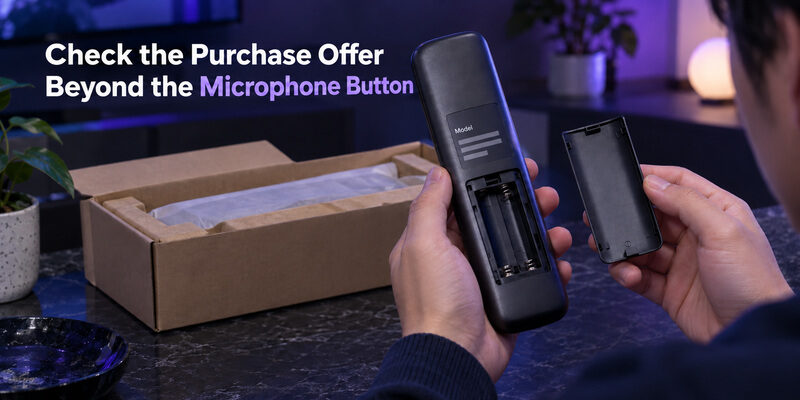
Check whether batteries or charging accessories are included, according to the remote’s actual power design. For a used handset, ask about the battery compartment, microphone opening, and button condition. A product can be original while still being worn or damaged.
Inspect clear photographs of the item rather than relying only on a stock image. A TCL TV remote original with voice control should arrive with the promised model and features, including the correct button arrangement for the confirmed replacement.
Evaluate returns and support
Use the current price and terms shown for your region. Compare equivalent condition and feature sets, including delivery charges and the return process if the promised voice functionality cannot be established on the listed compatible television.
A precise compatibility promise is part of the offer. Ask whether the seller will support a pairing problem and how to handle a supplied model that differs from the listing. This matters more than choosing solely by the lowest advertised price.
📖 Read More Guides: TCL TV Remote Download: Control Your TCL TV With Your Phone
5. Pair the Supported Google TV Handset
Prepare the TV and remote
Turn on the television, install the specified batteries correctly, and place the handset near the screen. Keep another working control route available if you need to enter settings. Remove obvious obstructions for any infrared commands used during the process.
For a supported TCL TV remote original with voice control, follow TCL’s Google TV sequence: hold Home and OK together until the television shows the relevant pairing animation or confirmation. Use the model’s instructions if its controller differs from the illustrated hardware.
Verify confirmation and ordinary commands
Wait for the television’s result before pressing unrelated keys. Then test Home, directions, OK, and Back. A blinking indicator or a momentary on-screen message alone is not as useful as a completed pairing confirmation followed by working commands.
Complete one documented attempt before changing anything. If the connection fails, note the last stage reached, check the battery installation, and restart according to the TV’s support guidance if needed. Repeatedly mixing button combinations can make the original problem harder to describe.
Once navigation works, test voice separately. A TCL TV remote original with voice control should be evaluated as both a controller and a microphone input, because those functions can fail for different reasons.
6. Make the First Voice Request Easy to Evaluate
Speak while using the documented control
TCL’s Google Assistant guidance describes holding the relevant remote button while speaking. For this push-button action, the remote does not require you to begin with “Hey Google.” Follow the available on-screen prompt and release the control as directed by the installed interface.
Choose one short supported request, such as a simple content search. Avoid beginning with several instructions joined together. A TCL TV remote original with voice control is easier to check when you can see whether the TV started listening and recognized a straightforward phrase.
Observe recognition before judging the final result
Look for the listening response and any recognized words. If speech appears correctly but the requested service cannot open, the microphone has supplied useful evidence of working input. Investigate the service, account, region, or command support next.
Recognition and command completion are different results. TCL TV remote voice control may be functioning even when a particular title is unavailable or a streaming service needs sign-in. Do not re-pair a working handset merely because one content request cannot be fulfilled.
📖 Explore Articles: TCL TV Remote Battery Size and Replacement Guide
7. Review Assistant Settings and Microphone Choices
Check the television’s supported assistant configuration
TCL’s assistant guidance identifies model and configuration requirements, and notes that Apps Only mode can affect assistant and search availability on Google TV. Menus and available services can also vary by region and software version.
When reviewing TCL TV remote voice settings, use the television’s current menus and the relevant manufacturer instructions. Do not assume that a setting from another TCL generation exists in the same place or provides the same behavior.
Choose the microphone route intentionally
If you prefer push-button requests, verify that route using the handset. If the television supports hands-free voice and you want to use it, inspect the separate TV microphone switch and setup. Test the chosen method without changing both arrangements simultaneously.
Record which microphone you are testing. A TCL TV remote original with voice control can appear inconsistent when one attempt uses the remote and another relies on a television microphone that is disabled or unsupported. Keeping the routes distinct makes the result understandable.
💡 Discover Helpful Guides: TCL TV Not Responding to Remote Troubleshooting Guide
8. Diagnose Voice Failure by the Last Successful Stage
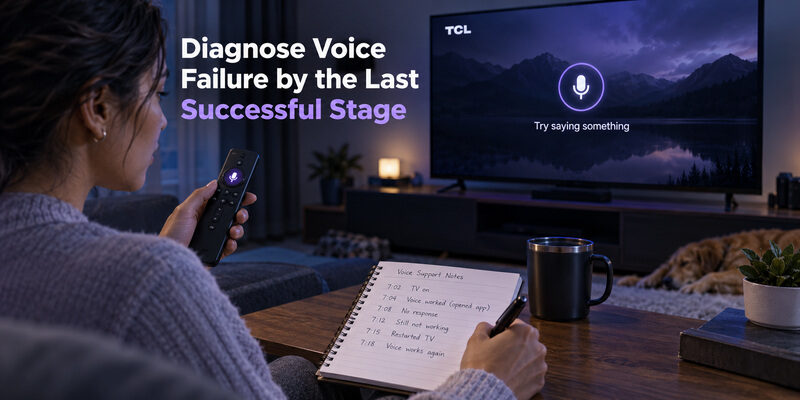
Identify whether listening starts
If no listening prompt appears, confirm the correct button, the supported voice connection, and the television’s assistant configuration. Test ordinary navigation again to establish whether the entire remote has stopped working or only voice is affected.
For TCL TV remote voice control not working, this distinction prevents a generic reset from replacing a useful diagnosis. A TCL TV remote original with voice control that handles navigation but never opens a supported listening prompt needs a more focused check of pairing and feature availability.
| Observed result | First area to investigate | Preserve this evidence |
|---|---|---|
| No buttons respond | Power, compatibility, control connection | Whether TV responds to another controller |
| Basic buttons work, no voice prompt | Wireless pairing and assistant setup | Which non-voice commands succeed |
| Prompt appears, speech not recognized | Speaking method, microphone path, environment | Whether any words are detected |
| Words recognized, task fails | Command, account, service, network, region | The recognized phrase and error |
| Voice works intermittently | Repeatable conditions and connection | When and where the failure occurs |
Compare one simple request under steady conditions
Reduce competing room sound and speak normally toward the handset microphone while following the documented button action. Repeat the same short request after checking the connection. Do not shout into or cover the microphone opening.
A repeatable test is more useful than many unrelated requests. If the TCL TV remote original with voice control recognizes one phrase reliably, use that as a baseline before investigating a different app or command category.
💡 Discover Helpful Guides: 5 Best Free TCL Google TV Remote Apps to Control Your TV From Your Phone
9. Keep a Normal Button Routine and a Phone Backup
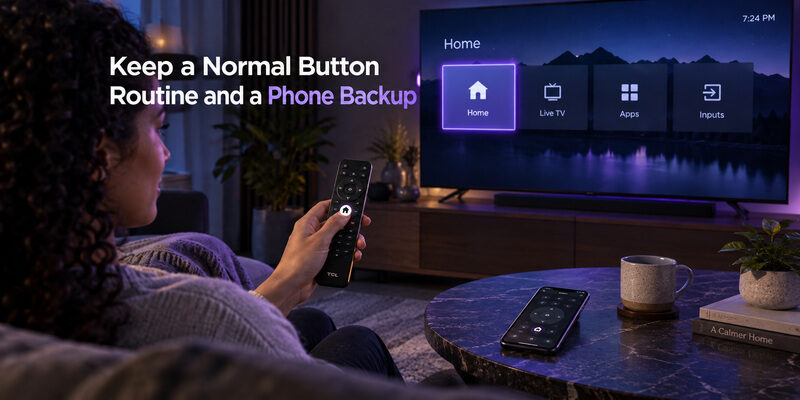
Voice is convenient, but viewers should still know how to reach Home, navigate, select, and return with Back. Test volume and input control as part of a normal viewing session. These basics keep the television usable when an assistant service or network-dependent request is unavailable.
For supported models, can provide a separate phone-control option. Verify its current compatibility and actual functions on your television. Do not assume a phone remote reproduces every original voice feature.
Keep the TCL TV remote original with voice control after phone setup, especially for first installation or network recovery. The guide covers physical connection methods, and explains that platform’s phone pairing.
Store the confirmed replacement part number with the TV model and a note of the successful pairing method. This makes a later replacement easier and prevents another search based only on a photograph or screen size.
10. Questions About Original TCL Voice Remotes
Does a microphone button prove a remote is original?
No. Button appearance does not establish manufacturer provenance or model compatibility. Check the part information, supplier description, and supported television list. Ask what will actually be supplied when a listing uses original and compatible wording inconsistently.
Why does Power work while voice does not?
On supported designs, basic infrared commands and wireless voice use different control paths. The handset may need pairing or the assistant may need configuration. Verify the documented setup before treating partial operation as proof that the remote is defective.
Will an original voice remote add hands-free TV listening?
No, not by itself. Hands-free television listening requires the appropriate TV hardware and supported setup. A TCL TV remote original with voice control can provide push-button microphone input without adding far-field microphones to a television that lacks them.
Must I say a wake phrase into the remote?
For the supported Google TV push-button method described by TCL, no. Hold the assistant or microphone button while speaking as instructed. Hands-free television voice is a separate method, so follow the requirements of the input route you choose.
📖 Explore Articles: TCL 32 Inch Smart TV Remote Selection Guide
Download TV Remote AppFinal Thoughts
Choose a TCL TV remote original with voice control by confirmed part identity, television model, and platform. Pair it through the appropriate instructions, test ordinary navigation, and then evaluate one simple voice request from listening prompt to final response.
Treat provenance, pairing, and assistant behavior as separate checks. That approach helps you buy the right handset, avoid unnecessary resets, and recognize when a failed request concerns a service or setting rather than the remote microphone.