
Vu TV Remote App Free Download: Install and Set Up the Right Phone Remote
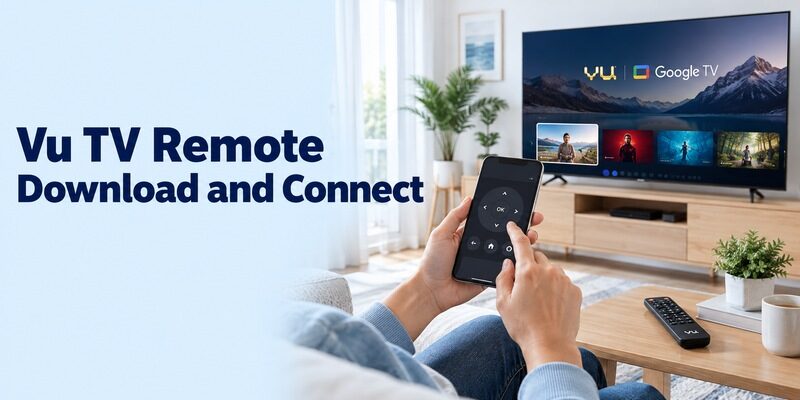
Short answer: For a compatible Vu Google TV or Android TV, start with the Google TV app from Google; older televisions may need a different supported app or an infrared controller. A vu tv remote app free download search can show several unrelated products with similar names. The useful choice depends on the television’s operating system and the phone’s hardware, not simply the Vu logo. This guide takes you from checking the store listing to making a first connection, testing free access, and resolving common setup failures. It also explains when a phone cannot replace a missing physical remote, so you can choose a workable next step without repeatedly installing unsuitable applications.
Vu TV Remote App Free Download: Check the Listing First
Identify the Application and Its Publisher
A brand name in an app title does not establish that Vu publishes it. For Google’s network remote, look for Google TV remote app for Android from Google in your phone’s official store. Its entertainment catalogue and remote are parts of the same application; a separate Vu-branded download is not required for a supported Google TV connection.
Before choosing a vu tv remote app free download result, compare the publisher, supported television platforms, and connection requirements. Save the exact app name for later troubleshooting. That small record helps if two installed apps have similar icons or if another household member needs to repeat the setup.
Separate the Install Price from Other Purchases
The App Store lists Google TV as free. Paid movies and streaming subscriptions remain separate from basic remote use. Seeing a rental price in the entertainment catalogue is not evidence that you must buy that movie to open the remote or move through the television’s menus.
For an alternative vu tv remote app free download, inspect the current purchase disclosures before proceeding. Free installation can coexist with advertisements or optional upgrades. Decide which controls must work without payment, then test those functions directly instead of assuming that every visible button belongs to an unlimited free tier.
Read the listing on the phone you will actually use. A store page opened on another device can hide an incompatibility that appears only when installation is attempted. If your phone cannot install the current release, confirm the supported alternative with the publisher rather than downloading an unexplained installation file.
Read more: Free TV Remote App Android: Free Setup and Usage Guide
Confirm Which Software Your Vu Television Runs
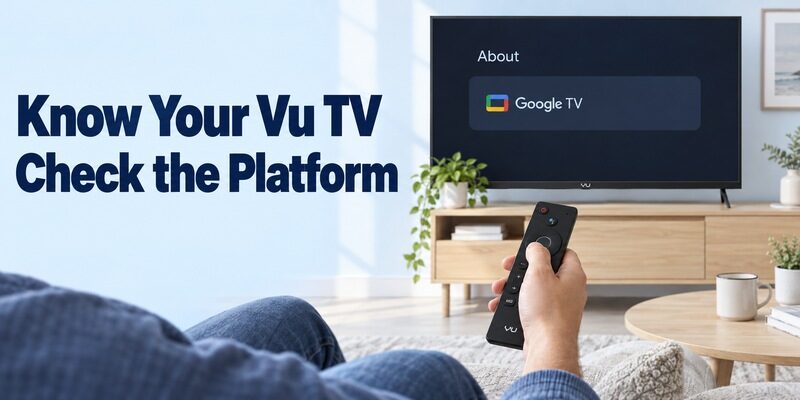
Read the Model and the Home Screen Together
Current Vu products include Google TV models, but the brand name alone is not a platform specification. Vu’s official Glo DV product page identifies Google TV for that range. Check your own television’s model label and system information rather than extending one current product’s features to every earlier Vu set.
A vu tv remote app free download should match the device that actually supplies your home screen. If an external streaming player is connected by HDMI, record that player’s model separately. Pairing with it may provide excellent navigation while leaving some television settings under the physical remote’s control.
Choose the Route Before Installing Alternatives
Use the table as a starting decision, then verify the exact model’s documentation. A television can display streaming services without accepting the Google TV remote protocol. Likewise, an infrared profile can work without adding any smart-TV features to an older display.
| Your setup | Route to check | Essential requirement |
|---|---|---|
| Vu Google TV | Google TV phone app | Supported TV and reachable network |
| Vu Android TV | Google TV phone app | Compatible Android TV connection |
| Older Vu with IR commands | Compatible infrared app | Phone with working IR transmitter |
| Vu displaying an HDMI player | Player’s supported remote app | Correct player platform and pairing |
If your television does not fit a confirmed route, stop at identification. A model-specific answer from Vu support is more useful than trying every application that happens to show a similar controller.
For example, seeing Google TV on an HDMI player does not establish that the Vu display itself runs Google TV. Your vu tv remote app free download may need to target that player. Write down which screen changes when you press Home on each existing controller to clarify the arrangement.
Pair Google TV and Make the First Connection
Prepare a Reachable, Powered-On Television
Start with the Vu television awake and the phone on the same home network. Use a working remote or the television’s documented physical controls to establish the TV connection first. Keep both screens visible so you can distinguish a connection request from an unrelated account or streaming-service prompt.
The first vu tv remote app free download attempt should happen beside the television, with other optional changes postponed. If you recently replaced the router, check that the TV has the new network details. A phone application cannot automatically configure an offline television that it has not yet discovered.
If you recently replaced the router, check that the TV has the new network details. If you do not have the original controller, see how to connect Google TV to Wi‑Fi without a remote before retrying the app.
Select the TV and Enter Its Displayed Code
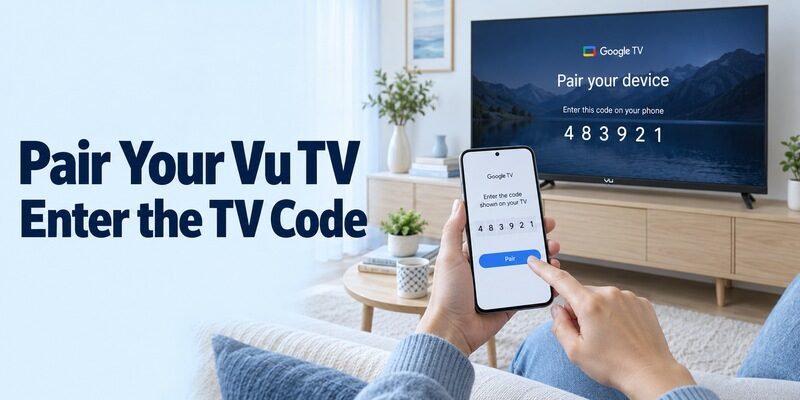
Google’s remote instructions use a short pairing sequence. Open Google TV, choose TVs nearby, select the intended television, enter the code displayed on its screen, and tap Pair. Use the current code for that request; a code from an earlier attempt may no longer belong to the active connection.
After completing the vu tv remote app free download setup, press one direction button and observe the television. A single visible movement confirms more than repeatedly tapping several controls. Check the selected device’s name before testing further, especially in a home with more than one Google TV device.
Remain on a simple home-screen tile during this initial check. Avoid testing the first connection inside an account-management or purchase screen, where an unexpected selection could be confusing. Once movement and selection are predictable, continue to your usual streaming application and test its ordinary playback controls separately.
Use an iPhone or Set Up a Second Android Phone
Take the Network Route on an iPhone
Google’s iPhone app includes a remote for compatible Google TV and Android TV devices. An iPhone does not gain an infrared transmitter by installing a remote app. For a supported Vu television, use the network connection and respond to the phone’s relevant local-device permission prompts when they appear.
An iPhone vu tv remote app free download search may show independent remotes alongside Google’s application. Verify the publisher and television support carefully. If the app requests a trial before you have confirmed basic control, return to the listing and compare its terms with the functions you actually need.
Pair Each Household Phone Deliberately
Set up another person’s phone while they are present and the TV is accessible. Do not assume that copying an icon or signing into an unrelated streaming service completes remote authorisation. Open the selected app on that phone, choose the intended TV, and finish any pairing prompt it receives.
For Android users, Google’s guidance also describes adding the TV remote to Quick Settings. Treat that as a convenient shortcut after a working connection is established. Practise opening the remote from the shortcut once, then show the user how to return to the full app if the shortcut cannot find the set.
Read more: Android Remote TV: Complete Guide to Control Any Smart TV From Android
Resolve a Missing TV or Rejected Pairing Code
Check Network Reachability Before Reinstalling
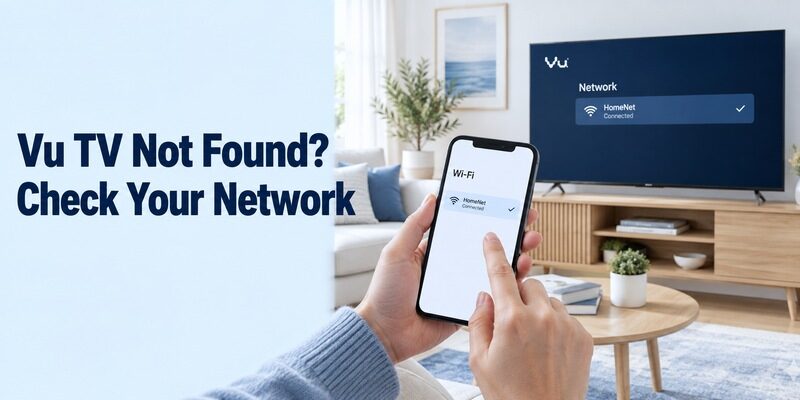
An online phone and an online TV are not necessarily on a network that lets them communicate. Compare the actual Wi-Fi connection on the phone with the television’s network information. Guest-network isolation, a VPN configuration, or separate router networks can prevent local discovery even while internet browsing works.
If a vu tv remote app free download cannot find your set, change one variable at a time. Temporarily test on the ordinary household network, keeping the television awake. Do not factory-reset the TV as an opening step; that can remove the network setup you need and create a larger recovery task.
Refresh the Connection and Retest
Google’s virtual-remote troubleshooting recommends checking the shared network and restarting the television when necessary. Follow the TV’s normal restart procedure, reopen the app, and request a fresh connection. Enter the new on-screen code carefully rather than reusing a remembered one from a failed attempt.
Keep a brief note of where the process stops: no device appears, the code fails, or pairing succeeds without working buttons. These are different symptoms. Reporting the exact stage, TV model, phone type, and application publisher gives support a much clearer starting point than saying only that the remote does not work.
If the vu tv remote app free download works on a second household phone, compare the first phone’s permissions and network connection. That result points toward a phone-specific difference. If neither phone finds the same awake television, concentrate on the television’s platform and local-network configuration before replacing the app again.
Try an Infrared App Only with Suitable Phone Hardware
Verify the Transmitter and the App’s Method
Infrared control requires an actual IR transmitter that the chosen application can use. Check the phone manufacturer’s specifications; an ordinary camera or proximity sensor is not a substitute. A Wi-Fi connection alone cannot make an IR-only app send commands from hardware the phone does not have.
One vu tv remote app free download result, VU Smart TV Remote by Smart TV Remote Pro, describes infrared operation and explicitly says it has no voice support. Its Play listing discloses ads. Treat broad compatibility wording as a claim to test against your equipment, not a guarantee for every Vu television.
Test a Profile Without Confusing Wi-Fi and IR
Another listing, VU TV Remote Control by AYYAN, identifies itself as unofficial. It describes IR requirements and a same-network Wi-Fi function for Android TV. Read the requirements for the particular mode you select; the presence of both descriptions does not remove the hardware requirement from the infrared mode.
With a suitable phone, aim its transmitter toward the TV receiver and try a compatible profile’s basic buttons. Test navigation and volume as well as power. One successful power command is a useful clue, but it does not prove that the profile includes every command needed for everyday viewing.
Save the profile only after those tests agree. A vu tv remote app free download may offer several remote layouts, and selecting the wrong saved layout can recreate an apparently intermittent problem. Note which essential buttons remain missing so you can decide whether the profile is sufficient as a backup.
Check Free Access with a Real Viewing Routine
Establish Which Buttons You Depend On
Evaluate the remote by completing a normal viewing session. Open the TV’s home screen, launch a familiar app, choose something to watch, pause it, and return home. Keep the physical remote nearby so an unsupported button does not leave you stuck inside a menu during the test.
For a vu tv remote app free download, record whether each essential action works without a trial or upgrade. Also note whether ads interrupt repeated navigation. A controller that technically includes a button can still be inconvenient if the action you use most often takes several extra steps each time.
Test Audio and Power as Separate Functions
A moving selection highlight does not prove that sound or standby will behave identically. Check whether audio comes from the TV speakers or an external device. If a phone changes a slider but the listening volume stays the same, identify the actual audio endpoint before blaming the whole connection.
| Check | Useful result | Follow-up if it fails |
|---|---|---|
| Navigation | One press moves one selection | Verify device and active app |
| Search field | Text appears where expected | Test a supported TV text field |
| Volume | Listening level changes | Check speakers, soundbar, and CEC setup |
| Standby return | TV becomes reachable again | Review model-specific wake support |
Test wake behaviour after both a short break and your normal overnight standby. Keep a physical power option available if the television stops exposing its network remote while asleep.
Repeat the routine from your usual seat, at a comfortable reading distance. The practical value of a vu tv remote app free download also depends on readable controls, predictable button placement, and how quickly you can return to the remote after answering a message. Let the main viewer judge that experience.
Recover When the Original Remote Is Missing
Use Existing Connections Before Changing Settings
A previously connected television offers a better starting point than an unconfigured one. If the Vu remains on the home network, try the verified app while the TV is awake. Use its documented cabinet button to power on if available, and be ready to respond to a pairing prompt.
A vu tv remote app free download cannot guarantee first-time access to a TV that is offline or waiting for setup input. Check which controls the television itself provides. Avoid changing its saved network or resetting the set until you have a reliable way to navigate the resulting screens.
Choose a Practical Temporary Controller
If network control is unavailable, a compatible physical replacement or a suitable IR-equipped phone may provide the needed input. Confirm model support before buying accessories. A generic claim that a controller works with smart TVs does not establish access to your Vu’s setup, source selection, or power commands.
Vu’s repair and customer-support page provides model-oriented assistance and installation guidance. Prepare the model identifier and a short description of the inaccessible screen before contacting support. Explain whether the television is already connected to Wi-Fi and whether any cabinet buttons work; these details narrow the available recovery choices.
Once access returns, finish the vu tv remote app free download setup before putting away the temporary controller. Pair the phone, verify the intended network, and practise reopening the remote. Keeping a working recovery method until the phone passes these checks reduces the chance of becoming locked out again.
Keep the Working Remote Easy to Find
Save the exact app and device name once the setup works. Give household members a simple routine: open the app, select the living-room Vu, and confirm the first navigation command. Keep an accessible physical backup and check the connection after changing routers or replacing the television’s network settings. Store the backup in a consistent place that everyone who watches the television can easily find.
Your vu tv remote app free download should make ordinary viewing easier, not require a new search every evening. Retest essential buttons after a substantial app or TV update. If a behaviour changes, record what still works so you can isolate the affected function instead of rebuilding the entire setup immediately.
For guidance on other television platforms, browse . Keep each device’s notes separate when a household uses multiple brands or external players. That prevents a working Vu procedure from being applied automatically to equipment with a different connection method.
Final Thoughts
Choose the download by your Vu television’s platform and your phone’s capabilities. Google TV is a sensible first route for compatible Vu Google TV and Android TV models. Infrared alternatives require suitable hardware, and their individual support claims still need testing. Verify navigation, sound, and standby before relying on any vu tv remote app free download as your everyday controller. A confirmed connection and a practical backup matter more than the number of apps installed.
