Can You Download PS Remote Play on Smart TV? Compatibility and Setup
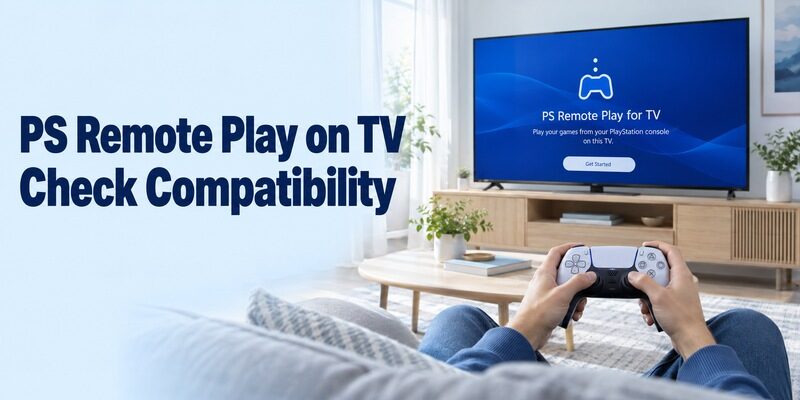
Short answer: Yes, you can install PS Remote Play for TV on compatible devices running Android TV OS 12 or later, but it is not a native app for every smart-TV platform. If you are asking, can you download PS Remote Play on smart TV, check the actual operating system and supported-device listing before installing. Samsung televisions running Tizen do not use the Android TV app directly; a compatible external player is a different route. You also need a PS5 or PS4, the appropriate account and controller, and a stable connection. This guide separates installation eligibility from console setup, controller pairing, streaming performance, and features that remain unavailable.
Can You Download PS Remote Play on Smart TV with Any Operating System?
Check Android TV OS Rather Than the Word Smart
PlayStation’s current Android TV support guide requires Android TV OS 12 or later. A television’s ability to run Netflix or another streaming service does not establish that requirement. Check the operating-system version in the TV or player’s system information and compare the exact device with current support documentation.
So, can you download ps remote play on smart tv just because it has Google TV branding? Check the installed Android TV OS version and the app’s eligibility on that device. A familiar home-screen design does not prove that an older device has received the necessary software or supports the complete experience.
For ordinary television navigation on a compatible platform, see the Google TV remote app for Android guide, while keeping that TV-control function separate from PlayStation game streaming eligibility.
Distinguish Eligible Software from Verified Hardware
The official Google Play listing identifies PS Remote Play for TV under PlayStation Mobile Inc. It names supported BRAVIA models, Chromecast with Google TV in HD and 4K versions, and Google TV Streamer among its verified routes. It also warns that unverified equipment may not work properly.
When considering can you download ps remote play on smart tv across different brands, treat the OS requirement as a first filter. Installation availability, model verification, controller support, and a successful trial are separate checks. Do not interpret one owner’s result on a different television as a guarantee for yours.
If a retailer answers can you download ps remote play on smart tv with a simple yes, ask which exact model, software version, and official TV listing they mean. Those details make the claim checkable. A demonstration of another streaming application does not answer the PlayStation compatibility question.
What Changes for a Samsung Television?
Separate Tizen from Android TV
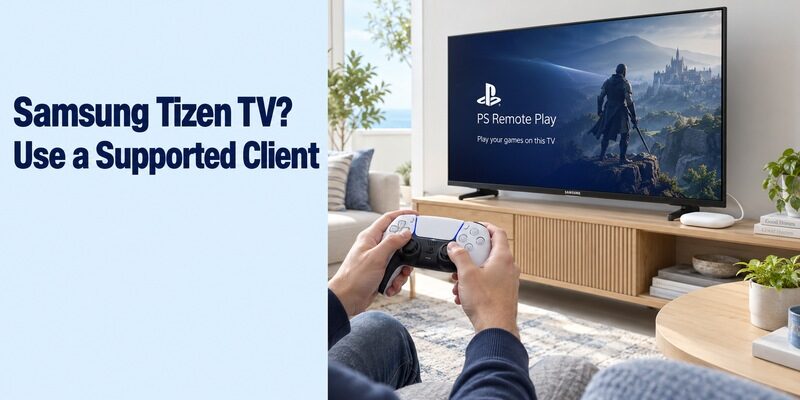
Samsung describes its current smart-TV platform as One UI Tizen. That is a different application environment from Android TV. The official PlayStation TV route checked for this guide does not establish a native PS Remote Play download for Samsung’s Tizen store, and an Android installation file does not turn Tizen into Android TV.
For the specific question can i download ps remote play on my samsung tv, distinguish a direct television installation from using something connected by HDMI. Searching the Samsung app catalogue repeatedly will not satisfy an Android TV operating-system requirement. Check the supported route before changing accounts or resetting the television.
A Samsung remote control manual and TV navigation guide can help with normal Tizen television settings, but it does not add Android TV applications to the Samsung app store.
Use a Compatible External Device as Its Own Client
A supported Android TV device can supply the Remote Play application while the Samsung panel displays its HDMI output. Install and operate the application on that external device, and pair the gaming controller with that client. The Samsung television still handles its own picture, sound, and input settings.
In this arrangement, can you download ps remote play on smart tv has a qualified answer: the download is on the connected client, not inside Tizen. Confirm the exact player, current firmware, app availability, and controller compatibility before purchasing hardware. The same distinction applies to other television platforms without a supported native route.
When an external Android TV device supplies the app, use the relevant Android TV box remote control app guide for its everyday navigation rather than confusing the player’s controls with the television panel’s settings.
| Display arrangement | Where the app runs | What determines eligibility |
|---|---|---|
| Supported Android TV television | Television itself | OS version, model, store availability |
| Samsung Tizen with supported HDMI player | External player | Player’s Android TV and controller support |
| Other TV with a supported connected client | Connected client | Client requirements, not panel brand |
| Computer connected to a display | Supported computer | PC or Mac Remote Play requirements |
| Console connected directly by HDMI | Console | No Remote Play app needed for direct play |
What Must Be Ready Besides the Television?
Prepare the Console and the Correct Account
Remote Play streams your own PlayStation console; installing the client does not provide a console or a game library. PlayStation identifies PS5 and PS4 as the source systems for this route. Keep the source console’s system software current and know which account you use on it before beginning television sign-in.
If can you download ps remote play on smart tv means playing without owning or accessing a suitable console, this workflow does not meet that goal. It is also distinct from a cloud-gaming subscription. A successful app installation does not supply a game licence or replace the requirements of the game you intend to play.
Prepare the Controller and Network
Have a supported gaming controller and a phone or tablet available for the television sign-in process. The TV’s ordinary directional remote helps you navigate setup, but it is not a substitute for the supported gamepad during normal play. Charge the controller before troubleshooting wireless pairing.
PlayStation specifies at least 5 Mbps upload and download, recommending 15 Mbps or more for better performance. Those figures are requirements to assess, not a promise of smooth play in every room. Local wireless conditions, congestion, and the path between the client and console still affect responsiveness.
Find and Install the Television Version of Remote Play
Verify the Product Title and Publisher
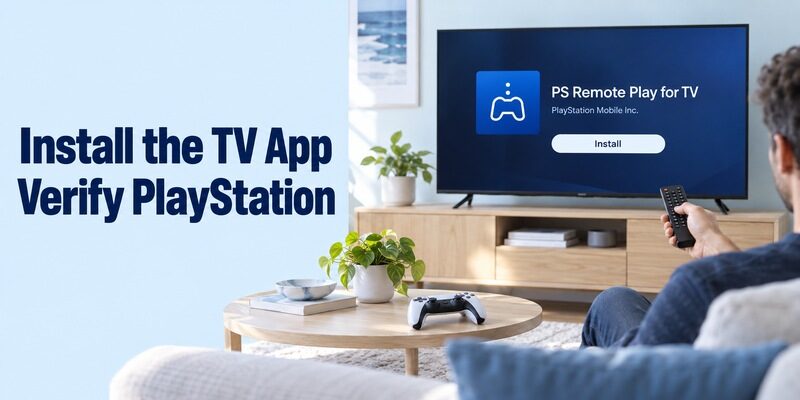
Look for PS Remote Play for TV from PlayStation Mobile Inc. in Google Play on the eligible television or client. The mobile-phone application is a separate store product. A page that installs on your phone does not prove that the television version is available for the selected TV device.
Before answering can you download ps remote play on smart tv for your own setup, open the actual target’s store. Check which device the installation button refers to, especially when browsing from a phone or computer with several devices on the same account. Install on the screen-side client that will receive the game stream.
On a supported Sony television, an Android phone remote for Sony TV can handle regular television navigation, while PS Remote Play for TV remains a separate PlayStation client with its own requirements.
Interpret an Unavailable Listing Correctly
If the TV store does not offer the application, record the model, OS version, region, and displayed message. Check supported software updates and the official device information. Do not assume that a different PlayStation account or a factory reset will resolve a television-store compatibility restriction.
The question can you download ps remote play on smart tv should be settled before forcing an unsupported package onto a device. Sideloading does not establish controller drivers, video performance, or supported operation. If the official route is unavailable, evaluate a verified external client or direct HDMI play instead of treating installation workarounds as guaranteed solutions.
Enable Remote Play on the Source Console
Prepare a PS5 for Connection and Rest-Mode Access
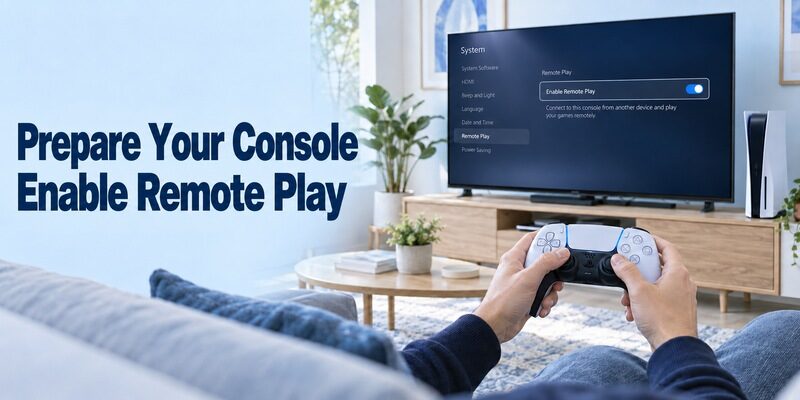
On PS5, enable Remote Play in the System settings. Sony’s PS5 Android TV guide places the setting under Settings, System, Remote Play. For rest-mode access, its Power Saving options must retain internet connectivity and allow network power-on. Complete those settings on the console before expecting the television client to wake it.
When asking can you download ps remote play on smart tv and use it while the main display is off, remember that the source console must remain available. Turning off the television attached to the PS5 is different from removing power from the PS5. Test the console awake before testing the separate rest-mode path.
Prepare a PS4 with Its Own Settings
Sony’s PS4 Android TV guide requires Remote Play to be enabled in Remote Play Connection Settings and the source PS4 to be activated as your primary PS4. Its rest-mode configuration must maintain internet access and permit network power-on. Follow the PS4 menu names instead of copying the PS5 path.
For households with more than one console, record which source you prepared. The same client app can serve PS4 and PS5, but the settings belong to the actual host. A connection failure to an unprepared second console does not invalidate a successful setup with the first one.
Resolve these console settings before leaving home. Asking can you download ps remote play on smart tv from another location is much easier to act on when the host has already passed a local connection test. An available client cannot repair a source console that was left fully powered down.
Pair the Gaming Controller with the Receiving Device
Connect DualSense to the Client
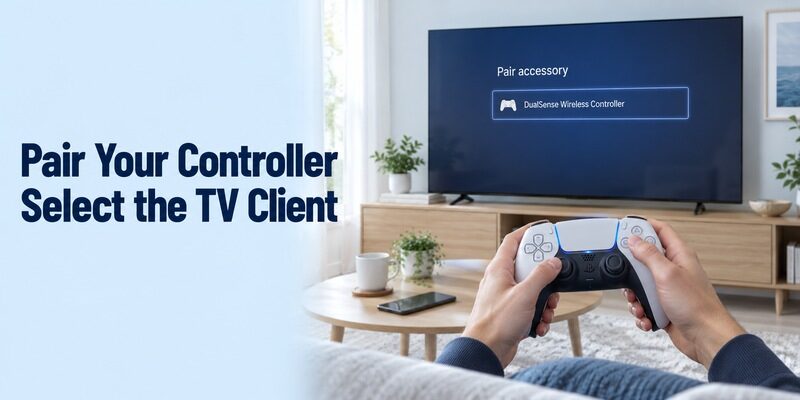
Pair the gamepad with the Android TV device receiving the stream. For first-time DualSense Bluetooth pairing, PlayStation’s controller guide describes starting with the indicator off, holding Create and PS to enter pairing mode, and selecting the controller in the supported device’s Bluetooth list. Follow the current controller instructions if you use its multiple-device pairing features.
After resolving can you download ps remote play on smart tv, this is a separate hardware step. A controller still operating the source console may not be controlling the receiving television interface. Confirm which device responds before launching a game, and avoid judging the network while the gamepad is connected to the wrong target.
Check DUALSHOCK 4 and DualSense Edge Requirements
For DUALSHOCK 4, Sony’s Android TV guide uses SHARE and PS to enter Bluetooth pairing, followed by selection on the TV. It also notes that this controller pairs with one device at a time, so returning it to another target requires the appropriate reconnection procedure.
The current TV app listing adds DualSense Edge support for devices running Android TV OS 14 or later. That is more specific than the app’s basic OS 12 requirement. If can you download ps remote play on smart tv is part of planning an Edge setup, verify both requirements rather than assuming any installable client supports every PlayStation controller.
Sign In and Start a Controlled First Session
Use the Console’s Account in the TV App
Launch Remote Play on the receiving device and sign in with the account used on the source console. PlayStation’s Android TV instructions use a phone or tablet to scan the sign-in QR code displayed by the client, then let you choose PS5 or PS4 and the intended console when more than one is found.
At this point, can you download ps remote play on smart tv has become a connection question. Keep the console on for the first trial and verify the selected host. The sign-in code is part of the live account flow; a sample image from a guide is not something to reuse.
If the compatible Google TV client is offline before this stage, restore its network first with these steps to connect Google TV to Wi-Fi without a remote.
Test Navigation Before a Demanding Game
Start at the console home screen and confirm that the paired gamepad moves through menus. Open a familiar, compatible game and use a calm scene to assess input, picture, and audio. A brief controlled trial makes it easier to tell a game-specific issue from a connection that never became usable.
Once can you download ps remote play on smart tv has a working answer, test a full short session rather than only the initial launch. Pause, return to the console menu, and reconnect after ending the stream. Save the successful client and console names so the next session starts with the same equipment.
Understand Game, Audio, and Controller Limitations
Remote Play Does Not Support Every Console Activity
Some games and console features are excluded from Remote Play. PlayStation’s troubleshooting guide identifies restrictions involving VR equipment, simultaneous Share Play or cloud-streamed PlayStation Plus Premium games, and certain media activities. A blocked video service or unsupported peripheral-based game is not necessarily evidence of a broken television installation.
If can you download ps remote play on smart tv is motivated by one particular game, check that game’s requirements before building the setup around it. Choose a normal supported title for the first test. Keep console game streaming separate from using the TV’s own entertainment apps or playing a disc movie through the console.
Do Not Expect Full Local DualSense Features
PlayStation’s Remote Play overview states that Android TV does not support DualSense haptic feedback, adaptive triggers, controller audio output, or its built-in microphone through this route. Its Android TV guides also state that voice chat and other microphone-dependent features are unsupported. Basic game control and the full local-console experience are therefore different expectations.
When deciding can you download ps remote play on smart tv for online sessions with friends, include audio communication in the decision. Do not assume that pairing a headset to the controller recreates local console voice chat. Test the supported audio arrangement and choose another documented client route if microphone use is essential.
Improve Responsiveness and Assess Image Quality
Test the Network Where You Will Actually Play
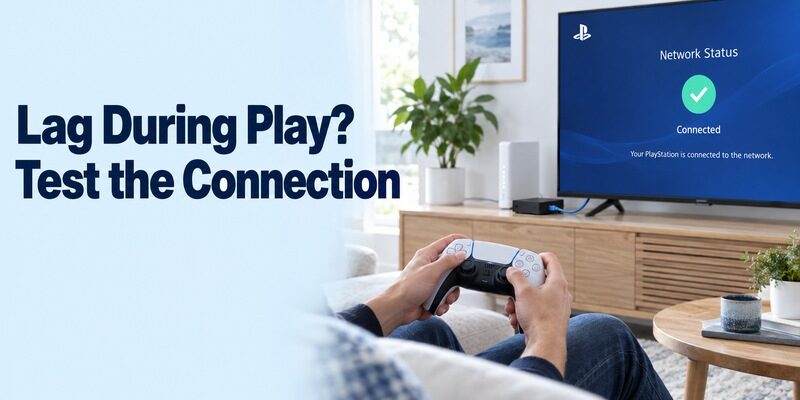
Evaluate the connection from the intended room and seat. Sony recommends a wired console connection when practical, and its TV app listing recommends wired networking or 5 GHz Wi-Fi. A speed result near the router does not describe every wireless location in the home.
For anyone asking can you download ps remote play on smart tv without noticeable delay, the useful answer requires a real trial. Pause large transfers, keep the test scene consistent, and compare one network change at a time. Record whether the problem is delayed input, a frozen picture, reduced clarity, or a disconnect.
Use a familiar game sequence rather than comparing unrelated games after each change. Repeat the same movement or menu action and observe whether the response changes. The decision behind can you download ps remote play on smart tv is practical: does this particular setup feel usable for the games and room you intend to use?
Separate Display Processing from Stream Settings
The TV app listing recommends the display’s low-latency game mode. Use the model’s appropriate setting for the actual input or app route where available. This addresses display processing; it does not repair an unstable connection or turn an unsupported device into verified hardware.
Sony’s PS5 Android TV guide also documents HDR when the required displays and configuration support it. First establish a stable normal picture, then evaluate optional quality settings. A high-resolution or HDR label on the television is not a guarantee of the stream format, game performance, or end-to-end latency you will receive.
Diagnose Failures Without Mixing Up the Stages
Separate Sign-In, Discovery, and Streaming Problems
Write down the first step that fails. A missing store listing points toward client eligibility. A sign-in error calls for account and service checks. A console that cannot be found calls for source availability and Remote Play configuration. A connected session that stutters needs a different investigation from all three.
If can you download ps remote play on smart tv has already been answered by a successful installation, reinstalling immediately may skip the relevant evidence. PlayStation’s troubleshooting sequence includes checking the same account, source setup, current software, and connectivity. Preserve exact error messages instead of changing several unrelated settings at once.
Compare Local and Away-from-Home Use
Sony’s Remote Play troubleshooting manual advises proving the setup near the console before attempting access from elsewhere. A successful local test gives you a baseline. If only the remote location fails, investigate that connection and the network path instead of discarding the known working controller and client combination.
The manual identifies NAT restrictions as a possible obstacle. If those are relevant, use the documented troubleshooting route and appropriate network support. Do not interpret a large advertised download speed as proof that every connection requirement is satisfied. Keep the working local result and the remote-location error together in your support notes.
| Failure stage | Useful first investigation | Keep this evidence |
|---|---|---|
| App unavailable | Target OS, model, regional store | Exact eligibility message |
| Controller does not respond | Pairing target and supported controller | Device that currently responds |
| Console not found | Source power, settings, account | Prepared PS4 or PS5 identity |
| Session stutters | Client and console network path | Delay, freeze, or disconnect pattern |
| One game or feature fails | Remote Play restrictions | A different feature that works |
Choose an Alternative and End Sessions Deliberately
Compare Direct HDMI and Another Supported Client
Use direct HDMI when the console is already beside the television and remote access adds no useful flexibility. That arrangement displays the console output directly without a network streaming client. For another room, a supported external Android TV device or a supported PC or Mac may provide a more suitable route than an incompatible built-in TV platform.
Before spending money to answer can you download ps remote play on smart tv, check the equipment already available. A computer that meets Sony’s Remote Play requirements can be evaluated as a client; any connection from that computer to a larger display still depends on its own supported video-output arrangement. Avoid buying solely on the word smart.
Treat can you download ps remote play on smart tv as the first decision, then assess the complete routine. Include setup time, controller switching, audio needs, and returning the display to normal television use. The most suitable arrangement is the one that reliably completes your actual session with the equipment you have.
Disconnect and Preserve the Console’s Intended State
Sony’s TV guide describes opening the Remote Play control panel with the PS button and selecting Disconnect. The ending flow lets you choose whether to place the connected console into rest mode. Make that choice deliberately, especially when another household member will use the console next.
Keep the television’s ordinary remote available for volume, input, and returning to its own apps. A phone TV controller and a Remote Play gamepad serve different tasks. Use for general television-control guidance, while keeping PlayStation setup notes focused on the client, console, account, controller, and network.
Final Thoughts
Check the receiving device’s platform and verified support before installing or buying anything. The answer to can you download ps remote play on smart tv is yes for compatible Android TV clients, with additional console, controller, account, and network requirements. Samsung Tizen and other unsupported native platforms need a different supported client route. Prove basic play locally, test the features you care about, and keep the distinction between Remote Play streaming and ordinary television control clear.