HDMI-CEC Command List for Power Input and Audio

Short answer: Use the published CEC opcode list to distinguish message type, sender, destination, and operands.
An opcode identifies the message. The sender, recipient and arguments tell you how to interpret it. The Linux Kernel CEC API header defines common HDMI-CEC opcodes and power-status operands.
Use an HDMI-CEC command list to identify the opcode before reading the message’s arguments.
For power reports, 0x00 means on, 0x01 standby, 0x02 transitioning to on, and 0x03 transitioning to standby. Confirm the opcode before interpreting an operand.
Look Up Common CEC Opcodes
Read the opcode separately from its arguments
The opcode identifies the kind of message. An operand provides an argument, such as the returned power state. Give Device Power Status is 0x8F and Report Power Status is 0x90. The status value is part of the report and has its own meaning. Verify the result in the setup you actually use for HDMI-CEC command list.
The HDMI-CEC command is identified by the opcode, with additional bytes supplying the relevant operands. Read those bytes in the order defined for the operation. For the broader context, learn how HDMI-CEC works and how compatible devices exchange power, input, and navigation commands.
Verify control and picture separately
When inspecting a CEC message, separate the sender and destination in the frame header from the operation and its arguments. Tie the capture to a visible event on your equipment. Timing alone can show a correlation. Checking the destination and route can tell you whether it was the intended television or another device. In your notes on HDMI-CEC command list, include which device actually responded.
Read a captured frame from left to right. Note the initiator and destination from the header before interpreting the opcode and its operands. For Active Source, compare the reported physical routing address with the actual HDMI chain and confirm what changed on the TV or receiver.
Put the most common operations into groups when reading an HDMI-CEC command list. Routing operations affect the selected source, power operations query or change a device state, and user controls can describe a physical key. The destination and operands tell you what the sender expected the receiver to do.
Read more: HDMI-CEC Cable Buying and Troubleshooting Guide
Read Initiator and Destination

Read sender and destination
The frame header represents the logical initiator and destination. A physical routing address has a different role and can appear as an operand in routing messages. Do not treat the header’s logical address as a physical HDMI port number. Check whether HDMI-CEC command list changes the feature that originally prompted the test.
Find the failed link
When checking your own HDMI log, write down the device topology first. That helps map a source announcement to the actual device and port. If you are using a computer to inspect or send supported commands, review the hardware and software requirements for HDMI-CEC setup on a PC.
Read a header like 0x4F as two separate values. The upper nibble is the initiator and the lower nibble is the destination. Here, 4 indicates Playback Device 1 and F is the broadcast destination. Interpret the remaining bytes as an opcode and any associated operands. Repeat the same trial when reviewing HDMI-CEC command list options.
A four-bit logical address in a frame header describes a device role or destination on the CEC bus. The physical address used by routing messages describes a path through the HDMI topology. Capture the current input and note where the source plugs in before interpreting an active-source announcement. A receiver in between can add another routing level.
Understand Active Source and Routing for HDMI-CEC Command List
| Feature or step | What to verify |
|---|---|
| 0x82 | Active Source |
| 0x85 | Request Active Source |
| 0x36 | Standby |
| 0x8F | Give Device Power Status |
| 0x90 | Report Power Status |
| 0x44 / 0x45 | User Control Pressed / Released |
| 0x70 | System Audio Mode Request |
| 0x00 | Feature Abort |
Find active source and routing messages
Active Source is 0x82 and Request Active Source is 0x85 in the Linux CEC header. When investigating an input change, note the source that announced itself and whether the television switched inputs. Compare with the normal behavior on a direct connection. Retest after restoring the previous setting to see which part of HDMI-CEC command list changed.
Document a repeatable result
A request and a resulting device action are separate observations. An opcode in a log does not prove the TV implemented the action.
Choose a command the receiving device documents and that produces an observable result. A visible input banner or display transition is a good starting point. Compare the receiver and display if you use both. Test standby only after you understand the result with both devices already awake. Use the same starting state when testing HDMI-CEC command list again.
An Active Source announcement includes two bytes representing the physical address. An address such as 2.0.0.0 indicates a device on the second branch below the root display. A source connected through a receiver can appear farther down the topology. Compare the operands with the actual connections.
If Request Active Source appears before an announcement, identify the request and reply as separate frames. Compare the sender of the announcement with the device that actually displays content. This lets you trace the new source without assuming that the device issuing the request is the one claiming the input. Keep the result with the model details for HDMI-CEC command list.
Use the shortest simple chain that still contains the equipment being tested. Start with the television and the one source, using an input and cable that already display its picture. Compare the documented command with the same setup through the receiver or switch. Retest audio after restoring the original route.
Read more: HDMI-CEC Adapter Buying Guide for TV and PC Control
Read Power Status Replies
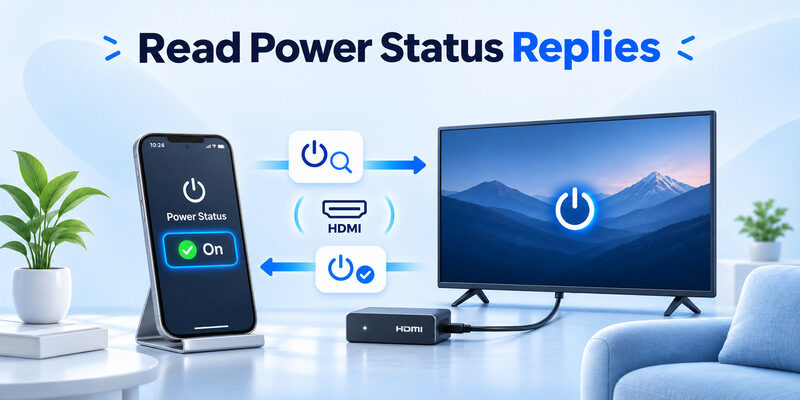
Interpret standby and power status
Standby uses 0x36. A power status request and report use 0x8F and 0x90. Record the sender and destination before deciding which device initiated linked standby. Some devices may report a transition while changing state. Record the device model when testing HDMI-CEC command list.
Compare the supported functions
A black TV screen alone is not evidence that all connected equipment is in standby. Check the device indicator or documented status. If your computer does not expose a native CEC interface, check whether a supported HDMI-CEC adapter for PC control can work with your operating system and setup.
Leave the system in its normal sleep state before testing wake, and use the same control to repeat it. An always-awake device can make an initial command appear more reliable than it is during ordinary use. Add automated power or routing only after the manual command gives a repeatable result. Before you make another change to HDMI-CEC command list, repeat the comparison with the equipment you normally use.
A power status reply can describe a transition instead of an already-completed change. Compare the reply with a later observation of the television. If the original request receives Feature Abort, use its stated reason and the device’s role to decide whether the command is supported in that state.
Allow the television and the source to settle into their usual power states before trying the next command. An HDMI source can take several seconds to initialize after wake. Compare a second trial with both already on so a delayed picture is distinguishable from an ignored action.
Test linked power while both devices are idle. Choose one device to initiate the action and observe the other. Then restore the initial state and swap the initiator. The two directions can use independent options, and the feature can behave differently after standby than after a full restart.
Read more: Permissions Requested by Google TV and What They Do
Check Remote Key Press and Release
Check user control pressed and released
User Control Pressed is 0x44 and User Control Released is 0x45. A supported press can have a key-code operand. Look for the command and the release as separate messages. Verify what the receiving device did on its own screen. Check the response here before changing other options for HDMI-CEC command list.
Identify the exact interface
TV navigation, player navigation and volume can target different devices. Use one simple physical key for a useful log comparison.
On the HDMI-CEC command list, 0x44 names User Control Pressed and the following operand identifies the user-control action. The value of the operand has its own mapping. A 0x45 release message is a separate operation and need not repeat the same operand. Keep the two frames in order when documenting a key.
For a press-and-release investigation, choose a single key with a clear result, such as a direction key on a visible player menu. Note the key and capture time, then compare which device actually received the frames. A menu reacting on the television itself can be independent of a command sent to the external player.
Open a visible source menu with the source’s own remote. Set it aside and use a single direction key from the other remote. Note where the highlight moves. If that works, compare OK and Back separately. A manufacturer can support only a subset of the controls forwarded to a particular device.
If an infrared handset changes volume while the capture contains no matching key messages, check the equipment’s configured control route. The receiver can respond to IR directly while the CEC log stays quiet. Repeat with the supported television remote and compare the direction and destination of any messages that appear.
If a key remains active longer than intended, compare the full capture around the press, any repeated messages and the release. The timing and destination provide additional context. Use the intended receiver’s documentation to decide whether repeats are supported or whether the observed behavior comes from its own key handling.
For a command that works on one source and fails on another, preserve the input and repeat the same key on each device. Note the frame destination and whether the receiver gives an abort. The message name by itself does not establish that the destination implements the same key.
Separate System Audio From Volume Keys
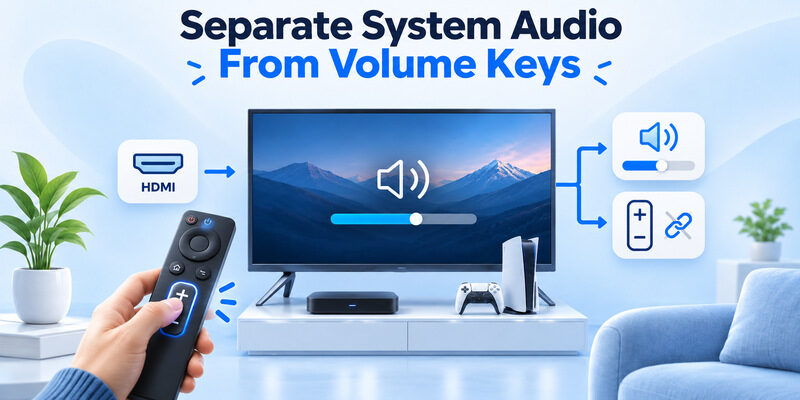
Distinguish system audio and failed features
System Audio Mode Request is 0x70. Feature Abort is 0x00. The abort can include the rejected opcode and reason. Use the published header definitions rather than treating every response as a power or volume status. Record this result with your notes on HDMI-CEC command list.
Check the working configuration
When checking a soundbar, first identify the active audio device and verify playback. Then look for the command associated with the single key you pressed. To understand the equipment behind a routing address, map your home theater control setup, including the source, receiver inputs, and TV connection.
Check the audio route independently after testing the video path. A receiver may handle the sources and the display may send sound back over its designated port. Confirm which box currently plays audio and test a familiar volume command. Verify whether the newly inserted component changed the expected output. A repeatable result can help when comparing HDMI-CEC command list across firmware versions.
System Audio Mode Request asks for a system-audio behavior. It can occur alongside independent volume or mute keys, so read those commands separately in the HDMI-CEC command list. Confirm the audio receiver selected as the destination where the message format specifies one, and compare its role with the television’s current audio output.
Check the level on the unit that is making the sound. A TV volume animation can be a graphical acknowledgment even if the separate receiver stays at the same level. Play a continuous clip so you can hear the effect of one volume step or mute without losing the original playback position.
Start the audio test from a built-in TV app or tuner. That test removes the external source and its audio format from the comparison. If the bar plays that clip and fails with the external source, inspect the source format and supported TV passthrough before disturbing the return audio connection.
Interpret a Feature Abort
Read a rejection in context
For a Feature Abort, note which device replied, which operation it rejected, and the reason operand. For example, an unrecognized operation and a command rejected in the current mode are different cases. Confirm the field values against the HDMI CEC protocol definitions used by your parser. Identify the active device before changing HDMI-CEC command list.
Use the HDMI-CEC spec or the corresponding protocol definitions when reading abort reasons. A search for an HDMI-CEC specification PDF can surface older editions, so compare the documented behavior and the protocol version relevant to your equipment.
Verify what actually reaches the device
A device can support a command in one role or state and decline it in another. Correlate the reply with its current source and power status. Keep the result with the settings you use for HDMI-CEC command list.
Capture the frame that preceded an abort as well as the abort itself. Verify that the original opcode matches the rejected operation reported by the destination. Look at the reason operand and the device’s current mode before retrying. A device may respond differently after leaving standby or changing roles.
A silent device and a device that returns Feature Abort give different evidence. In the second case you have an observable reply to interpret. In the first, verify the intended destination and whether a response is expected for the original message. Keep any timeout indication separate from the abort data.
Read more: Remove Permissions If App Is Unused on Android
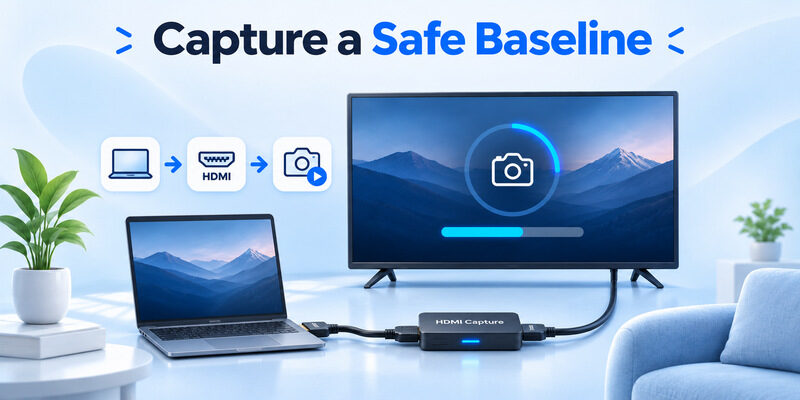
Capture a Safe Baseline
| Example result | First comparison |
|---|---|
| The TV changes input after Active Source | Active Source is 0x82 and Request Active Source is 0x85 in the Linux CEC header. |
| A report returns 0x01 | The opcode identifies the kind of message. |
| A Standby frame has an unexpected sender | The frame header represents the logical initiator and destination. |
| A key press lacks a release | User Control Pressed is 0x44 and User Control Released is 0x45. |
Capture a baseline on your own equipment
Use a supported CEC diagnostic on devices you control. Leave one directly connected source and record the visible result beside the captured message. Add a receiver or another player only after the baseline is understood. If HDMI-CEC command list still gives the wrong result, return to this comparison before changing a second setting.
Restore the normal equipment chain
For a remote fallback, use a compatible phone app to reach the TV while it is on the home network. This does not send arbitrary raw CEC messages from the phone.
Write down the tested equipment, current input and triggering action alongside the capture. For an HDMI-CEC command list lookup, include the frame bytes and the message interpretation. Save the original order so a power request, power report and subsequent source announcement can be understood in context later.
If you need a backup for the TV’s own controls, can help from an iPhone when the television is compatible and reachable on the home network. Select the TV and check one navigation command. Use the connected equipment’s own controls for functions the TV cannot forward.
Use your usual viewing arrangement for the final check. A direct connection can establish baseline support, while an audio receiver can re-route picture and sound in its own menus. Restore that equipment, select the intended content, and confirm that both the source and speaker you meant to use respond.
If a command works directly but fails after changing the connection, learn how to test an HDMI cable for CEC while keeping the source and command consistent.
Frequently Asked Questions
Which opcode announces the active source?
Active Source is 0x82. Check the sender and its physical routing address before attributing an input change to a device. The television’s visible input provides an independent check.
How do I read an on or standby reply?
A Report Power Status message uses 0x90. Interpret its status operand separately. The value 0x00 means on and 0x01 means standby. The two transition states are represented by 0x02 and 0x03.
Why did a device send Feature Abort?
A Feature Abort can identify the rejected message and a reason. Compare the actual operand with the documented values. Use the device’s support documentation to determine whether that function is available in its current state.
Is a logical address a physical port number?
No. The logical address identifies the sender or destination on the CEC bus. The routing address has its own structure. Trace the physical HDMI connections before comparing the address in a routing message with a port.
Final Thoughts
Start with the simplest comparison. Write down the actual devices and HDMI ports. Check the frame’s logical initiator and destination, then interpret the opcode and arguments separately.
When the target does not behave as expected, inspect a supported direct connection and the device’s documented command support before blaming the cable. Keep the model number and the working settings for HDMI-CEC command list handy.