Apple TV Remote Replacement: Compatibility & Buying Guide
Looking for an Apple TV remote replacement? The right choice depends on which Apple TV you have, which remote features you need, and whether you want an official Apple remote, a universal remote, or another control method.
For Apple TV 4K and Apple TV HD, you have several options. You can use a compatible Siri Remote or Apple TV Remote, control Apple TV from an iPhone or iPad, or use certain TV, receiver, network-based, and infrared universal remotes. Apple also confirms that an Apple TV (3rd generation) requires an Apple Remote rather than the newer Siri Remote family.
Before buying, identify your Apple TV model. A remote that looks similar to your original one may not offer the same buttons, charging method, or advanced controls.
1. Which Apple TV Remote Replacement Do You Need?
The easiest way to choose an apple tv remote replacement is to start with your Apple TV model rather than the remote’s appearance.
Quick guide
| Your Apple TV | Replacement options to consider | Important point |
| Apple TV 4K | Siri Remote / Apple TV Remote, compatible alternatives | Check generation and required features |
| Apple TV HD | Compatible Siri Remote / Apple TV Remote | Several newer remotes can work with supported tvOS versions |
| Apple TV (3rd generation) | Apple Remote | Do not assume newer Siri Remote compatibility |
| Apple TV (2nd generation) | Apple Remote | Older hardware requires an older remote type |
| Apple TV (1st generation) | Apple Remote | Check the exact model before purchasing |
The 3rd-generation Siri Remote has a silver aluminium body, touch-enabled clickpad and USB-C charging port. Apple lists it as compatible with Apple TV 4K and Apple TV HD with tvOS 15.4 or later.
For older Apple TV generations, the aluminium Apple Remote remains a practical option. Apple says the aluminium and white Apple Remotes can work with Apple TV models, although some functions may be limited.
Identify Your Apple TV Before Buying a Replacement
Do not choose a remote based only on the words “Apple TV.”
Apple has released several generations of Apple TV hardware and several generations of remote controls. Their generation numbers do not necessarily match.
For example, the product now called Apple TV HD was previously known as the fourth-generation Apple TV. Apple identifies it separately from the later Apple TV 4K lineup.
Check the Apple TV model
If the Apple TV is working, look for its model information in Settings.
You can also check:
- The bottom of the Apple TV
- Original packaging
- Purchase records
- Apple Account device information
Knowing the exact model is more reliable than identifying it from appearance alone.
Check the old remote
The remote itself also gives useful clues.
Siri Remote / Apple TV Remote 3rd generation
- Silver aluminium
- Circular clickpad
- USB-C charging
- Bluetooth + IR
Siri Remote / Apple TV Remote 2nd generation
- Silver aluminium
- Circular clickpad
- Lightning charging
Siri Remote / Apple TV Remote 1st generation
- Black aluminium/glass design
- Touch surface
- Lightning charging
Apple Remote – aluminium
- Silver
- Round navigation control
- Replaceable coin battery
- Infrared
Apple Remote – white
- White plastic
- Older Apple TV design
- Infrared
Apple maintains a remote-identification guide covering these designs and their compatibility.
Download LG TV Remote2. Official Siri Remote vs Universal Remote vs Other Options
You do not necessarily need to buy another identical remote.
The right Apple TV remote replacement depends on which functions matter most to you.
| Option | Best for | Main advantage | Main limitation |
|---|---|---|---|
| Siri Remote / Apple TV Remote | Full Apple TV experience | Siri, clickpad, Apple-specific controls | Usually the most direct dedicated option |
| TV or receiver remote | Reducing remote clutter | May control Apple TV through HDMI-CEC | Apple-specific functions may be limited |
| Universal IR remote | Basic navigation | Can replace several physical remotes | Requires setup and may lack advanced controls |
| Network-based remote | Home-control systems | Does not require line of sight | Requires compatible network setup |
| iPhone/iPad | Temporary replacement | Already available to many users | Touchscreen instead of physical buttons |
Siri Remote
If you want the closest replacement for the original Apple TV experience, a compatible Siri Remote is the simplest route.
You retain features such as:
- Apple TV navigation
- Clickpad/touch control
- Siri where supported
- Playback controls
- TV/Control Center button
- Volume controls with compatible audio setups
Apple notes that volume control can depend on the television or audio hardware, so a replacement remote does not guarantee that every sound system will respond identically.
TV or receiver remote
Apple TV 4K can also work with supported television and receiver remotes.
When HDMI-CEC is available and configured correctly, the TV or receiver remote may control Apple TV through the HDMI connection.
This is useful when your main goal is simply to reduce the number of controllers in the room.
The trade-off is that a normal TV remote may not provide the complete Siri Remote experience.
Universal infrared remote
Apple TV 4K can learn signals from a compatible universal IR remote.
Apple provides a Learn Remote function under Remotes and Devices for this purpose.
A universal remote can be a good replacement if you mainly need:
- Navigation
- Menu control
- Playback
- Basic everyday commands
But it should not be assumed to reproduce Siri, touch gestures or every Apple-specific function.
3. Best Replacement for Apple TV 4K
For Apple TV 4K, a current Siri Remote is the most straightforward full-featured replacement.
The 3rd-generation Siri Remote is particularly easy to identify because it uses USB-C rather than Lightning.
Apple lists it as compatible with Apple TV 4K and Apple TV HD with tvOS 15.4 or later.
If you do not need Siri or the Apple-specific clickpad experience, Apple TV 4K can also work with:
- Compatible TV remotes
- Receiver remotes through HDMI-CEC
- Universal IR remotes
- Compatible network-based remotes
This gives Apple TV 4K owners considerably more flexibility than simply replacing the original remote with the same generation.
4. Best Replacement for Apple TV HD
Apple TV HD supports the Siri Remote family.
Apple lists the 1st-, 2nd- and 3rd-generation Siri/Apple TV Remotes as compatible with Apple TV HD, with the current 3rd-generation model requiring tvOS 15.4 or later.
If you are replacing an older black touch-surface remote, moving to a newer silver clickpad model can provide a more current physical design without replacing the Apple TV box itself.
Before buying, check the tvOS version if you plan to use the 3rd-generation remote.
💡 Discover Helpful Guides: How to Reset Your Apple TV Remote: Pairing, Volume, and No-Remote Fixes
5. Replacement Remotes for Older Apple TV Models
Older Apple TV generations are a different case.
Apple’s aluminium remote originally shipped with Apple TV 2nd and 3rd generation. It communicates through infrared and uses a replaceable CR2032 or BR2032 coin battery.
The original white Apple Remote shipped with first-generation Apple TV.
Apple states that both older remotes can work with other Apple TV models, although functionality can be limited.
For an older Apple TV, that means you do not necessarily need a modern Siri Remote. A simple Apple Remote or compatible universal infrared controller may better match the hardware.
6. Battery, Glass, and Button Repair vs. Replacement
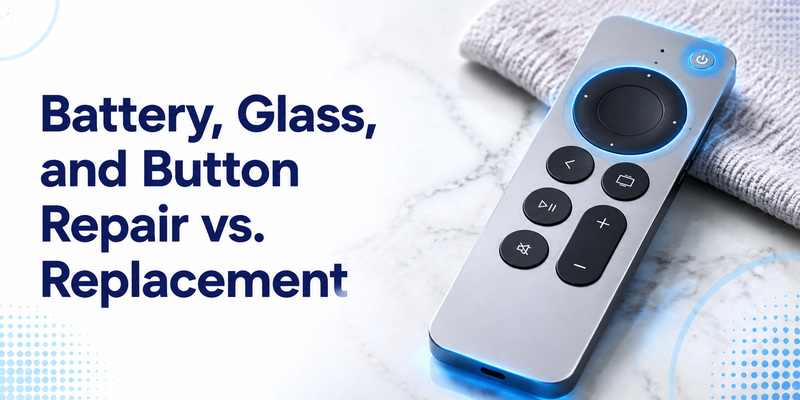
Not every damaged Apple TV remote needs to be replaced immediately.
The right choice depends on what has failed and whether the repair is practical.
Apple TV remote battery replacement
Modern Siri Remote models use internal rechargeable batteries. Apple identifies the 3rd-generation remote as having an internal battery that is not user-replaceable and is charged through USB-C.
If the remote no longer holds a charge, compare the cost and reliability of repair with buying a replacement remote.
For an older remote that uses a replaceable battery, the situation may be different. Identify the exact remote model before purchasing a battery.
Apple TV remote power button replacement
If navigation works but the power button does not, first determine whether the issue is the remote itself or the way Apple TV controls the TV or receiver.
Apple TV can use HDMI-CEC or infrared methods for controlling external devices. Its settings also include options for configuring TV and receiver control.
A power problem therefore does not automatically mean the entire remote needs to be replaced.
Apple TV remote glass replacement
If the touch surface or clickpad is damaged, a repair may be possible depending on the remote and the repair provider. However, replacing the complete remote can be more practical when repair costs approach the price of a compatible replacement.
Before buying a replacement, identify the remote generation so you do not accidentally replace a newer clickpad remote with an incompatible older model.
7. Apple TV Remote Troubleshooting
If your replacement remote is only partially working, test individual functions rather than assuming the entire remote is defective.
| Symptom | Possible cause | First check |
| No response | Battery, connection, or compatibility | Charge remote and verify model |
| Navigation works but other controls do not | Partial compatibility | Test every essential button |
| Volume does not work | TV, receiver, HDMI-CEC, or IR configuration | Check audio-control settings |
| Power control does not work | TV/receiver control configuration | Check HDMI-CEC or IR settings |
| iPhone cannot control Apple TV | Device or network issue | Check Remote controls and device connection |
| Remote works until standby | Wake or connection issue | Restart Apple TV and repeat the test |
| Universal remote works only partially | Limited learned commands | Relearn required functions |
Apple provides separate controls for TV/receiver power and volume, including HDMI-CEC, IR and a “Learn New Device” option for supported setups.
Test more than one button
A common mistake is to test only the Power button or one navigation command.
Instead, test:
- Directional navigation.
- Select/click.
- Back/Menu.
- Home.
- Play/Pause.
- Volume.
- Power.
- Voice control if applicable.
- Wake after standby.
If the replacement passes all the functions you actually use, it is much more likely to work well as a daily controller.
💡 Discover Helpful Guides: How to Reset Your Apple TV Remote: Pairing, Volume, and No-Remote Fixes
8. Apple TV Remote Replacement Buying Checklist
Before purchasing, run through this checklist.
- Confirm your Apple TV model.
- Confirm the Apple TV generation.
- Identify your original remote if possible.
- Check the replacement remote’s compatibility list.
- Decide whether you need Siri or voice control.
- Check whether volume control matters.
- Check whether TV power control matters.
- Check the charging or battery method.
- Decide between an official and universal remote.
- Check the return policy.
- Keep your iPhone available as a backup where supported.
Do not choose a replacement simply because it has the same general shape as your old remote.
The best apple tv remote replacement is the one that supports the functions you actually use and works reliably with your specific Apple TV.
9. Frequently Asked Questions
What remote can I use as an Apple TV replacement?
Apple TV 4K and Apple TV HD can use compatible Siri/Apple TV Remotes. Apple TV 4K can also work with supported TV or receiver remotes, network-based remotes and universal infrared remotes.
Does the 3rd-generation Siri Remote work with older Apple TV?
Apple lists the 3rd-generation Siri Remote as compatible with Apple TV 4K and Apple TV HD running tvOS 15.4 or later. It does not list older Apple TV 1st–3rd generation models in that compatibility statement.
Can I use an old aluminium Apple Remote with Apple TV?
Apple says the aluminium Apple Remote works with Apple TV models, although functionality may be limited.
Can a universal remote replace an Apple TV remote?
Yes, for compatible setups. Apple TV 4K includes a Learn Remote function for universal infrared remotes. Advanced Siri Remote features may not be available.
Can I use my TV remote with Apple TV?
Yes, if the television or receiver supports the required control method. HDMI-CEC can allow a supported TV or receiver remote to control Apple TV 4K through HDMI.
Can I use my iPhone instead of buying a new remote?
Yes. Apple TV Remote in Control Center can serve as a temporary or everyday controller for compatible Apple TV devices.
Do I need to pair a replacement Siri Remote?
Yes. A replacement remote generally needs to be paired with the Apple TV. Keep it close to the Apple TV and use the Back/Menu + Volume Up pairing combination.
Why does my replacement remote work but not control volume?
Apple TV navigation and television/audio volume may use different control paths. Check HDMI-CEC, IR and your television or receiver configuration before assuming the replacement remote is defective.
💡 Discover Helpful Guides: Apple TV Remote Icon: What It Means and How to Use It
Conclusion
Choosing an apple tv remote replacement does not have to be complicated. Start by identifying your Apple TV model, then choose the replacement based on the functions you actually need.
For Apple TV 4K and Apple TV HD, a compatible Siri Remote or Apple TV Remote is the most direct replacement. If you want to control several devices with one controller, a supported TV, receiver, network-based or universal remote may be a better fit. And if you have simply lost the physical remote, an iPhone or iPad can provide a convenient temporary control option.
The most important step is to verify compatibility before buying. A remote that can navigate Apple TV is not necessarily equivalent to the original controller when it comes to voice control, power, volume, charging, or wake behavior.
If your Apple TV is an older model, check its exact model number first. Apple TV (3rd generation), for example, uses an Apple Remote rather than the newer Siri Remote family.
Download LG TV Remote