Sony TV Remote App Free: BRAVIA Connect and Google TV Options
Short answer: Use BRAVIA Connect or Google TV according to your Sony television’s supported platform. A sony tv remote app free search should begin with the exact TV model, because Sony’s current BRAVIA Connect app does not cover every television the company has produced.
Google TV offers another documented phone-control route for supported Google TV and Android TV sets, while older Sony models require their own compatibility check. This guide explains which official option to examine first, how phone permissions and television settings affect discovery, and why working menu navigation does not automatically prove that wake or soundbar controls will work. It also separates current downloads from old app instructions, so you can build a dependable free setup without guessing from a familiar Sony logo.
Choose a Sony TV Remote App Free Route That Fits Your Model
Use a documented match between app and television. Sony’s official BRAVIA Connect page provides Android and iOS download routes and a compatible-device reference. Google’s Google TV Help describes phone control of Google TV and Android TV.
| Route | Start here when | Main limitation |
|---|---|---|
| Sony BRAVIA Connect | Your TV is on Sony’s supported list | Model, software, and regional requirements |
| Google TV remote | Your Sony runs a supported Google TV or Android TV system | Platform service and connection must work |
| Independent remote app | You need another supported interface | Developer, pricing, and exact model support vary |
| Compatible physical remote | TV is offline or lacks supported phone control | Must match the television’s capabilities |
The most useful sony tv remote app free result is not necessarily the one with the longest feature list. Choose the route supported by the television you own, then verify its basic commands before comparing additional features.
For a sony tv remote free app listing, inspect who publishes it and which models it names. An independent developer may legitimately support Sony TVs, but the brand in the app title does not make it Sony’s official product.
Read the Model and Software Details Before Installing
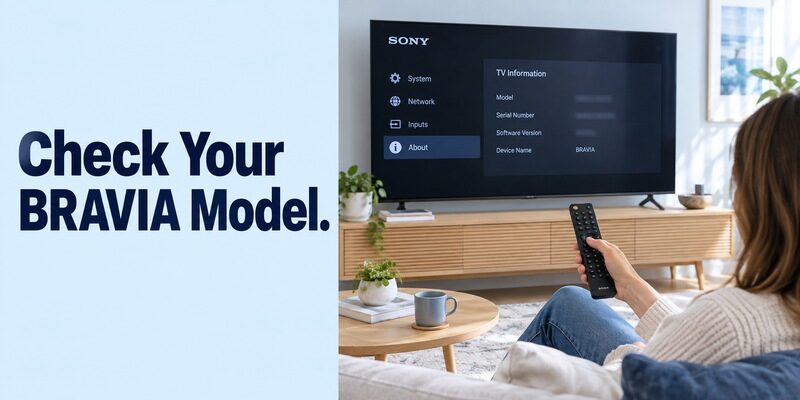
The complete model number is the reliable identifier. A screen size, purchase year, or BRAVIA label can describe many different products. Use the rear label or the TV’s product-information screen.
Match the full television model
Compare the identifier with Sony’s compatibility information for your region. Do not assume that a similarly named series elsewhere has identical software support. If you photograph the rear label, keep the image for your own support reference rather than sharing serial numbers unnecessarily.
A sony tv remote app free compatibility check should distinguish the TV from a connected receiver or soundbar. BRAVIA Connect supports selected television and audio products, but support for one component does not automatically include every other component in the cabinet.
Check the software requirement as well
Sony’s current app listing advises updating supported equipment and notes that updates can roll out gradually. If your model is listed but a feature is absent, compare its software information with the model’s support instructions before concluding that the app is incompatible.
For sony tv remote app free use, avoid installing unrelated firmware or following another model’s update procedure. Use the television’s supported update route, keep power stable, and let any in-progress update finish before testing a phone connection again.
Set Up BRAVIA Connect for a Supported Television
Complete the television’s own initial setup first. Sony’s BRAVIA Connect store description explicitly distinguishes setting up the TV on its screen from using the app afterward. Keep a working remote nearby during registration.
Follow Sony’s official download route
Open the appropriate store destination from Sony’s BRAVIA Connect page and confirm the developer is Sony. The app was previously named Home Entertainment Connect; Sony’s current listing explains that naming history. Follow the current listing rather than downloading an old package to reproduce an outdated screenshot.
When a sony tv remote app free search leads to a trial screen from another publisher, return to the official route and compare identities. Do not assume that every product using BRAVIA in its description follows Sony’s pricing or registration process.
Register and verify the television
Open the app, sign in if prompted, and follow the device-specific registration instructions. Keep the TV on and watch for authorization requests. Register the actual television you are facing, especially if the app can also see supported home-audio equipment.
After registration, test a simple menu movement and selection. A successful sony tv remote app free session should produce a clear response on the television, not merely display a saved device card on the phone. Then close and reopen the controls to check a normal second session.
Pair Google TV on a Compatible Sony Android or Google TV
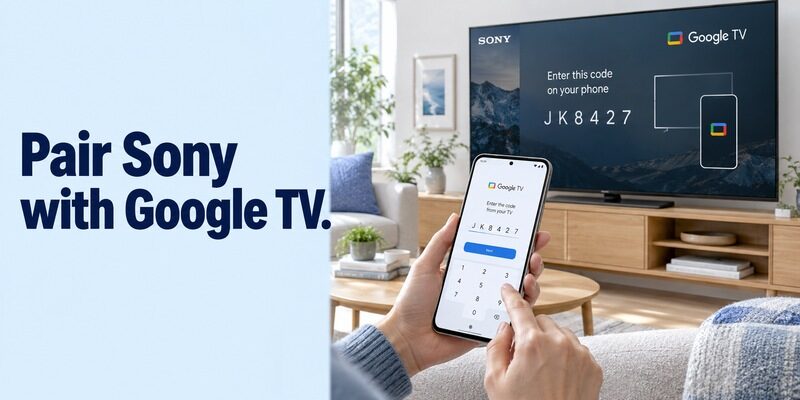
For a free download, Google’s own app can be the appropriate route when the television supports that platform. The TV’s operating system determines this option, not the brand of Android phone.
Select the nearby television
Google’s current Android instructions describe opening Google TV, choosing the nearby-TV control, selecting a device, entering the code displayed on the television, and tapping Pair. Keep both devices on a usable shared home network and read the code from the intended screen.
This sony tv remote app free route is useful for platform navigation without assuming BRAVIA Connect support. If the TV does not appear, check the television’s software and connection rather than switching randomly between several independent remote apps.
Test navigation and keyboard entry
Press a direction, open a highlighted item, and return to Home. Then try a short search using the phone’s keyboard where the television interface supports text entry. Use an ordinary title for the test instead of starting with a long account password.
For a sony tv remote app free setup, one successful keyboard field does not prove that all third-party television apps accept phone input in the same way. Test the field you actually need and retain directional navigation as a fallback when a particular screen behaves differently.
Treat Older Sony App Instructions as Model-Specific
An old Sony help page is not proof of current app availability. Search results can retain references to discontinued services, previous platform generations, and software that served different product categories.
Check the date and applicable products
Sony publishes a TV SideView discontinuation notice for applicable products, while older connectivity pages still discuss that app. Read those pages in context. Do not turn one historical service notice into a claim that every Sony television supports or lacks the same modern replacement.
A free search can bring these generations together on one results page. Compare the current model support page and app listing before following installation steps, particularly when the instructions mention interfaces no longer present on your phone.
Do not force a newer app onto unsupported hardware
If the television lacks the required network-control feature, a current app cannot create it. Older sets may be better served by a compatible physical remote or a documented hardware solution. Check the original manual before buying an accessory.
Keep the aim of a sony tv remote app free search practical: regain the controls your equipment can actually support. An unsupported television is not made compatible by paying for more buttons in a phone interface or installing a legacy APK from an unfamiliar site.
Resolve Phone Permissions and Registration Problems
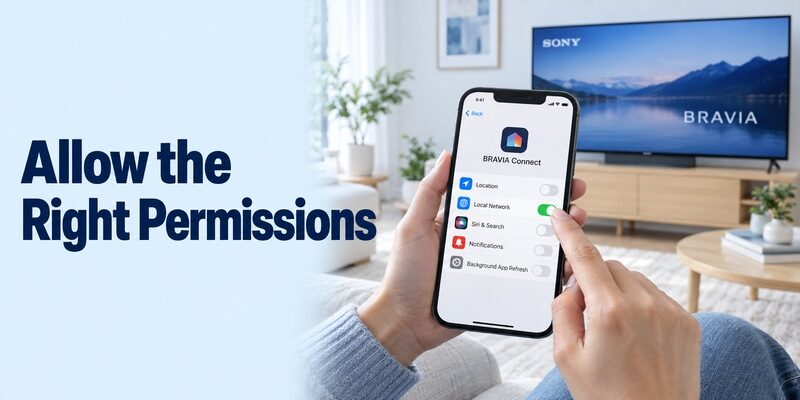
Use the requirements of the chosen app. Sony’s BRAVIA Connect connection guide identifies Wi-Fi, Bluetooth, location permission, and iPhone Local Network access among its checks. These requirements should not be generalized to every unrelated remote app.
Android checks for BRAVIA Connect
Follow the phone’s current settings labels to inspect the permissions Sony requests. Make sure wireless functions required by its setup process are enabled. If the app worked before a permission change, restore the documented requirement and retry the saved device.
For sony tv remote app free troubleshooting, record the exact point of failure. An app unable to sign in needs a different investigation from an app that opens normally but cannot reconnect to a registered television.
iPhone checks for local access
Sony directs iPhone users to Local Network settings when BRAVIA Connect cannot reach equipment. Check the app’s access and confirm that the phone is using the intended Wi-Fi network. Then reopen the app and choose the TV again.
If a sony tv remote app free connection works on another household phone, compare settings before changing the television. A controlled comparison can reveal a phone-specific permission or network issue while leaving the working setup intact.
Make Standby and Remote Start Behave Predictably
Controlling an awake TV and waking a sleeping TV are separate tests. Sony’s BRAVIA Connect troubleshooting guide describes model-dependent remote-start or energy-mode settings for turning on supported televisions from the app.
Inspect the supported wake setting
On applicable models, Sony lists Remote start under Network & Internet or an Increased energy mode under Power & Energy. Menu availability varies, so consult your television’s guidance and the explanation beside its setting before making a change.
For a sony tv remote app free setup, test wake behavior after the TV has entered ordinary standby. If the phone controls menus only once the television is already on, record that limitation and keep a physical way to wake the set.
Recognize lost registration and phone power saving
Sony also identifies changed networks, device initialization, sign-out, and phone power-saving settings as possible causes of reconnection trouble. Check these individually. A router replacement can require registration work even when the app itself has not changed.
Do not repeatedly factory-reset the television to improve sony tv remote app free reliability. Preserve the current connection, inspect the simplest causes first, and reserve disruptive procedures for model-specific support guidance after you have a dependable setup controller available.
Verify TV Buttons Separately from Home-Theatre Controls
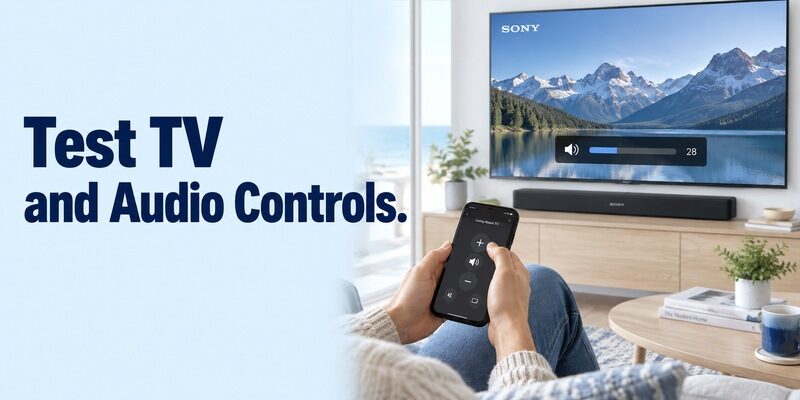
Identify which component receives each command. A phone may navigate the television successfully while the soundbar or receiver still needs its own supported control path. BRAVIA Connect’s combined-device features depend on compatible equipment.
Test a short television sequence
Return Home, move through several items, select one, and use Back. Then inspect the input selector and a supported playback command. Stop if a button acts on another device; reselect the TV before continuing.
Your sony tv remote app free baseline should be simple enough to reproduce after an update. Note the app, selected TV, and function that worked. A repeatable sequence is much more informative than pressing many unrelated buttons and trying to remember which ones responded.
Check audio without disturbing the viewing setup
Adjust volume by one step and restore it. Confirm whether the TV speakers, soundbar, or receiver changes level. Test mute briefly if convenient, then return to the original audio state.
For sony tv remote free control, do not assume that a missing receiver feature reflects failure of the television app. Consult the audio component’s support information and distinguish a supported app function from a physical remote button that sends a different kind of command.
| Test result | Likely area to investigate | Useful next check |
|---|---|---|
| TV missing entirely | Compatibility or discovery | Model, network, required permissions |
| Saved TV will not reconnect | Registration or session state | Account sign-in and network changes |
| Works awake, fails in standby | Wake configuration | Supported remote-start or energy settings |
| Navigation works, audio does not | External sound equipment | Selected audio output and device support |
| One streaming app ignores text | That input field or app | Test phone keyboard in another supported field |
Use the Correct Manual for Unfamiliar Buttons
Someone searching free often needs the television’s manual rather than another app. Find the manual for the full TV or remote model, then compare the button’s purpose with the phone interface.
Distinguish menu commands from dedicated keys
An original remote can include input, number, guide, microphone, or service shortcut buttons. A mobile layout may organize equivalent tasks differently or omit a function. Follow the current app’s labels rather than expecting an exact picture of the physical controller.
Before replacing a sony tv remote app free choice, ask whether the missing task can be reached through the TV’s Home or settings menu. If it cannot, keep the appropriate controller for that function instead of assuming another download will necessarily expose it.
Preserve a useful model reference
Save the model-specific manual and note the app you successfully paired. When another household member needs help, those two references are more useful than a generic code list or an old screenshot from another Sony generation.
If you contact support, provide the full model, phone system, app version, and exact failed action. Avoid describing an entire sony tv remote app free setup as broken when the problem is limited to one button or one standby condition.
Frequently Asked Questions
Is BRAVIA Connect the same as Google TV?
No. They are different applications with different supported-device rules and interfaces. A sony tv remote app free choice may be available through either route on some televisions, but you should evaluate each against the exact model and the tasks you want to perform, rather than treating their registrations as interchangeable.
Does casting a video mean my phone is paired as a remote?
No. Casting can provide playback controls for a selected video without exposing the television’s full navigation interface. Open the actual remote controls and verify Home, directional movement, and selection separately. A working cast session is useful information, but it does not prove that another app’s device registration is complete.
Can I use the same app after replacing my Sony TV?
Possibly, but check the new model’s support information first. A saved sony tv remote app free connection belongs to the previous television. Remove or clearly rename stale entries and register the new set through its documented process so household members do not repeatedly select the wrong device card.
Will an infrared-only app work on an ordinary iPhone?
Not without suitable additional hardware and explicit support. An app cannot add an infrared transmitter to a phone that lacks one. For sony tv remote app free control, prefer a documented network route on a compatible TV; otherwise use a physical controller or a specifically supported hardware accessory.
Should I update the TV and app simultaneously to diagnose a fault?
Keep supported software current, but record the initial failure and change one element at a time when diagnosing a specific issue. Retest the same simple command after each completed change. That makes it easier to identify which update or setting resolved the fault and avoids overlapping setup interruptions.
Keep a Compatible Alternative and a Physical Fallback
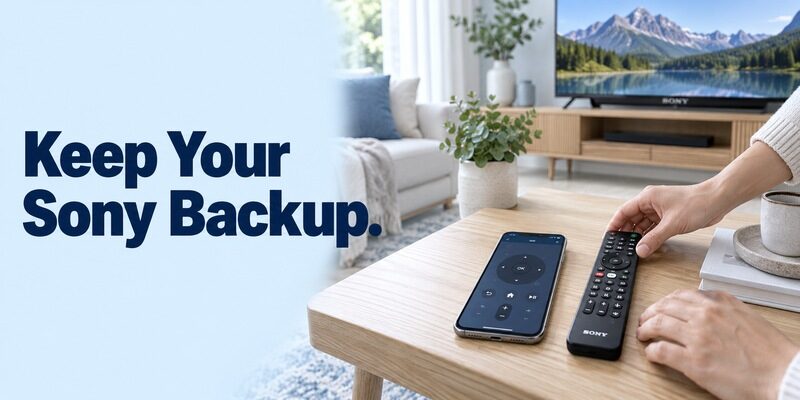
Evaluate an alternative by support and clear terms. Check the publisher, television compatibility, and whether navigation remains free after any introductory screen. A paid upgrade cannot repair an unsupported TV or a missing local connection.
Review when another phone interface would help, and verify support for your Sony model. On a compatible connection, it can keep navigation available when the physical remote is misplaced; it does not replace the TV’s initial setup or authorization requirements.
For a dependable sony tv remote app free arrangement, keep the original or compatible replacement remote in an accessible location. Test another household member’s ability to select the TV and return to the usual source. That protects the viewing routine when a phone is charging, an app signs out, or the router changes.
Final Thoughts
The correct sony tv remote app free choice depends on the exact BRAVIA model, its software, and the supported app route. Check BRAVIA Connect for listed models and Google TV for compatible Google TV or Android TV sets.
Verify permissions, navigation, wake behavior, and external audio separately. A documented match and a repeatable control test are more useful than a universal promise, and a physical backup remains valuable for offline setup and network changes.