EcoStar TV Remote Control App Free Download: Install and Connect the Right Remote
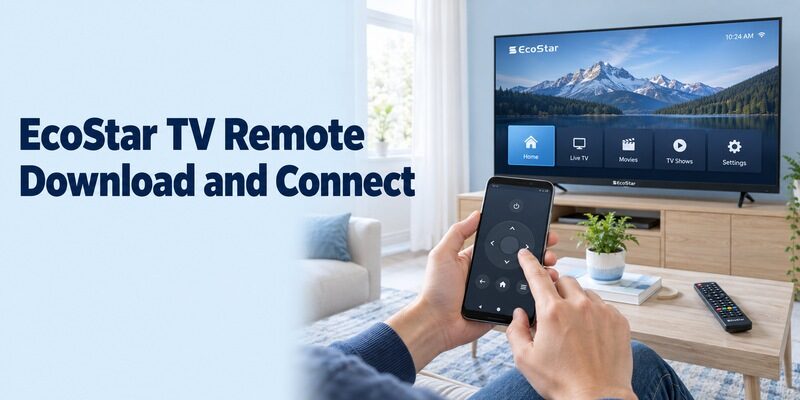
Short answer: For an ecostar tv remote control app free download, start with Google’s Google TV mobile app if your EcoStar runs compatible Android TV or Google TV. Other models need their own documented network service or an infrared route with real transmitter hardware.
An application using the EcoStar name is not automatically published by the television manufacturer. Before installing anything, read the model label, confirm the operating system, and identify whether you want to control the television or a separate player attached through HDMI. This guide walks through a supported download and pairing process, then explains how to evaluate independent apps, older sets, and model-specific sharing services. The goal is a working remote for your own viewing routine, with a recovery option when the phone cannot connect.
EcoStar TV Remote Control App Free Download: Confirm the Supported Route
Choose the application after identifying the television’s platform. A smart-TV label or Google Assistant button alone is not a complete compatibility check.
Read the model and operating system
DWP Home’s official EcoStar product information identifies Android models such as the CX-75UD962. Google also lists EcoStar among its Google TV partners. Those sources establish relevant platform routes, but neither means every EcoStar television uses the same software or supports every phone function.
For an ecostar tv remote control app free download search, retain the entire model code and read the television’s About or system-information screen. Use the equivalent menu in its own instructions rather than forcing a path from a different generation onto your set.
Install the current application from its publisher
On compatible Google TV or Android TV equipment, use the Google-published Google TV app for the phone. Check the current store listing for phone requirements and regional availability. Avoid treating an old standalone remote package or a TV-side service as the phone application.
An ecostar tv remote control app free download should end with a verified store installation, not merely an APK filename containing the brand. If the expected application is unavailable for the phone, check the supported alternatives for that exact model instead of assuming an archived package will solve compatibility.
Prepare the Television Before Starting Phone Discovery
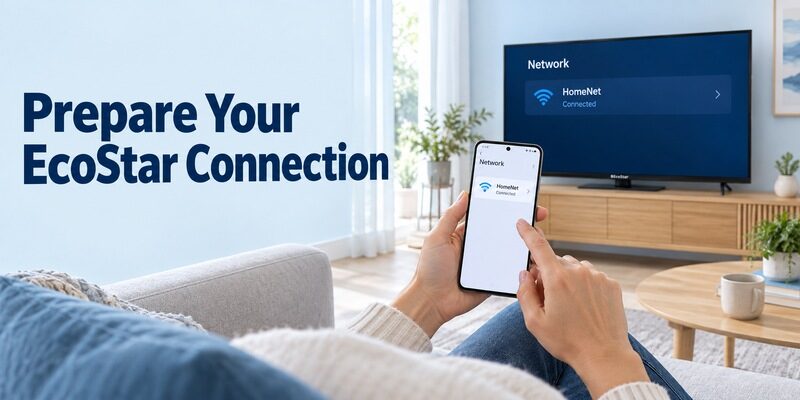
The network target must already be reachable before the phone can select it. Keep the existing controller available while confirming the setup.
Check the television’s saved connection
Open the TV’s network information and confirm that it is connected to the intended home network. Compare that with the phone’s active Wi-Fi connection. A television that retained an old router’s credentials needs a working way to update them before ordinary local discovery can succeed.
Before testing an ecostar tv remote control app free download, turn on the television and leave a familiar menu visible. Sit where you can observe its responses. This makes it easier to distinguish successful discovery from a device name that happens to resemble your TV.
Use a local network that allows communication
Two devices can have internet access while a guest network keeps them separate. Use the appropriate trusted household connection, and check with the network owner if you are on a managed or shared network. Do not assume that matching internet speed establishes local reachability.
For an ecostar tv remote control app free download on a phone that previously denied local-device access, inspect the application’s permissions before retrying. Grant relevant access in the context of the supported connection you are establishing, then reopen its device selector.
Read more: Hisense TV Remote Control App Free Options by Platform
Pair the Google TV Mobile Remote with the Displayed Code
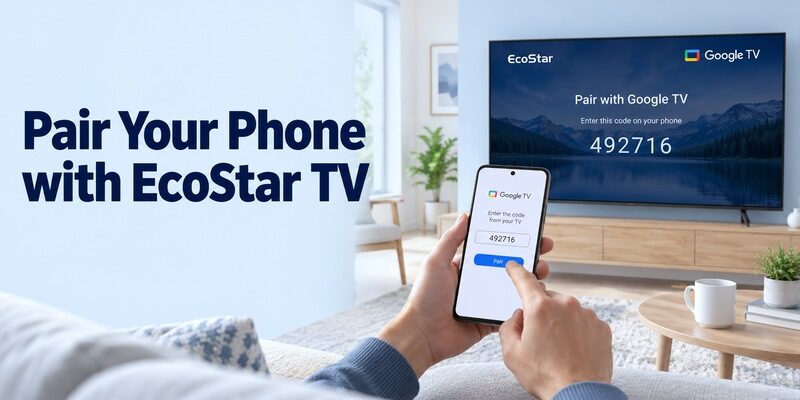
Use the television’s own authorization prompt. Phone pairing is separate from programming a physical infrared controller or pairing the supplied Bluetooth voice remote.
Select the intended television
Google’s current mobile instructions describe opening Google TV, choosing TVs nearby, selecting the device, entering the code shown on the television, and tapping Pair. Follow the corresponding controls in the installed version and watch the intended EcoStar screen throughout the process.
An ecostar tv remote control app free download does not provide a permanent universal pairing number for the brand. If the prompt expires or another TV was selected, return to the device list and repeat the supported process with the correct screen.
Confirm the first command before leaving setup
After authorization, open the remote and send one visible directional command. Check that the highlight moves once on the EcoStar. Then select a familiar item and return with Back or Home. Keep the original controller nearby until this basic sequence is repeatable.
For an ecostar tv remote control app free download that finds a device but cannot finish pairing, preserve the exact message. A visible target followed by an authorization failure is different from an empty device list, and recording that distinction makes later troubleshooting more precise.
Test Navigation and Text Entry as Separate Functions
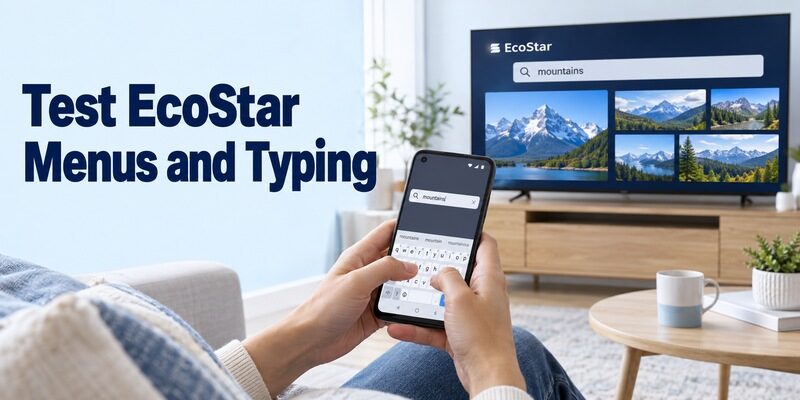
A successful connection is the beginning of the test, not proof that every feature works. Start with actions that have an obvious, reversible result.
Verify movement, selection, and a route back
Move through a small part of the Home interface, open one familiar application, and return to the previous screen. Avoid changing unfamiliar system settings during the initial evaluation. If a command appears to repeat, note the exact button and compare with the physical remote.
Use the same sequence when comparing an ecostar tv remote control app free download with another supported interface. A consistent task makes it possible to judge response and usability without changing the television, viewing source, and application all at once.
Try the keyboard in a harmless search field
Select a supported text field and enter a short ordinary word. Confirm that the characters reach the TV and that deletion works before entering a long account password. Individual streaming applications can accept phone keyboard input differently from the television’s system search.
If typing fails while directional buttons work, keep navigation available and investigate that field separately. Voice input, casting, and keyboard entry should each be tested according to their own requirements. One unsupported extra does not automatically mean the entire connection is broken.
Read more: Sharp TV Remote App Free: Choose AQUOS, Roku, or Google TV Control
Read Independent EcoStar App Listings Carefully
An EcoStar-branded title can describe a third-party product. Publisher identity and connection requirements matter more than the presence of a familiar logo.
Check the developer and stated compatibility
Google Play’s Smart WiFi for Ecostar TV listing is published by Sc App Studio Np. Its disclaimer says the app is not affiliated with or endorsed by EcoStar, and it requires a television that supports network remote control on the same Wi-Fi network.
That is a useful distinction when evaluating an ecostar tv remote control app free download. The listing advertises several controls, but those claims should be verified on the actual television. A model being discoverable does not establish that every timer, power, keyboard, or channel function will behave as expected.
Evaluate extras after ordinary remote control
Read the current permissions and optional-feature descriptions before enabling microphone, notification, or other additional access. Start with the features needed for navigation. If an extra function is unclear, keep it separate from the initial control test and consult its published explanation.
For an ecostar tv remote control app free download comparison, do not transfer one application’s pricing, support claims, or privacy declarations to another app with a similar name. Record the exact publisher so that any later support request reaches the application you actually installed.
Use Infrared Only When the Phone Has the Required Hardware
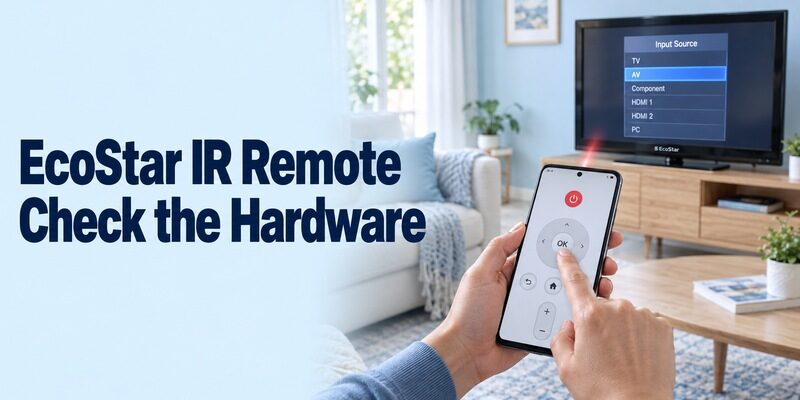
Software cannot create an infrared transmitter inside a phone. An older television may need physical IR commands even when its screen displays an app-like menu.
Verify the transmitter before searching for codes
Some Android phones contain an IR blaster; many do not. Read the manufacturer’s specifications for the exact handset. An ordinary iPhone does not gain traditional TV-remote infrared hardware through an app download. An external transmitter is a separate accessory whose phone and application support also need checking.
An ecostar tv remote control app free download intended for IR use therefore has two requirements: compatible transmission hardware and a matching command profile. Changing Wi-Fi settings will not fix missing IR hardware, and a phone camera is not a substitute for a transmitter.
Test a profile beyond the power button
When a supported IR route exists, aim the emitter toward the television and follow the application’s profile test. Try volume, menu navigation, selection, and input access before saving the profile. A partial code match can operate power while sending incorrect commands for other buttons.
For an ecostar tv remote control app free download on an older set, judge success from the television’s visible response. A vibrating phone or animated button only shows that the app registered a touch. Keep the physical controller available to return from any unfamiliar menu or input.
Treat EShare and Similar Services as Model-Specific Options
A sharing application requires the corresponding supported service on the television. Do not infer compatibility from a generic casting icon.
Confirm the required television-side software
EShare’s official Google Play listing says its Android client requires equipment with EShareServer or ESharePro preinstalled. It describes remote-control and sharing functions. This is a condition to check if your model’s documentation names EShare, not evidence that every EcoStar includes it.
For an ecostar tv remote control app free download search that leads to EShare instructions, inspect the actual television’s supplied apps and manual first. Follow the on-screen guidance for a documented service. Do not assume that installing a phone client adds the required server to an unsupported TV.
Distinguish media sharing from full television control
A service may transfer a photo, mirror a screen, or control playback without exposing all television menus. End the sharing session and test normal navigation independently. Keep a record of which features work rather than describing a successful cast as complete remote compatibility.
Also keep brand spelling exact. An ecco tv remote app free download search is not the same as an EcoStar model lookup. ECCO, EKO, and EcoStar names should not be treated as interchangeable evidence for remote codes, firmware, or app support.
Check Free Access Before Accepting Optional Purchases
Compare the controls included in ordinary use, not just the installation price. Free access to a remote does not provide paid movies or streaming subscriptions.
| What a listing or screen shows | What it may mean | What to confirm |
|---|---|---|
| Install without an upfront price | Download is available without initial payment | Required controls remain usable |
| Advertisements | Advertising-supported use | Interruptions during normal tasks |
| Optional premium plan | Extra features or different access | Exact included functions and terms |
| Introductory trial | Temporary access | Renewal conditions and duration |
| Required IR accessory | Separate physical hardware | Exact phone and app compatibility |
An ecostar tv remote control app free download should be assessed after connecting and performing your essential tasks. An upgrade cannot make an unsupported television protocol compatible, and a payment cannot add a missing transmitter to the phone.
If you prefer another interface, review and confirm the EcoStar model and platform first. Compare it with the working route using the same source, audio equipment, and navigation sequence. Keep the existing application until the alternative has demonstrated useful control.
Read an offer in context before accepting it. A purchase inside an entertainment screen may be for content, while a purchase inside an independent remote may concern extra features. Preserve that distinction when deciding whether the free functions meet the household’s needs.
Diagnose the First Failure Instead of Resetting the TV
Use the observed symptom to choose the next check. Reinstalling several unrelated apps rarely explains whether the problem is discovery, authorization, or a particular command.
| Observed result | First area to inspect | Useful comparison |
|---|---|---|
| No television appears | Platform, power, network, and app access | Another working household phone |
| Device appears but pairing fails | Selected target and authorization prompt | Exact message on both screens |
| Navigation works but typing fails | Supported text field and keyboard behavior | Another ordinary search field |
| IR app has no effect | Transmitter hardware, aim, and profile | Original physical controller |
| Player responds but TV menus do not | Separate HDMI device and television | Which equipment owns the menu |
| Control stops after router replacement | TV’s stored network settings | Current connection shown on TV |
For an ecostar tv remote control app free download troubleshooting session, change one relevant condition at a time. Close and reopen the app after correcting access or connection details. Use the equipment’s ordinary restart procedure if needed, let startup finish, and avoid interrupting an active update.
Keep factory reset separate from restart. Removing saved settings can make recovery harder when the original remote is missing. If the physical controller still operates the television normally, preserve that route while investigating the phone connection or asking for model-specific help.
Preserve Sound, Inputs, and a Working Backup
The remote should handle your usual viewing source and leave a way back. Essential tasks differ between antenna viewing, streaming apps, and external receivers.
Verify the equipment that actually produces sound and channels
Change volume one step and confirm which speakers respond. A soundbar or receiver can remain silent even when the television’s menus move correctly. Similarly, channel changes may belong to the TV tuner or to a separate provider box; record which device supplies your normal programme list.
For an ecostar tv remote control app free download evaluation, switch away from and back to the normal source only while a recovery controller is available. If an attached player’s app navigates streaming content, check the television’s input selection separately instead of assuming player control covers the whole setup.
Make the successful setup easy to repeat
Save a clear device name where supported and note the television model, phone model, application, publisher, and connection method. Show another viewer how to select the TV and return Home. Keep account passwords out of the setup note and store the physical backup somewhere accessible.
Repeat the basic test after normal standby, after briefly using another phone application, and when replacing the handset. A restored phone backup does not prove that local-device access is enabled or that the replacement contains the old phone’s infrared hardware. Confirm a visible TV response before retiring a known working controller.
Before changing routers, check that the TV’s network settings remain accessible. Reconnect the television to the new network first and only then repeat phone discovery. If the previous phone still works, retain it temporarily as a reference while comparing app identity, permissions, and device selection on the replacement.
An ecostar tv remote control app free download support request should describe the first unsuccessful action, the selected device, and whether the original controller still works. Include the model and app publisher rather than only a photograph of the TV’s front. DWP Home provides a customer-query route for EcoStar product questions.
Keep a note of any intentional setting changes during testing, including their previous values. If an optional feature remains unsupported, preserve the useful controls you already verified. A household remote should be understandable to the next person who uses it, even when the person who installed the application is away.
Final Thoughts
An ecostar tv remote control app free download is useful when the app, television platform, and connection hardware match. Start with Google’s supported mobile route on compatible equipment, verify independent publishers, and treat infrared or EShare requirements as conditions to check on the exact model.
Confirm navigation, sound, input recovery, and reconnection before relying on the phone. Keep the working physical controller and a short setup record so future network or handset changes remain manageable.