
TV Energy Saving Tips That Keep the Picture Watchable
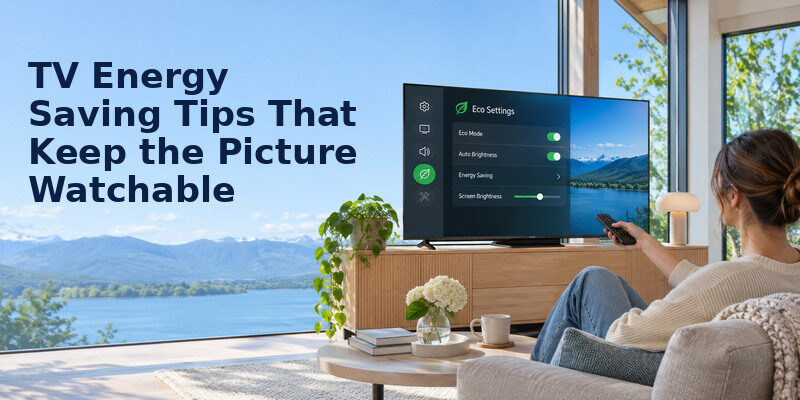
Short answer: Start with a comfortable home picture mode, reduce excess panel brightness, use a sleep timer, check network standby options, and compare annual kWh when buying. Measure or calculate before assuming a particular setting saves a fixed percentage.
TV energy saving tips work best as a prioritized checklist. A TV’s annual use depends on viewing hours, screen size, technology, picture preset and connected devices. ENERGY STAR says certified TVs average about 34% more energy efficient than conventional models in its comparison, but that is a category average, not a guaranteed saving from toggling Eco Mode. The table below separates easy changes from options that can affect convenience.
The Five Changes to Try First
| Change | Why it may help | Trade-off to check |
| Home/Cinema preset | Avoids showroom-level light output | Daytime picture may seem dim |
| Moderate panel brightness | Cuts unnecessary display light | Preserve shadow and text detail |
| Ambient light sensor | Adjusts light to room | Sensor can misread a lamp |
| Sleep/inactivity timer | Stops unattended viewing | May interrupt long pauses |
| Turn off unused gear | Reduces system energy | DVR/updates may need standby |
1. Leave Store Mode
A display set to Store or Demo mode may be designed for a bright retail floor. Switch to a home preset, then watch familiar content in your usual lighting. The US Department of Energy notes that picture modes such as Vivid, Sports and Cinema affect brightness and energy use. TV energy saving tips should preserve a picture you enjoy, so note your old setting before changing it. Some TVs remember separate presets for each input and HDR mode.
2. Lower panel light, not detail
Backlight on an LED LCD or OLED Pixel Brightness on an OLED usually has a more direct effect on display light than a black-level slider called Brightness. Menu naming varies. Reduce in small steps until the picture is comfortable. If dark scenes lose important detail, restore some light or choose a better preset. Avoid claiming a percentage saving without measurement; TV designs differ.
3. Test automatic brightness
Ambient light control can lower light output in a dark room. ENERGY STAR describes automatic brightness control as a feature that responds to room brightness. Test it over a day and an evening. A bright lamp aimed at the sensor may keep the picture unnecessarily bright; a soundbar that blocks it may make the picture too dim. A curtain or room-light adjustment can be a better fix for glare.
4. Set a realistic off timer
If the television runs after you fall asleep, an inactivity or sleep timer can save more than small picture tweaks. Choose a time that does not interrupt a film. Check whether autoplay prevents the timer from triggering. A supported screen-off audio mode can be useful for background listening, but verify it actually turns off the display and that you can restore it easily. TV energy saving tips should begin with a baseline of hours and a comfortable picture mode.
5. Include the whole setup
A powered game console, cable box, soundbar and streaming stick can add to the total. Review each device’s standby requirements before switching a strip off. A DVR may need power to record; an OLED TV may run panel care in standby. TV energy saving tips for a household should not silently break valued functions. Use HDMI-CEC sleep control only after testing it with all sources.
Read more: How to Clean Remote Control Buttons Safely
How Much Could These Changes Save?
Use watts, hours and your bill rather than an unsourced average. Monthly kWh = watts ÷ 1,000 × hours/day × 30. If a hypothetical TV draws 120 W and runs five hours daily, it uses 18 kWh per 30-day month while on. At $0.20/kWh, that is $3.60 before standby. If a comfortable setting reduces the *measured* draw to 95 W under comparable content, the monthly difference is 3.75 kWh or $0.75. This is arithmetic for an illustration, not a measured result for all TVs.
Viewing time often dominates
A 95 W TV left on for two unused hours every day consumes another 5.7 kWh over 30 days. Avoiding those hours saves $1.14 at the same illustrative rate. The priority may be a sleep timer rather than pursuing a picture so dim it is unpleasant. If a TV is used for six hours a day for family viewing, do not frame normal use as waste; target unattended operation. If the picture looks too dark after changing the panel light, learn how to adjust TV picture settings while preserving detail in familiar content.
Standby varies by mode
ENERGY STAR’s television page describes certified sleep mode at 0.5 W or less, but network-connected standby-active modes are different. A hypothetical 1 W draw for 19 hours/day is 0.57 kWh/month; 5 W is 2.85 kWh. Quick Start, wake-on-network and voice features may change which mode applies. Measure safely or consult exact model specifications. Turning off a needed feature for a few cents should be a conscious choice.
Compare bills with care
A monthly electricity bill reflects air conditioning, heating, cooking and many appliances. A TV change may be too small to see clearly amid seasonal variation. A suitable plug-in meter on an accessible outlet or a standardized product listing gives a better comparison. Keep the picture and content similar for before-and-after measurements. Some OLED and LED sets vary draw by scene, so one black frame is not representative. The most durable tv energy saving tips avoid unattended display time without disrupting normal viewing.
Read more: Remote Control Maintenance Tips: Batteries, Buttons, and Care
Eco Mode Explained
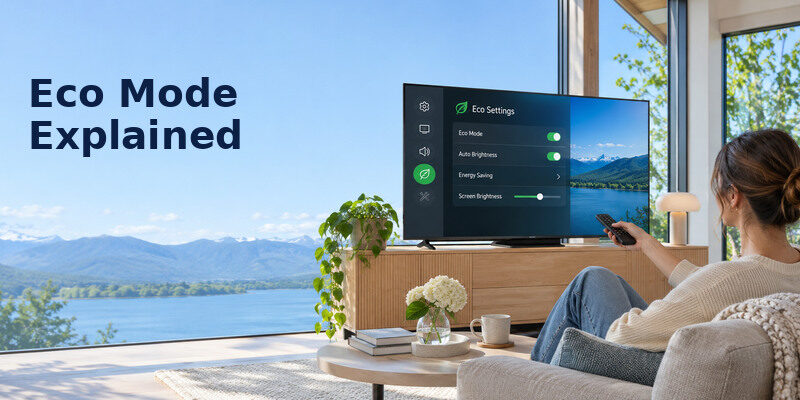
“Eco” can mean a fixed lower panel brightness, an ambient sensor, an inactivity timer, a power-saving processor setting, or a bundle of these. Read the on-screen description for your model. Try one feature at a time and note how it changes the picture and responsiveness. TV energy saving tips fail when a generic menu name is treated as a guaranteed watt reduction.
What if Eco Mode looks too dark?
Try a less aggressive level or manual panel-light adjustment. Move a lamp behind the viewing position or reduce window glare. Verify that HDR content is in a suitable picture mode; a TV may use different settings for SDR and HDR. Do not crush contrast or disable accessibility captions merely to chase a small saving. Use the setting that balances comfort and cost. Before disabling a standby feature, review the TV voice control requirements for your setup and test whether the commands you use still work.
What if the TV turns off unexpectedly?
Check sleep, auto power-off, no-signal shutoff and HDMI-CEC. A timer may be triggered by an external box that sends no signal, even while another device is active. Review each control separately. If the set shuts down with a heat warning or unusual smell, investigate ventilation and service rather than calling it an energy-saving feature.
Does Eco Mode prolong life?
Lower power and heat may be favorable, but no generic mode guarantees extra years. Respect the maker’s ventilation and OLED panel-care instructions. A lower brightness level that makes a viewer strain is a poor trade-off. TV energy saving tips are chiefly about reducing unnecessary consumption while preserving normal viewing.
Read more: How to Save Electricity With TV: Settings and Cost Examples
When Buying a TV, Compare Annual kWh
Use the EnergyGuide label and ENERGY STAR product information to compare similar screen sizes and feature sets. Annual consumption is standardized for comparison, while your real result changes with hours and picture modes. A 75-inch screen has different needs from a 43-inch screen, so do not compare raw kWh across unlike sizes without context. Purchase price, reliability, repairability and picture quality matter too. TV energy saving tips for a bright room may involve reducing glare before lowering the panel light.
Calculate payback instead of assuming it
If an efficient model costs $150 more and saves an illustrative 25 kWh per year, at $0.20/kWh the energy saving is $5 annually; simple payback on energy alone is 30 years. The inputs are hypothetical. Other benefits may justify the model, but a working TV should not automatically be replaced for a small power difference. Use local electricity rates and the actual labels.
Screen size and viewing distance
Select a size suitable for the room rather than buying excess screen area solely because it is available. A large panel may consume more, but technology and settings also matter. Compare models within the same size class. If your current TV’s apps are obsolete while its picture is fine, a compatible streaming device can extend usefulness; include its own power in the calculation. Alongside the energy label, use our OLED vs QLED comparison to understand the display technologies, then compare the specifications of the exact models.
A One-Week Action Plan

Day 1: Baseline
Record current preset, panel light, hours and standby features. Find the official wattage or EnergyGuide annual kWh. Write down your price per kWh from the bill. Avoid treating a rear-label maximum as typical use.
Days 2–3: Picture comfort
Change to a suitable home preset and test manual or ambient brightness in daytime and evening. Check a bright program, a dark film scene and subtitles. Keep the first setting you can comfortably live with. Note separate HDR/input presets if they exist.
Days 4–5: Time and standby
Set a sleep timer, note whether autoplay runs overnight, and check quick-start features. Leave required OLED care, updates and DVR functions intact. Test HDMI-CEC if it controls other devices. Count actual unattended hours prevented.
Days 6–7: Recalculate
Use observed hours and watts to estimate monthly kWh. A before-and-after measurement under similar conditions is more persuasive than a marketing claim. If a change causes missed recordings or poor accessibility, reverse it and try a different one. TV energy saving tips should be sustainable for the household.
Read more: How to Extend TV Lifespan: A Practical Care Plan
Put the Tips in Order for Different Homes
The TV that runs in the background
Track hours for a week before fine-tuning color settings. A sleep timer or screen-off audio mode can save more than a subtle Eco adjustment when no one is watching. TV energy saving tips here should preserve the household’s desired listening; a supported audio-only feature may fit better than simply turning everything off. Calculate saved hours times actual watts, and test whether autoplay defeats the timer.
The sunny living room
Curtains or changing lamp placement can make moderate panel brightness comfortable. Try automatic brightness control after ensuring the sensor is unobstructed. TV energy saving tips do not require an unreadable screen, especially for viewers who need large captions. Compare the same content in daytime, with and without glare, before deciding a preset is unusable. Note that HDR may have its own brighter settings. A wattmeter can test tv energy saving tips under comparable content and room conditions.
A multi-device theater
A soundbar, console, streamer and cable box can draw energy even when the TV is asleep. Use a meter on accessible outlets and identify which device must remain in standby for recording or updates. TV energy saving tips should cover the system, not only the panel. HDMI-CEC can be convenient, but test it carefully so turning off the TV does not unexpectedly stop a recording or another viewer’s device.
A household with accessibility needs
Voice wake, quick start and network remote control can matter to a viewer with limited dexterity. Disabling them for a small standby saving may be a poor trade-off. TV energy saving tips should be checked against independent use. Measure the actual standby difference, then choose consciously. Retain captions, audio guidance and reliable remote operation while changing picture light or unattended hours first.
An older TV due for replacement
Compare annual kWh among similarly sized models using EnergyGuide and ENERGY STAR information. Calculate the dollar difference at your tariff, but include purchase price, repair quote and the value of a suitable picture. TV energy saving tips for buying should not imply a functioning screen must be discarded. A streamer may keep older hardware useful if the app platform alone is obsolete.
Read more: How to Clean TV Screen Safely: Steps for OLED and LCD
A Better Measurement Checklist
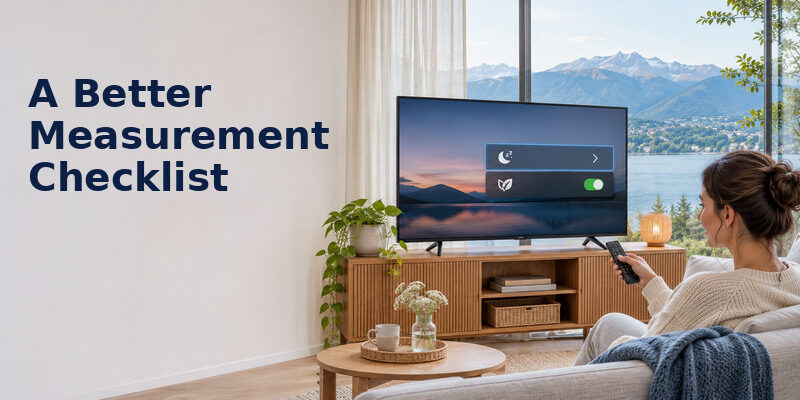
Keep the content comparable
Use the same source and similar scenes when comparing picture settings. A bright HDR game and a dark SDR film draw differently on some panels. TV energy saving tips supported by one low reading are unreliable. Measure several intervals if possible, note room light and record whether the ambient sensor is enabled.
Keep comfort in the result
Ask viewers whether captions remain readable and dark scenes retain detail. A low-watt mode that nobody wants to use will not sustain savings. TV energy saving tips should fit the household’s actual viewing, including daytime glare and accessibility needs. If Eco Mode is too dim, try an intermediate level or manual panel-light adjustment.
Verify standby features
Check whether Quick Start, network wake or scheduled updates are active and whether the TV needs standby for OLED panel care. A switched power strip may save a few watts while breaking necessary functions. TV energy saving tips require the model manual as well as an energy calculation. Measure the actual standby mode before sacrificing a useful feature. TV energy saving tips are incomplete if a console or cable box stays active all night.
For a quick comparison, take a one-hour reading in the normal picture mode and a second reading after a comfortable adjustment under similar content. TV energy saving tips should be evaluated over actual viewing hours; multiplying a small watt change by a long daily schedule may still matter. Also record any unattended hours stopped by a timer. If the new mode makes subtitles unreadable or interferes with a viewer’s accessibility needs, reverse it. A repeatable improvement is more useful than a single unusually low meter snapshot.
Frequently Asked Questions
How much does a TV cost to run?
Multiply its on-mode kW by hours and local price. A hypothetical 100 W TV watched four hours daily uses 12 kWh in 30 days, costing $2.40 at $0.20/kWh before standby and other equipment. The actual rate and draw differ. A meter or official model specification improves the estimate.
Is a power strip always better than standby?
Full disconnection can eliminate standby draw, but it may interrupt updates, remote wake, recordings or OLED compensation. Check the manual. A switched strip is useful for compatible peripheral devices, not an automatic recommendation for every modern TV. Never handle plugs during a thunderstorm; the National Weather Service advises unplugging well before one arrives.
Does turning off Wi-Fi save energy?
It may change connected-standby behavior on some models, but the saving is model-specific and can break apps, updates and phone control. Measure or consult specifications before doing it. If you use the on a compatible TV, the network connection may be necessary for control.
What is the best brightness setting?
There is no universal number. Choose a comfortable picture in your actual room while preserving readable subtitles and shadow detail. Test an ambient-light option and avoid Store Mode. The menu’s “Brightness” control may alter black level rather than panel light, so use your model’s terminology.
Sources and Editorial Method
The Remote TV App Team reviewed US Department of Energy and ENERGY STAR television guidance on picture modes, automatic brightness, efficiency and sleep mode. All sample watts, prices and savings here are labeled illustrative calculations. Verify actual model settings, annual kWh, local rates and connected-device requirements before estimating your own bill.
