
How to Clean TV Screen Safely: Steps for OLED and LCD
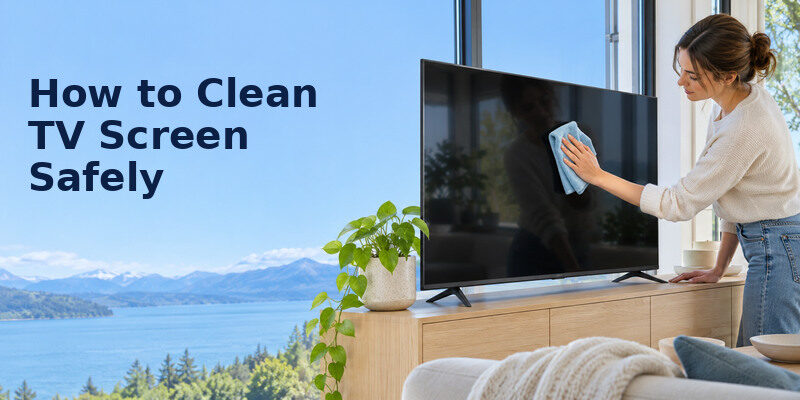
Short answer: Turn off and unplug the TV, let it cool, then gently wipe the screen with a clean dry microfiber cloth; use a barely damp cloth only if the manufacturer permits it for stubborn marks.
How to clean tv screen depends on the panel coating and the maker’s care instructions. LG’s current US support advises a dry microfiber cloth, then a corner lightly dampened with water for persistent smudges, followed immediately by drying; it warns against spraying the screen or using alcohol, acetone or glass cleaner. Sony likewise recommends checking manufacturer suitability before using commercial wipes. Follow the exact model manual if its instructions differ. This guide gives a safe basic method and explains what to avoid.
What You Need Before Touching the Screen
| Item | Use | Avoid |
| Clean soft microfiber cloth | Lift dust and fingerprints gently | Dirty cloth with grit |
| Second dry microfiber cloth | Dry a permitted damp spot | Paper towels or abrasive rags |
| Small amount of water if maker allows | Dampen cloth corner, never panel | Spraying or soaking |
| TV model manual | Confirm coating-specific rules | Generic glass-cleaner advice |
Do not use window cleaner, household disinfectant, ammonia, acetone, alcohol or an abrasive sponge unless the TV maker explicitly approves a specific product for that screen. The panel has a coating that can be damaged. How to clean tv screen starts by removing loose dust rather than rubbing a gritty fingerprint into the surface. Wash or replace a contaminated cloth before use. Do not press hard enough to distort the image or panel layers. If a mark appears only when the TV is displaying an image, check our guide to TV picture quality issues before attempting to clean the screen again.
Unplug and let the panel cool
LG’s help instructs owners to unplug and wait about 5–10 minutes for cooling. The exact time can vary, but a cool dark screen makes smudges visible and reduces risk while cleaning. Hold the plug rather than pulling the cord. Keep liquid away from ports and the lower bezel. If the TV is wall mounted, make sure you can reach it safely without leaning on the panel or tugging its mount.
Use the right cloth
A soft, clean microfiber cloth should be dedicated to screens. A kitchen cloth may contain grease or dust; a tissue or paper towel can leave fibers or abrade a coating. If the cloth has been laundered with fabric softener, residue can streak. Inspect it under good light. A small speck trapped in a wipe can scratch more readily than ordinary dust, so shake out or replace the cloth when in doubt. How to clean tv screen changes when the maker specifies a dry-only coating.
Read more: Best Tech Gifts for Seniors: Useful Choices in 2026
How to Clean TV Screen in Six Steps
Step 1 – Power off, unplug, and cool
Turn off the TV, unplug it, and wait until the screen is cool. Keep children or pets from touching the screen while you work. Do not use a vacuum nozzle directly on the panel. If a soundbar or console sits below it, clear enough space to avoid knocking equipment. A black screen under indirect light makes fingerprints easier to locate.
Step 2 – Lift loose dust gently
Use a dry microfiber cloth with very light pressure, moving in one direction. LG recommends a gentle one-direction wipe. Do not scrub a small spot before removing surrounding dust; grit can be dragged across the coating. Support a wall-mounted screen only as the manual allows, without pressing the panel. How to clean tv screen safely is more about restraint than force.
Step 3 – Treat fingerprints with the dry cloth
Fold the cloth to a clean side and make a few gentle passes. Oils may need patience, but repeated hard rubbing can damage the coating. If a mark remains, do not reach for glass cleaner. Check the maker’s care page for the exact model. Different matte, anti-reflective and glossy finishes may have specific instructions; a method that works on a window is not automatically safe on a television.
Step 4 – For stubborn marks, follow the maker’s damp-cloth rule
LG permits lightly dampening a corner of the microfiber cloth with water for stubborn smudges, never spraying the screen. Use a minimal amount so no liquid can run toward the bezel. If the maker says dry-only, stay dry. How to clean tv screen with water is not a soaking method: the cloth should feel barely damp, not drip when squeezed. Work only on the affected area with light pressure.
Step 5 – Dry immediately
Use another clean dry microfiber cloth to remove moisture and any streaks. Inspect from different angles without pressing. If the mark remains, stop and consult manufacturer support rather than escalating to a solvent. Do not turn on the TV while moisture could reach an edge or port. Keep the cloth away from powered connectors and ventilation openings. The first step in how to clean tv screen is confirming that a mark is on the surface rather than in the image.
Step 6 – Reconnect and inspect
Once the surface and edges are fully dry, reconnect power and view normal content. A haze visible only under a flashlight may be less important than a mark during viewing; avoid excessive re-cleaning. If there is a persistent dark patch, bright line, or image defect, it may be a panel issue rather than dirt. Do not disassemble or press the screen to “fix” it. Check warranty and support.
Read more: How to Simplify Smart TV for Elderly Viewers in 8 Steps
OLED, LED LCD, and Matte Finishes

The same cautious starting method—power off, dry clean microfiber, light pressure—applies broadly, but the exact finish can change what liquids are permitted. OLED describes the light-emitting panel; LCD describes another display structure. Both can have delicate surface coatings. A matte anti-glare layer may show oily streaks differently from a glossy finish. Follow the specific TV’s manual, not only its panel category.
OLED screen care
Avoid pressure on a thin OLED panel and do not lift or stabilize it by pressing the display. A persistent image retention pattern is not surface dirt and cannot be wiped away. Follow the maker’s pixel-care instructions for image issues. How to clean tv screen on an OLED still starts with the screen’s outer coating, not with any special chemical marketed for OLED. The model’s official support page is the authority for permitted cleaning. For more context on different display technologies, read our OLED and QLED TV comparison, then check the cleaning instructions for your exact model.
LCD and Mini-LED screens
A backlit LCD may feel more rigid, but hard rubbing can still damage coating or panel layers. Dirty-screen effect visible during sports is not dust on the front glass. Test whether a mark remains visible with the TV off and under side light. If it is an image uniformity issue when powered on, cleaning will not solve it. Avoid pressing the screen to chase a bright or dark patch. How to clean tv screen near a bezel requires keeping all moisture from the edge.
Anti-reflective coatings
A coating can be altered by solvents, harsh wipes or abrasive residue. Sony’s support advises checking commercial screen wipes with the manufacturer. A product labeled “electronics safe” is not proof that it suits a particular TV finish. If the manufacturer gives dry-only instructions, do not use the LG water step on that model. How to clean tv screen is a model-specific care task when a stubborn mark remains.
Clean the Bezel, Stand, and Ports Separately
The screen and exterior plastic may have different care rules. A dry cloth can remove dust from the bezel and stand; follow the manual for any permitted damp cleaning. Do not push liquid into the bottom edge, speaker grille, vents or ports. Unplug before working near connections. A soft brush may be suitable for external dust on vents if the maker permits it, but do not insert tools into the TV.
Ventilation matters
Dust buildup around vents can trap heat. Leave the clearance specified in the manual and remove exterior dust gently while powered off. Do not cover a TV’s top or back with fabric or decorations. A vacuum held against a vent could damage a grille or draw static and should not be improvised. For heavy internal dust or overheating symptoms, use an authorized service route rather than opening the set. If the patch remains visible in the picture but not on the screen surface, use these steps to troubleshoot smart TV picture problems and decide whether the television needs support.
Remote and soundbar are different surfaces
A remote is handled frequently and may need separate cleaning, but screen-safe care is not a disinfection method for buttons. Keep liquid away from battery compartments. A soundbar’s fabric grille may need a dry soft brush according to its manual. Use each product’s own instructions. Do not spray cleaner across the entertainment cabinet where mist can settle on the TV screen.
Read more: Senior Friendly Technology: Choose Tools That Fit Real Routines
Common Cleaning Mistakes and What to Do Instead

| Mistake | Risk | Better action |
| Spray cleaner on screen | Liquid can run into edges | Dampen cloth only if maker permits |
| Use paper towel | Abrasion and lint | Clean microfiber |
| Press a stubborn spot | Coating/panel damage | Light passes, stop if unresolved |
| Wipe while hot and on | Streaks, safety concerns | Power off, unplug, cool |
| Use alcohol/glass cleaner | Coating damage on many TVs | Follow model manual |
| Reuse dirty cloth | Grit scratches | Wash/replace cloth |
If a mark may be adhesive residue, ink or chemical contamination, contact the manufacturer before applying a solvent. A stain that cannot be removed by the documented method is preferable to irreversible coating damage. How to clean tv screen does not include scraping with a fingernail, credit card or razor. Be wary of social-media tips using toothpaste or household polish; those can abrade the surface. A fresh microfiber cloth is central to how to clean tv screen without dragging grit across the finish.
What if water leaves streaks?
Let the screen dry and use a clean dry microfiber cloth with gentle one-direction passes. Confirm the cloth has no detergent or softener residue. Use less moisture next time. If streaks persist after a maker-permitted water wipe, stop and ask support for finish-specific advice rather than layering additional products. Do not use heat from a hair dryer to accelerate drying. If a Samsung remote button is also sticking or responding poorly, check how to clean around Samsung remote buttons and investigate the problem without spraying liquid into the controller.
What if a child touched the panel with sticky hands?
Turn off and cool, remove loose particles, then try dry microfiber. If residue persists and the maker permits it, use the barely damp cloth corner, followed by immediate drying. Keep pressure light. For sugary or oily material near a bezel seam, avoid pushing it inward; seek support if it cannot be removed safely. Prevention by placing the TV out of reach may be easier than repeated deep cleaning.
Keep the Screen Cleaner for Longer
Dust the room and cabinet regularly without spraying near the television. Avoid touching the panel when moving the set; use the handling points in the manual and enough people for its size. Adjust lighting and viewing position so small fingerprints are less conspicuous. Keep a clean microfiber cloth in a sealed bag near the TV, away from grit. There is no fixed weekly wet-cleaning schedule; clean when visible dust or marks affect viewing.
Before and after guests
Use a dry cloth only when needed. Frequent aggressive wiping adds wear without benefit. A TV in a busy shared room may collect fingerprints faster than one mounted above reach. Ask household members not to point by touching the panel. How to clean tv screen safely is a gentle, occasional routine, not a daily polishing exercise.
A phone remote can reduce handling
A compatible can help navigate a supported television after setup if its physical remote is dirty or misplaced, though it does not clean the panel. Keep the original remote and TV controls available for network changes. The simplest prevention is to use the remote rather than touching the screen to indicate a menu item. Knowing when to stop is part of how to clean tv screen safely after a mark resists gentle passes.
Read more: Voice Command TV Not Working? Diagnose the Failed Control Path
Decide Whether a Mark Needs Cleaning
Dust visible only with the screen off
A thin film visible under a flashlight may not affect viewing. How to clean tv screen safely includes knowing when to leave it alone. If the image looks clear from the normal seat, wait until routine room cleaning rather than rubbing the coating every day. Dust nearby furniture first and keep sprays pointed away from the display. If you do wipe, check the microfiber cloth for grit and use the exact model’s dry-cleaning method.
A fresh fingerprint near the edge
Start with the dry cloth and light passes. Do not use a fingernail or press the edge where liquid could enter. If the fingerprint remains, consult the manufacturer’s permitted water step and keep the cloth only barely damp. How to clean tv screen around the bezel requires extra restraint; a dripping cloth can send fluid into the lower electronics. Dry the area and wait before reconnecting power.
A persistent spot after several gentle attempts
Stop rather than escalating to solvent or force. The mark could be coating damage, adhesive, internal image defect or an unfamiliar contaminant. Photograph it in normal light and contact the maker with the model number. How to clean tv screen does not include polishing away an anti-reflective layer. A visible line only when powered on should be diagnosed as a picture problem, not surface grime. A compatible TV remote app for iPhone can help navigate a supported television after setup if the physical remote is dirty or misplaced.
A household with children or pets
Teach children to use a remote rather than touch the image, and place the set securely according to the mount instructions. A pet nose print can be spot-cleaned with the approved method, without wiping the entire panel. How to clean tv screen in this household may happen more often, but the product and pressure rules do not loosen. Keep cleaning supplies out of reach and use separate cloths for the dusty stand and the delicate display.
How to clean tv screen safely also means using a fresh cloth when the original cloth has picked up dust from the stand.
A good stopping point is a screen that looks clear during ordinary viewing. Under a flashlight, even a clean panel may show tiny traces, and chasing them with repeated pressure can do more harm. How to clean tv screen should be a gentle, limited task: one dry pass, a permitted barely damp spot treatment if necessary, then a dry finish. If a mark remains, contact the maker before trying stronger products. Keep the cloth clean between uses.
Read more: How to Set Up Voice Control on TV: A Platform Guide
TV Screen Cleaning FAQ
Can I use glass cleaner on a TV screen?
No, unless the exact TV maker explicitly approves a product. LG warns against glass cleaner, alcohol and acetone on its screens. Start with dry microfiber and follow your model manual.
Can I spray water on the screen?
No. LG says never spray directly. On models that permit water for stubborn marks, dampen a cloth corner only slightly and dry immediately. Other makers may specify a different rule.
Are paper towels safe for LED TVs?
Avoid them. They can leave lint and may abrade coatings. Use a clean soft microfiber cloth with light pressure, regardless of OLED or LCD panel type.
How often should I clean the TV screen?
When dust or smudges are visible or affect viewing. Dry dusting can be occasional; repeated wet cleaning is unnecessary. The environment and household use determine frequency.
Can I remove a scratch by cleaning?
No. Cleaning removes surface dust and smudges, not damage to a coating or panel. Do not polish or use abrasive products; contact the manufacturer for guidance.
Final Thoughts
For how to clean tv screen, unplug and cool it, remove dust and fingerprints with a clean dry microfiber cloth, and use only the maker-permitted barely damp method for stubborn marks. Never spray the screen or substitute glass cleaner. Gentle care protects the finish better than hard scrubbing.
