
Does Mesh WiFi Affect Smart TV Remote Apps?
If you’re experiencing guest wifi blocking tv remote app problems, your router may be preventing your smartphone from communicating with your television.
Quick answer: Connect your phone and smart TV to the same trusted home network instead of an isolated guest network. Then restart your remote application, check network permissions, and pair the television again.
Follow these quick steps:
- Check the Wi-Fi connection on your smartphone and TV.
- Move both devices to your main home network, not Guest Wi-Fi.
- Check AP Isolation or Guest Network Isolation in your router settings.
- Enable Local Network permission for the remote app on iPhone.
- Restart your router, TV, and smartphone if necessary.
- Reconnect the television through the remote application.
A guest network may allow internet browsing while blocking local device discovery. This explains why your TV can stream videos normally but cannot be found by a smartphone remote.
The guest wifi blocking tv remote app issue commonly affects Wi-Fi-based remote applications on Samsung, LG, Roku, Google TV, and other supported smart television platforms.
Fortunately, most cases can be diagnosed without factory resetting the television or purchasing another remote.
This guide explains why the problem happens, how to restore the connection, and what alternatives are available when Wi-Fi is unavailable.
1. Why Guest WiFi Blocks TV Remote Apps
To understand guest wifi blocking tv remote app, you first need to know how smartphone remote applications communicate with televisions.
Most network-based TV remote applications use a local network connection rather than a direct infrared signal.
Your smartphone sends commands to the television through the home network. The TV receives those commands and performs actions such as adjusting volume, navigating menus, or changing inputs.
How guest Wi-Fi works
Guest Wi-Fi is a separate wireless network commonly provided by home and business routers.
It is designed to give visitors internet access without necessarily exposing personal devices on the main network.
For example, a household might have:
- Main network: Home-WiFi
- Guest network: Home-Guest
Your television connects to Home-WiFi, while your phone connects to Home-Guest.
Although both devices access the internet through the same router, communication between them may be restricted.
This separation is a security feature, not necessarily a router malfunction.
Why device isolation stops remote apps
Many routers include security features called:
- Guest Network Isolation
- AP Isolation
- Client Isolation
- Wireless Isolation
- Device Isolation
These features can prevent devices from discovering or communicating with other devices.
According to TP-Link’s official documentation, a guest wifi network can allow devices to access the internet while restricting access to local network resources.
TP-Link’s April 2026 Deco guidance confirms that guest and main networks are automatically isolated in supported Router Mode configurations.
As a result, a TV remote app may display:
- No TV found
- Device unavailable
- Connection failed
- Unable to connect
- Pairing unsuccessful
Important: The guest wifi blocking tv remote app problem can occur even when the television and smartphone both display strong Wi-Fi signals.
Why local discovery matters
Smart TV remote applications frequently use local discovery technologies to identify compatible televisions.
Depending on the platform, discovery may involve multicast DNS (mDNS), SSDP, or manufacturer-specific communication protocols.
A router that blocks local discovery can prevent the app from finding a TV that is otherwise working normally.
The key distinction is internet connectivity versus local network connectivity.
Download TV Remote App2. Guest WiFi Blocking TV Remote App: 8 Easy Fixes
If your guest wifi blocking tv remote app issue began after changing router settings, activating guest access, or replacing your router, follow these troubleshooting steps.
Fix 1: Connect your phone and TV to the main network
The easiest solution is to move both devices onto your trusted primary home network.
On your smartphone:
- Open Settings.
- Select Wi-Fi.
- Disconnect from the guest network.
- Choose your main home network.
- Enter the Wi-Fi password.
On your television:
- Open Settings.
- Select Network or Internet.
- Open Wi-Fi Connection.
- Choose the main network.
- Enter the password.
- Confirm that the TV is connected.
This is the recommended first fix because it preserves the guest network’s security restrictions.
Fix 2: Check the TV’s network connection
Sometimes the remote app cannot find the television because the TV is using an outdated Wi-Fi connection.
Open the TV’s network settings and check whether it is connected.
If necessary, forget the old network and reconnect.
When investigating guest wifi blocking tv remote app, do not assume that successful video streaming proves local remote control will work.
A television can access online content while remaining unreachable from your smartphone.
Fix 3: Restart the router
Restarting can resolve temporary connection problems.
- Disconnect your router from power.
- Wait approximately 30 seconds.
- Reconnect the power.
- Allow the router to finish starting.
- Reconnect your phone and television.
- Test the remote app again.
Do not press the router’s factory-reset button. Restarting and resetting are different operations.
Fix 4: Enable Local Network access on iPhone
Apple requires applications to request permission before browsing the local network in many circumstances.
According to Apple Support, this privacy requirement was introduced with iOS 14.
To check the setting:
- Open iPhone Settings.
- Select Privacy & Security.
- Tap Local Network.
- Find your remote application.
- Enable access if required.
- Close and reopen the application.
Without the necessary permission, a compatible TV might not appear in the app’s device list.
Fix 5: Disable VPN interference temporarily
Some VPN configurations interfere with local network discovery.
Temporarily disconnect your VPN and reopen the remote application.
If the television becomes visible, review your VPN’s local network access options.
A VPN is not automatically responsible for every connection problem, but testing without it helps isolate the cause.
Fix 6: Restart the television and smartphone
Temporary networking errors can persist after changing Wi-Fi.
Power off your TV and unplug it for approximately 30–60 seconds.
Restart your smartphone.
Once both devices are online, open the app and search again.
Fix 7: Remove the old TV pairing
After a network change, the application may continue using a saved connection that is no longer valid.
Open the app’s connected-device list.
Remove or forget the television when that feature is available.
Then search for the TV and complete the pairing instructions.
Fix 8: Try another compatible remote app
If guest wifi blocking tv remote app continues after network troubleshooting, test another application that supports your TV model.
A Remote TV app may provide an alternative interface for compatible smart televisions.
However, no ordinary Wi-Fi-based remote application can bypass router isolation automatically.
You must establish a permitted local connection first.
3. How to Check Guest Network Isolation on Your Router
Router settings are often the real cause behind guest wifi blocking tv remote app errors.
The relevant option differs by router manufacturer and model.
TP-Link router settings
Some TP-Link routers include guest network permission controls.
The following options may be available:
- Allow guests to see each other
- Allow guests to access your local network
If these options are disabled, guest devices may be unable to communicate with one another or access devices on the primary network.
On supported models, the controls may appear under:
Advanced > Wireless > Guest Network
However, menu layouts depend on the model and firmware.
Recommended approach: Keep guest access restricted for visitors and connect your own phone and television to the trusted main network.
Only change guest access permissions when you understand the security consequences.
TP-Link Deco guest network
TP-Link’s April 23, 2026 documentation explains that Deco guest networks are isolated from the main network when Deco operates in Router Mode.
Some Deco configurations operating in Access Point Mode provide an Allow Local Access setting.
Availability varies by model and firmware.
This means moving devices to the main network is often more practical than attempting to change every guest isolation setting.
ASUS, NETGEAR, and other routers
Other routers may use different labels, including:
- Access Intranet
- Guest Access
- AP Isolation
- Client Isolation
- Block LAN Access
Look for these options in the router’s wireless, guest network, or security menus.
Do not assume that identical setting names have identical behavior across different manufacturers.
For the guest wifi blocking tv remote app problem, the goal is to establish permitted communication between your own trusted devices—not to disable network protection completely.
Should you disable guest isolation?
Usually, no.
Guest isolation helps prevent visitors from accessing personal computers, storage devices, and smart-home equipment.
Disabling it broadly may expose devices you intended to keep private.
A safer solution is to move your phone and TV onto the main home network while keeping visitors on Guest Wi-Fi.
4. Fix TV Remote Apps on Samsung, LG, Roku, and Google TV
The guest wifi blocking tv remote app problem can affect several television brands, although each platform uses its own pairing system.
Samsung TV remote not connecting
Samsung SmartThings can control compatible Samsung televisions.
If the TV does not appear:
- Connect the Samsung TV to your main network.
- Connect your phone to the same local network.
- Open SmartThings.
- Select the television.
- Complete device registration if required.
- Approve any pairing request on the TV.
If you use a samsung tv remote app, check its compatibility and network requirements.
Tip: If the television appears but refuses pairing, check device authorization rather than repeatedly changing your Wi-Fi password.
LG TV remote app not connecting
LG ThinQ supports remote functions on compatible LG televisions.
After changing router settings, reconnect your LG TV and phone to the main network.
Open ThinQ and check whether the television appears.
If discovery fails, verify the application’s required permissions and try registering the TV again.
For detailed troubleshooting, read our guide to LG ThinQ app not finding TV.
Roku TV remote app not working
Roku’s official mobile remote requires a supported Roku device that is reachable on the network.
Roku’s support guidance states that the phone and Roku device should use the same network.
To troubleshoot:
- Connect the Roku device to your trusted home network.
- Connect your smartphone to that network.
- Open the Roku mobile application.
- Refresh the device list.
- Select the Roku device.
- Test navigation.
If you need to pair a physical controller, see how to pair a new Roku remote without the old one.
A Roku device that is completely offline generally cannot be discovered by a network-based remote application.
Google TV remote not responding
Google TV and Android TV devices may also be affected by guest network isolation.
Reconnect both devices to the main network and repeat the supported pairing procedure.
If your physical Google TV remote is malfunctioning separately, check our Google TV remote not working guide.
For every brand, identifying whether the problem is network discovery, pairing, or physical remote failure is essential.
5. Can You Use a TV Remote App Without Wi-Fi?
When users experience guest wifi blocking tv remote app, they often search for alternatives that do not depend on the home router.
However, the phrase “without Wi-Fi” can describe several different situations.
Can a TV remote app work without internet?
Sometimes, yes.
Wi-Fi and internet access are not the same thing.
A compatible phone and television may communicate through a functioning local network even if the router temporarily loses its internet connection.
Some applications and devices still require an internet connection for account verification, activation, or particular features.
Therefore, offline functionality depends on the platform.
Can a TV remote app work without any local network?
Most Wi-Fi-based remote applications cannot.
If you search for a remote control app for tv without wifi, determine whether the solution uses infrared, Bluetooth, or a local network.
Some Android phones include an infrared transmitter, commonly called an IR blaster.
With compatible hardware and software, these phones can control certain televisions without Wi-Fi.
However, most modern smartphones do not include IR hardware.
TV remote apps without Wi-Fi on iPhone
Users searching for tv remote app without wifi iphone should understand that iPhones do not have a conventional built-in IR blaster for controlling ordinary infrared televisions.
A Wi-Fi-based iPhone remote generally requires compatible devices connected through a reachable local network.
An iPhone cannot become an infrared TV remote simply by installing an application.
If Wi-Fi is unavailable, use a physical remote or another supported control method.
Are free no-Wi-Fi remote apps reliable?
Searches such as tv remote app without wifi free and app tv remote without wifi often produce applications with very different technical requirements.
Some may support infrared control on selected Android phones.
Others still require Wi-Fi despite being described as wireless remotes.
Similarly, searching for tv remote app without wifi free download does not guarantee that the application can function without a local network.
Always check the hardware requirements before downloading an app.
What about LG remote apps without Wi-Fi?
A search for lg tv remote app without wifi free usually reflects the desire to control an LG television without connecting to a router.
LG ThinQ generally relies on supported connectivity for smart TV control.
If your television is offline, a compatible physical LG remote is normally the most dependable option.
When troubleshooting guest wifi blocking tv remote app, restoring local connectivity is usually more effective than searching for another Wi-Fi application.
6. Smart TV Guest Mode vs Guest Wi-Fi
A smart tv with guest mode is not necessarily using a router’s Guest Wi-Fi network.
These are different features.
What is Smart TV Guest Mode?
Some televisions and hospitality systems provide guest-oriented modes.
Depending on the model, these features may restrict settings, simplify sign-in, limit access to personal accounts, or help protect information between different users.
They are designed around television usage and account management.
What is Guest Wi-Fi?
Guest Wi-Fi is configured on a router or managed wireless network.
It controls how connected devices access the internet and communicate with other network resources.
A television can have a guest-oriented user experience while remaining connected to the main network.
Conversely, a regular household TV can be connected to an isolated guest network.
Why the distinction matters
If you see guest wifi blocking tv remote app, changing your television’s user mode may not help.
You need to investigate the network connection and router restrictions.
| Feature | TV Guest Mode | Router Guest Wi-Fi |
|---|---|---|
| Managed by | TV or hospitality system | Router |
| Primary purpose | Restrict or simplify TV usage | Separate network access |
| Can affect accounts | Often | Not directly |
| Can isolate devices | Not necessarily | Often |
| Can block phone remote discovery | Indirectly | Yes |
Check the router first when the problem began after connecting to Guest Wi-Fi.
7. Advanced Troubleshooting for TV Remote Connection Problems
If the guest wifi blocking tv remote app issue continues after moving both devices to the main network, more advanced checks may be necessary.
Check local IP addresses
Your router assigns local IP addresses to network devices.
For example:
- Smartphone: 192.168.1.20
- Television: 192.168.1.35
These example addresses may indicate that the devices share an address range.
However, matching address prefixes alone does not prove that communication is permitted.
Subnet settings, firewall rules, and network isolation also matter.
Check mesh Wi-Fi configuration
Some mesh networks create separate guest or IoT networks.
A phone connected through one access point should ordinarily be able to reach a TV connected through another access point when both use the same properly configured LAN.
However, guest isolation, VLAN rules, or incorrectly configured multiple routers can interrupt discovery.
Check whether your mesh system is operating in Router Mode or Access Point Mode.
Check multicast discovery
Some smart TV applications use mDNS or SSDP to discover compatible devices.
These protocols may not cross isolated subnets or VLANs automatically.
Advanced networks may require permitted multicast forwarding or a discovery reflector together with appropriate firewall rules.
Only configure these options if you administer the network and understand their security implications.
For most home users, connecting the phone and TV to the primary network is simpler.
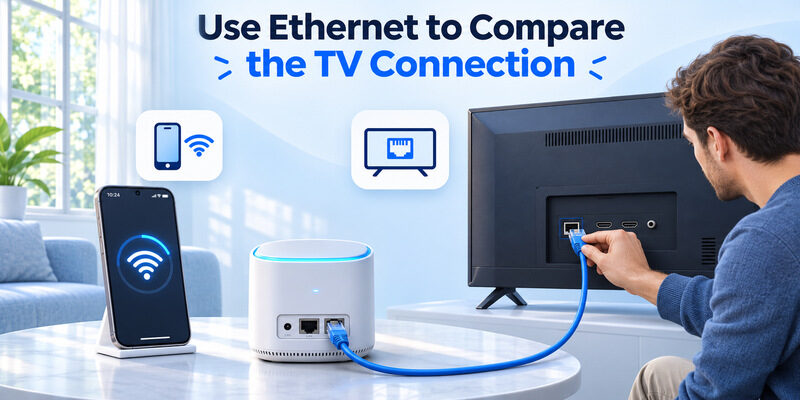
Try a wired Ethernet connection
If your television supports Ethernet, connect it to a LAN port on your main router.
Keep your phone on the primary Wi-Fi network.
A wired television and wireless phone can communicate when they belong to the same reachable local network.
This may help if the TV has weak Wi-Fi reception.
However, Ethernet does not automatically overcome VLAN separation or firewall restrictions.
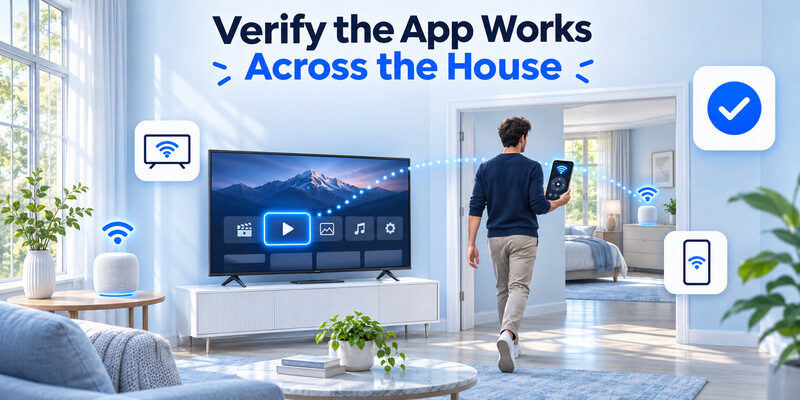
Test with another smartphone
Use a second phone connected to the same trusted network.
If the second phone can discover the television, focus on the original phone’s app permissions and configuration.
If neither phone detects the television, investigate router settings, TV connectivity, and device compatibility.
This approach helps distinguish guest wifi blocking tv remote app from application-specific issues.
8. Frequently Asked Questions About Guest Wi-Fi and TV Remote Apps
Why does Guest Wi-Fi block my TV remote app?
Guest networks commonly restrict communication with other devices.
If your TV is connected to the main network while your phone uses Guest Wi-Fi, the router may block local discovery and remote commands.
For guest wifi blocking tv remote app, connecting both devices to a trusted, reachable network is usually the best first step.
Do my phone and TV need the same Wi-Fi band?
No, not necessarily.
Many routers support 2.4 GHz and 5 GHz, while some newer models also support 6 GHz.
Your phone and TV can use different wireless bands if those connections belong to the same local network and communication is permitted.
Network isolation matters more than matching Wi-Fi frequencies.
Can I control my TV through mobile data?
Ordinary local-network remote applications generally cannot control a television using only mobile data.
Some manufacturer-specific services offer remote functions through cloud connectivity, but their availability and supported controls vary.
Check the requirements for your exact television and application.
Is a Wi-Fi remote better than an infrared remote?
Both have advantages.
A wifi remote control tv setup can offer convenient navigation and, on supported devices, keyboard input or other smart features.
Infrared remotes work without local Wi-Fi but usually require compatible hardware and a clear line of sight.
The better choice depends on your television, smartphone, and home network.
Will changing the router password disconnect my TV remote app?
It can.
If the television remains configured with the previous Wi-Fi password, it may lose network access.
Reconnect the TV using the new credentials and verify that your smartphone can communicate with it.
Can I disable Guest Wi-Fi completely?
Yes, if you administer the router and do not need a separate network for visitors.
However, you do not usually need to disable Guest Wi-Fi to fix your remote.
Keep guests on the isolated network and move your own TV and smartphone to the trusted main network.
Can a universal remote app bypass Guest Wi-Fi isolation?
No.
A network-based remote still needs a supported communication path to the television.
If guest wifi blocking tv remote app prevents all local connections, installing another Wi-Fi remote application alone will not solve the restriction.
After restoring connectivity, a compatible remote app can provide a convenient alternative controller.
Where can I download a universal remote for iPhone?
For compatible smart televisions, you can Download universal remote tv control from the App Store.
The application is available to download with in-app purchases.
Important: Supported features and compatible TV models vary. A Wi-Fi-based universal remote still requires the necessary local network connectivity.
Conclusion
The guest wifi blocking tv remote app problem usually occurs because the router prevents your smartphone from discovering or communicating with your smart television.
The fastest solution is to connect both devices to the same trusted home network, verify local communication, enable required app permissions, and pair the TV again.
Guest Wi-Fi isolation is an intentional security feature. Rather than disabling network protection broadly, keep personal devices on the main network and provide guests with a separate connection.
If you still experience connection errors, check your router’s isolation settings, television connectivity, mobile app permissions, and saved pairing information.
Once local connectivity is restored, a compatible smartphone remote can provide convenient TV navigation without relying exclusively on a physical controller.
Download TV Remote App