Dish TV Remote Download: Choose the App for Your Service and Receiver
Short answer: Identify your provider and receiver first: DishSMRT Hub can use a supported Android TV phone-remote route, ordinary infrared receivers need matching IR hardware and codes, and US DISH has its own app services. A dish tv remote download search mixes several products that do not share one universal controller. Even within one provider’s range, a smart box and an older receiver may need different methods. This guide separates the main download choices, explains what current official listings establish, and shows how to test the controls you need. It also addresses Airtel searches, free-download claims, and the difference between a working remote command and access to television content.
Dish TV Remote Download: Identify Your Setup
Read the Provider and Receiver Labels
DishTV India, DD Free Dish, Airtel Digital TV, and DISH in the United States are separate services. Begin with the provider name on the receiver or account documents, then record the receiver model. Do not use the television manufacturer’s name as a substitute for the box that receives the channels.
For a dish tv remote download, this first distinction prevents the most basic mismatch: installing an application intended for a different service. Keep the country and receiver family in your notes. Similar wording in a store title is not evidence that the app sends compatible commands. For a receiver-focused comparison before installing anything, see this guide to free Dish TV remote app options and match the app’s requirements to your actual box.
Check Whether There Is a Separate Box
If a streaming application runs directly on your smart TV, the television platform’s remote may be the relevant controller. If a box is connected through HDMI, its menus and the TV’s input settings belong to different devices. Confirm which interface should respond before choosing a download. If the connected receiver is a smart Android-based box, this Android TV box remote-control guide explains why the box and the television need separate control checks.
A dish tv remote download should solve a clearly defined task, such as opening the receiver guide or selecting the TV input. Try to name the target device for each task. That small step also helps explain why sound can work while channel changes do not.
| Equipment or service | Starting point | Key distinction |
|---|---|---|
| DishTV India standard receiver | Model-supported controller or IR profile | Different from the Android TV Hub |
| DishSMRT Hub | Supported Android TV remote route | Pair with the Hub, not the display |
| DD Free Dish receiver | Receiver maker and remote codes | Broadcast service does not identify the hardware |
| Airtel Xstream Box | Current model-supported phone control | Different from a basic Airtel receiver |
| US DISH | Official DISH equipment and app guidance | Different provider and account ecosystem |
Check What My DishTV Currently Offers
Verify the Official Publisher
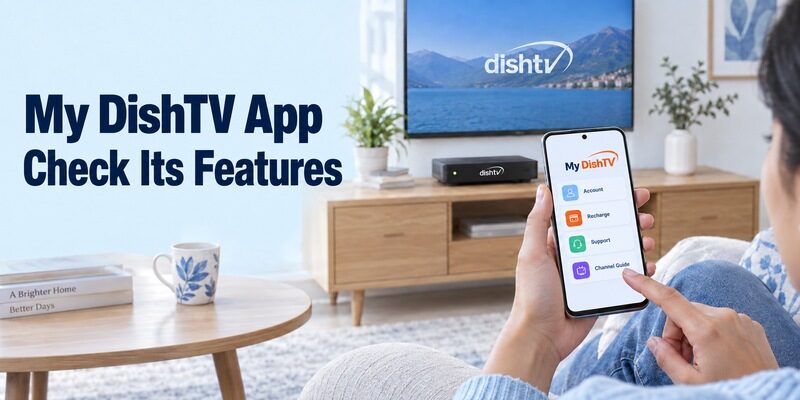
My DishTV is published by Dish TV India Limited. Its current Google Play description emphasizes account details, recharges, package changes, support, and a channel guide. Those are useful services, but the description reviewed for this guide does not establish a live infrared-remote feature in the current app.
If you expect a dish tv remote download to provide that feature, verify it in your installed version or with DishTV support. Older articles about earlier app versions should not be treated as proof of current button availability. Equally, an absent listing claim alone does not prove that a feature has been removed everywhere.
Keep Account Actions Separate from Channel Commands
Changing a subscription pack in an account app is different from changing the channel on the receiver in front of you. A channel guide can also be informational without offering every control from the physical handset. After a dish tv remote download, check what the app actually lets you do before calling the remote setup complete.
For a dish tv remote app download, identify the publisher and purpose together. If your box’s menus work but a subscribed channel displays an account error, use official account support. If the box ignores every navigation command, investigate the controller and receiver instead of assuming a recharge will repair the signal path.
Use the Android TV Route for a Compatible DishSMRT Hub
Recognize the Hub as Its Own Platform
DishTV identifies DishSMRT Hub as an Android TV-based set-top box and documents mobile control. Its product FAQ still names the older Android TV Remote Control app. Google’s current support instructions use Google TV for compatible Android TV and Google TV equipment, so follow the current Google workflow rather than hunting for an obsolete app name.
This dish tv remote download route is specific to supported smart equipment. It should not be transferred to a standard receiver simply because both boxes carry DishTV branding. Confirm the Hub model, software support, and network connection before expecting it to appear on your phone.
For a confirmed compatible Hub, use this Google TV remote app for Android guide to follow the current phone-control route instead of searching for an obsolete app name.
Pair the Phone with the Box
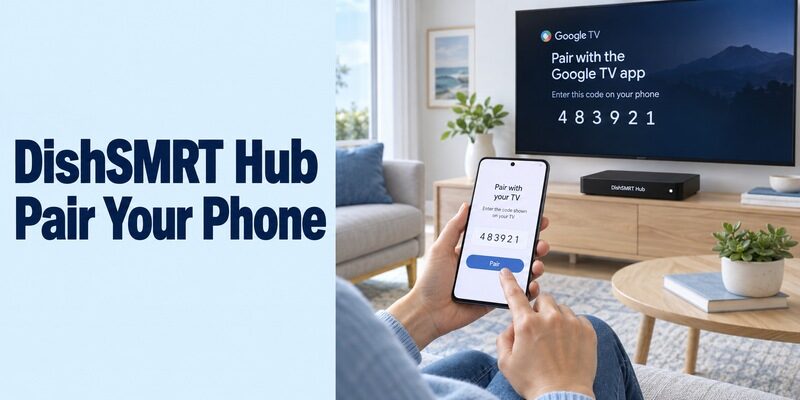
Keep the Hub awake and the phone on the same home network. In Google TV on Android, choose TVs nearby, select the intended device, enter the code displayed by that device, and tap Pair. Use the corresponding prompts for your phone’s current app version.
After your dish tv remote download connects, navigate the Hub’s home interface and return. Then test the channel interface and any essential shortcuts. A platform remote may expose a different set of buttons from the dedicated handset, so keep the original available for functions that the mobile interface does not provide.
Evaluate an Infrared App for a Standard DishTV Receiver
Read the Independent App’s Requirements
An IR app requires a transmitting component in the phone and a matching receiver profile. The Google Play listing for Dish Tv Remote from AIT Services explicitly describes the app as unofficial and requires an IR transmitter. That makes it a candidate to test on suitable hardware, not a manufacturer guarantee for every DishTV product. For a practical comparison of infrared and Wi-Fi control claims, see this remote-app compatibility testing guide before treating a brand-named listing as proof that it will operate your receiver.
Before a dish tv remote download through this route, read the current listing and the phone manufacturer’s hardware specification. Do not assume every Redmi, Xiaomi, Samsung, or other Android handset has an IR blaster. A compatible operating system and a compatible transmitter are separate requirements.
Aim at the Receiver and Test Several Buttons
During a dish tv remote download setup, follow the application’s available setup flow and point the handset’s transmitting edge at the receiver. Begin with one short command while the box is awake. If the app offers alternative profiles, record which one responds and compare the essential buttons rather than relying on one power reaction.
A dish tv remote control mobile app download should pass directions, selection, Back, and channel-control checks that match your viewing routine. Keep television input and sound controls separate. The TV may need its own profile or physical controller even after the receiver responds correctly.
Match DD Free Dish Control to the Actual Receiver
Treat the Service Name as a Starting Clue
DD Free Dish does not identify one universal receiver remote. Prasar Bharati’s official guidance says it does not directly market DD Free Dish set-top boxes and that receiving equipment is available in the open market. For a setup with a separate box, the maker and model determine which controller should be checked.
A free dish tv remote download search therefore needs the receiver label as well as the service name. Find its model in the manual or on the equipment, then look for a supported remote profile. If your particular setup receives satellite channels directly through a compatible TV, follow that television’s control instructions.
Try a Supported Appliance-Remote Profile
Xiaomi’s Mi Remote guidance includes set-top boxes among its device categories and explains selecting a provider and testing the power command on IR-equipped phones. It also notes that some devices are unsupported. Use that as a practical profile-selection route where the actual receiver is covered.
For a download, test the box’s menu and numeric channel entry before saving the profile. A free application cannot make every receiver share the same codes. If the model is missing or the controls remain incomplete, a matching physical replacement may be the quicker way back to normal viewing.
Handle Airtel Remote Searches as a Separate Branch
Identify Xstream Versus a Basic Receiver
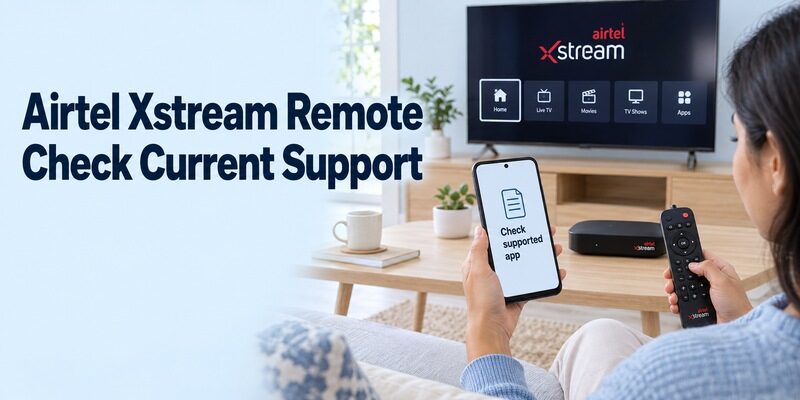
An airtel dish tv remote download search refers to Airtel equipment, not DishTV India hardware. Record whether you have an Xstream Box or a different Airtel receiver. An app designed for one category should not be assumed to work with the other solely because both deliver television channels.
Airtel’s own support page describes Smart Remote for Xstream and a first connection using Bluetooth and Wi-Fi. However, the historical store locator could not be verified during this review. Treat the documentation as a description of that supported setup, and confirm the current download with Airtel or the box’s on-screen instructions.
Avoid Confusing App Setup with Physical-Remote Learning
If you want to download airtel dish tv remote software, follow instructions specifically for the phone app. Airtel documentation also discusses placing two physical remotes opposite each other to teach buttons. That is a separate hardware procedure and should not be presented as the way to pair a phone application.
For an existing supported Smart Remote installation, follow its connection prompts and Airtel’s model guidance. If the app is unavailable on your phone, ask for the current supported alternative. Do not substitute an unrelated archived package just because a search result uses the same product name.
Use US DISH Services for US DISH Equipment
Separate DISH Anywhere from an IR Controller
DISH Anywhere serves the US DISH ecosystem and provides streaming and supported DVR functions. Its official FAQ describes viewing with eligible account access and scheduling recordings on supported internet-connected equipment. These functions are different from a generic infrared app’s local channel and menu commands.
For a US dish tv remote download request, identify the receiver family and desired task before selecting the app. A product intended for DishTV India or DD Free Dish should not be treated as a substitute. Match the official publisher and supported equipment rather than relying on the common word dish.
Check the Particular Feature’s Requirements
The DISH Anywhere FAQ identifies Hopper with Sling and Hopper 3 for viewing the receiver’s live and recorded content. It also describes selecting the correct DVR when more than one is associated with the account. Verify the requirements for the exact function you want to use.
If you simply want the living-room box to respond to missing handset buttons, consult DISH’s model-specific remote guidance. A working stream on a phone does not establish that all physical-remote functions are available. Keep the distinction clear when comparing a phone app with a replacement controller.
Check Free Access, Hardware, and Everyday Controls
Evaluate the Download Before Paying for Extras
Free to install does not automatically mean every needed function is free or compatible. Inspect the current listing for ads, purchase prompts, and hardware requirements. Use an available basic test before paying for extras, because a subscription cannot add an IR transmitter or change the receiver’s supported command protocol.
If you search free dish tv remote control app download apk, first ask why an APK is needed. A supported store installation is generally the clearer route for identifying the publisher and device requirements. An old package name does not resolve a missing code profile or unsupported phone hardware. If you are considering a manual package, read this Android TV remote APK guide first to distinguish a supported installation path from a filename that merely looks familiar.
Run a Short Viewing Sequence
After you download dish tv remote app software, select the correct television input, open the receiver’s guide, choose an available channel, and return. Test sound independently and record which device responds. Use a familiar channel you already receive so content access does not confuse the control test.
Save the working room name and profile after your dish tv remote download, close the app, and repeat the sequence. This confirms the setup can be reopened rather than merely previewed during installation. Ask another viewer to try the same steps; any confusing device names will become apparent before the phone is your only available controller.
Keep a simple device note with the television input, receiver model, and saved app target. If another person uses the room, have them demonstrate the complete sequence from the phone home screen. Check that a channel change reaches the intended box and that a volume change reaches the intended speakers. When those observations differ, record the limitation instead of describing the whole setup as connected or disconnected. A useful result is a repeatable viewing routine, even if one specialist function still needs the physical handset.
Troubleshoot Commands Without Changing Unrelated Settings
Locate the First Failed Step
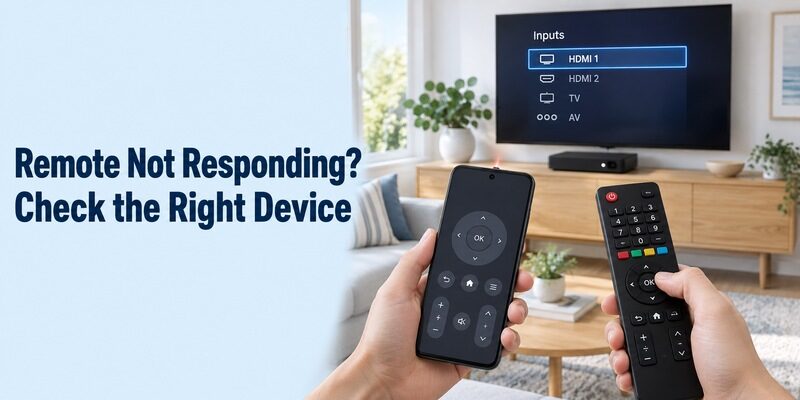
Diagnose the specific stage: installation, discovery, pairing, or button response. For IR, check the transmitter, aiming, and receiver profile. For a supported network remote, check the target device’s connection and the app’s pairing requirements. Do not assume that the phone’s internet access proves it can discover the box.
During a dish tv remote download investigation, compare one failed command with a working physical controller. If menus move but video is absent, inspect the viewing input and displayed service message. If no commands work, begin with the box’s power state and the method used to send them.
Preserve the Working Setup
Avoid a factory reset merely to test another remote app. Keep existing network information, channel configuration, and useful profiles intact while investigating a dish tv remote download problem. Change one relevant condition and repeat the same command so you can identify which action helps.
For a remote download dish tv support request, provide the provider, receiver model, phone model, app publisher, and failed command. Explain what still works and whether the problem began after a router or software change. This is more useful than a screenshot of an unrelated store search.
| Test result | Likely area to investigate | Useful next check |
|---|---|---|
| IR app opens but nothing responds | Hardware or code match | Phone transmitter and receiver profile |
| Smart box missing from app | Platform or network discovery | Model support and current connection |
| Receiver moves, TV volume fails | Separate audio-control path | TV or soundbar controller |
| Menus work, channel unavailable | Reception or service access | Exact displayed message |
| Only an old app guide is available | Current support and distribution | Provider’s present instructions |
Frequently Asked Questions
Can One App Control Every Dish Receiver?
No universal compatibility should be assumed. A dish tv remote download must match the receiver and phone’s control method. Provider names, smart-box platforms, and infrared code profiles differ, so verify the exact setup rather than choosing by a familiar logo alone.
Does an iPhone Work with an IR-Only App?
An ordinary iPhone does not have the built-in infrared transmitter required by an IR-only phone controller. Use a supported network route for compatible equipment or a separate supported IR accessory with its own app. Downloading software alone does not add the missing hardware. For compatible network-controlled equipment, compare free TV remote apps for iPhone by platform rather than expecting an iPhone app to send infrared commands to every receiver.
Does a Free Remote App Include Paid Channels?
No. Remote control and programme entitlement are separate. A free application may send supported commands, but it does not replace a paid provider’s subscription or repair satellite reception. Test navigation independently from whether a particular channel is available on your service.
Should I Keep the Physical Remote?
Yes, keep a compatible controller for initial setup, unsupported buttons, a depleted phone battery, or a changed network. Label it for the correct receiver and keep it available while testing a dish tv remote download. You can find broader platform guidance at while retaining the model-specific instructions that make your own setup repeatable.
Final Thoughts
Choose by provider, receiver model, and connection method before downloading. A dish tv remote download can mean a Google TV controller for a compatible Hub, an infrared profile for a conventional box, or a separate US DISH service. Verify current app availability and publisher identity, then test the commands you actually use. Save the working setup clearly and keep a physical backup for functions the phone does not cover.