Will a Universal Remote Work on a Hisense TV?
Quick Answer: Yes, a universal remote can work on a Hisense TV. Many Hisense televisions support compatible infrared (IR) universal remotes for power, volume, input selection, and other basic functions. However, full compatibility depends on your Hisense TV model, its operating system, and the universal remote’s brand and code library.
If you have a Hisense Roku TV, Google TV, Android TV, VIDAA TV, or Fire TV, you may need different setup instructions to access all available functions.
The good news is that you usually do not need the original remote to control basic TV functions. You can use a compatible universal remote, a supported replacement, or a smartphone remote app.
This guide explains how to choose and program a universal remote for Hisense TV, find the correct codes, and fix common problems.
Will a Universal Remote Work on Any Hisense TV?
Most Hisense televisions support some form of universal remote control, but not every universal remote works with every Hisense TV.
The key is to identify the television’s operating system and the remote’s communication technology.
Hisense TV Universal Remote Compatibility
| Hisense TV Type | Standard IR Universal Remote | Advanced Remote Features |
|---|---|---|
| Hisense Roku TV | Often compatible | Home and navigation depend on remote code support |
| Hisense VIDAA TV | Often compatible | Voice and app shortcuts may require a compatible remote |
| Hisense Google TV | Basic IR functions may work | Voice features generally require compatible wireless control |
| Hisense Android TV | Basic IR functions may work | Bluetooth functions are model-dependent |
| Hisense Fire TV | Often supports compatible IR controls | Alexa voice features require compatible hardware |
| Older Hisense LED TV | Usually supports compatible IR remotes | Features depend on TV and remote |
Important: These are general compatibility guidelines, not a guarantee for every model.
A universal remote may control Power and Volume but lack Home, Back, or voice search.
Why Does the Hisense TV Operating System Matter?
Hisense sells televisions using several smart TV platforms.
Although basic TV commands can be similar, navigation and advanced remote features are not identical.
For example:
- Hisense Roku TV: Uses Roku TV menus and navigation commands.
- Hisense VIDAA TV: Uses VIDAA menus and supported remote functions.
- Hisense Google TV: May support Bluetooth voice remotes and Google TV features.
- Hisense Fire TV: Uses Fire TV navigation and compatible Alexa voice functionality.
A remote advertised as compatible with Hisense TVs may not provide all platform-specific buttons.
For detailed information about original controls, see our Hisense remote control manual.
What Can a Universal Remote Control?
Depending on the remote and programming code, supported functions may include:
- Power on and off
- Volume up and down
- Mute
- Input selection
- Channel selection
- Menu navigation
- Home and Back
- Playback controls
Voice commands, Bluetooth pairing, and dedicated streaming shortcuts may require a more specialized remote.
If you want to understand how different universal remotes communicate with TVs, read our universal remote TV guide.
💡 Discover Helpful Guides: Hisense TV Remote App: Control Your Hisense TV From Your Phone
How to Program a Universal Remote to a Hisense TV
There are two common ways to program a traditional infrared universal remote: entering a manufacturer code or using automatic code search.
The exact button sequence depends on the universal remote brand and model.
Method 1: Program a Hisense TV Using a Remote Code
This method works when your universal remote supports direct code entry.
Step 1: Turn on your Hisense TV
Use the TV’s physical Power button if the original remote is unavailable.
Step 2: Prepare the universal remote
Insert fresh batteries and select TV mode if your remote has device-mode buttons.
Step 3: Find the correct Hisense TV code
Use the code list supplied by the universal remote manufacturer.
The required code may contain three, four, or five digits, depending on the remote.
Step 4: Enter programming mode
On many universal remotes, this involves holding Setup until an indicator light changes.
Other remotes use different button combinations.
Step 5: Enter the code
Type the code using the remote’s number buttons.
Step 6: Test the remote
Try:
- Power
- Volume Up and Down
- Mute
- Input
- Home or Menu
- Directional navigation
Step 7: Try another code if necessary
If only some buttons work, repeat the process using another code from the correct list.
For detailed programming instructions, see our guide to programming a universal remote to a TV.
Method 2: Use Automatic Code Search
If you cannot find the correct Hisense code, some universal remotes provide an automatic code-search feature.
A typical process is:
- Turn on the Hisense TV.
- Select TV mode on the universal remote.
- Enter the remote’s automatic code-search mode.
- Follow the manufacturer’s instructions to cycle through available codes.
- Watch for a response from the television.
- Save the code when the remote successfully controls the TV.
- Test additional buttons.
The exact process varies by manufacturer.
Some remotes require repeated Power presses, while others automatically scan codes.
Do not assume the same auto-search combination works on GE, RCA, Philips, One For All, and other remotes.
Do You Need to Pair a Universal Remote With a Hisense TV?
A standard infrared universal remote generally does not require Bluetooth pairing.
Instead, it sends IR commands using a compatible code profile.
However, a Bluetooth remote may need wireless registration through the TV’s settings.
If you are using a wireless replacement remote, follow the pairing procedure for your exact TV and remote model.
Our Hisense remote pairing guide explains the differences between supported remote types.
📖 Read More Guides: How to Open Hisense TV Remote Safely for Batteries, Cleaning, or Repair
When a Universal Remote Isn’t the Best Choice
A universal remote is a solid answer to will a universal remote work on a Hisense TV, but it isn’t always the most convenient one. If you rely heavily on streaming apps and voice search, the missing smart features can make a universal remote feel like a downgrade.
In those cases, a genuine platform-matched replacement remote or a phone app restores the full experience. A universal remote shines when you want a simple, physical, one-purchase fix for basic control — and it falls short when you want everything the original smart remote did.
Heavy Streaming Users
If most of your viewing happens inside apps like Netflix, YouTube, or Disney+, the loss of one-touch app buttons and voice search is felt daily. Here the answer to will a universal remote work on a Hisense TV is technically yes but practically frustrating, and a phone app or genuine remote serves you better.
Basic TV Watchers
If you mainly watch broadcast channels or a single connected box, a universal remote is close to a perfect fit. You lose nothing you actually use, and you gain a durable physical remote for a small one-time cost.
For this group, will a universal remote work on a Hisense TV is an unqualified yes, with no downside worth mentioning.
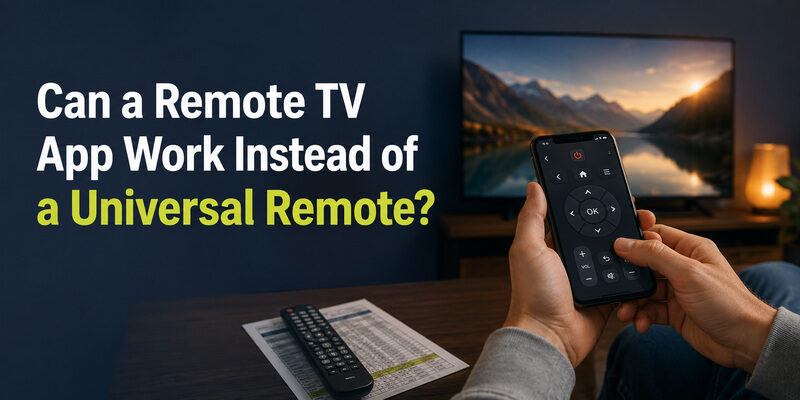
Can a Remote TV App Work Instead of a Universal Remote?
Yes, and for many people it’s the better option. The Remote TV App turns a phone into a Hisense TV remote over Wi-Fi, covering power, volume, navigation, and app launching without buying any hardware at all.
Where a universal remote answers will a universal remote work on a Hisense TV with a hardware purchase and a code-programming step, a phone app skips both — there’s no code to find and nothing to buy. It’s especially useful for smart features a universal remote can’t replicate, since it navigates the TV’s actual menus. as a free alternative before committing to a universal remote.
For anyone who found this page asking will a universal remote work on a Hisense TV, the app is worth a look precisely because it sidesteps the code hunt entirely while still doing everything a universal remote does.
🗺️ Browse How-To Guides: Hisense Remote Control Manual: Buttons, Pairing, Apps, and Troubleshooting
FAQs About Universal Remotes and Hisense TVs
Will any universal remote work on a Hisense TV?
Almost any universal remote made in the last decade will work, because they include Hisense codes or an auto-search feature. Very old or extremely basic universal remotes without Hisense in their library are the only likely exceptions.
Can you use a universal remote on a Hisense TV without a code?
Yes, using auto code search. The remote steps through its codes automatically until the TV responds, so you don’t need to know the specific Hisense code number in advance.
Does a Roku remote work with a Hisense TV?
Only if the Hisense TV runs the Roku platform. On a Hisense Roku TV, a Roku remote works fully; on a VIDAA or Google TV Hisense set, it won’t control the smart menus.
Is a Hisense remote universal?
No. The remote that ships with a Hisense TV is built for Hisense sets and can’t be programmed to control other TV brands the way a true universal remote can.
Can I use my phone instead of a universal remote?
Yes. The Remote TV App controls a Hisense TV over Wi-Fi with no code programming and no hardware purchase, and it can reach smart features a universal remote can’t.
Final Thoughts
So, will a universal remote work on a Hisense TV? Yes — for power, volume, channel, and input, a universal remote programmed with a Hisense code is a dependable fix, and auto search covers even the models that aren’t in the printed list.
The one caveat is smart features: voice search and app shortcuts stay with the original remote or a phone app. If those matter to you, weigh a universal remote against the Remote TV App, which restores full control at no cost and without hunting for the right code.
Download LG TV Remote