
Sanyo TV Remote App: Roku TV and Older Model Options
Short answer: For a Sanyo Roku TV, use the Roku mobile app on the same network.
A sanyo tv remote app is useful when the physical controller is lost, but compatibility follows the television operating system and its network settings. First identify whether your set runs Roku, Fire TV, Google TV, or an older system. Then connect the phone and TV to the same local network, approve the on-screen request, and test navigation. This guide helps you choose an option without promising support for every Sanyo model.
1. Which Sanyo TV Remote App Should You Try First?
The fastest route is to read the TV home screen or its model label. For a sanyo tv remote app, the TV platform matters more than the brand name. A Fire TV app cannot automatically operate a Roku TV, even when both sets say Sanyo on the bezel.
| TV you own | First option | Main condition |
| Sanyo Roku TV | Roku mobile app | Same reachable network |
| Sanyo TV with Roku stick | Roku app for the stick | TV hardware may need IR |
| Older/non-smart TV | Matched physical or IR remote | No assumed Wi-Fi control |
Read the TV interface
A Roku tile-based home screen, Fire TV navigation, and a Google TV interface lead to different phone controls. Open Settings or read the model number on the rear label when you still have working buttons. Sanyo sells both Roku TVs and older basic televisions, so the logo alone cannot identify the correct phone remote. This small check prevents a common mistake: installing an attractive app whose protocol the TV does not support.
Read more: JVC TV Remote App: Roku TV Setup and Compatibility
Check the original remote
A voice key or pairing key can suggest a wireless remote, while a simple remote with a visible infrared emitter may use line-of-sight commands. That clue is not conclusive by itself, since some remotes combine IR for power with wireless navigation. Use the TV model and system menu to settle the choice for your sanyo tv remote app.
A search for sanyo tv remote app may surface several nearly identical app icons. The store developer name is more reliable than an icon or headline. Confirm the platform and update date on the listing, and do not assume that a TV brand name in an app title guarantees support for your model.
2. Match the App to Your Sanyo TV Platform
Sanyo televisions span Sanyo Roku TVs and older basic televisions. Use the quick comparison below to rule out incompatible downloads before spending time on setup.
Roku TV route
If the TV explicitly shows Roku TV, the official Roku mobile app is a sensible first test. Roku Support says mobile control depends on the phone and TV sharing a network and allows mobile-app control to be disabled in TV settings. A sanyo tv remote app for this platform should discover the device, show its name, and provide navigation after you select it.
For a Sanyo TV that runs Roku, this guide to the free Roku remote control app helps you confirm the same-network steps before relying on it as your main controller.
Fire TV or Google TV route
On a Fire TV model, try Amazon’s Fire TV app; on Google TV or Android TV, try Google TV’s virtual remote. Both depend on supported software and local connectivity, and may request a code displayed by the TV. Do not infer a platform from a streaming stick on an HDMI input: identify the television itself if you need volume and input control.
Legacy or basic TV route
An older Sanyo television may have no network control at all. An iPhone cannot simply emit infrared commands like a conventional TV remote. Some Android phones have dedicated IR hardware, but availability varies by phone; a model-matched physical replacement is often the reliable path. No app can add a network receiver to a TV that lacks one.
According to SANYO AV Products television catalog and support, the model or platform distinction matters here. Write down the full Sanyo model label before installing software or ordering hardwar. Its instructions cover a particular device family, so confirm that your own menu and remote match before following them.
For sanyo tv remote app, the label on the rear of the set is useful when the home screen is unavailable. A connected streaming stick can display Roku or Fire TV on a basic television, but the television itself may still accept only infrared power and volume commands. Distinguish the HDMI device from the display.
If your Sanyo model uses Fire TV, start with the official Fire TV remote app download instructions and verify that the phone and television are on the same home network.
3. Set Up a Sanyo TV Remote App in Five Steps
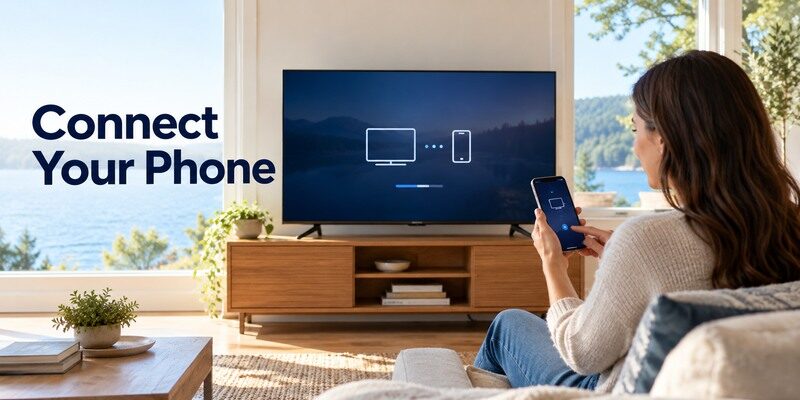
Once you have the right platform, keep the TV on and complete setup in this order. Most failed first attempts come from an unreachable TV or the wrong wireless network rather than a missing button in the app.
- Confirm TV power: Turn the television on using its physical button or existing remote; first-time network setup may require a physical controller.
- Check the same network: Connect phone and TV to the same home Wi-Fi; disable a VPN or guest network for the first test.
- Install a trusted app: Use the official mobile store and inspect the developer and subscription details before installing.
- Select the television: Open the app, allow local-network discovery, and choose the correct room or device name.
- Approve and test: Enter an on-screen code if shown, then try Home, volume, navigation, and power separately.
If the TV is already connected
Open the app while the Sanyo TV is awake. Select the discovered device and complete any on-screen pairing prompt. Test a simple navigation command first, then check features such as volume or input switching; those can depend on model, platform, and connected sound system. A sanyo tv remote app should be judged by the controls you actually need.
If the TV has lost its Wi-Fi
The phone usually cannot discover a television that has never been connected or has moved to a new router. Use the TV’s physical control, a compatible replacement remote, or an Ethernet connection where supported to restore network access. Roku’s own lost-remote guidance says its app cannot detect a device that is offline after a reset or first setup.
Before setting up sanyo tv remote app, write down whether the TV uses Wi-Fi or Ethernet and whether the phone is on a guest network. A router may give both devices internet access while preventing them from seeing each other locally. Fixing that isolation is more useful than reinstalling three remote apps.
A second setup check is to verify that the phone is using the same local network segment as the TV. Mesh networks often share a name across radio bands, which is normally fine, but guest isolation can still block local device discovery. Restart the app after correcting the connection and accept any code promptly. If the TV has never been connected, plan for a physical remote to complete initial setup.
Read more: VIZIO TV Remote App: Download, Setup & Troubleshooting
4. Use iPhone or Android With a Sanyo TV
The phone operating system changes the app store and permission screens, not the need for TV compatibility. Search results for a sanyo tv remote app often mix iPhone and Android listings, so check the developer and requirements on the actual store page.
iPhone setup
On iPhone, allow Local Network access when prompted; if discovery fails, check the app’s permission under iOS settings. Keep cellular data from masking a disconnected Wi-Fi connection. The describes an iPhone universal remote, but its supported controls still need to be verified against your exact Sanyo model.
Android setup
On Android, check Wi-Fi and any nearby-device or location permissions requested by the selected app. The official Roku, Fire TV, or Google TV app should be your baseline where its platform applies. If your phone has an IR blaster and you own a basic TV, read the phone maker’s documentation; an ordinary Wi-Fi-only app will not substitute for IR.
Test sanyo tv remote app with the controls that matter in your room. If you use a soundbar, volume may be handled by HDMI CEC, an optical connection, or another remote. If a streaming box supplies the on-screen interface, changing inputs may require the television rather than the box app.
For a Sanyo television running Google TV, use a compatible Google TV remote app for Android rather than installing a generic brand-only controller.
5. Compare Official and Universal Remote Options
An official platform app is the cleanest compatibility test for a single TV. A universal app can be useful when one household has several brands, but it still has to speak the correct protocol and may offer different controls.
| Option | Best use | Check before choosing |
| Official platform app | One Roku, Fire TV, or Google TV | Exact TV platform and mobile OS |
| Universal Wi-Fi app | Several supported smart TVs | Model detection, control set, pricing |
| IR app with IR hardware | Basic IR television | Actual IR emitter in the phone |
| Physical replacement | Offline or unsupported set | Model/part number match |
What free really means
“Free to download” does not establish that every feature is free. Review the app-store listing for in-app purchases, trial terms, and cancellation steps. For a sanyo tv remote app, test the basic controls before paying for extras. Avoid APK mirrors and vague download pages that provide no clear developer or compatibility details.
Privacy and permission checks
Local-network access is expected for a Wi-Fi remote, because the app must find your television. A request for unrelated contacts, SMS, or administrative access deserves scrutiny. Read the app-store privacy information and grant only what the selected connection method needs. A trustworthy listing names its developer and supported devices.
When choosing sanyo tv remote app, inspect any trial or subscription before tapping through onboarding. Save the store receipt and note the cancellation path if you decide to test a paid feature. An official platform app is a practical baseline for discovering whether a problem is with the TV connection or a third-party product.
When comparing prices, inspect the feature you actually use: volume, Home, keyboard entry, playback, or input switching. A free tier that lacks one essential control may be less useful than an official no-cost platform app. Conversely, a household with several supported smart TVs may value a single universal interface. Compare the store’s current terms rather than a third-party review written for an older app version.
Read more: Best LG TV Remote App in 2026: 8 Top Picks Compared
6. Why the Sanyo TV Does Not Appear in the App
If your sanyo tv remote app cannot find a device, diagnose discovery before switching apps repeatedly. A second app on the same blocked network will usually encounter the same obstacle.
Network isolation and TV settings
Check that phone and TV use the same local network, not a guest network that isolates devices. On Roku TV, Roku Support points to Settings > System > Advanced system settings > Control by mobile apps when app control is disabled. Router isolation, VPN routing, and stale Wi-Fi credentials can also prevent discovery. The menu name may vary by software version.
Pairing prompt and stale app session
Bring the TV into view, keep it awake, close and reopen the app, and accept a pairing code while it is visible. If another device with a similar name appears, check the TV’s network or device name before selecting it. Restarting the phone app is a low-risk step; factory resetting the TV is not an appropriate first move for app discovery.
If sanyo tv remote app discovery fails, compare the TV’s network address with the phone’s network and try reopening the app after the TV finishes waking. Avoid a factory reset while an existing controller still works; it may remove the very network connection that a phone remote needs.
7. What a Phone Remote Cannot Do Offline
A sanyo tv remote app is most useful when the TV remains powered and reachable. Network-based mobile control depends on the TV’s local connection and sometimes on a first pairing approval.
First setup and router changes
After a reset, or after moving a TV to a new router, an app may be unable to discover the TV because the device has no usable connection. Try Ethernet if the model supports it or use the built-in TV button and a compatible physical remote to reconnect. Save the network name and password before replacing the router.
Power, input, and soundbar limits
Power-on from deep standby, HDMI input switching, and soundbar volume do not behave uniformly across TV models. Some platform apps control a streaming interface but not the TV hardware itself. Test each command with the actual equipment you own instead of assuming that a successful Home button proves full replacement capability.
If the television is confirmed to use Google TV, the Google TV remote app for iPhone is a more relevant option than a universal app that does not identify the TV platform.
For an offline sanyo tv remote app case, a mobile hotspot with the old network name can sometimes be discussed online as a workaround, but it is fragile and may expose credentials. Prefer supported physical controls and a model-correct remote to restore connectivity. Once online, set up the app as a secondary control.
A TV that is asleep presents a different problem from a TV that is offline. Some models allow network wake, while others stop listening after deep standby. Try the panel power button, then test the app again while the home screen is visible. If it connects only while awake, treat that as a power-state limitation and keep a physical way to wake the television.
8. When to Keep or Replace the Physical Remote
Use the phone as a convenient companion when it works, but keep a plan for offline setup and troubleshooting. A sanyo tv remote app can bridge a missing remote only under the right network and platform conditions.
Choose a model-matched replacement
Find the model identifier on the TV label, then verify the seller’s compatible remote part and return policy. For IR remotes, shape alone is not proof that every key maps correctly. For voice remotes, confirm the TV family and pairing method. A cheap unverified “universal” listing can cost more time than a correctly matched part.
Use the Remote TV App as a fallback
If your Sanyo smart TV is on the network and supported, the can provide a phone control option while you locate or replace the original remote. Start from its site, confirm your model in the app, and test navigation before relying on it. For broader setup details, see the .
Treat sanyo tv remote app as one part of a recovery plan. Keep the model number, remote part number, and router details in a safe note. If the original remote fails later, those three facts make it much easier to select a replacement and to regain phone control without trial and error.
9. Sanyo Roku TV Versus Older Sanyo TV
The Sanyo model and software family decide which of these next steps applies. Use this focused check before concluding that every sanyo tv remote app case has the same cause.
Identify the Roku line
SANYO AV Products lists Roku TVs alongside other television models. A Sanyo Roku TV can use the Roku mobile app when the TV is on the same local network, consistent with Roku’s support guidance. A model from an older basic line may have no network receiver for an app to find. The model code on the rear label resolves the ambiguity.
A separate Roku Streaming Stick
Some older Sanyo product descriptions mention using a Roku Streaming Stick. In that arrangement a Roku app may control the stick’s interface, but it does not necessarily control the Sanyo panel’s input, power, or volume. Treat the HDMI device and television as separate pieces of equipment and test each command.
Owners of compatible phones can also compare an Android TV remote control option when a basic Sanyo set depends on infrared rather than network discovery.
10. Frequently Asked Questions
These answers cover the decisions that remain after the sanyo tv remote app setup steps.
Is there a free Sanyo TV remote app?
An official platform app may be available at no download charge for a compatible Roku, Fire TV, or Google TV model. Some universal options have purchases or subscriptions. Check the current store listing and your TV platform rather than relying on “free” in a search result.
Can I use a Sanyo TV remote app without Wi-Fi?
A Wi-Fi remote generally cannot discover a TV that has no local connection. An IR-equipped Android device may support an appropriate IR app for some basic TVs; iPhones do not serve as generic IR emitters. Use a physical remote for initial network setup when required.
Why does the app control menus but not volume?
Volume can be routed through TV audio settings, an HDMI-connected soundbar, or a separate equipment-control configuration. Test the TV speakers and another remote first. The sanyo tv remote app is not necessarily broken just because one hardware command is unavailable.
For sanyo tv remote app questions about cost or compatibility, check the current app-store description and the TV’s model documentation. App permissions and supported model years can change. The safest conclusion is based on your own TV’s successful discovery and the controls you test, not on a broad brand claim.
11. Final Thoughts
The best sanyo tv remote app is the one that matches your exact Sanyo TV platform, discovers it on the same network, and performs the controls you need. Begin with an official platform option, test the basic keys, and use a model-matched remote when the set is offline or lacks network control. Compatibility is a model-level question.
