
Best LG TV Remote App in 2026: 8 Top Picks Compared
The best LG TV remote app for most people is Universal Remote TV Control, a free-to-download iPhone and iPad app that finds your LG webOS TV automatically over Wi-Fi and works with other TV brands too. If you want an official option with no third-party developer involved, LG ThinQ is the best free alternative, but it needs an LG account.
Whether your physical remote is lost, broken or out of batteries, a good LG TV remote app turns your phone into a full replacement. We compared eight popular apps on setup, features, pricing, ads and compatibility, drawing on the app stores, LG’s own support pages and independent roundups. Start with the table below, then jump to the full review of each app.
Disclosure: RemoteForTV recommends Universal Remote TV Control, so it appears first. We list its drawbacks (ads and subscription pricing) just as we do for every other app.
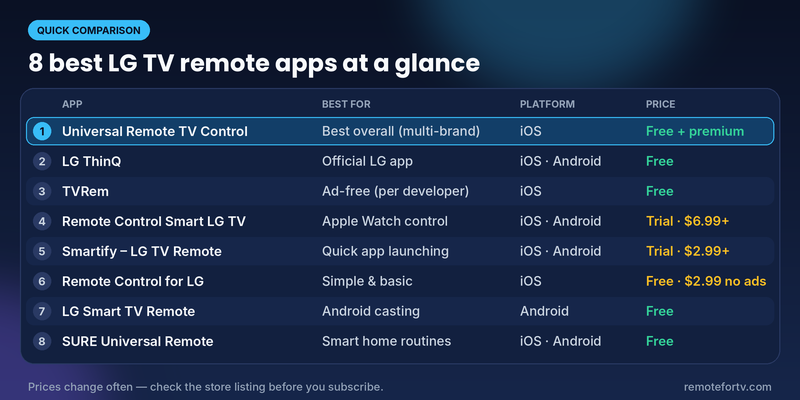
Best LG TV Remote App: Quick Comparison Table
| # | App | Best for | Platform | Price | Standout feature |
|---|---|---|---|---|---|
| 1 | Universal Remote TV Control | Best overall LG TV remote app (multi-brand) | iPhone, iPad | Free to download; premium via in-app purchase | Auto-detects your TV, keyboard and voice search, casting, works with LG, Samsung, Roku, Sony, Vizio and more |
| 2 | LG ThinQ (official) | Best free official LG remote app | iPhone, Android | Free | Magic Remote-style controls plus LG smart home control |
| 3 | TVRem | Best ad-free option (per developer) | iPhone, iPad | Free (per developer) | Multi-brand control, touchpad, voice search |
| 4 | Remote Control Smart LG TV | Best for Apple Watch control | iPhone, Android | Free trial; packs and subscriptions from $6.99 | Apple Watch, widget and Siri shortcut support |
| 5 | Smartify – LG TV Remote | Best for quick app launching | iPhone, Android | Free trial; subscriptions from $2.99 | Customizable app shortcuts and a built-in compatibility test |
| 6 | Remote Control for LG | Best simple, basic remote | iPhone | Free; ad removal $2.99 | Choose a remote layout that matches your physical one |
| 7 | LG Smart TV Remote (casting) | Best for casting on Android | Android | Free | Cast photos, video and audio to the TV |
| 8 | SURE Universal Remote | Best for smart home setups | iPhone, Android | Free | Voice control and routines across devices |
Prices and features change often. Always check the store listing before you subscribe.
Quick picks:
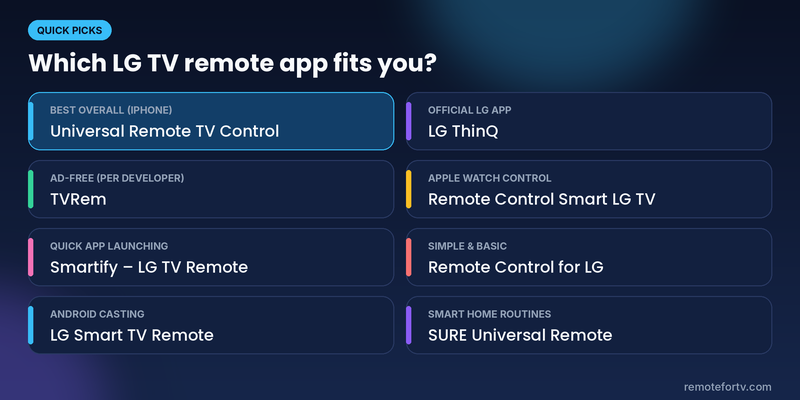
- Best overall LG TV remote app: Universal Remote TV Control
- Best official app: LG ThinQ
- Best for Android casting: LG Smart TV Remote
- Best for smart home: SURE Universal Remote
How We Chose the Best LG TV Remote App
Every LG TV remote app on this list had to meet four basic tests:
- Works with LG webOS TVs over your home Wi-Fi network.
- Covers the essentials: power, volume, channels, navigation and app launching.
- Makes typing easy, because a phone keyboard beats the on-screen one when you search Netflix or YouTube.
- Is transparent about cost, including ads, subscriptions and in-app purchases.
We also looked at what LG TV owners say they need when they search for the best LG TV remote app: reliability, a fast connection, no surprise charges and a setup that takes minutes, not hours.
1. Universal Remote TV Control: Best Overall LG TV Remote App
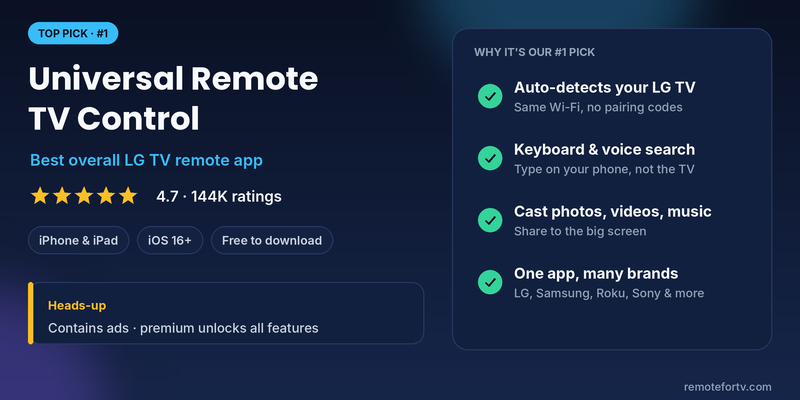
Platform: iPhone and iPad (iOS 16 or later) · Price: Free to download, premium unlocks everything · Rating: 4.7 from 144K ratings on the App Store
If you want the best LG TV remote app for an iPhone, Universal Remote TV Control is our top pick. Connect your phone and LG TV to the same Wi-Fi network and the app detects the TV automatically. According to its App Store listing, there are no pairing codes to type in, so you can start controlling the TV almost immediately.
What it does well
- Power on or off (on supported TVs), change channels, adjust volume and navigate menus.
- Launch streaming apps such as Netflix and YouTube with one tap.
- Use your phone’s keyboard or voice search instead of hunting letters with arrow keys.
- Cast photos, videos and music from your phone to the TV.
- Works with LG and many other brands (Samsung, Roku, Sony, TCL, Hisense, Fire TV, Philips, Vizio, Android TV), so one app covers every TV in the house.
- Available in 28 languages, which helps in multilingual households.
For a wider overview of using a phone to operate webOS televisions, see this LG TV remote control guide before relying on one app for every screen in the home.
Pros
- Very large user base and a high App Store rating
- Fast setup and a simple interface
- One remote app for LG and non-LG TVs
- Keyboard, voice search and casting included
Cons
- Contains ads, and full features require a premium subscription
- Some reviewers report that the remote stops working when you leave the app, and they find the subscription prompts frequent
Our take: For anyone who wants a polished, multi-brand LG TV remote app on iPhone, this is the easiest place to start. Use the free version to confirm it connects to your TV before you decide on premium. Check the current price in the App Store, because plans and offers vary.
2. LG ThinQ: Best Free Official LG TV Remote App
Platform: iPhone and Android · Price: Free
LG ThinQ is LG’s own app, and it is now the official home of what used to be called LG TV Plus. LG’s support pages say ThinQ lets you control the TV, launch apps and share content from your phone. The on-screen controls are similar to the LG Magic Remote: change inputs, adjust volume, switch channels, move the pointer, scroll and use the arrow keys.
Pros
- Free and made by LG
- Magic Remote-style pointer and scroll controls
- Also controls other LG ThinQ appliances such as air conditioners and washers
- Works with Google Assistant and Alexa voice setups
Cons
- Requires an LG account for first-time setup
- Power-on works on webOS 3.5 and later; older TVs can only be powered off from the app
- Focused on the LG ecosystem, so it won’t control other brands
Our take: If you already use LG appliances or want the most “official” LG TV remote app, ThinQ is a solid free choice. If you’d rather skip account creation or want to control more than LG TVs, a third-party app like Universal Remote TV Control is simpler.
Read more: LG ThinQ App Not Finding TV: Complete Fix Guide
3. TVRem: Best Ad-Free LG TV Remote App (Per Developer)
Platform: iPhone and iPad · Price: Free (per developer)
TVRem is a multi-brand iPhone remote that Eltima describes as free with no ads, in-app purchases or subscriptions. It supports LG webOS TVs alongside Samsung, Roku, Android TV, Apple TV and streaming players, with button, touchpad and keyboard input, voice search and quick launch for Netflix, YouTube and Prime Video.
Pros
- Free with no ads or subscriptions, according to its developer
- Works with many TV brands
- Simple setup
Cons
- Limited customization
- Fewer user reviews than the biggest apps (the developer lists 635)
4. Remote Control Smart LG TV: Best for Apple Watch
Platform: iPhone and Android · Price: Free trial, packs and subscriptions from $6.99
This app by Quanticapps is a good LG TV remote app if you like controlling things from your wrist. It supports Apple Watch, an iPhone widget and Siri shortcuts, can power on supported models, and lets you cast photos, videos and music.
iPhone users can also compare the available webOS control methods in this LG TV remote app guide for iPhone and iPad before choosing an Apple Watch-focused subscription.
Pros
- Apple Watch, widget and Siri shortcut control
- Quick app launch and simple TV switching
- Attractive interface
Cons
- Ads can be disruptive
- In-app purchases and subscriptions are pricey
5. Smartify – LG TV Remote: Best for Quick App Launching
Platform: iPhone and Android · Price: Free trial, subscriptions from $2.99
Smartify gives you a touchpad, a digital keyboard and a list of apps so you don’t need to open the TV’s own app menu. You can pin favorite channels to the top, and it includes a compatibility test that helps when you can’t connect.
Pros
- Touchpad and keyboard input
- Customizable quick-launch apps
- Easy to switch between TVs
Cons
- Ads until you subscribe, and several basic features sit behind the paywall
- Pairing can behave differently depending on the TV model
- Text input works only in TV apps that support LG’s keyboard
Read more: Why Is My LG TV Remote Not Working? Fix Volume & Pairing
6. Remote Control for LG: Best Simple LG TV Remote App
Platform: iPhone · Price: Free, ad removal $2.99
If you only want the basics, Remote Control for LG is straightforward: pick a remote layout that matches your physical remote, connect, and go. It also offers touchpad, keyboard and voice input, plus casting and slideshow modes.
Pros
- Easy, no-frills setup
- Light and dark modes
- Can connect to a TV manually
Cons
- Contains ads
- Few extra features and limited in-app support
7. LG Smart TV Remote (Casting): Best for Android Casting
Platform: Android only · Price: Free
This Android LG TV remote app copies the buttons of the physical remote and adds a trackpad for webOS. Its main extra is casting: you can push photos, video, audio and documents from your phone to the TV.
Pros
- All the buttons of the LG remote
- Fast response times
- Cast videos, images, audio and files
Cons
- Fewer advanced features than the apps above
- No iPhone version
8. SURE Universal Remote: Best for Smart Home Setups
Platform: iPhone and Android · Price: Free
SURE is not built only for LG webOS, but it works with LG and many other smart TVs and shines when the TV is one piece of a larger smart home. It offers voice control and routines, for example changing the channel and dimming the lights in one go.
If you want one controller for LG and other compatible screens, review this free universal remote app for LG TV guide and confirm which features work with your webOS model.
Pros
- Strong smart home integration
- Voice control
- Supports many smart TVs, including LG webOS
Cons
- No Magic Remote-style cursor or touchpad
Which Is the Best LG TV Remote App for You?
| If you want… | Choose |
|---|---|
| The best all-round LG TV remote app on iPhone | Universal Remote TV Control |
| An official LG app with no third-party developer | LG ThinQ |
| One app for LG and non-LG TVs | Universal Remote TV Control or TVRem |
| Apple Watch control | Remote Control Smart LG TV |
| To cast media from Android | LG Smart TV Remote |
| Smart home routines | SURE Universal Remote |
| The simplest, most basic remote | Remote Control for LG |
What to Look for in an LG TV Remote App
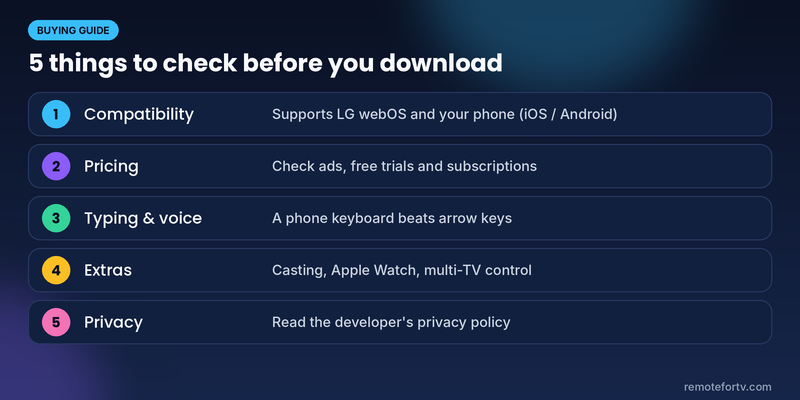
- Compatibility: Confirm the app supports LG webOS and your phone’s operating system. Most modern LG TVs run webOS; apps may need a newer webOS version for features like power-on.
- Pricing: Free apps often include ads or lock features behind a subscription. Check the in-app purchases list before you download.
- Typing and voice: A phone keyboard and voice search save time in Netflix, YouTube and Prime Video.
- Extras: Casting, Apple Watch support, multi-TV control and smart home links are nice to have, not essentials.
- Privacy: Third-party apps are not made by LG. Review the developer’s privacy policy and the App Store privacy label.
How to Set Up Your LG TV Remote App
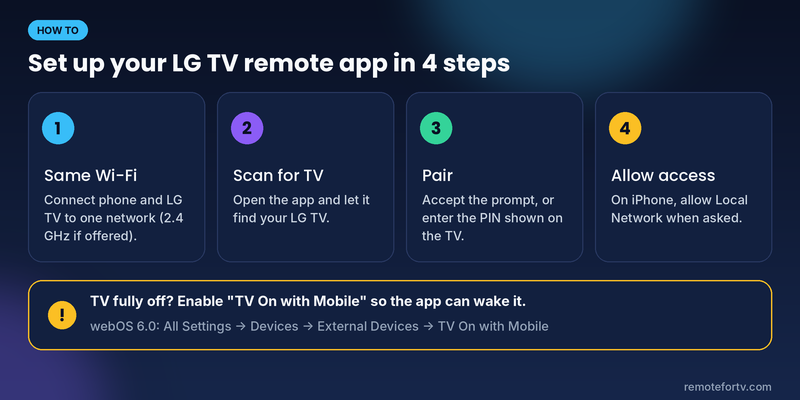
- Connect your phone and LG TV to the same Wi-Fi network. LG recommends the same 2.4 GHz network when both devices support it.
- Open the app and let it scan for your TV.
- Select your LG TV and accept the pairing prompt, or enter the PIN shown on the TV if asked.
- On iPhone, allow Local Network access when prompted.
To turn on a TV that’s fully off: on webOS 6.0 TVs, go to All Settings → Devices → External Devices → TV On with Mobile and switch on both Turn on via Wi-Fi and Turn on via Bluetooth. Without this, most Wi-Fi remote apps can’t wake a TV that is completely powered down.
If the app can’t find your TV:
- Check that both devices are on the same network and band.
- Go to Settings → Privacy & Security → Local Network on iPhone and make sure the app is allowed.
- Restart the TV and the router, then scan again.
Read more: How to Connect LG Remote to TV: Complete Pairing and Recovery Guide
Frequently Asked Questions
What is the best remote control for LG TV?
The best remote control for an LG TV is the one that came with it, the LG Magic Remote. If it’s lost or broken, the best LG TV remote app is Universal Remote TV Control for iPhone and iPad, or LG ThinQ if you want the official free option. Both turn your phone into a full remote over Wi-Fi.
Is there any app for LG TV remote?
Yes. LG’s official app is LG ThinQ, available on iPhone and Android, and it replaces the older LG TV Plus app. There are also many third-party LG TV remote apps, including Universal Remote TV Control, TVRem, Smartify and SURE Universal Remote.
Can I use my phone as a remote for my LG TV?
Yes. Install an LG TV remote app, connect your phone and TV to the same Wi-Fi network, open the app and select your TV. You can then change channels, adjust volume, navigate menus, launch apps and type with your phone’s keyboard. Many apps can also power the TV on, but a TV that is fully off may need TV On with Mobile enabled in its settings.
Can I control my LG TV with my phone for free?
Yes. LG ThinQ is free, and several third-party apps are free to download or free to try. Universal Remote TV Control is free to download, though ads appear and its premium plan unlocks all features. Compare the free tier of each app before you pay, because some apps put basic features behind a subscription.
Final Verdict: The Best LG TV Remote App
For most iPhone and iPad owners, Universal Remote TV Control is the best LG TV remote app: quick to set up, easy to use, loaded with keyboard, voice and casting features, and able to control other TV brands too. Try the free version first, then decide whether premium is worth it.
If you’d rather stay inside LG’s ecosystem, choose LG ThinQ. On Android, LG Smart TV Remote is a handy casting-friendly pick, and SURE Universal Remote suits smart home fans.
Get Universal Remote TV Control for iPhone and iPad →
