
Xbox PS5 TV Remote Control: What Each Console Can Do
Short answer: Xbox HDMI CEC can send selected TV commands, while the PS5 media remote can control compatible TV power and volume; neither game controller is a universal TV remote.
The xbox ps5 tv remote control question combines two different systems. Xbox Series X|S offers HDMI CEC options for compatible TVs; PlayStation’s PS5 media remote is an accessory that pairs with the console and uses built-in infrared for compatible TV power and volume. A controller can navigate its console, but TV inputs, soundbars, and hotel restrictions remain separate. Compare the practical routes before changing settings or buying hardware.
1. Xbox Versus PS5: The Quick Verdict: Xbox Ps5 Tv Remote Control
The right route depends on which device should send the command. Use the table in your own equipment checklist: Xbox via HDMI CEC, PS5 media remote via console pairing and TV IR, or a separate TV remote. A xbox ps5 tv remote control choice depends on the interface displayed by the actual streaming device, not merely the TV brand.
| Control | Xbox | PS5 |
| TV power and volume | HDMI CEC where supported | Media remote setup where supported |
| Console menus | Game controller | DualSense controller |
| Playback | Controller or media controls | Controller or media remote |
Xbox Series X|S
Microsoft’s support page explains HDMI CEC controls under Settings > General > TV & display options > TV & A/V power options. A compatible TV must also enable CEC. The console may send power and volume commands, but the exact menu and support depend on software and the display.
Read more: Chromecast Remote App: Google TV Setup and Limits
PS5 console
Sony’s PS5 media remote support says pair the accessory under Settings > Accessories > Media Remote > Set Up Media Remote. The accessory can operate compatible TV power and volume with its IR transmitter. The ordinary DualSense controller does not gain the same IR hardware through a mobile app.
An xbox ps5 tv remote control comparison should start with the command, not the console name. If you want to navigate a streaming app, a gamepad may be adequate. If you want TV power or volume, Microsoft’s HDMI CEC path and Sony’s media remote IR path are different solutions. Write down your television and audio device models, then test each route. Neither approach guarantees control of every input, hotel TV, or soundbar.
2. Set Up Xbox HDMI CEC
Start at the Xbox and TV settings while you still have a working TV remote. CEC requires both ends of the HDMI connection to support and enable it. For xbox ps5 tv remote control, confirm local reachability while the device is awake before attempting a pairing code.
Find the console setting
Open the Xbox guide, then the TV and A/V power options described by Microsoft. Review the available CEC behaviors and enable only the ones you want, such as TV power or volume where offered. Names can differ after system updates, so follow your current menu rather than an old screenshot.
For streaming games rather than controlling TV power or volume, see whether you can download PS Remote Play on a smart TV, which is a separate use case from the PS5 media remote.
Enable TV-side CEC
Find your TV maker’s HDMI CEC setting, which may use a brand-specific name. Connect the console directly or through a compatible receiver and test one command at a time. A receiver or HDMI switch can interrupt the chain. If a command fails, verify the television accepts CEC from another HDMI device.
Before setting xbox ps5 tv remote control power behavior, decide whether you actually want the TV to follow the console. Some households use one screen for several HDMI sources, and automatic switching can be inconvenient. Enable one CEC option, test it, then add others. If a receiver sits between console and TV, compare behavior with a direct HDMI connection so you know where the command stops.
A compact test matrix helps: Xbox menu navigation, TV power, TV volume, PS5 media playback, and soundbar volume. Mark which device responds to each command. This prevents a working controller from being blamed for a separate TV or receiver setting.
3. Pair the PS5 Media Remote
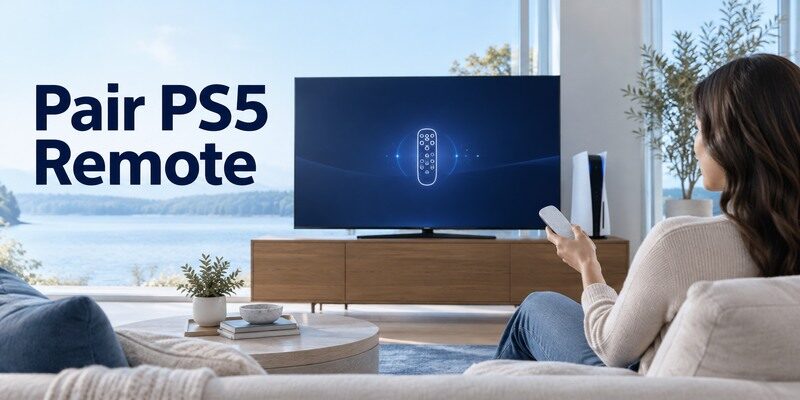
Sony’s accessory is a distinct remote, not merely a software mode of the DualSense controller. Pair it with the PS5 first and then configure TV control. The xbox ps5 tv remote control pairing prompt should appear on the screen of the device you selected in the phone app. If HDMI CEC does not cover the TV commands you need, a universal remote TV app may control a supported smart television separately from the Xbox console.
Pair to the console
From the PS5 home screen, go to Settings > Accessories > Media Remote > Set Up Media Remote and follow the prompts. If automatic setup fails, Sony offers Set Up Manually. Keep the remote pointed appropriately during TV control tests and replace weak batteries before repeating the process.
Configure the television
The media remote’s TV power and volume use its built-in IR transmitter for compatible TVs. A soundbar may need its own control method. If you change televisions, revisit the PS5 remote setup; Sony’s manual says TV settings need reconfiguration when switching sets.
The xbox ps5 tv remote control route for PS5 depends on a separate accessory. Use Sony’s setup menu while the console is visible, then test the media remote against the TV at normal viewing distance. If playback navigates the PS5 but TV volume fails, the console pairing likely worked; investigate TV IR compatibility, line of sight, and the selected TV profile. Re-pairing the console alone is unlikely to repair that separate path.
Read more: Fire TV Stick Remote App: Setup, Pairing, and Fixes
4. What a Game Controller Can Do
A gamepad is excellent for console menus and games. It does not automatically expose every television setting or act as a general infrared remote. Once connected, xbox ps5 tv remote control controls may differ between iPhone and Android releases; test the same basic navigation keys.
Navigate Xbox or PS5
Use the controller to reach console settings and media applications. On Xbox, CEC may pass selected power or volume commands to the television. On PS5, a DualSense navigates the console, but the separate media remote is the accessory Sony specifies for TV IR commands. For a Samsung soundbar setup, review how to control a Samsung soundbar with a TV remote before changing console settings that cannot affect the audio path.
Do not confuse the HDMI input
If the TV is on another input, pressing the console controller may wake the console without switching the panel. Some CEC setups switch inputs automatically; others do not. Test the TV’s input menu and the HDMI route before concluding the controller or console is unresponsive.
A game controller in an xbox ps5 tv remote control setup can send commands to its own console without becoming a television transmitter. This is why a button may wake a game system while the display stays on another HDMI input. Check the TV input and its CEC setting independently. An app that simulates gamepad buttons would face the same hardware boundary and should not be advertised as a generic TV replacement.
5. TV Power, Volume, and Playback
These three tasks travel different routes. Separate them when troubleshooting xbox ps5 tv remote control behavior. A successful xbox ps5 tv remote control connection establishes streaming-device navigation, while TV power and sound may take another route.
Power and volume
Xbox relies on compatible HDMI CEC options; the PS5 media remote uses IR for supported TV functions. A soundbar connected through a receiver may require HDMI CEC or its own control. Test the television speakers before blaming the console when only soundbar volume fails. Use this universal remote for TV guide to compare TV-level controls with the separate navigation available from Xbox or PS5.
Playback and app navigation
Controllers and the PS5 media remote can navigate console apps and playback. Streaming services may remap buttons differently. A phone app controlling the TV over Wi-Fi is not necessarily able to operate the console interface. Identify the command target before choosing a remote.
To evaluate xbox ps5 tv remote control success, make four separate checks: console Home, TV power, TV volume, and media playback. Record the result in a small table. A soundbar connected by optical cable may ignore TV CEC even when the TV responds. This simple matrix points to the right menu and prevents unrelated remote pairing or network resets.
Before enabling automatic power behavior, consider whether you want the TV to turn off with the console. CEC settings can change the behavior of other HDMI devices in the room. Test the effect and disable an unwanted option rather than resetting the console.
For a fair comparison, write down four desired actions: waking the television, adjusting volume, moving through the console interface, and controlling video playback. A game controller handles its own console interface; TV-level commands depend on separate HDMI or media-remote support. Test the sound system as an additional target if it is between the console and TV. This simple checklist prevents a successful play/pause command from being mistaken for complete control of the room.
Read more: Westinghouse TV Remote App: Roku TV Setup and Phone Controls
6. Soundbar and Receiver Routing
Home theater setups can add an HDMI receiver between console and television. That equipment may change how CEC commands reach the display or audio system. If a xbox ps5 tv remote control fallback requires the physical controller, identify its compatible generation before ordering one.
HDMI ARC and CEC
Check the TV and receiver manuals for HDMI ARC/eARC and CEC setup. ARC moves audio; CEC carries certain control commands, and enabling one does not guarantee the other is configured. Test a direct HDMI connection if a switch or receiver may be swallowing commands.
Optical and Bluetooth audio
An optical soundbar does not receive CEC over its optical cable. It may need its own remote or a supported app, while the TV volume indicator may not represent actual soundbar level. Keep the audio path distinct from console navigation.
When a receiver joins an xbox ps5 tv remote control setup, draw the HDMI chain before changing settings. Console to receiver to TV can be different from console to TV with audio returned through ARC. CEC must be supported and enabled along the relevant path, while ARC is the audio return path. If a control stops at one device, inspect that link and avoid blaming the gamepad alone.
7. When Control Does Not Work
Begin with a working TV remote so you can confirm the TV input and CEC setting. Then test the console or PS5 media remote in isolation. When xbox ps5 tv remote control discovery fails, record the first failure and check only that layer before resetting hardware.
| Failure | Check first | Next step |
| TV never wakes | HDMI CEC setting and port | Test direct TV power |
| Volume missing | Audio route or device setup | Check TV or receiver target |
| Console navigates only | TV-level support | Use compatible TV remote |
Xbox CEC failure
Recheck that the TV supports CEC, the feature is enabled at both ends, and the HDMI chain is compatible. Restart devices after changing settings if the manuals advise it. Some TVs allow only selected CEC commands, so do not expect every button to pass through.
If you need a physical controller for several devices, compare the best universal TV remote options by the specific power, input, volume, and soundbar commands missing from your setup.
PS5 media remote failure
Replace batteries, review Sony’s pairing flow, and confirm the IR transmitter has a clear path to the TV for power and volume. If console navigation works but TV volume does not, reconfigure the compatible TV rather than pairing the console again.
If xbox ps5 tv remote control behavior changed after a system update, reread current settings rather than following a saved screenshot. For Xbox, compare its CEC options and TV support; for PS5 media remote, test console navigation versus TV IR. Replace batteries only for the physical remote, not the game controller’s TV-control feature. Use the manufacturer’s current support page for model-specific steps.
8. Choose the Right Extra Remote
A purchase makes sense only after deciding whether you need console playback, TV hardware keys, or whole-room audio. Compare xbox ps5 tv remote control alternatives by the missing command they restore and the device each one actually reaches.
PS5 media accessory
If you watch video on PS5 and need a simple physical remote, Sony’s media remote provides dedicated playback and compatible TV controls. Confirm model and region availability, then follow Sony’s pairing guidance. It will not turn a non-compatible soundbar into a controllable device.
TV or universal remote
A model-compatible TV remote or universal remote can handle input, power, and volume where console control is limited. A may be useful for a supported network-connected television, but it does not replace Xbox or PS5 console controls. Test the TV and console separately.
A purchase for xbox ps5 tv remote control should solve a named missing command. A PS5 media remote can improve video playback and compatible TV IR power or volume; a model-matched TV remote is better for input and setup on an older display. If Xbox CEC already handles power, another accessory may add little value. Check return terms and test with your actual soundbar.
A buyer should choose by the missing command. For console playback, a media remote may help. For TV inputs or a non-CEC display, a matched TV remote is more dependable. For smart-TV network navigation, a compatible phone remote may be enough.
Sources: and describe the respective TV-control paths.
If the television itself is a supported smart model, is another option to assess after the official device method. Check the current listing and in-app purchase terms, then test navigation, power, and volume on your actual setup. It cannot add IR hardware or restore an offline device.
Read more: Sceptre TV Remote App: What Works for IR and Smart Models
9. Avoid Unsupported Controller Claims
Search results sometimes promise that one phone app or gamepad controls every device in a room. Compare that claim with the command path of your actual hardware. A xbox ps5 tv remote control download should come from the verified publisher and document its supported devices and terms.
No generic IR in a controller
A DualSense or Xbox gamepad is not a general infrared TV transmitter. Features described by Microsoft and Sony depend on HDMI CEC or the dedicated PS5 media remote. Do not download an unrelated app expecting it to add missing hardware.
Hotel and shared TVs
A hotel TV may restrict CEC, input switching, or volume. Follow the venue’s policy and ask staff for the appropriate remote rather than trying to override a managed configuration. In a home, record TV and receiver model numbers for targeted support.
Be cautious with xbox ps5 tv remote control app claims that do not say which device receives the signal. A TV phone app controls a supported network television, while an Xbox or PS5 controller navigates the console. A soundbar may need a third path. Keeping these boundaries clear helps a shared room work predictably and avoids granting an unrelated app unnecessary local-network permissions.
10. Frequently Asked Questions
These answers resolve the remaining practical questions about xbox ps5 tv remote control.
Can an Xbox controller change TV volume?
On a supported Xbox Series X|S and HDMI CEC TV setup, selected TV volume actions may be available through the console’s options. It is not a universal infrared remote.
Can a PS5 controller turn off the TV?
A DualSense is not Sony’s dedicated TV IR remote. The PS5 media remote offers compatible TV power and volume after setup; other HDMI behavior depends on device settings.
Does the PS5 media remote need pairing?
Yes. Sony directs users to Settings > Accessories > Media Remote > Set Up Media Remote, then to configure the compatible television.
Will one remote control a soundbar too?
Possibly through a compatible HDMI CEC arrangement or a soundbar-specific control method, but not automatically. Test the TV and audio device separately.
11. Final Thoughts
For xbox ps5 tv remote control, match the method to the device: Xbox HDMI CEC, PS5 media remote, or a model-compatible TV controller. Test power, volume, input, and playback separately before buying accessories or changing the whole setup.
