
Universal Remote Codes for TV: Find the Right Code List
Short answer: Find universal remote codes for TV in the code list for your remote’s exact brand, model, and code-list version.
There is no single TV code that works on every GE, RCA, Philips, or other universal remote. A code belongs to a remote library and a device type. Start by locating the remote model and code-list version, then open its manufacturer’s TV section for the television brand. Jasco’s GE documentation and RCA’s official code finder both use this model-specific approach. The table below shows the lookup route before any entry steps; avoid mixing numbers from unrelated lists.
1. Find the Correct Code List First: Universal Remote Codes For TV
The useful lookup is remote maker plus model or library revision plus TV brand. The television logo alone cannot select the correct numerical entry. A universal remote codes for tv lookup begins with the handheld controller’s own printed identifier; the TV logo alone is insufficient.
| Source | Use for | What to match |
| Jasco / GE official code list | GE-branded remote families | Printed model and code-list version |
| RCA official code finder | RCA remote families | Remote revision and TV brand |
| Remote packaging/manual | Other manufacturers | Exact model and digit length |
GE, Philips, and UltraPro remotes by Jasco
Jasco instructs users to look inside the battery compartment or on the underside for a model and code-list version such as CL3, CL4, CL5, or CL6. Open that exact version in Jasco’s official universal remote code list and then select TV and your television brand. A number from another revision may map differently.
Read more: What Is the Code for TCL TV Universal Remote
RCA universal remotes
RCA offers an official Remote Code Finder based on the remote and its revision. Locate the revision as RCA directs, choose the device type and TV brand, and test the returned entries in order. Do not assume an RCA number can be entered on a GE remote; the button sequence and code library are separate.
A universal remote codes for tv lookup is meaningful only with a named controller library. Make a note such as “GE model plus CL version” or “RCA model plus revision” before viewing a TV brand entry. That one line prevents a large list from becoming misleading. If the remote label is worn, inspect its manual or the manufacturer’s product page; do not fill the gap by taking a number from an unrelated remote brand.
2. Identify Your Remote Model and Version
A universal remote code lookup starts with the controller in your hand. The model can be printed on its back, inside the battery door, or in the booklet. For universal remote codes for tv, the controller model and code-list revision determine which digits can have meaning.
Read the full identifier
Record every letter and digit, not just “GE” or “RCA.” Jasco explicitly calls out the code-list version inside the battery compartment. RCA’s code finder likewise asks for the correct remote revision. Taking a photo of the label helps when a replacement battery cover obscures it. If your television is a Samsung, check the Samsung TV code guide, then use only the entries that match your universal remote’s own code library.
Check the device button
Many remotes have TV, CBL, DVD, and AUDIO device modes. Select TV when finding television codes; an audio code is for a soundbar or receiver. A code might appear to turn a TV on yet map menu or volume incorrectly if the mode or device type is wrong.
For universal remote codes for tv, a photograph of the battery compartment can preserve model and revision details while the batteries are out. Replace the cells and confirm the programming indicator responds before trying any code. If a household owns two similar remotes, label them separately. The codes stored in each unit may differ even when both can operate the same television, so a working number from one is not proof for the other.
Make a two-column note of the remote model/revision and TV model before opening any code website. This is the most important filter. If a page supplies numbers without stating which remote library they belong to, do not present those numbers as confirmed for your controller.
3. Look Up TV Codes by Brand
Use the manufacturer list for the remote revision and then the exact TV brand entry. Multiple codes may be listed because TV models and generations differ. Read the universal remote codes for tv entries in the TV category of that exact maker’s document before pressing setup keys. For example, the correct Hisense TV code for a universal remote depends on the controller’s manufacturer, model, and code-list version.
Start with the first listed candidate
Try the first TV code in the correct list, then test power, volume, input, and menu. If only power works, move to the next candidate instead of accepting a partial match. Jasco and RCA provide model-specific sources; a copied internet list often omits the revision that makes its numbers meaningful.
Do not infer a code from the TV alone
A “Vizio code” or “Sony code” is not a universal constant. The same television may have different entries in different remote libraries. For a Roku TV, the television maker may be the brand you select on a universal IR remote, while a Roku streaming player has its own device behavior.
A universal remote codes for tv search often returns a TV brand and a string of numbers with no remote revision. Treat that as unverified. In the maker’s list, select TV rather than audio or cable, then try candidates in order. Keep the digit count and leading zeros exactly as printed. When testing, note the full TV model and which keys respond; this turns trial and error into a reproducible setup.
4. Enter a Code on the Universal Remote
Follow the exact booklet for your controller. Direct entry normally puts the remote in programming mode, selects TV, then accepts a listed code. During universal remote codes for tv entry, follow the indicator sequence in the matching remote manual and save one candidate at a time. For a broader walkthrough of direct entry and code search, learn how to program a universal remote to a TV before testing the saved profile.
Prepare the television
Turn the TV on, install fresh remote batteries, and keep the code list beside you. Aim toward the TV sensor when the instructions call for testing. A weak battery can interrupt programming or make a good code look bad.
Use the remote-specific sequence
Jasco and RCA use their own setup buttons and indicators. Press the keys in the order given by your model’s manual, enter the complete code, and watch for the documented indicator response. Do not transplant a YouTube button sequence for a different brand or remote revision.
The direct-entry sequence for universal remote codes for tv should be taken from the handheld controller’s manual. If its indicator times out, start from setup mode again rather than continuing mid-sequence. Do not enter these digits in a television service menu. After saving a candidate, turn the TV off and on and test an input change; a single lucky power toggle can be a partial profile.
Read more: Insignia 8 Device Universal Remote: Setup and Compatibility
5. Test More Than the Power Key
A successful power toggle is only a partial test. The best listed code supports the functions that matter on your television. A universal remote codes for tv result passes only when power, volume, input, and the required menu keys perform the expected actions.
| Test | Pass result | If it fails |
| Power | TV toggles reliably | Try next candidate |
| Volume | Correct audio device changes | Check audio routing or next code |
| Input/menu | Required keys work | Seek another compatible code |
Volume, input, and menu
After entry, test volume both directions, mute, input selection, and menu navigation. If a key sends the wrong action or does nothing, try the next code in the same official brand list. Special app-launch keys may remain unsupported on basic universal remotes.
Soundbar and receiver routing
If volume controls an external soundbar, TV code entry may not change that device. Program an AUDIO mode if the remote supports it and the soundbar appears in its code list, or use HDMI CEC where appropriate. Separate the TV and audio paths before deciding the TV code failed.
For universal remote codes for tv, volume may not change because a soundbar rather than the television now handles sound. Test TV speakers or the original TV remote before rejecting a code. If the universal controller has an AUDIO mode, program that device separately using its own list. The menu and input keys are often a better test of the TV profile than an external sound system’s volume.
A practical test sequence is power, volume, mute, input, and menu. Each additional successful function increases confidence that the code is a good match. Write down the working entry so it can be restored after batteries are removed. If your setup includes a Samsung soundbar, review how to control a Samsung soundbar with a TV remote and check the audio connection separately from the TV code.
6. Use Automatic Code Search When Needed
Auto search steps through codes stored in the remote. It is useful when the brand list has no working candidate, but it can take longer. Use universal remote codes for tv search mode only as that remote’s manufacturer describes; it searches the remote’s built-in library.
Jasco auto search
Jasco describes Auto Code Search as searching the codes stored in its remote. Follow the exact instructions for your model and watch for the TV response. Save the selected code as directed, then test more than power. A code found by search can still provide limited button mapping.
RCA code search
RCA’s official programming guidance includes code search when direct entry is unsuccessful. The remote revision still matters, and search is not a promise that an unsupported TV is in the library. Do not keep cycling after several signs that the controller is incompatible.
Automatic search does not consult the internet; it cycles the universal remote codes for tv already stored in the controller. Follow the maker’s timing carefully and stop on the actual TV response. Save the result immediately. If you overshoot, use the documented backward-search or restart procedure for that model rather than inventing a key combination. Search cannot add a code missing from the hardware library.
7. Why a Listed Code Does Not Work
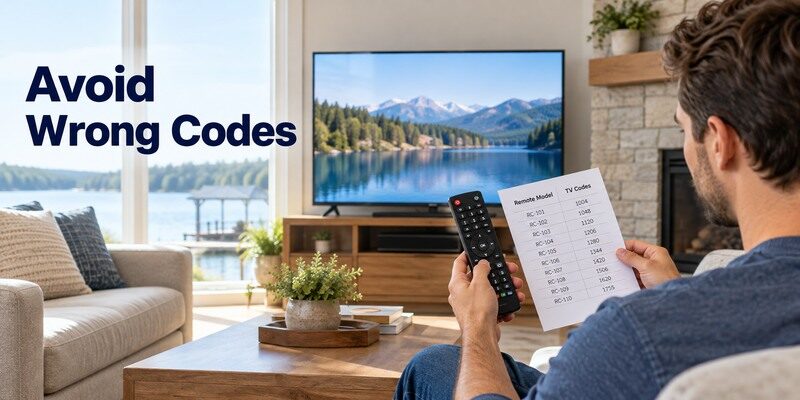
Check mode, battery power, line of sight, and entry sequence before concluding the list is wrong. The TV receiver also needs to be operational. A failed universal remote codes for tv candidate can mean wrong revision, incorrect device mode, or an incomplete command match.
Wrong revision or device type
A GE CL4 list used for a CL6 remote is not interchangeable. A code entered under DVD mode will not give the intended TV controls. Recheck the battery-compartment label and the selected TV device button, then start the direct-entry sequence again.
Partial control and incompatible features
A number that toggles power but cannot change inputs may be a partial match. Try all entries under the TV brand. Voice, Bluetooth pairing, and some proprietary smart-TV keys usually require the original platform remote or app rather than a basic IR universal controller.
When universal remote codes for tv appear to be accepted but behave oddly, check whether a device-mode key was changed accidentally. Re-enter the candidate under TV mode with fresh batteries. Try the remaining official entries before calling the remote incompatible. A voice or Bluetooth function may still need the original platform controller; a basic infrared profile is designed for TV command families, not every smart feature.
Read more: Will a Universal Remote Work on a Hisense TV?
8. Brand Examples Without Guessing Numbers
The workbook includes searches for Vizio, Sony, Sharp, Toshiba, Philips, JVC, Hitachi, Element, Sceptre, and Westinghouse codes. Treat each as a lookup in the chosen remote library. Compare universal remote codes for tv examples by manufacturer and revision instead of copying an isolated number from a brand chart.
Major smart TV brands
For Vizio or Sony, choose the exact TV brand entry in your GE/Jasco or RCA source after selecting the controller revision. Test input and menu as well as power. A brand may have several listed numbers; their order and length depend on the remote rather than the TV’s marketing name.
Less common and older sets
For JVC, Hitachi, Element, Sceptre, or Westinghouse, the same model-first rule applies. If the brand is absent, try the maker’s documented search mode or contact its support. Avoid an unverified code list that combines 3-, 4-, and 5-digit entries without identifying the remote they belong to.
The brand examples in universal remote codes for tv are lookup categories, not a numeric promise. A Westinghouse entry in one remote revision and a Westinghouse entry in another may differ. Record the working combination of controller, code-list version, television, and tested keys. If no entry works, contact the controller maker with those identifiers; support can determine whether that TV model is covered.
If automatic search finds a power command but not the other keys, the remote may have selected a partial match. Restart search or try the next official code. Do not factory reset the television to fix a universal remote’s programming library.
Sources: and provide maker-specific lookup routes.
If the television itself is a supported smart model, is another option to assess after the official device method. Check the current listing and in-app purchase terms, then test navigation, power, and volume on your actual setup. It cannot add IR hardware or restore an offline device.
9. Phone Control and Replacement Options
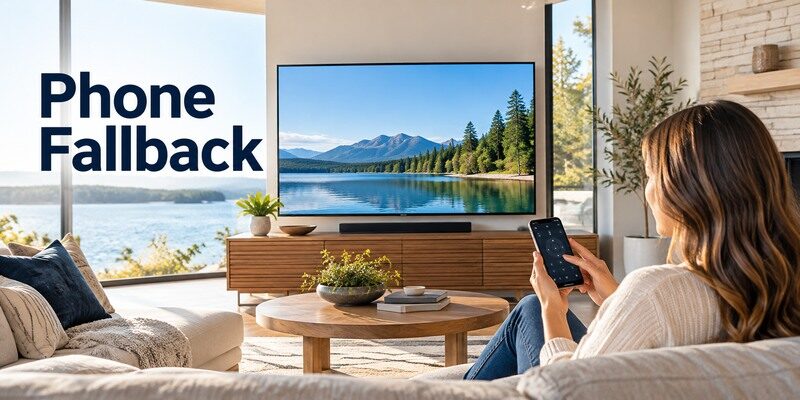
A smart TV on a reachable network may support a phone remote. A basic IR television still needs compatible IR hardware or a physical controller. If universal remote codes for tv setup remains incomplete, preserve the model information for official support or a matched replacement.
When a phone app helps
The can be a fallback for supported network-connected TVs when a code lookup fails. Confirm the TV is already online and test navigation. A phone app does not program the IR library inside a GE or RCA handheld remote and cannot make an offline basic TV discoverable. For a supported smart TV on the same local network, a universal remote TV app can provide an alternative way to navigate without entering a code into the physical remote.
When to buy another remote
If the official code list and auto search fail, compare the remote’s compatibility statement with your exact television model. A matched original replacement may preserve smart keys and voice functions. Record the remote revision and TV model for support before ordering a second “universal” controller.
A phone can provide an alternate route when universal remote codes for tv are unavailable, but only for a supported smart television already on the local network. It does not send an IR profile into a separate physical remote. For an older TV, a model-matched replacement is often simpler than buying a smart hub solely to work around an incompatible code library. Compare the full command set before making that choice.
10. Frequently Asked Questions
These answers resolve the remaining practical questions about universal remote codes for tv.
Is there one code for every TV?
No. Universal remote codes depend on the remote’s maker, model, library revision, device mode, and television brand or model.
Where is the GE code-list version?
Jasco says to check inside the battery compartment under the batteries or on the underside of the remote for its model and CL version.
What if none of the brand codes work?
Use the manufacturer’s automatic code search procedure for your remote, then test several keys. If it still fails, confirm compatibility or obtain a matched replacement.
Can a phone app replace entering a code?
A compatible smart-TV app may offer network control, but it does not program a physical universal remote. An offline IR-only TV still needs another compatible control method.
11. Final Thoughts
Reliable universal remote codes for TV come from the correct controller’s official code list, not a brand-only number copied from another remote. Identify the model and revision, test each TV entry, then use the maker’s auto search or a model-matched replacement when necessary.
