
Best Smart TV for Streaming in 2026: Platform and Picture Guide
Short answer: What is the best smart TV for streaming? Choose a TV with your essential apps, a responsive interface, and good picture quality; a current LG webOS, Sony Google TV, or well-reviewed Roku/Fire TV model can fit different households.
No operating system has every service in every country forever. The best choice depends on app availability where you live, how quickly menus respond on the exact TV, how it handles lower-quality streams, and whether the panel suits your room. This guide distinguishes platform features from picture hardware so you can shortlist real models without assuming an app logo equals a great TV.
Best Smart TV for Streaming: Match Platform to Use
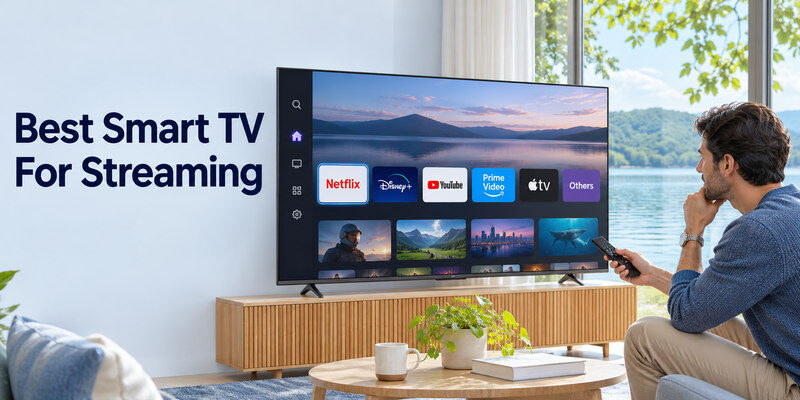
| Platform or route | Good fit | Check carefully |
| LG webOS | Broad mainstream services and LG OLED picture choices | Regional apps, remote preference, ad settings |
| Google TV on Sony/TCL and others | Google account, casting, broad app ecosystem | Exact model processor, microphone and recommendations |
| Roku TV | Simple navigation and familiar channel ecosystem | Model picture quality, regional catalog |
| Fire TV | Amazon/Alexa household | Home-screen preferences, TV hardware and power control |
| Separate HDMI streamer | Keep a good panel, change software later | Free input, extra remote and power |
The platform is only one layer. LG’s 2026 C6 official US page lists webOS 26 and services such as Netflix, Disney+, YouTube, Prime Video, Apple TV, and others. That confirms a named model at publication, not every app in every region. Sony’s BRAVIA line uses Google TV on supported models. Check the exact product’s app store on the day you buy. A premium OLED with unwanted software can use an external streamer; a cheap LCD with great software cannot gain OLED contrast later.
Streaming service check before checkout
Write down the services you actually pay for, including local broadcasters, sports, live TV, and accessibility needs. Search the TV platform’s current regional app catalog and confirm the app’s required version or subscription. Some services offer 4K or HDR only on certain plans and devices. A TV can support Dolby Vision yet receive an SDR stream if your plan, connection, or app does not deliver it.
To narrow your shortlist, compare smart TV brands and their platforms alongside the picture quality and support offered by each exact model.
Menu speed is model-specific
Two Google TV sets can differ in RAM, processor, storage, and responsiveness. Test Home, search, app launch, settings, and input selection in a store or during the return window. A glossy interface feature list says little about daily delay. A streamer can bypass sluggish built-in apps, but it adds a box and may complicate power/input behavior.
Picture Quality Matters More Than App Count
Streaming compresses video, sometimes heavily. A capable TV with good contrast and sensible processing can make the same source look cleaner than an entry model. Examine dark scenes, skin tones, motion, and low-bitrate content. OLED’s self-lit pixels give strong dark-room contrast; a good Mini-LED may better handle a bright room. Neither label guarantees accurate upscaling or reflection control.
HDR compatibility versus visible HDR
A format badge indicates the TV can interpret a signal. Convincing HDR also needs real brightness, contrast, color, and tone mapping. Compare independent measurements for the exact size and picture mode. HDR10 is common; Dolby Vision or HDR10+ support differs by model and service. If a favorite platform offers one format, verify that combination rather than buying by an abstract logo count.
Upscaling and older shows
A 4K television scales 720p or 1080p streams to its panel resolution, but it cannot recreate lost detail. Compare a familiar older show and live channel, not solely a pristine 4K demo. Watch for artificial sharpening, noisy faces, and banding in dim gradients. Larger screens and closer seats make source compression more visible. A stable network can solve buffering, not source artifacts. If live channels are part of your viewing plan, see how to watch live TV without cable and check whether your preferred provider supports the TV or streaming device you plan to use.
Read more: Which TV Brand Is Most Reliable in 2026?
Network Setup for Reliable Playback
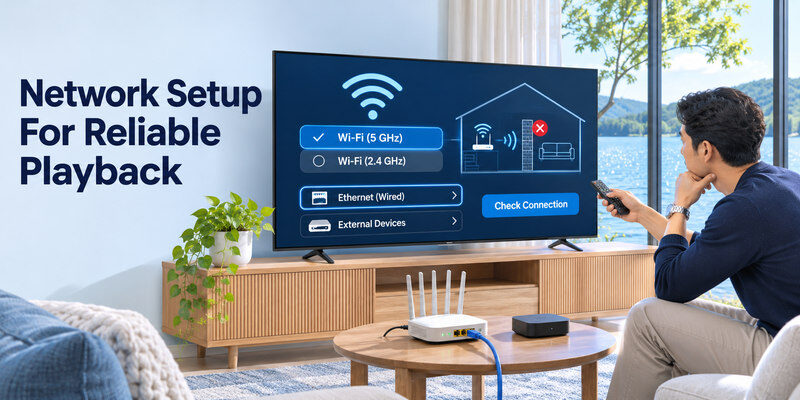
A fast plan alone does not guarantee smooth streaming if the TV’s Wi-Fi signal is weak or the home network is crowded. Test the actual TV location. Move a router or use a wired Ethernet connection where supported, then check the TV’s connection status and the app’s diagnostics. Do not assume a port’s nominal speed equals the internet plan’s maximum; most video services use far less bandwidth than a gigabit connection.
Wi-Fi bands and obstacles
A nearby 5 GHz or 6 GHz connection can offer less congestion but shorter reach, while 2.4 GHz often travels farther through walls. Exact band support varies by model. A TV recessed behind a wall or metal cabinet may have weaker reception than a phone held nearby. If playback drops only at night, test for neighborhood congestion and competing household downloads before replacing the television.
For a closer look at common compromises, read our review of streaming performance on cheap smart TVs, including app availability, menu speed, and picture quality.
Ethernet and external devices
A wired link can stabilize access, especially for large households. If the TV lacks convenient Ethernet or its built-in app struggles, an external streamer with the appropriate network adapter may help. Keep its HDMI and power connections accessible. If a service buffers on multiple devices, investigate the router or internet service rather than blaming a single TV’s processor.
Read more: Best TV Under 500 Dollars: A 2026 Buying Guide
Sound, Subtitles, and Accessibility
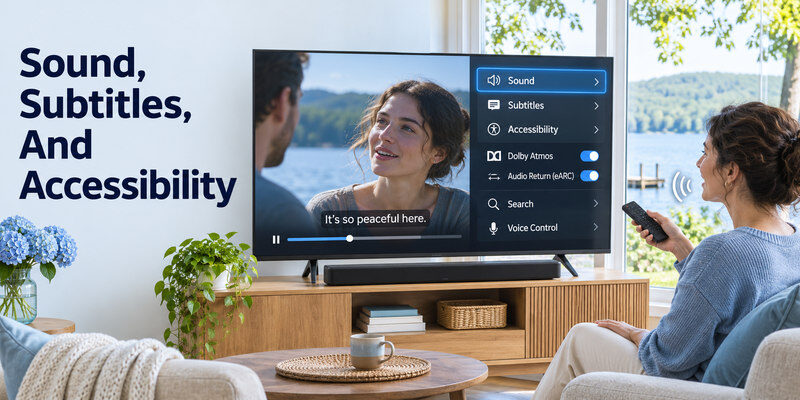
Streaming comfort includes clear dialogue, subtitle readability, audio-description support, and straightforward controls. Built-in speakers differ; a soundbar can improve voices when connected via ARC/eARC or optical. Check the exact model’s captions and accessibility menu. A separate streaming box may have different caption settings from the TV’s built-in apps, so test the path you will actually use.
Dolby Atmos and audio return
Atmos badges on a TV and app do not ensure your soundbar receives Atmos. The service plan, title, TV audio settings, ARC/eARC path, and bar must all cooperate. If you get silence or stereo, test an ordinary PCM or stereo output first, then increase formats one step at a time. An HDMI input occupied by an eARC soundbar can affect the remaining gaming port count.
Search and voice control
Google Assistant, Alexa, Siri, and vendor voice features are different ecosystems. On Google TV, Google’s help page describes pressing the Assistant button and speaking into the remote; availability depends on language and device. Amazon’s Fire TV guidance explains linking an Echo to Fire TV through the Alexa app. Siri control of an Apple TV or AirPlay-compatible TV requires adding it to Apple’s Home app. Do not assume a TV’s voice microphone can search every third-party app.
Privacy and Long-Term Software Support
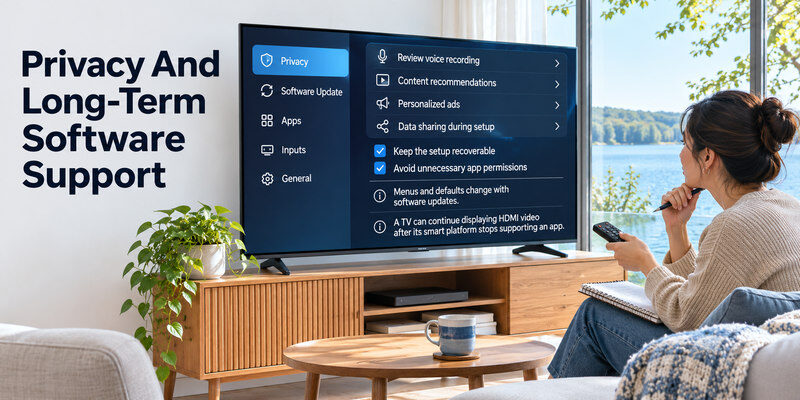
Review voice recording, content recommendations, personalized ads, and data sharing during setup. Menus and defaults change with software updates. A TV can continue displaying HDMI video after its smart platform stops supporting an app, so an external streamer is a useful fallback. Check manufacturer update policy for the exact model and your region rather than assuming a broad platform name guarantees a fixed support period. Before choosing a panel, compare OLED and QLED for different viewing conditions, including dark-room contrast, brightness, and reflections.
Keep the setup recoverable
Save account credentials securely and keep the original remote accessible. Factory reset, Wi-Fi password changes, and accessibility setup may need physical controls. A compatible may navigate supported TVs after the network and initial pairing are in place. It does not grant an unsupported streaming app or guarantee TV power control while fully disconnected.
Avoid unnecessary app permissions
Install apps through the TV’s official store when possible and inspect requested permissions. If a remote-control app asks for location or local-network access, understand whether that is required to discover TVs on your platform. Do not enter streaming passwords into an unknown third-party remote app. A remote app controls navigation; paid content still requires your service subscription.
Choose a Model, Then Test It at Home
Shortlist two or three exact SKUs within budget. Compare screen size, measured picture quality, regional apps, remote ergonomics, audio outputs, and return policy. Test the TV with the same legal stream in a normal picture mode under your room’s light. Open your five most-used apps, search for a title, switch HDMI, enable subtitles, and check lip sync. These everyday actions reveal more than a platform badge.
| Test | Pass condition | If it fails |
| Core apps | All required services available in region | Add a streamer or choose another platform |
| Navigation | Apps and settings respond comfortably | Check updates; consider different model |
| Picture | Good from actual seats and lighting | Adjust mode or choose another panel |
| Network | Stable playback in intended location | Improve Wi-Fi or use Ethernet |
| Sound | Clear dialogue and correct output | Change format/settings or add soundbar |
A streamer versus replacing the TV
If your existing panel still looks good, a dedicated streamer is often the more economical way to refresh apps. Confirm HDMI, HDCP, resolution, HDR, and remote power support. If the picture is too dim, reflections are severe, or the panel is failing, software cannot solve those hardware problems. Compare total cost before replacing a functioning TV for a faster menu.
Budget and promotion caveats
A platform may appear on both inexpensive and premium TVs, but screen quality and processing can be vastly different. Current discounts can put a strong midrange set close to entry pricing. Record the exact SKU and total delivered price; a model’s normal MSRP is a poor proxy for today’s value. Check warranty and return terms before chasing a one-day offer.
If phone navigation is part of your streaming setup, compare the options for the exact Google TV device.
Read more: Best TV for Gaming: 2026 Picks for PS5, Xbox, and PC
Streaming TV FAQ
Is Google TV better than Roku TV for streaming?
It depends on the apps, interface, and model you prefer. Google TV may suit Google account and casting users; Roku often appeals to those wanting a simple home screen. Compare the exact TV’s speed and picture quality as well.
Does a smart TV need a streaming stick?
No, if its built-in apps meet your needs and run well. A stick can add a missing service or refresh an older interface later. It cannot improve the physical panel.
Which TV has the best Netflix picture?
No brand automatically wins. Look at the exact model’s contrast, HDR performance, upscaling, and your Netflix plan and network. A strong OLED or Mini-LED with the right format support may improve the experience over a basic LCD.
Is Ethernet better than Wi-Fi for streaming?
Ethernet can be more stable in a congested or weak-signal home. Good Wi-Fi is usually sufficient for streaming. Test the actual location and connection before buying extra equipment.
Can voice control open any streaming app?
No. Search and app-launch support vary by assistant, TV, region, and app integration. Test the commands you need and keep the remote or phone fallback available.
Streaming Households and Their Best Fits
A household with many subscriptions
Write down the five services used weekly, including local broadcasters and sport. Search the current app catalog in your country for each shortlisted platform, then test login and playback during the return window. The best smart tv for streaming is not the one with the most global logos if a local service is missing. Check the subscription tier required for 4K, HDR, and surround audio. A TV’s Dolby Vision badge cannot unlock a plan that sends only HD SDR. Keep account recovery details secure for future device replacement.
A viewer of older broadcast and live channels
A 65-inch 4K panel can magnify compression and weak upscaling. Compare a live channel or older show rather than relying only on a pristine demo. Picture modes, noise reduction, and motion processing should be tested at normal seating distance. The best smart tv for streaming this content might be a strong processor and uniform panel over a higher theoretical refresh ceiling. Check tuner and regional channel requirements if you use antenna or cable. App-only models may not meet every broadcast need.
A family with children and accessibility needs
Test profiles, captions, audio description, text size, and voice search in the actual language. Recommendations and purchase controls vary by platform. The best smart tv for streaming should make the most-used actions easy for every viewer, not merely look impressive in a store. Keep a physical remote available for settings and passwords. If a voice assistant is enabled, review personalized results and microphone privacy with the household. A phone app can be useful but should not be the only way to recover a lost network connection.
A slow interface on an otherwise good TV
If the existing panel is bright, comfortable, and has a free HDMI input, an external streamer can refresh apps and menu speed for less than a new television. Verify 4K, HDR, HDCP, and audio compatibility with the older set and soundbar. The best smart tv for streaming purchase may therefore be no new TV at all. An HDMI box cannot fix a failing backlight, poor reflections, or damaged panel; separate software frustration from screen limitations before spending. Test CEC and input switching after adding the device.
A weak Wi-Fi corner
The best panel still buffers if the TV cannot reach the router reliably. Test the installation location with the actual TV, not only a phone held closer to the access point. Ethernet can stabilize a connection where supported; a nearby access point or router change may help. Check whether several devices buffer at the same time. The best smart tv for streaming must be paired with a workable network path. Do not attribute every pause to the TV’s processor or pay for a faster internet plan before measuring local signal and congestion.
A soundbar with Atmos ambitions
A streaming title, subscription tier, TV app, audio output, HDMI ARC/eARC path, and soundbar must all support the desired format. Begin with stable PCM sound, then enable pass-through and supported multichannel options one at a time. The best smart tv for streaming with a premium bar needs a documented audio return path and enough HDMI ports for other sources. A logo on the TV alone does not guarantee Atmos reaches the speakers. Test a known compatible title and inspect the bar’s reported input format, rather than judging by loudness.
Final Thoughts
The best smart tv for streaming balances the panel and the software. Verify the apps in your region, try the interface on the exact model, and compare picture quality in your room. LG webOS, Google TV, Roku TV, and Fire TV each fit different habits; an external streamer can later refresh software without replacing a good screen.
