
How to Watch Live TV Without Cable: Six Practical Steps
Short answer: Use a licensed live-TV streaming service, a receivable over-the-air antenna, or free ad-supported live channels to watch live TV without cable. Which route carries your program depends on your address, device, broadcaster, and whether the channel is local, national, or subscription-only. This guide walks through six steps to build and test a replacement before canceling pay TV. The antenna and provider examples focus on the United States; rights and availability differ elsewhere. How to watch live tv without cable is less about buying a single app and more about verifying the exact live program on the actual television.
Pick the Right Route for Each Live Program
There are three common routes: a paid live-TV streaming provider for a cable-like lineup, an antenna for available local broadcast stations, and free ad-supported streaming television (FAST) for curated channels. A broadcaster’s own app may provide selected live content under its current terms. Do not assume that a free news stream equals a full local affiliate or that a league’s highlights include every live game. How to watch live tv without cable starts with identifying the program’s rights holder.
The route may differ for two programs watched on the same evening. For how to watch live tv without cable reliably, map each program to its own tested source rather than requiring one app to do everything.
| Program | First route to check | Critical limitation |
|---|---|---|
| Local broadcast newscast | Antenna or licensed live provider | Reception or ZIP-specific lineup |
| Cable network show live | Licensed live-TV plan | Exact channel and package |
| Regional sports game | Team, league, provider schedule | Rights and blackouts |
| Free themed channel | Official FAST app | Not necessarily premium/live game |
| National live event | Official broadcaster and provider | Event-specific rights |
Make a short channel list
Write down five programs and the exact stations that carry them, with broadcast times. Add the main TV model and ZIP code. This is more useful than asking for a generic “best live TV” app. If the household has several viewers, include simultaneous events. The answer to how to watch live tv without cable can combine two routes: for example, antenna local news and one paid sports service.
Confirm the market
Local channels and sports rights differ by address. Enter the ZIP code in each provider’s official lineup checker and use the FCC DTV reception map as an antenna starting point. Then test actual reception and playback. A national logo in advertising is not proof of a local affiliate. Avoid relying on a provider comparison written for another state or country. If you are new to replacing a cable package, learn what cord cutting means and how streaming, antennas, and broadband fit into the transition.
Read more: Best Streaming Service for Cord Cutters: Build the Right Mix
How to Watch Live TV Without Cable in 6 Steps
Follow the steps in order while the existing cable connection still works. A test period lets you compare the same event on the old and new setup and catch missing rights before cancellation. Each step produces a concrete result: a channel list, a source for each program, a working TV app or tuner, stable playback, a verified bill, and a documented cancellation.
Keep a note of the date and location of every channel check. How to watch live tv without cable can change after a rights agreement or a move to another ZIP code.
Step 1 – List the Live Channels You Actually Watch
Record station names, teams, regular news times, and any show that must be watched as it airs. Mark which are over-the-air networks and which are cable-only or streaming-exclusive. Search the current broadcaster schedule, since a title may move between platforms. This is the foundation for how to watch live tv without cable without purchasing several overlapping subscriptions. A weekend game and weekday newscast should both be on the list.
Step 2 – Check Antenna Reception and Free Streams
For U.S. local broadcasts, use the FCC reception map, connect a suitable antenna to the TV tuner, choose Antenna/Air, and scan. Placement and building materials matter; repeat the scan after moving the antenna. Browse official FAST apps such as Pluto TV or Tubi for additional free live guides. These are separate sources: an antenna does not require broadband, while a FAST app does. Neither route guarantees a premium cable channel. For more options, explore free IPTV channels from legitimate providers and check which apps and programs are available in your region.
Step 3 – Compare Licensed Live-TV Providers
Enter your ZIP code in YouTube TV, Hulu + Live TV, Fubo, Sling, or another licensed provider’s current checker. Search exact affiliates and sports events, then review DVR, simultaneous screens, supported devices, and full renewal price. Sling packages can differ in channel groups; a cheap headline may require add-ons. How to watch live tv without cable with paid streaming is a rights and plan check, not just installing an app.
Step 4 – Set Up the Main TV and Network
Install the provider’s official app on a supported smart TV or streamer, sign in, and open the live guide. For antenna viewing, connect to the tuner input and select it with the TV’s original remote. Test Wi-Fi in the room where the TV sits, not only next to the router. Keep a wired option in mind for compatible devices. Label the sources so other family members can switch between live app and antenna without calling for help.
Step 5 – Test Real Events and Recording
Watch a local newscast, the next actual game, and a second simultaneous stream. Record a live program if DVR matters, then play it back and check retention rules. Test captions, audio, and remote navigation. If one channel is absent, check provider rights or antenna reception; do not reset the entire router immediately. The process of how to watch live tv without cable succeeds only when required programs play on the intended TV.
Step 6 – Compare the Bill and Cancel Carefully
Add standalone broadband, live-TV package, sports extras, taxes, hardware, and promotion end dates. If cable and internet share a provider, obtain the new internet rate before cancelling TV. Save cancellation confirmation and rented-equipment return receipts. The FTC advises documenting cancellation requests and checking later statements. Keep the new service for a normal week first. Removing the old package is the final step, not the beginning of the experiment.
Read more: Best IPTV Service: Licensed Live TV Options in 2026
Watch Local Channels with an Antenna
An antenna can receive available local over-the-air broadcasts in the U.S. without a recurring channel charge. The FCC’s DTV map estimates reception, but a real scan at the address is decisive. Terrain, building material, distance, and antenna placement affect results. The FTC has warned against ads that promise every premium channel from an indoor antenna. For how to watch live tv without cable locally, distinguish free broadcast from cable-only networks.
If a station works in one room but not another, test antenna placement and cable length. How to watch live tv without cable through the tuner depends on a usable signal at the television, not the advertised range on a box.
Connect and scan the tuner
Attach the antenna coaxial cable to the television’s antenna/RF input or a compatible external tuner. In TV settings choose Air/Antenna rather than Cable, then run Auto Scan. Write down the received stations and test them at the time you normally watch. The FCC recommends rescanning periodically because stations may change frequencies. If the signal pixelates, adjust placement and scan again before buying another device.
Keep antenna and apps separate
The TV’s input menu may switch between antenna, built-in apps, and HDMI streamer. A channel that appears absent can simply be on another source. Use the original remote to select the correct source. A streaming remote cannot tune an antenna unless the TV or tuner integration supports it. This practical detail matters for guests and older viewers. Make a short printed map of local channel numbers if it helps. If your television cannot run a required app, compare the best streaming devices for your TV and verify that your provider supports the exact model.
Use a Paid Live-TV App for Cable-Style Channels
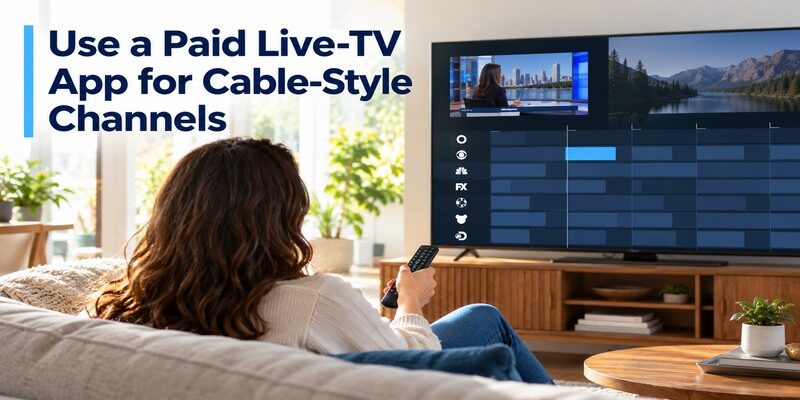
YouTube TV and Hulu + Live TV advertise broad live lineups and DVR, while Fubo emphasizes sports and Sling offers modular packages. Exact channels, plans, and prices change. Use official provider checkers with your ZIP code. A live guide can feel familiar to a cable viewer, but some channels or regional rights may still be absent. How to watch live tv without cable through one provider is easiest when its lineup covers every non-negotiable station.
Compare a normal program and a special event; rights to one do not establish rights to the other. How to watch live tv without cable with a single subscription is simplest when both tests pass on the same plan.
Check package, not just platform
A service name is not a channel guarantee. Search the required station within the selected plan and add-on, then check the full cost after a trial. Ask whether the local affiliate is included and whether a particular sports event is blacked out. Recordings and concurrent streams can have terms that vary by plan. Test on the main TV, as a phone app may present different controls.
Try the guide for a normal evening
Have another household member find a channel without your assistance. Test live pause, restart, captions, and a saved program. If an app lags only during one event, check its service status and the home network. The remote experience is part of the product, not a trivial detail. A plan that is technically complete but difficult to navigate may be the wrong solution for that room.
Read more: Nvidia Shield TV Remote App: Setup and Troubleshooting
Add Free Ad-Supported Live Channels
Pluto TV, Tubi, The Roku Channel, and Samsung TV Plus on eligible devices offer free ad-supported live guides in supported regions. Their channels can be useful for news, movies, and themed entertainment. They do not automatically carry a particular local station’s full broadcast or every national game. Check the provider’s current guide for the exact program. The phrase watch live tv free online often refers to these FAST services rather than a free version of all cable channels.
For how to watch live tv without cable on a limited budget, test these free guides before subscribing, then pay only for the specific missing rights.
Open an official app
Install from the TV’s recognized store or use a supported built-in service. Confirm its publisher, country availability, and device compatibility. Browse Live TV, start a channel, and note whether the program is live or a loop of older shows. Avoid anonymous M3U playlists that claim every paid network. How to watch live tv without cable safely includes knowing who distributes the content and what the free app really offers.
Combine free and paid sensibly
If a FAST guide covers background entertainment, perhaps the household needs only one paid plan for a specific sport. If an antenna receives local news, check whether a cheaper live package covers the remaining cable networks. Do not add three free apps solely for their large channel counts; save the ones you actually use. Ads are the trade-off for core free access. Check parental controls and profiles on a shared TV.
Find Live Sports without Guessing
Sports rights are the most common reason a cord-cutting plan fails. A game may be local, national, league-owned, or exclusive to one platform. Search a current team schedule and the rights holder’s broadcaster listing. Then confirm the event in the provider’s guide for your ZIP code. “Sports included” is not proof of one game. A regional blackout may apply even with a paid league pass.
How to watch live tv without cable for a sports season therefore requires a dated schedule, not a permanent assumption about a platform’s channel catalog. If you are deciding between streaming platforms, read our Fire TV Stick and Chromecast comparison and check whether your live-TV provider supports the device you choose.
Check the actual game and date
Choose the next event you truly plan to watch. Record its broadcaster, start time, location restrictions, and required plan. If it appears on a local over-the-air station, test antenna reception. If it is on a cable sports network, verify that the chosen live-TV package includes it. If exclusive to a separate app, include that subscription in the full bill. How to watch live tv without cable for sports may require seasonal changes.
Budget by season
A year-round package can be wasteful when a league plays only part of the year, while an annual discount may lock you into unused months. Compare actual renewal and cancellation terms. Recheck rights at the start of a new season. Free highlights can complement live viewing but do not replace the full event. A realistic sports plan names specific games rather than a broad category.
Read more: How to Set Up Fire TV Stick in 6 Easy Steps (Beginner’s Guide)
Check Device, Data, and Picture Quality
A TV’s app store must support the provider, or a compatible HDMI streaming device can supply it. Broadband and Wi-Fi must support simultaneous viewing. If an internet plan has a data cap, account for live channels left on for hours. Picture quality depends on source, app, network, device, TV, and any receiver. No streamer can make a provider deliver a format absent from a given channel.
Test during the same evening hours the household normally watches. How to watch live tv without cable should survive the actual peak load, not only a short daytime signup clip.
| Problem | First check | Next step |
|---|---|---|
| One live channel missing | ZIP-specific provider lineup | Try antenna or another licensed plan |
| All streams buffer | Broadband and Wi-Fi near TV | Test another device and Ethernet |
| Only one app fails | Provider status and app update | Reinstall through official store |
| Antenna channel breaks up | Placement and tuner scan | Test another position/time |
| Remote has no volume | TV/soundbar equipment control | Keep original TV remote |
Network test at peak time
Play the live service during the household’s busiest evening, and start another screen if simultaneous use is normal. A short clip at noon cannot prove a live sports event will be stable at night. If every device slows, inspect the internet connection; if one TV alone struggles, check its Wi-Fi path. Ethernet on a supported streamer can help the latter but not an upstream provider outage.
Sound and captions
Check captions and audio description where needed. A live channel can use different controls from an on-demand title in the same app. If video works but audio does not, test another channel and trace the TV, soundbar, or receiver input. Remote volume setup is separate from the content stream. Ask the person who needs accessibility settings to verify them before cable cancellation.
Remote Control and Household Handoff
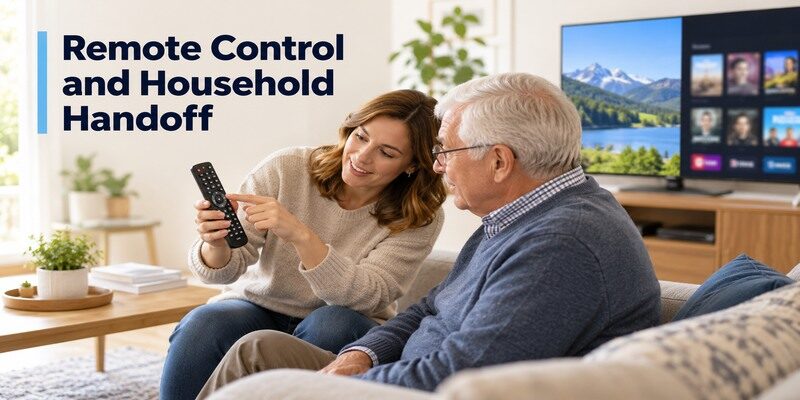
The best technical solution is poor if nobody else can operate it. Place the most-used live app on the TV home screen, label antenna and HDMI inputs, and explain how to find a specific station. A lost remote can sometimes be replaced temporarily by an official phone remote or the on supported TVs and streamers with a reachable network. A phone app cannot create rights to a missing channel or revive an offline device.
For how to watch live tv without cable as a family, ask another viewer to find a program unaided before removing the old service.
Map the daily controls
Write a short note: “Local news: Antenna input, channel X” and “Sports: live app, guide.” Use actual tested station names rather than placeholder claims. Show family members how to return Home or switch the input with the TV remote. How to watch live tv without cable should feel repeatable, not like a technical demonstration that works only when its installer is present.
If the streaming handset is lost
Check batteries and pairing first. A compatible phone remote may navigate a powered streamer already connected to the network. If the router credentials changed and the device is offline, recover its network through a physical control or supported setup method. Keep the TV remote available for input selection. Remote control is a separate layer from the live-TV subscription.
Read more: How to Set Up Chromecast and Chromecast with Google TV in 7 Steps
How to Watch Live TV Without Cable FAQ
These answers clarify how to watch live tv without cable when local rights, hardware, or internet conditions differ from the examples above.
Can I watch local channels for free?
In the U.S., an antenna can receive local over-the-air stations available at your address without a monthly channel fee. Reception varies. The FCC map is a starting estimate and a real scan confirms results. Some free apps carry selected local news streams, but may not reproduce the full affiliate feed.
Is there one free app with all live sports?
No reliable legal app carries every league, regional game, and exclusive event for free. Rights vary by team, date, location, and service. Check a specific upcoming event on the broadcaster’s official schedule. A FAST sports channel may offer highlights or selected events rather than the match you need.
Do I need a smart TV?
No. A compatible TV with HDMI can use a supported streaming player for apps, and a television or external tuner can receive antenna broadcasts. Check the provider’s device list and your internet connection. A smart TV is sufficient if its app store and performance meet your needs.
Can I keep cable internet after canceling TV?
Often yes, but ask the provider for the standalone broadband rate and any equipment or bundle changes. Confirm the effective date in writing. Keep the internet connection working while testing the live streaming replacement. An antenna can receive broadcasts without broadband, but streaming apps cannot.
Why is my local station missing from a live-TV app?
Local carriage depends on the provider and ZIP code. Enter your address in its official checker and compare the exact affiliate. An antenna might receive the station if reception is good. A network logo in a national ad does not guarantee your specific local feed or every event.
Final Thoughts
How to watch live tv without cable is a six-step process: list real programs, test free local and FAST sources, verify a licensed live provider, set up the TV, watch real events, and compare the complete bill. A paid app, antenna, and free guide can work together. Confirm rights by address and season, test every intended screen, and cancel cable only after the new setup meets the household’s needs.
