
What Is Cord Cutting? A Practical TV Guide
Short answer: Cord cutting means replacing a traditional cable or satellite TV subscription with internet streaming, an over-the-air antenna, or both. It does not require giving up live television, but your exact channels, sports, internet bill, and recording options may change. A household can also reduce its package rather than cancel every service at once. This guide explains what is cord cutting in practical terms, shows the main viewing routes, and gives a test plan before cancellation. Examples of broadcast and services focus on the United States; availability and rights differ elsewhere.
What Is Cord Cutting in Everyday Terms?
Traditional pay-TV bundles channels through a cable or satellite provider. Cord cutting separates the things you watch from that bundle: on-demand apps for shows and movies, a live-TV streaming service for channels, an antenna for receivable local broadcast stations, and free ad-supported apps for additional viewing. The internet connection itself usually remains. What is cord cutting for a sports fan can look very different from a household that watches only on-demand drama.
The answer to what is cord cutting includes control over timing: a household may subscribe for one season, then cancel until the next.
| Viewing need | Possible replacement | Check before canceling |
|---|---|---|
| On-demand series and movies | Subscription or free streaming app | Title and season availability |
| Local broadcast stations | Antenna or qualifying live-TV service | Reception map and local lineup |
| Cable-style live channels | Live-TV streaming provider | ZIP-code lineup and rights |
| Regional sports | Team, league, and local rights options | Blackouts and season availability |
| Recording | Cloud DVR or antenna DVR | Storage and retention rules |
The “cord” you actually cut
The phrase refers to the pay-TV service, not necessarily the physical internet cable entering the home. If the provider bundles broadband and television, canceling TV may change the price of internet. Ask for the post-cancellation internet bill and any equipment-return terms. A cord cutting guide that compares only the old TV line item against a new streaming fee can exaggerate savings if bundle discounts disappear. To compare the main platforms and their use cases, explore the best streaming devices for different households before choosing a box or stick.
What stays familiar
You still choose programs, use a remote, and watch on a TV. Many apps provide live guides and profiles. Some programs move between services or are available only with a particular regional package. What is cord cutting does not imply every cable channel becomes free; it gives you control over which sources you pay for. That flexibility is useful only when the household knows its must-watch list.
Read more: Universal Remote Codes for TV: Find the Right Code List
Start with a Viewing Inventory
Before changing equipment, list shows, sports teams, local news, children’s programs, and channels used in the last month. Include who watches each one and whether it must be live. Mark any program that appears in a paid bundle but could be watched later on demand. This prevents the common mistake of buying several services to recreate a bloated cable package immediately.
What is cord cutting without this inventory? It is guesswork about which rights and packages are necessary, often discovered only after a missed game.
Separate channels from programs
A viewer may say “I need this channel” but mean one weekly show. Search the show’s current licensed provider and season, then check whether a lower-cost on-demand route meets the need. Conversely, a fan of a live local game may genuinely require a specific channel and rights package. What is cord cutting becomes easier to budget when you purchase the program access you use, not the familiar channel names you seldom open.
Note simultaneous screens
Count how many people watch at the same time and in which rooms. Services limit concurrent streams differently and some restrict out-of-home use. If three televisions are normally on during a sports event, test that exact scenario in a trial before canceling cable. Children may need profiles or purchase controls. A plan that works on one phone during signup may fail on the family’s main TV at peak time. Our Fire TV Stick and Chromecast comparison explains how their interfaces, casting features, and remote controls differ.
Read more: How to Set Up Fire TV Stick in 6 Easy Steps (Beginner’s Guide)
Choose the Three Main TV Sources
Most successful setups combine some of on-demand subscriptions, live-TV streaming, free ad-supported channels, and an antenna. The right mix is not universal. The benefit of cord cutting is the ability to add or remove a source as needs change, provided you track renewals. A single app rarely recreates every cable channel, local broadcast station, and regional sporting event.
What is cord cutting for a household with reliable antenna reception may be one on-demand service, while another needs a paid live-TV guide.
On-demand apps
These provide catalogs of series, movies, and originals, with plans and ads that vary. Verify the exact title, not merely a service logo. Rotating one subscription at a time can be reasonable when seasons arrive in batches. Watchlist portability may be limited, so record where a show lives. What is cord cutting without live TV? For many households, it is simply broadband plus one or two on-demand apps and no channel guide.
Live-TV streaming
Providers such as YouTube TV, Hulu + Live TV, and other regional options offer cable-like guides and channel packages. The exact lineup, local stations, sports, DVR, and simultaneous streams depend on ZIP code and plan. Use a provider’s official address or ZIP-code checker. Do not assume a national ad for a network guarantees your local affiliate. Trial conditions and prices can change.
Antenna and free apps
In the United States, an over-the-air antenna can receive available local broadcast signals without a recurring channel fee. FCC reception maps and antenna guidance help assess location, and the FCC recommends rescanning periodically. Free ad-supported services such as Pluto TV provide a separate internet channel guide; their channels are not automatically the same local broadcast feeds. This distinction matters when answering what is cord cutting for local news. If Chromecast is part of your new setup, use these Chromecast setup instructions to connect the appropriate model and test a supported streaming app.
Read more: Chromecast Review: Should You Buy One in 2026?
Check Local Channels and Sports Before Canceling
Local broadcast, regional sports, and national sports rights are often the hardest parts of a replacement. An antenna depends on geography, building, placement, and TV tuner. A live-TV streaming package depends on the provider’s current local lineup. A league app may have blackouts or separate games. Verify the exact team and station at your address, including the particular season, before turning off the old service.
For what is cord cutting in a sports household, a current schedule and ZIP-specific provider lineup are more valuable than a general service ranking.
Antenna reception is location-specific
Use the FCC’s DTV reception map as a starting estimate, then test an antenna in the room and rescan the television’s tuner. Place the antenna where the signal is better, often near a window or higher position, without relying on unrealistic range claims. The FTC has warned against antenna advertisements that promise every premium channel. What is cord cutting with an antenna? It is access to receivable over-the-air broadcasts, not a substitute for subscription-only cable networks.
Sports rights can change
Check league and team schedules, the listed broadcaster, local blackout rules, and the service’s current rights. A national sports package may exclude a regional game, while a local station might be receivable with an antenna. Free sports highlights are not necessarily full live games. Budget a season-specific subscription only after verifying what it carries. Recheck when rights move; a once-correct plan can become outdated. When adding a streaming device to an older screen, learn how to control a non-smart TV and which functions may still require the television’s own remote.
Read more: Remote Control App for Non Smart TV: IR Options and Limits
Equipment and Home Network
You may already have the essentials: a smart TV with supported apps or a streaming device, a usable remote, broadband, and a Wi-Fi router. An antenna is optional if local broadcasts matter. A separate streamer can improve app availability or interface responsiveness on an older TV, but a new box cannot fix poor internet. What is cord cutting equipment-wise is usually a small set of compatible tools, not an expensive redesign.
If the television has an antenna input and working tuner, test it before buying a separate receiver. Label HDMI inputs so family members can switch between streaming and broadcast without confusion.
Smart TV or streaming box
Check your TV’s supported app store and software updates. If a must-have service is missing, compare a current streaming device with its exact app support. Roku, Fire TV, Google TV, and Apple TV have different remotes and ecosystems. Match output formats to the television; do not pay for an advanced feature you cannot use. Keep the TV’s original remote for HDMI input selection during setup.
Wi-Fi and wired options
Test streaming in every room that will be used, especially at the same time. A speed number next to the router does not represent a distant bedroom. Ethernet on a compatible box can remove one Wi-Fi link, but it does not solve weak broadband or a service outage. If the TV buffers, test another app and device to isolate the problem. Plan data usage if the internet plan has caps. For a backup when a compatible remote is misplaced, compare free TV remote apps and choose one that supports your television or streaming platform.
Make a Realistic Cost Comparison

The old bill may include TV service, internet, equipment rental, fees, and a bundle discount. The new monthly total can include standalone internet, live TV, on-demand subscriptions, sports add-ons, and any taxes or fees. One-time equipment such as an antenna or streamer is separate. A cord cutting for beginners spreadsheet needs the post-cancellation internet price, not the discounted bundled internet line from the old bill.
What is cord cutting worth in savings if the household keeps every old add-on? Often less than expected, so compare receipts instead of advertised rates.
| Cost line | Cable bundle | New setup |
|---|---|---|
| Broadband after TV cancellation | Ask provider for new rate | Include full amount |
| TV package and equipment | Current bill | Live-TV service, if needed |
| On-demand and sports | Existing add-ons | Keep only needed plans |
| Hardware | Rented boxes | One-time streamer, antenna, or DVR |
| Promotions | Expiration date | Trial end and renewal date |
Test annual, not only monthly, cost
A sports package may be needed for only part of the year, while a yearly subscription may save money but lock in a service you rarely use. Record renewal dates and promotional periods. If a bundle discount ends after cancellation, the first month’s apparent savings can vanish. What is cord cutting financially? It is a change in the entire household TV and broadband budget, not a guarantee of savings.
Keep cancellation records
The FTC advises contacting the subscription provider, following its cancellation process, and keeping a copy of the request and notes. Check subsequent statements for charges. Return rented equipment and retain receipts according to the provider’s instructions. Do not cancel broadband accidentally if streaming depends on it. Confirm the end date and whether any contract or final bill applies to your own account.
Read more: Best LG TV Remote App in 2026: 8 Top Picks Compared
Run a Two-Week Trial Before Switching
Set up the planned services and antenna while cable still works. Watch the same local news, a live sports event, a family movie, and several simultaneous streams. Test the main TV remote and the room farthest from the router. Note every failure and whether it came from content rights, app compatibility, Wi-Fi, or controls. This trial reveals problems before a household loses its familiar channel guide.
The best answer to what is cord cutting for your home comes from this rehearsal, when the old service is still a fallback.
Test a normal week
A weekday drama, weekend game, local weather segment, and children’s viewing can exercise different services. Search by actual show title and station. Check how quickly another family member can find the program without your phone. What is cord cutting success for that household? It means the required programs are reachable with an acceptable number of steps and the combined bill makes sense.
Record a fallback
If an antenna misses a local station, check placement and rescan; a live-TV provider may carry the affiliate. If an app fails on the built-in TV, a compatible streamer may help. If one remote is lost, official phone-control apps or the can be a fallback for supported TVs and streaming devices on a reachable network. Phone control does not restore a disconnected device or an unavailable broadcast channel.
Cancel the Old TV Service Carefully
Once the trial passes, contact the cable or satellite provider and specify which service you are canceling. Ask about the effective date, new internet rate, equipment returns, and final charges. Save written confirmation and return receipts. Verify the first new bill against the quoted rate. What is cord cutting as a transition? It is complete only after the old TV charges end and the replacement setup works in all intended rooms.
Set a reminder to inspect the next billing cycle for rental fees and subscriptions that were not included in the cancellation request.
Avoid an accidental internet outage
If the provider supplies both services, explicitly retain broadband where possible. A TV cancellation may change a promotional price or modem rental. Confirm the new plan and start date before the old TV service stops. If you are moving broadband to a new provider, install and test it first. A live-TV app without an internet connection cannot replace cable.
Revisit the mix every few months
Catalogs, sports rights, prices, and family habits change. Review what each subscription delivered recently and whether a free or antenna source covers part of it. Cancel unused plans through their actual billing provider; an app installed on the TV may be billed elsewhere. Keep cancellation proof. Flexibility is a benefit of cord cutting only when you actively remove what you no longer watch.
Common Mistakes and How to Avoid Them
The biggest errors are buying a streamer before checking apps, assuming a free channel equals a local affiliate, relying on an antenna range claim, and stacking so many subscriptions that the bill resembles cable again. Some households also cancel during a sports season without verifying blackout rules. What is cord cutting done well? It is a tested replacement based on your program list, location, network, and budget.
Another mistake is moving every account to one person’s phone without a way for guests or other family members to use the main TV.
Read more: Nvidia Shield Review: Who Still Needs This TV Box?
Make the New Setup Easy for Everyone
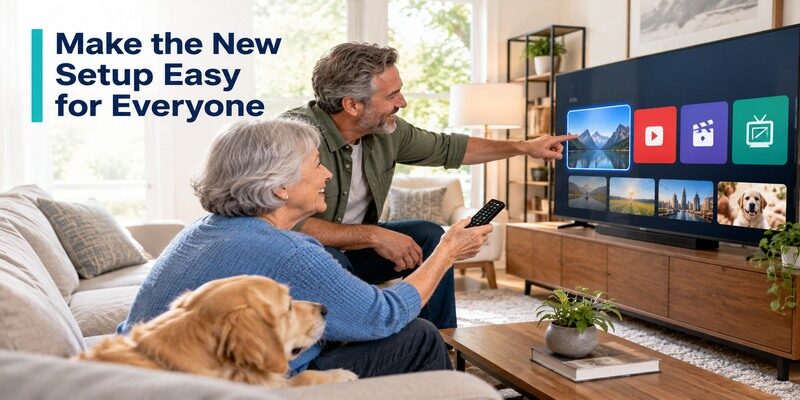
What is cord cutting for a household if only one person knows where the shows live? A sustainable setup needs a simple path for each viewer, including people who do not use a smartphone. Put the most-used apps on the main screen, label the antenna input, and write down where live local news and a favorite sports event can be found. Keep account passwords in a secure manager rather than on a note beside the television.
Build a short viewing map
Make a one-page list with each person’s top programs, the app or broadcast source, and whether the show is live or on demand. Update it when a service moves a title. This is more helpful than a long directory of every free channel. What is cord cutting in daily practice? It is being able to turn on the TV and find a program without retracing the original research.
Test accessibility and controls
Check caption settings, audio-description availability, remote button readability, and profile switching on the actual TV. A service may offer a feature on one platform but not another. Ask the person who needs the setting to try it before the old service ends. Keep the original TV remote for input changes and a compatible phone option for a misplaced streaming handset. Simple controls help the switch last.
Confusing free FAST with broadcast TV
Free ad-supported streaming television (FAST) offers curated internet channels, often with ads. A local over-the-air station is a different feed received through an antenna, and a paid live-TV service may carry another version or affiliate. Check the actual program guide and local station name. Do not promise a specific sports game because a free app has a broad “sports” category.
Skipping the household test
The person who selected the apps may know every menu while other viewers do not. Have someone else start the most important program using the everyday remote. Test a simultaneous-stream evening. If it fails, simplify the app mix or choose a better-suited device before cancellation. A working account on a phone is not proof that the living-room television offers the same experience.
What Is Cord Cutting FAQ
These short answers clarify what is cord cutting for households with different internet, antenna, and recording needs.
Can I cut cable and keep internet from the same provider?
Often yes, but ask the provider about the standalone internet rate and any equipment or contract changes. Do not assume the bundled discount remains. Confirm the written order and first new bill. Streaming services still need a reliable internet connection unless you rely only on antenna broadcasts.
Can I watch local channels for free?
In the United States, an antenna can receive local over-the-air stations available at your address without a monthly channel fee. Reception varies by location and installation. The FCC offers reception maps and rescan guidance. A free streaming app may carry different news channels, not necessarily the same local affiliate.
Do I need a smart TV?
No. A compatible TV with HDMI can use a separate streaming device for apps. An antenna may connect to a TV tuner or compatible external tuner. Check the device’s app support, power, and network needs. A smart TV can also be sufficient if its installed apps are current and responsive.
Will I save money?
Possibly, but it depends on the new standalone internet rate, live-TV package, sports, subscriptions, and hardware. Compare a full year and account for trial expirations. A household that replaces one large bundle with many overlapping services may save little or spend more. Review the actual bills.
Can I still record live TV?
Some paid live-TV services offer cloud DVR with plan-specific limits. An antenna can use a compatible DVR or tuner setup, usually as separate hardware. Check storage, retention, simultaneous recording, and whether the channel is carried. Recording rights and features vary, so verify your exact service and device.
Final Thoughts
What is cord cutting? It is a deliberate replacement of the pay-TV bundle with streaming, antenna broadcasts, or both. Start with programs rather than devices, verify local and sports rights, calculate the post-cancellation internet bill, and run a real household trial. Keep receipts and cancellation confirmation. The best setup is the one that reliably delivers what the family watches without paying for channels and subscriptions it does not use.
