
Nvidia Shield Review: Who Still Needs This TV Box?
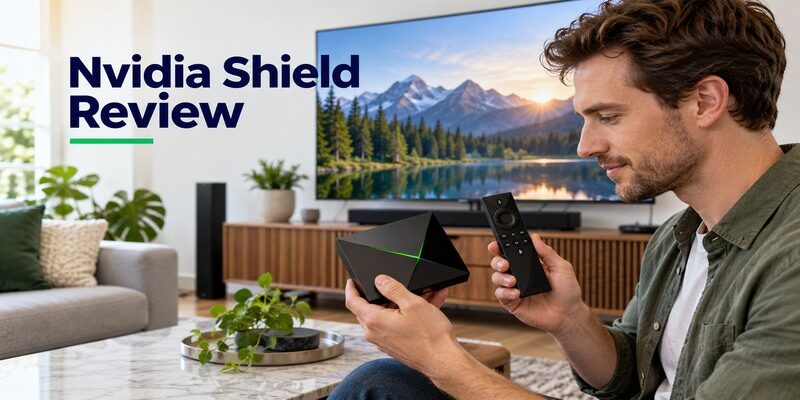
Short answer: Nvidia Shield TV Pro is worth considering for a local media library, USB expansion, and advanced theater setup, while a simpler streamer is often enough for subscription apps alone. The standard Shield TV has a different port and feature set, so do not apply Pro recommendations to the tube-shaped model. NVIDIA’s official product and support pages document the hardware and software features discussed here. This nvidia shield review is an evidence-based buyer assessment, not a claim of hands-on benchmark testing. The key question is whether its specialist capabilities solve a problem you actually have in 2026.
Nvidia Shield Review: The Buyer Verdict
Shield TV Pro remains distinctive because it can connect storage, use wired networking, and host Plex Media Server in supported configurations. NVIDIA also lists AI-enhanced upscaling and home-theater formats. That combination is valuable to a specific buyer, but does not guarantee a better Netflix experience than every current box. The nvidia shield pros and cons depend on your files, network, receiver, and apps. Buy for a defined media task, not for the impression that an older premium device must always outperform newer low-cost streamers.
The nvidia shield review verdict would be different for a family with a NAS than for one streaming only an app bundle.
| If you need… | Shield fit | Reason to compare elsewhere |
|---|---|---|
| Plex server at the TV | Shield TV Pro is a candidate | Existing NAS or computer may already host it |
| USB drives and peripherals | Pro has expansion ports | Standard Shield differs |
| Google-oriented streaming apps | Both models can fit | Google TV Streamer may be simpler |
| AI upscaling of HD video | Supported Shield feature | TV processing and source quality vary |
| Only two subscription apps | Can work, but may be more than needed | Compact stick or box may suffice |
Best for a deliberate media cabinet
A fixed home-theater cabinet can make use of Ethernet, USB storage, an AV receiver, and a local library. The Pro is a coherent hub for those requirements if its current app support and format list match your equipment. A nvidia shield review 2026 should acknowledge that the hardware design dates from earlier generations while software support and app compatibility must be checked today. The practical value is the role it performs, not the year stamped on a comparison chart. For a closer comparison of a compact streamer and an expandable media box, see our Fire TV Stick vs Nvidia Shield guide.
Less compelling for a simple spare TV
If you only want a remote to launch a mainstream app on an ordinary screen, a smaller device can do the job with fewer cables. A Shield may still be pleasant to use, but its Pro ports and Plex capability may never matter. Is nvidia shield worth it for that use? Compare current prices and the exact app list; do not assume that unused expansion creates better picture or more included content.
Read more: Nvidia Shield TV Remote App: Setup and Troubleshooting
Standard Shield TV versus Shield TV Pro
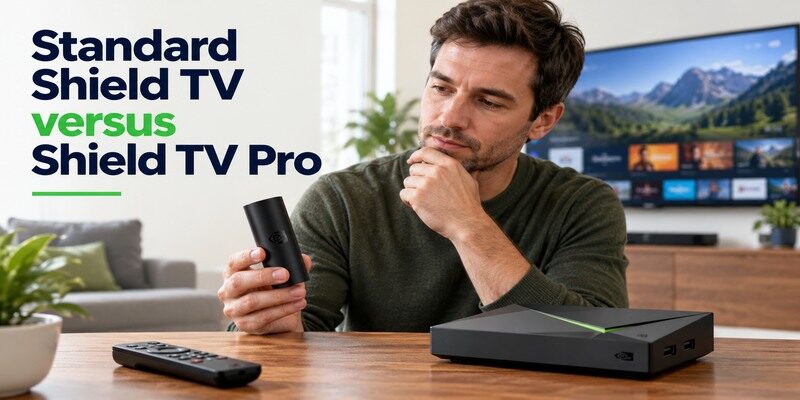
NVIDIA sells a standard tube-shaped Shield TV and a set-top Shield TV Pro. Their official specification pages separate memory, storage, expansion, and upscaling limits. Pro includes two USB 3.0 ports and Plex Media Server support; the standard design is smaller and does not duplicate those ports. An online nvidia shield performance review may test one and casually describe the other. Read the product name and ports before applying a conclusion.
For this nvidia shield review, the Pro is the reference whenever a server or attached USB drive is discussed.
What the Pro adds
The Pro’s USB expansion lets you attach supported drives or peripherals. Ethernet simplifies a fixed wired connection. NVIDIA positions it for Plex server use and AI upscaling at a higher frame-rate limit than the standard Shield’s listing. That does not mean arbitrary drives, file systems, and media codecs work without setup. Plan power, storage format, and a reachable network. The nvidia shield review verdict becomes much stronger when those details are part of your project.
What the standard model is for
The tube-shaped model offers the core Shield streaming experience in a compact form, with model-specific ports and expansion. It can be useful when Pro’s USB and server role are unnecessary, but check its official specification for the exact format and network options. A used listing can omit a remote or correct adapter. If you already intend to attach a drive, buying the standard model as though it were a smaller Pro creates avoidable frustration. See Chromecast and Nvidia Shield compared to decide whether casting alone is enough or you need Shield Pro’s additional media features.
Plex, Local Files, and Attached Storage
Local media is Shield Pro’s strongest differentiator. A Plex client plays a library served by another computer or NAS; Plex Media Server organizes and streams that library to clients. NVIDIA documents Pro’s server capability. The nvidia shield review that matters to a collector asks where the source files live, whether other rooms need access, and which codecs and subtitles the real library uses. Test representative files rather than one sample trailer.
The nvidia shield review value rises when the box replaces a separate always-on media computer rather than merely duplicating its client. If your setup includes a separate receiver, a compatible home theater system remote app may help you check its input and audio controls.
Build the server role correctly
Attach suitable storage, configure the library, and check that the Shield remains powered and networked when other devices use it. A large library or simultaneous clients can introduce workload limits. Verify drive power and format against NVIDIA and Plex guidance. If a NAS already does the job, Shield Pro may be a client rather than the server, and a different streamer could also serve that client role. Hardware only helps if the workflow uses it.
Verify playback of difficult files
Pick a high-bitrate file with the subtitle and audio track you normally use. Test it through your actual TV and receiver. If playback fails, check the media app, network path, container, codec, and pass-through settings before assuming the box lacks processing power. A nvidia shield performance review based on one common streaming service cannot predict a personal library’s compatibility. Keep the media-server and streaming-app tests separate.
Read more: How to Set Up Nvidia Shield TV & Shield TV Pro (Step-by-Step)
AI Upscaling and Picture Formats

NVIDIA advertises AI-enhanced upscaling for supported lower-resolution sources. The Pro and standard Shield have different listed frame-rate capabilities. Upscaling can alter edge detail, but it cannot create native 4K information absent from the source. A TV may apply its own sharpening and noise reduction. For this nvidia shield review, the sensible test is an HD channel you watch regularly beside a native 4K title, with TV processing noted.
A nvidia shield review that shows only a native 4K trailer cannot establish how useful upscaling is for older television content.
What upscaling can improve
A lower-resolution feed may look clearer or differently sharpened on a large 4K display. Choose the upscaling mode to taste, and compare from a normal seating distance. If the source is already high quality or the TV’s own processor is strong, the perceived benefit can be modest. Do not interpret NVIDIA’s feature description as a guarantee that every app, frame rate, or video will be transformed equally.
End-to-end HDR and sound
NVIDIA lists supported HDR and audio formats for each model. The app, title, service tier, TV, HDMI cable, receiver, and settings must cooperate to deliver them. If the menu looks normal but a Dolby Vision title blanks, bypass the receiver temporarily and inspect the TV input mode. If stereo works but surround does not, trace the audio chain. The nvidia shield pros and cons for a theater owner are inseparable from this equipment context. If sound plays through a separate bar, review your soundbar control options and confirm that the app supports your exact model.
Read more: Google Remote TV: Complete Guide to Apps, Pairing, Fixes, Phone Control, and Replacement
Streaming Apps and Interface
Shield runs an Android TV interface with a Google account and supported casting features. Mainstream services may be available, but niche apps and regional restrictions change. Confirm the exact current app and features before purchase. An app’s 4K or surround support may differ from its ability to install. The nvidia shield review should not award a universal app-catalog score without knowing the buyer’s country and required service.
One missing sports or local channel can reverse a nvidia shield review recommendation for an otherwise ideal hardware setup.
Everyday remote navigation
Test Home, Back, direction, Select, and search before adjusting TV volume. The Shield remote controls its own interface; TV or receiver power and volume require equipment-control setup. The official NVIDIA support guide covers remote functions and pairing. If navigation fails, check power or batteries and model-specific pairing. A soundbar-volume problem is not evidence that Android TV has frozen. Keep the TV remote to select HDMI inputs.
Casting from a phone
Compatible apps can cast to a Shield on a reachable network. A phone on mobile data or an isolated guest network may not find it. Try a second supported app before resetting the Shield. Screen mirroring and native casting differ in quality and content rules. For viewers who mostly cast, a simpler Google TV device may offer the same main workflow; the Shield’s value comes from the other tasks it can perform.
Read more: Apple TV Remote Replacement: Buying and Setup Guide
Gaming and Controller Expectations
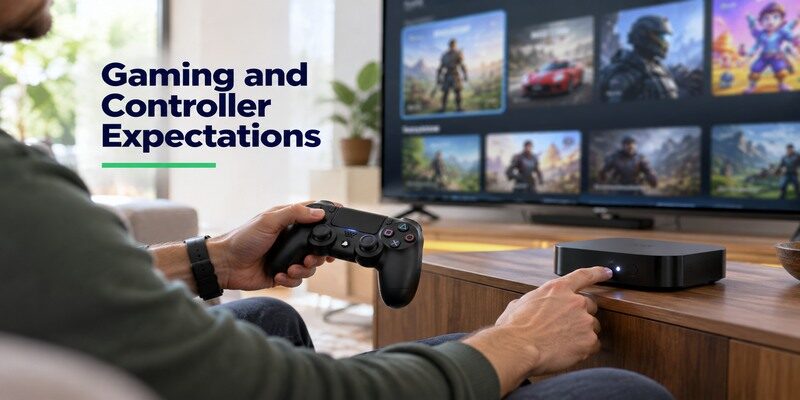
Shield’s hardware and controller support have long attracted media enthusiasts, but game catalogs and cloud services change over time. Check the precise service, supported controller, region, and subscription. A nvidia shield review 2026 should not promise a discontinued game or legacy bundle. Video streaming and gaming also stress the network differently: latency and controller response matter in a game even when a movie buffers without visible trouble.
The nvidia shield review assessment of games is therefore conditional on a current title list, controller, and network test.
Check the actual game library
Write down the titles and services you intend to play. Confirm current availability on Shield and the controller required by each. If cloud gaming is the goal, test the local network’s stability and latency before buying a box for its processor alone. A supported app does not include a paid game subscription. If a console is already connected, the Shield may be better used for media instead of duplicate gaming functions.
Pair accessories one at a time
Finish basic TV and app playback first, then add a controller or USB accessory. When a problem begins immediately after a new peripheral, remove it and return to the working baseline. Check NVIDIA’s current compatibility guidance rather than an old forum list. The nvidia shield performance review for your household should reflect the exact controller and display setup, not a generic claim that the platform is good for games. To compare Shield with other platforms, explore our picks for the best streaming devices for different needs, including options for everyday apps and local media.
Setup and Reliability Checks
Connect the Shield to TV HDMI and its supplied power, choose the right input, pair or test the remote, join Wi-Fi or Ethernet, sign in, and install updates. NVIDIA’s user guide walks through first setup. A direct TV connection is a useful baseline before adding a receiver and drives. If the screen is blank at boot, check input, cable, and power before investigating account settings.
For a nvidia shield review of reliability, add one accessory at a time so a later failure has a clear cause.
| Symptom | First isolation step | Likely branch |
|---|---|---|
| No welcome screen | Direct TV HDMI and supplied power | Input, cable, adapter |
| Remote cannot navigate | Batteries or power, proximity, pairing | Accessory connection |
| All apps buffer | Network status and another device | Router or broadband |
| One title has no audio | Another app and stereo clip | Format or service |
| Drive is missing | Pro model, drive power and format | USB or media app |
Update before judging speed
Let the Shield finish system and app updates after first sign-in. Test one streaming app before adding launchers, drives, or unusual audio modes. A box downloading multiple apps may feel temporarily slow. If an older used unit behaves badly, review available updates and restore the simplest supported setup. Avoid attributing every issue to age without checking power, network, storage, and app condition.
Separate device from network faults
If all apps buffer, compare another device in the same room and consider Ethernet. If only one service fails, check that service. A wired connection can remove a weak Wi-Fi segment but cannot speed up a struggling provider. The nvidia shield review’s reliability verdict is conditional on the home network; a set-top box with Ethernet has an advantage only when a cable and stable router are actually available.
Read more: Download a Remote TV App for Android: Control Your TV With Your Phone
Value against Current Alternatives

Google TV Streamer, Roku Ultra, Apple TV 4K, and current Fire TV models all offer remote-led streaming. Some have Ethernet and modern software, but they differ in app catalogs, ecosystem, and local-media roles. Compare current specifications and regional prices, not an old launch price. Shield Pro earns its place through USB, Plex, and upscaling use cases. The standard Shield faces a different value test because it lacks Pro’s expansion.
Any nvidia shield review that ignores the price and capabilities of current alternatives may overstate a legacy premium position.
When a newer box is enough
If your library is hosted elsewhere and all required apps are available on Google TV Streamer, its Ethernet and casting may cover your needs. A Roku or Apple TV may offer an interface your family prefers. The nvidia shield review does not suggest buying Pro simply because it was once considered a top-end player. Write a requirement list and eliminate any model that lacks an essential app or format.
When Shield Pro still earns its space
A local Plex server, USB drives, and a carefully configured theater chain are concrete reasons. Its additional cables and setup effort then serve a purpose. A user with a large lower-resolution library may also value AI upscaling after seeing it on familiar content. Is nvidia shield worth it in 2026? Yes for those specialist jobs if current support matches the intended apps and hardware; less clearly for casual streaming alone.
Read more: How to Control Samsung TV With Phone Using SmartThings
Remote Fallback and Recovery
A Shield with a missing physical handset may still be controlled through NVIDIA’s official Shield TV Remote app on a compatible phone and network. Restore power and local connectivity first. A router change can strand the device on an old SSID, leaving the phone unable to find it. Check the TV input separately with its original remote. Re-pair or replace the correct Shield remote using NVIDIA’s model-specific guidance.
Phone control as a bridge
Use the phone to navigate settings when the Shield is already reachable. The can also be a fallback for supported TVs and streaming devices; verify compatibility and network access. Neither app can repair a disconnected power adapter or an HDMI cable. A nvidia shield review should account for this recoverability without promising that software replaces every physical control scenario.
Decide whether to replace a remote or box
If video plays and only remote buttons fail, test power, pairing, and a compatible replacement before replacing the whole streamer. If the screen is blank, inspect the HDMI and power path first. A receiver adds another input that can be wrong. Replace hardware only after isolating the faulty component. This is especially useful for a Shield Pro that still performs local-media work reliably.
Nvidia Shield Review FAQ
These answers are model-specific: standard and Pro have different expansion and server roles. Recheck the exact model before applying a nvidia shield review summary.
Is Nvidia Shield TV Pro worth it in 2026?
Yes for a user who needs USB expansion, Plex Media Server, or a compatible theater workflow and verifies current app support. For only a few subscription apps, compare a simpler current streamer. Value depends on current local price and the role the device will actually perform.
Does the standard Shield TV run Plex Media Server?
NVIDIA’s Pro documentation emphasizes Plex Media Server and its USB expansion; the standard tube-shaped model has a different feature set. Check NVIDIA’s current specification and support page for the exact model. A Plex client that plays from a server elsewhere is not the same as hosting the server.
Can Shield improve an HD picture?
Supported AI-enhanced upscaling can change lower-resolution video on a 4K display. Results vary by source, mode, model, frame rate, and TV processing. It does not create native 4K source detail. Try familiar HD material at a normal viewing distance before paying for the feature alone.
Is Shield better than Google TV Streamer?
Shield TV Pro is more suitable when its USB expansion or Plex server capability is needed. Google TV Streamer may be simpler for casting, common apps, and wired network access. Compare exact app, audio, and picture support in your region; neither is a universal winner.
Does Shield require a Google account?
The Android TV setup uses Google account services for store and related functions. Streaming apps may separately request their own credentials and subscriptions. Follow the current on-screen setup and NVIDIA’s official guide. A signed-in home screen does not mean every app is included.
Final Thoughts
This nvidia shield review recommends Shield TV Pro for a defined media-library or theater task, while encouraging casual streamers to compare current simpler boxes. Distinguish standard from Pro, verify actual app support, and test your network and content. NVIDIA’s USB, Plex, and upscaling features can still be useful, but their value depends on your own files, display, receiver, and willingness to configure them. A working older unit need not be replaced without a specific unmet requirement.
