
Chromecast vs Nvidia Shield: Which Google TV Setup Makes Sense?
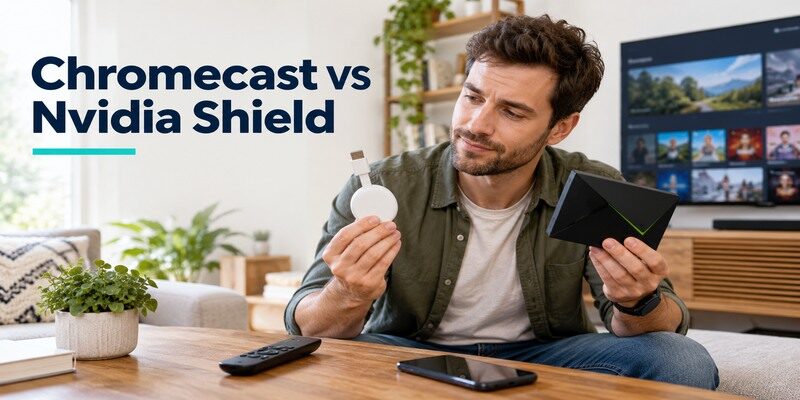
Short answer: Choose Chromecast with Google TV for simple casting and everyday streaming, and choose Nvidia Shield TV Pro when you need Ethernet, USB storage, Plex Media Server, or advanced playback controls. Google’s newer Google TV Streamer is a separate successor worth comparing for a current purchase. Older casting-only Chromecast devices do not offer the same on-TV interface as either remote-equipped option. This chromecast vs nvidia shield guide starts by identifying the hardware, then tests the differences that actually matter in a living room.
Chromecast vs Nvidia Shield: Decision in 60 Seconds
Both can bring Google-oriented entertainment to a TV, but their roles differ. Chromecast with Google TV is a compact streaming dongle with a voice remote; Shield TV Pro is an expandable Android TV box. The tube-shaped standard Shield TV sits between them on some features. A legacy Chromecast without Google TV is primarily a casting receiver. Pick the device that satisfies your most demanding weekly task, not the one with the longest list of formats.
For chromecast vs nvidia shield, begin with the role of the box: receiver, everyday app launcher, or home media server. The answer changes sharply across those three roles even if every device can open a familiar video service.
| Your top task | Start with | Check before buying |
|---|---|---|
| Cast supported apps from a phone | Chromecast with Google TV or existing Cast device | App, network, and device generation |
| Browse services with a remote | Chromecast with Google TV, Google TV Streamer, or Shield | Current app support and interface preference |
| Host a Plex library or connect USB drives | Shield TV Pro | Drive, network, and server requirements |
| Wired streaming in a fixed cabinet | Shield TV Pro or Google TV Streamer | Port and cable route |
| Replace an old casting-only device | Current remote-equipped option | Whether a TV interface is actually needed |
If you mostly cast from a phone
The Chromecast family was built around the Cast button in supported apps. Chromecast with Google TV also accepts remote navigation, so a phone is an option rather than the only way to browse. NVIDIA Shield supports compatible casting as part of its Android TV setup, but that alone may not justify a more elaborate box. The chromecast vs nvidia shield decision is simple if casting a few apps is your entire use case: first verify the existing device still works.
For the differences between casting controls and a virtual remote, see the Chromecast remote app guide before choosing a device.
If you manage your own media
NVIDIA’s Shield TV Pro documentation describes USB expansion and Plex Media Server. That is materially different from selecting a Netflix title on a Chromecast. A Chromecast can be a client for compatible media apps, but it is not the same server and storage arrangement. For difference between chromecast and nvidia shield, draw whether the files live on a separate NAS, computer, or the streamer itself. The location changes which hardware you need.
Read more: Fire TV Stick vs Nvidia Shield: Which Streaming Device Should You Buy?
Identify the Chromecast Generation First
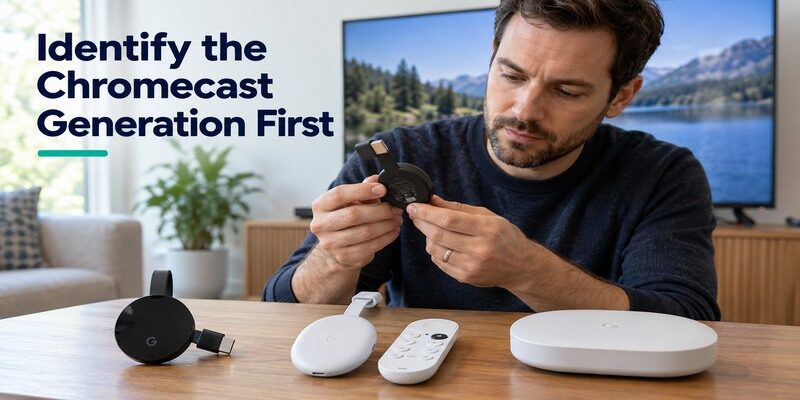
“Chromecast” spans several generations. Older devices rely on Google Home for setup and a phone or compatible app for casting. Chromecast with Google TV HD and 4K has a TV interface and included remote. Google TV Streamer is a newer set-top product with different ports and specifications. Google Store’s official comparison lists the Streamer and Chromecast with Google TV separately. Do not compare a casting-only dongle against Shield Pro as though both have app grids.
The chromecast vs nvidia shield search result may name a discontinued or secondhand Chromecast listing. Read its generation and condition before comparing it with a current retail box and warranty.
Casting-only Chromecast
A legacy unit can still be useful if a supported phone app sends the content you need. It does not gain a Google TV home screen or hardware remote after an app update. The phone and receiver must be on a network where they can discover each other. If your household needs a shared remote, that limitation matters more than a theoretical picture-quality comparison. For chromecast vs nvidia shield, the old hardware represents a simpler control model.
After identifying the model, follow how to set up Chromecast for the appropriate phone-based or remote-assisted setup route.
Chromecast with Google TV and its successor
The HD and 4K Chromecast with Google TV variants have different output capabilities; verify which one is in a listing. Google’s Google TV Streamer is a distinct box, not a renamed Chromecast dongle. It offers its own hardware features, including Ethernet according to Google’s specifications. Availability and pricing vary by region. A chromecast vs nvidia shield 2026 buying guide should include this newer alternative rather than implying remaining Chromecast stock is the only Google route.
Read more: Fire TV Stick vs Chromecast: Which Fits Your TV Better?
Compare Casting and Everyday Navigation
Google Cast can be convenient when a phone is already in hand, while a remote is easier for guests and shared viewing. Chromecast with Google TV and Shield TV both offer on-TV navigation and compatible casting, subject to app behavior and network. The difference is the implementation of the TV interface and additional hardware capabilities. Test the exact apps and controls you use rather than assuming that the word “Google” makes every menu identical.
Cast from a supported app
Look for the Cast icon in the app, select the correct device, and confirm the phone and receiver can communicate locally. A guest network that isolates clients can prevent discovery even when both devices have internet. Try a second app if only one Cast target fails to appear. In chromecast vs nvidia shield, the casting experience may depend more on the app and router than on raw processor speed. Screen mirroring is a different workflow with its own compatibility limits.
Use the remote without a phone
Chromecast with Google TV and Shield include remotes; a casting-only Chromecast does not. Google TV’s recommendations and Shield’s Android TV presentation differ by software release and region. Check Home, Back, direction, and voice search with your preferred service. If navigation works but TV volume does not, configure equipment control for the television or soundbar. Do not mistake a volume-button issue for a lost network connection.
To inspect the Google handset’s buttons and setup, read the Chromecast with Google TV remote guide before comparing its controls with the Shield remote.
App Availability and Account Setup
Both remote-equipped options use Google account services, but an app may support one device or region differently. Streaming subscriptions remain separate from hardware sign-in. A niche live-TV service can be the deciding factor, so inspect its current device-support page and the store listing for the exact model. “Android TV compatible” is a starting point, not proof that every app version and feature is identical.
In chromecast vs nvidia shield, the most consequential compatibility difference may be one regional service rather than the headline number of apps in a store.
Verify the one app you cannot lose
Write down its name, country, desired resolution, and whether it needs a remote or casting. Check the app developer’s current support information, then confirm it in the device’s store where possible. If the service is missing or limited, choose an alternative device or service before purchase. The nvidia shield or chromecast for streaming choice should be based on this real dependency. A trial sign-in after setup can confirm it before the return window ends.
Keep household profiles practical
Google account sign-in sets up the device, but individual streaming apps may need separate profiles and credentials. Decide who can buy content and how children will switch profiles in supported services. A remote-equipped option makes it easier for a guest to browse without borrowing the owner’s phone. An older Chromecast may be sufficient in a single-user room. For chromecast vs nvidia shield, account friction can matter more than optional technical features.
Read more: How to Set Up Nvidia Shield TV & Shield TV Pro (Step-by-Step)
Playback Quality and Upscaling
NVIDIA lists AI-enhanced upscaling for Shield, with model-dependent limits. Google lists output formats for Chromecast with Google TV and its Streamer. Upscaling changes the presentation of lower-resolution material; it does not create native detail. Native 4K, HDR, and surround sound require compatible content, service tier, TV, HDMI path, and receiver. Compare the same title and settings on one TV before claiming a universal picture winner.
| Playback question | What to verify | Why it changes the result |
|---|---|---|
| Does it output 4K? | Exact HD or 4K model and service plan | Device label alone is insufficient |
| Does upscaling matter? | Resolution of your usual content | Native 4K leaves less to upscale |
| Is HDR supported? | Title, app, TV input, receiver, device | Every link must cooperate |
| Is surround audio available? | Source and audio chain | Pass-through and decoding differ |
Lower-resolution channels
A live channel or older show can be a more revealing test for Shield’s upscaling than a native 4K demo. NVIDIA describes AI-enhanced upscaling on supported models, while the TV itself may apply sharpening. Turn off or document TV processing if you compare. The chromecast vs nvidia shield which is better answer may vary by content. A viewer who dislikes aggressive sharpening can prefer a less processed image even when another mode appears crisper.
4K and HDR titles
Check the exact Chromecast HD or 4K variant and Shield model, then play a title that your service identifies as 4K or HDR. If the interface works but the title blanks, inspect the receiver, cable, and TV HDMI mode before blaming the streamer. A menu’s resolution is not the content stream’s resolution. For chromecast vs nvidia shield, the whole chain can erase an advantage advertised on the box.
Before adding drives or a media server, complete the initial NVIDIA Shield TV setup and verify that a regular streaming title plays correctly.
Read more: Westinghouse TV Remote App: Roku TV Setup and Phone Controls
Network and Physical Connections
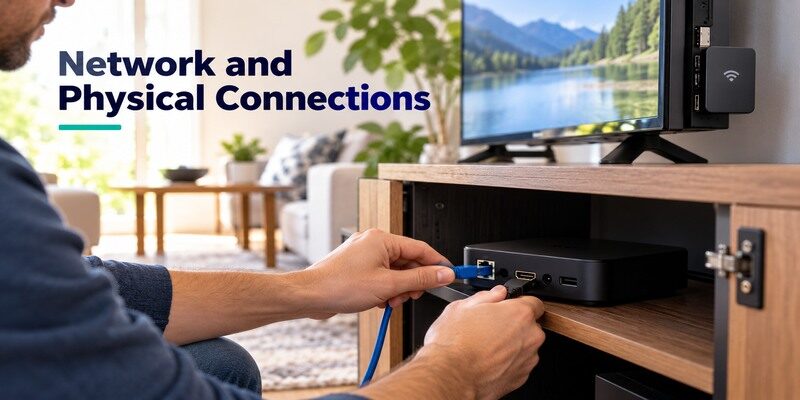
Chromecast dongles generally use Wi-Fi, with model-compatible Ethernet power accessories as an option; Google TV Streamer has an Ethernet port. Shield TV Pro has built-in Ethernet and USB ports according to NVIDIA’s official specifications. A wired route is useful only if a cable reaches the TV area and your internet or local server is stable. The tube-shaped standard Shield has a different port arrangement, so do not borrow Pro instructions blindly.
Test Wi-Fi where the TV sits
Measure and observe streaming from the room, not next to the router. A TV and soundbar may partly shield a dongle’s radio, and a congested network can affect either device. If a stream buffers, test another service and a second device to separate app problems from local Wi-Fi. A chromecast vs nvidia shield purchase will not fix the household broadband bottleneck if every screen stutters. Try router placement or a wired path first.
Plan Ethernet and storage cables
For a fixed cabinet, Shield Pro’s built-in ports simplify Ethernet and USB planning. Google TV Streamer’s Ethernet makes it another current option if you do not need Shield’s Plex server and expansion. A Chromecast with Google TV accessory must be checked for compatibility and power delivery. The nvidia shield or chromecast for streaming choice depends on what plugs into the device after purchase, not just the HDMI cable visible in a product photo.
Local Media and Plex Use Cases
A personal media library can live on a NAS, computer, attached drive, or cloud service. A client app plays files from a server; Plex Media Server indexes and serves a library. NVIDIA documents server capability for Shield TV Pro, while supported apps on Google devices may act as clients. Define the role before buying. If a computer already hosts the library reliably, the cheaper client may meet the need.
Ask whether other rooms must play from the device at the TV. If yes, chromecast vs nvidia shield becomes a server-planning question with network, drive, and uptime implications.
When Shield Pro is the server
Check drive format, capacity, external power, network, and whether simultaneous clients need transcoding. A supported media server still has limits that vary with file type and workload. Keep the Pro powered and connected when other rooms use it. NVIDIA’s Shield Pro guide explains the official setup route. This is the strongest chromecast vs nvidia shield distinction for a household that wants one box at the TV to host media.
When a Chromecast is only the client
Install a compatible app or cast from a supported media app, and let an existing server do the library work. Test a real file, subtitles, and audio format, not just the app’s home screen. Network throughput can matter for high-bitrate files. If your library is small and already served by a NAS, a Chromecast with Google TV may be perfectly adequate. The Shield’s extra ports would not necessarily improve that particular use.
Read more: How to Set Up Chromecast and Chromecast with Google TV in 7 Steps
Price, Longevity, and Upgrade Timing
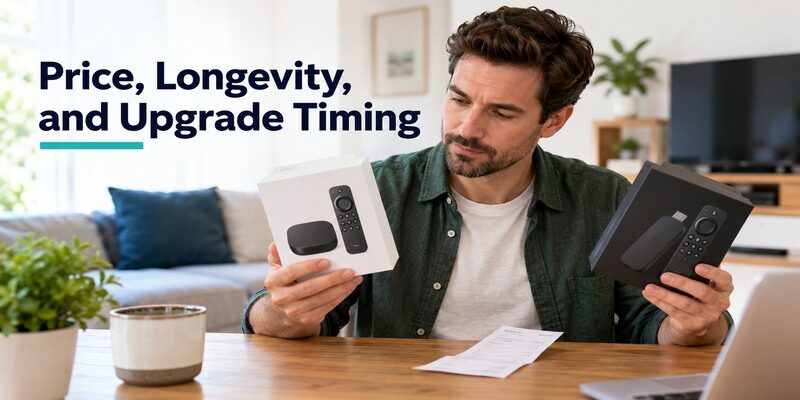
Prices and stock change, so compare current local listings only after confirming full model names. A discounted older Chromecast, a current Google TV Streamer, and a Shield Pro are not equivalent offers. Consider software support, app availability, warranty, and whether a used unit includes its correct power supply and remote. The cheapest purchase can become frustrating if it lacks the exact app or connector you need.
Keep the receipt and test the one feature that justified the purchase soon after installation. A chromecast vs nvidia shield decision based on Plex, casting, or a specific audio format should be validated in the actual home setup.
Upgrade an existing Chromecast only for a reason
If casting still works and your apps remain supported, a new box may add little. Upgrade when the household wants a physical remote, a TV-based app interface, better network options, or local media duties. For chromecast vs nvidia shield 2026, the Shield Pro is a substantial shift in role, not merely a newer Chromecast. The Google TV Streamer may cover the middle ground for a new remote-equipped purchase.
Check long-term fit
Make a list of must-have services and hardware connections before evaluating a sale. Confirm updates and compatibility from official manufacturer and app pages; neither is guaranteed forever. A user with a complex receiver should check formats carefully. A guest-room TV can favor simplicity. The chromecast vs nvidia shield choice is best treated as a fit to your current setup with room for foreseeable needs, not an abstract future-proofing contest.
Remote Problems and Phone Fallback
A missing handset is a practical problem on remote-equipped devices. Google’s virtual remote and NVIDIA’s official Shield TV Remote app can provide navigation on supported hardware if the phone and streamer can reach each other. Older casting-only Chromecast devices already use a phone for ordinary playback. Check batteries, pairing, and local-network access before buying a new streamer because the remote failed.
Restore the device’s connection
If the phone app cannot discover a device after a router change, the streamer may still remember an old Wi-Fi network. Restore network access using the available physical control or supported setup route; a phone remote cannot operate an offline device merely because both have internet elsewhere. In chromecast vs nvidia shield, this recovery dependency is similar even though the official apps differ. Keep the TV’s original remote for input switching.
Use an appropriate phone controller
The can be a phone-based fallback for a supported TV or streaming device when a physical remote is unavailable. Check compatibility and place the phone on a reachable local network. It will not supply power or correct an HDMI input. When comparing chromecast vs nvidia shield for a household prone to misplaced remotes, account for both the official virtual controls and a compatible general TV controller.
Read more: Sceptre TV Remote App: What Works for IR and Smart Models
Chromecast vs Nvidia Shield FAQ
Is Nvidia Shield just a more powerful Chromecast?
No. They overlap in supported streaming and casting, but Shield TV Pro offers USB expansion and Plex Media Server functions. Chromecast generations also differ: an older casting-only unit has no Google TV home screen, while Chromecast with Google TV does. Compare roles before specifications.
Can Shield TV receive a Cast stream?
Supported Android TV devices, including Shield, can act as compatible Cast targets, subject to the app and network. Check the current app and device support for your service. A missing Cast icon can result from a guest network or app restriction rather than hardware incompatibility.
Is Google TV Streamer the same as Chromecast?
No. Google TV Streamer is Google’s separate newer set-top product. Google’s official comparison page distinguishes it from Chromecast with Google TV. Its Ethernet and hardware arrangement may change a new-purchase comparison with Shield, so verify its exact specifications and box contents.
Does either device make every video 4K?
No. Output support does not turn an HD source into native 4K. Upscaling can change how lower-resolution video looks, but the source remains lower resolution. The app, plan, title, TV, and HDMI chain also determine HDR and audio availability.
Which is easier for guests?
A remote-equipped Chromecast with Google TV, Google TV Streamer, or Shield allows on-TV navigation without the owner’s phone. An older casting-only Chromecast generally expects a compatible casting sender. Sign-in and profiles still depend on the streaming apps you choose.
Final Thoughts
Chromecast vs nvidia shield favors Chromecast with Google TV for uncomplicated casting and streaming and Shield TV Pro for a local media hub with ports and server capability. Identify the Chromecast generation, compare Google’s current TV Streamer for a new purchase, and verify the exact Shield model. Test your essential app, network route, and real content formats. Those checks give a more useful answer than a generic performance ranking.
