
How to Clean Remote Control Buttons Safely
Short answer: Remove replaceable batteries, wipe the outside with a soft cloth using only a cleaner your remote’s manufacturer permits, keep moisture out of seams and ports, and let the device dry completely before reassembly. A sticky spill inside the case may need service or replacement.
How to clean remote control depends on its construction: a simple AA remote, a rechargeable voice remote and a solar remote have different openings and finish coatings. Do not spray a cleaner onto the buttons, immerse the device or assume a TV-screen cleaning fluid is a disinfectant. The practical sequence below starts with the gentlest exterior clean, then explains where to stop.
Check the Remote and Gather Supplies
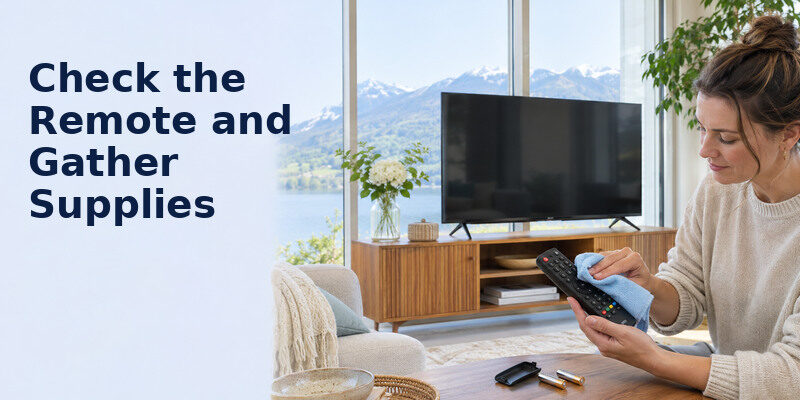
| Item | Purpose | Caution |
| Clean soft microfiber cloth | Lift fingerprints and dirt | Avoid a gritty or soaking cloth |
| Soft dry brush | Remove crumbs at button edges | No metal picks in seams |
| Manufacturer-approved cleaner | Treat an allowed smudge/disinfect | Check the exact remote guidance |
| Dry cloth | Finish and absorb residual moisture | Do not power until fully dry |
How to clean remote control is a surface-care task unless the maker supplies disassembly instructions. Keep cotton swabs and liquid away from ports and battery contacts unless the official procedure explicitly calls for them. A narrow swab can push grime into a gap; use it only very lightly on an accessible exterior edge if the maker permits. Never pour alcohol into keys or scrub printed button labels.
Identify power and openings
Look for replaceable cells, an internal rechargeable cell, charging socket, microphone grille and IR emitter. Remove the replaceable batteries before cleaning. On a sealed rechargeable remote, switch it off if the maker provides a method, disconnect charging and follow its official care page. Do not pry open a sealed device. Mark the battery orientation before removal if the symbols are hard to see.
Read the model’s cleaning instructions
A cleaner safe for one finish may discolor another. Search the remote model number on the manufacturer’s support site. Samsung, LG, Roku, Amazon and other makers revise product designs; do not transfer a specific disinfectant rule between generations. If no guidance is available, begin with a dry soft cloth and minimal exterior cleaning. For a spill into the case or battery leak, stop and seek product-specific help.
Read more: Remote Control Maintenance Tips: Batteries, Buttons, and Care
How to Clean Remote Control in Six Steps
Step 1 – Disconnect power
Turn off the TV if needed, unplug the charging cable, and remove replaceable batteries. Put loose cells somewhere safe, away from children and metal objects. Do not remove or puncture an internal battery. If the remote is hot, swollen, cracked or leaking, do not proceed with routine cleaning; isolate it according to the maker’s safety advice and contact support. How to clean remote control safely depends on whether its batteries can be removed.
Step 2 – Shake off loose debris gently
Hold the remote buttons downward over a clean surface and gently tap out crumbs. Use a soft dry brush around accessible button edges. Do not pound the case or force a stiff brush into gaps. How to clean remote control after a snack spill starts by removing dry particles; wiping them across glossy plastic can scratch it. If you use a Samsung controller, check the Samsung remote control manual for care and troubleshooting guidance relevant to your remote.
Step 3 – Wipe the outer shell
Fold a clean microfiber cloth and wipe the front, sides and underside. Pay attention to frequently held edges and the area around volume and navigation keys. Use light pressure so you do not press a button repeatedly or loosen its membrane. For a stubborn surface mark, consult the maker’s permitted damp-cloth or disinfectant method; apply a minimal amount to the cloth, never directly to the remote.
Step 4 – Clean button edges carefully
Use a dry soft brush or a barely damp cloth only where approved. Keep the remote oriented so any moisture cannot run toward seams. Do not use a toothpick to force a sticky key upward, and do not soak a cotton swab and roll it along every gap. If a key remains stuck after surface cleaning, the spill may be internal. A visible exterior clean is not proof that electronics underneath are dry.
Step 5 – Dry completely
Wipe any allowed moisture with a dry cloth and leave the remote unpowered until fully dry. Check the battery compartment edge, charging socket and button seams. Do not use a hair dryer, heat gun, radiator or direct sun to speed the process. A phone app may serve as a temporary control for a compatible TV while the remote dries, but network pairing requirements vary.
Step 6 – Reinstall and test
Reinsert dry batteries with correct polarity, close the cover and test power, navigation, volume and input. Recharge a sealed remote only when its port and case are dry and intact. If one button still repeats, fails or feels mushy, stop pressing harder. Consult the maker’s service options or replace the compatible remote. How to clean remote control safely includes recognizing when cleaning has reached its limit. How to clean remote control after a spill begins with stopping power where safe and avoiding liquid spread.
Read more: How to Save Electricity With TV: Settings and Cost Examples
Sticky Buttons, Spills, and Disinfection
A sticky button after a drink spill
Remove batteries immediately if safe, keep the liquid from spreading into openings, and wipe the exterior. Do not invert the remote repeatedly to slosh liquid through the case. If the spill reached internal contacts, a dry exterior and temporary button response do not rule out later corrosion. Check warranty and replacement availability. How to clean remote control after internal liquid damage may be a job for an authorized technician, not an aggressive home wash. For sticky Apple TV remote buttons, check whether the issue is physical or related to the remote connection before considering service.
Greasy fingerprints
Start with a clean dry microfiber cloth. If oils remain, use only the damp method and product approved by the manufacturer. Fold to a fresh section so the cloth does not redistribute grease. Avoid abrasive pads, powdered cleaner and solvents that can remove legends or soften plastic. A silicone sleeve, if compatible, may reduce future grime but should be removed and cleaned separately according to its instructions.
Disinfecting a shared remote
Cleaning removes visible soil; disinfection requires a product, contact time and method that are compatible with the remote. Manufacturer recommendations take precedence. Do not promise that a quick wipe with an unspecified solution disinfects the device. If an approved disinfectant is used, follow its label’s contact time while preventing liquid ingress, then follow the manufacturer’s drying directions. Where no compatible method is provided, use a washable protective cover or assign separate remotes if appropriate.
Battery leakage
A leaking cell is not an ordinary sticky-button problem. Avoid bare-hand contact with residue; follow battery-maker cleanup and disposal guidance, and the remote maker’s advice. Do not mix cleaning chemicals or scrape corroded contacts vigorously. If a spring has broken, the compartment is badly corroded or an internal board is affected, replacement may be more reliable. Keep children and pets away from loose cells and residue.
Read more: How to Extend TV Lifespan: A Practical Care Plan
What Not to Use
| Method | Why it is risky | Safer next move |
| Spray directly onto buttons | Fluid can enter seams | Put an approved small amount on cloth |
| Immerse or rinse under tap | Electronics and battery contacts can fail | Exterior wipe only |
| Glass cleaner/abrasive pad | May damage plastic and printed legends | Soft cloth and maker-approved method |
| Metal pick in a seam | Can tear membrane or short contacts | Soft dry brush; service if jam persists |
| Hair dryer or heater | Heat can damage battery and plastic | Air dry unpowered |
| Reinsert wet batteries | Corrosion and malfunction risk | Dry completely first |
How to clean remote control is not identical to cleaning the TV screen. The remote’s buttons and ports make liquid intrusion a bigger issue, while the screen’s coating has its own solvent restrictions. Use separate cloths for greasy controls and the display. An “electronics safe” label alone does not override the remote’s own manual. A dry soft brush is often enough for how to clean remote control when the debris is loose crumbs.
Troubleshoot After Cleaning
Remote does not respond
Check battery polarity and charge first. Make sure no cloth fiber is trapped under a button. Test the TV’s physical power control or built-in menu. A Bluetooth remote may need pairing after prolonged battery removal; use the official combination for your exact model. The can provide a compatible phone control path on supported TVs when the network is available. While the physical controller dries, explore free universal TV remote apps and check which options support your television and network.
A single button fails
Test several buttons. If only one remains sticky, the membrane or internal contact may be damaged. Surface wiping cannot reliably repair a torn dome or corroded trace. Do not force the key or drill the shell. Look up a compatible replacement with the required voice, input and device-control functions. A universal remote may control basic functions but lack a brand-specific shortcut.
Commands repeat or volume changes by itself
Look for a physically depressed button. Remove replaceable batteries to stop transmission, then inspect the key’s edge. If the TV continues changing volume with the remote unpowered, another remote, HDMI-CEC device or TV fault may be responsible. Separate the devices one at a time before replacing anything. How to clean remote control does not solve every apparent remote symptom.
Read more: How to Clean TV Screen Safely: Steps for OLED and LCD
A Simple Cleaning Routine
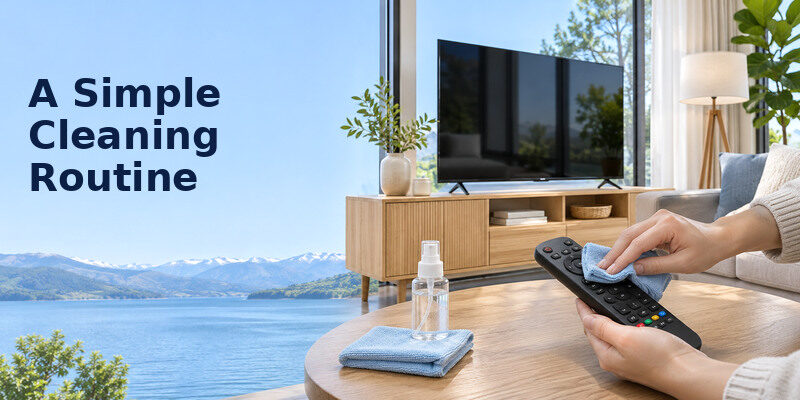
A frequently handled family remote can be wiped when visibly dirty and checked during normal room cleaning. There is no universal weekly disinfection mandate for all homes. After food or a spill, act promptly. Periodically inspect keys, the battery cover, charging port and casing. Keep snacks and liquids on a separate table if possible. Store the remote on a stable tray away from pets and young children.
Make cleaning accessible
For someone with limited dexterity, a large-button remote can reduce accidental presses, but it also has more surface area around keys. A fitted washable cover may help only if it does not block the IR emitter, charging contacts, microphone or battery access. Use a distinct high-contrast location so the remote is not lost between cushions. Keep the routine short enough that it actually happens.
Record a recovery path
Photograph the exact remote model and save official pairing steps. Know the TV’s physical power button. If a remote must dry for a day or be replaced, a compatible app can be convenient, but it may not work before the TV is connected to the same Wi-Fi or if the model lacks network control. For longer-term care, see remote control maintenance tips. How to clean remote control for hygiene requires a maker-approved disinfectant and its proper contact method. If you use a Hisense controller, our Hisense remote battery replacement guide explains how to check battery size, polarity and common power problems.
Read more: Best Tech Gifts for Seniors: Useful Choices in 2026
Choose the Next Step by the Type of Dirt
Loose crumbs
Dry debris should be removed before any wipe. Hold the unpowered remote buttons down and use a soft brush around reachable edges. How to clean remote control after snacking does not require a wet solution when the problem is dry crumbs. If a key remains jammed, stop rather than pushing a tool into the membrane. Test the key after reassembly and check whether it springs back freely.
Skin oils and fingerprints
A clean microfiber cloth may lift surface oils. If it does not, consult the maker’s approved damp method and apply a small amount to the cloth, never to the device. How to clean remote control in a shared household may involve frequent exterior wipes, but repeated soaking is risky. Keep a separate cloth for the TV screen so grease from the buttons is not transferred to a delicate coating.
Sticky sugary liquid
A drink that entered the button seam can leave residue inside the shell. Remove replaceable batteries promptly if safe, wipe the outside and allow full drying. How to clean remote control after internal liquid exposure may require replacement or authorized service; the outside can look clean while contacts corrode. Do not reconnect a wet rechargeable remote to power or use heat to dry it. A compatible TV remote app can provide a temporary phone control option for supported televisions when the required network is available.
Disinfection after illness
Check the exact maker’s allowed product, concentration and contact procedure. A quick wipe is not automatically disinfection, and an approved disinfectant for a countertop may damage printed keys or enter ports. How to clean remote control for hygiene should balance the required contact time with the device’s moisture restrictions. A removable washable cover can be an option only if it does not block IR, microphone, charging or buttons.
Read more: How to Simplify Smart TV for Elderly Viewers in 8 Steps
When to Replace Instead of Clean
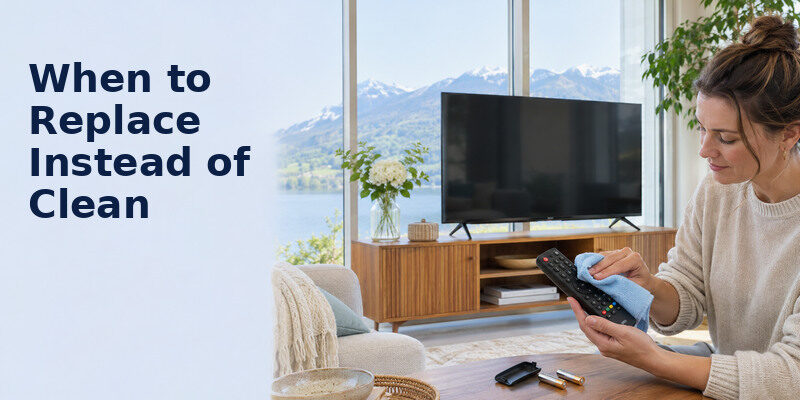
A remote with severe corrosion, a cracked case, a swollen rechargeable battery or buttons that repeat after safe exterior cleaning needs more than a wipe. Do not charge a damaged unit or continue using leaking cells. How to clean remote control has a boundary: internal liquid and electrical damage call for manufacturer service or a compatible replacement. Keep the original model number and verify every essential function before buying.
If only one app seems slow, test the remote in the TV’s built-in menu before replacing it. A network outage can mimic an input delay. How to clean remote control should not become a default response to unrelated software problems. Diagnose the symptom with batteries, physical TV buttons and another source first. How to clean remote control has a limit when internal corrosion or a damaged battery is visible.
How to clean remote control buttons safely never requires forcing a key with a sharp tool.
A Sony handset with persistent button failure may need rather than repeated wet cleaning.
If a button becomes sticky again soon after a safe exterior wipe, residue may be below the membrane. How to clean remote control does not justify soaking the case or prying it open without official instructions. A compatible replacement can be safer and more reliable than repeated chemical attempts, especially after a drink spill.
Read more: Smart TV Accessibility Features: Vision, Hearing, and Control
Frequently Asked Questions
Can I clean a remote with rubbing alcohol?
Do not assume so. Check the exact manufacturer’s instructions and any approved concentration, cloth and contact-time rules. Some surfaces or printed legends can be damaged, and liquid can enter seams. If guidance is absent, start with a dry soft cloth and seek official support for disinfection needs. Do not pour alcohol onto the device.
Can I put the remote in water?
No, unless the manufacturer explicitly rates and instructs that exact model for washing, which ordinary TV remotes generally are not. Immersion can damage electronics and batteries. Remove replaceable cells after an accidental soaking if safe and follow the maker’s service advice. Do not charge a wet remote.
How do I clean between buttons?
Use a soft dry brush gently around accessible edges. A maker-approved barely damp cloth may remove exterior residue, but do not force swabs or tools beneath a membrane. Sticky behavior after a spill suggests internal contamination. Replacement or service is safer than aggressive probing.
How often should I clean a TV remote?
Wipe visible grime as needed, and clean more frequently for a shared remote or after illness according to an approved method. The exact schedule depends on use and the manufacturer’s instructions. A quick dry exterior wipe is less risky than repeated wet cleaning without a product-specific recommendation.
Sources and Editorial Method
The Remote TV App Team based this procedure on conservative electronics care principles and the need to follow each maker’s remote-specific cleaning and battery instructions. No universal chemical, concentration or disinfection interval is prescribed because devices and finishes differ. Stop if a battery is leaking, a rechargeable unit is swollen, or liquid entered the case.
