
OLED vs QLED Comparison: Which TV Fits Your Room and Use?
Short answer: When considering OLED vs QLED comparison, choose OLED for pixel-level blacks and wide viewing angles; choose a strong QLED/Mini-LED LCD for brightness and a bright room, then compare exact models at the same price.
QLED is a broad LCD color technology label, not a guarantee of Mini-LED backlighting or local dimming. OLED has self-emitting pixels; QLED LCDs use a backlight. Those designs explain many tradeoffs, but a premium QLED/Mini-LED can beat an entry OLED on some priorities, and a basic QLED can fall far behind both. This guide uses decision cases and published model specifications rather than a single technology winner.
OLED vs QLED Comparison: Key Differences at a Glance
| Question | OLED | QLED LCD |
| How light is produced | Each pixel emits light | Backlight passes through LCD/color layers |
| Black level | Individual pixels can turn off | Depends on dimming and panel |
| Peak/sustained brightness | Varies by model | Strong Mini-LED models can be very bright |
| Viewing angle | Often wide | Depends on LCD panel/optics |
| Blooming around subtitles | No backlight-zone halo | Possible with local dimming |
| Static content | Care features and usage matter | No OLED-style image retention risk |
| Cost/size | Premium and size-dependent | Broad range from cheap to premium |
The “Q” in QLED does not make it self-emissive like OLED. A QLED set can be edge-lit, full-array, or Mini-LED, with very different contrast and brightness. Samsung’s 2026 lineup includes OLED and Neo QLED families, while TCL/Hisense use quantum-dot color in several Mini-LED lines. Compare the exact implementation, not just the label on the box.
The right comparison is model versus model
Choose the size and realistic price ceiling first. Then put a named OLED model, such as LG C6, against a named Mini-LED/QLED model in the same size. Check independent measurements of contrast, HDR brightness, reflection handling, motion, and input lag. A store’s vivid mode can distort the comparison. Read the exact SKU because panel and local-dimming features may change with size or region.
While comparing both displays, look for common TV picture quality issues such as washed-out HDR, unusual colors, or motion artifacts, and check whether they appear across different sources.
How the room changes the verdict
In a dark room, a self-emitting OLED’s black level and absence of zone blooming can be compelling. In a bright room, a capable LCD’s brightness and reflection finish may make content easier to see. A matte finish can reduce mirror-like reflections while changing perceived black appearance. Test with the window and lamps positioned like your home, from every important seat.
Picture Quality in Dark Scenes
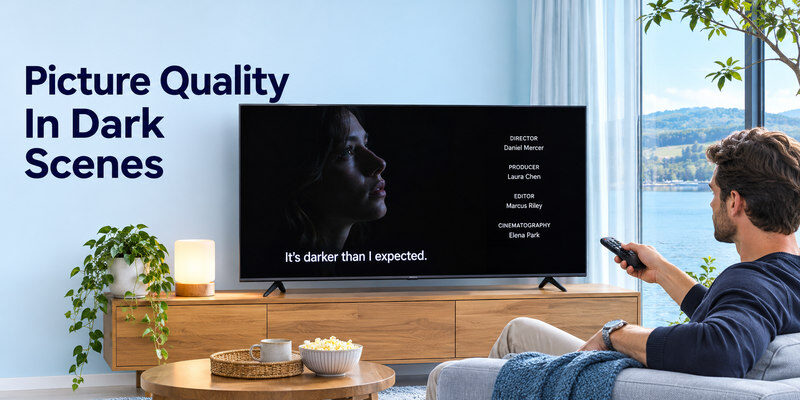
OLED pixels can switch off individually, so a white subtitle on a black screen has no backlight zone lighting the neighboring black area. This is a clear structural advantage. QLED Mini-LED models use many dimming zones to improve contrast, but the zone is larger than a pixel, so a halo can appear around small bright objects. The severity depends on zone count, control algorithm, viewing angle, and content.
Test subtitles and credits
Watch white subtitles over a dark film scene, then a star field or end credits. On an OLED, look for near-black detail and smooth gradations, not only absolute black. On a QLED/Mini-LED, look for blooming, raised blacks, or zones switching abruptly. Do not use only a static black test image; real moving content reveals processing decisions. Some viewers notice OLED near-black artifacts more than LCD blooming, so preference is personal. If the same picture problem appears after trying different content, troubleshoot common smart TV problems by checking the input, cable, picture settings, and built-in TV menu.
Basic QLED is not premium Mini-LED
An inexpensive QLED may have a conventional backlight with limited or no local dimming. Its quantum-dot color layer does not solve weak dark-scene contrast by itself. A premium Mini-LED QLED can perform far better. If a seller compares “QLED” to OLED without naming the backlight system, ask for the actual model specification and an independent review.
Read more: Best TV for Gaming: 2026 Picks for PS5, Xbox, and PC
Brightness, HDR, and Daylight Viewing
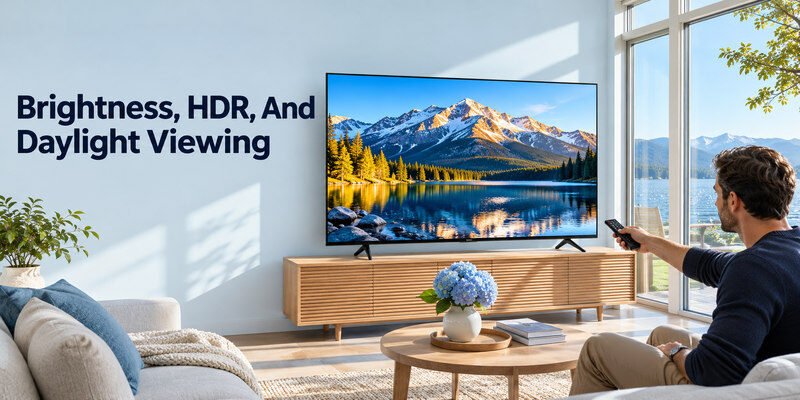
High HDR impact depends on both bright highlights and preserving dark detail. A capable Mini-LED LCD can deliver strong brightness in a bright room, while premium OLED models have improved markedly and can look excellent in many spaces. Manufacturer brightness language often uses a particular window size and picture mode. Compare independently measured peak and sustained brightness for the exact model and observe reflections in your room.
A sunny living room
If sunlight falls directly on the screen, first consider moving the TV or controlling the light. No panel is at its best with a window reflected across the picture. Then compare a bright Mini-LED and an OLED with effective reflection handling. Samsung’s 2026 S90H/S95H official comparison lists Glare Free on those OLEDs, showing that display finish is a model-level feature rather than an OLED-versus-QLED rule.
If an LG OLED is on your shortlist, our LG Magic Remote comparison explains why handset compatibility and button layout should be checked separately from panel technology.
HDR format support
HDR10 is widespread, but Dolby Vision, HDR10+, and other formats differ across models and services. LG’s 2026 C6 page lists Dolby Vision; Samsung’s lineup has its own HDR choices. If a favorite disc or service uses a particular format, verify the named TV’s support. Format compatibility alone does not guarantee excellent HDR tone mapping or peak brightness.
Read more: Best Budget Smart TV: Choose a Good Picture Without Paying for Extras
OLED Burn-In and LCD Aging
OLED’s self-emitting pixels can age unevenly under persistent static content. Modern sets include pixel care and other mitigations, and ordinary varied viewing differs from a kiosk running a static logo all day. There is no honest universal number of years before an OLED develops visible wear. Read the manufacturer’s warranty and care guidance for the exact model. LCDs can develop backlight, uniformity, or other failures; they are not immortal.
A household with static graphics
If the TV will show the same news ticker, game HUD, security-camera grid, or desktop toolbar for many hours daily, assess that pattern before buying OLED. A Mini-LED LCD may reduce concern about OLED-specific image retention, though it has other picture tradeoffs. If use is varied films, shows, and games, the OLED risk profile is different. Do not infer a guaranteed outcome from one anecdote.
Warranty terms matter
Some makers cover certain panel issues under specific conditions, and coverage changes by region and year. Read the actual written policy and local service process. A broad “10-year panel” advertisement may have exclusions; a store protection plan may differ from manufacturer warranty. Keep receipts and note the serial number. Long-term reliability data should distinguish model, usage, and age.
Gaming: Response, Refresh, and Inputs
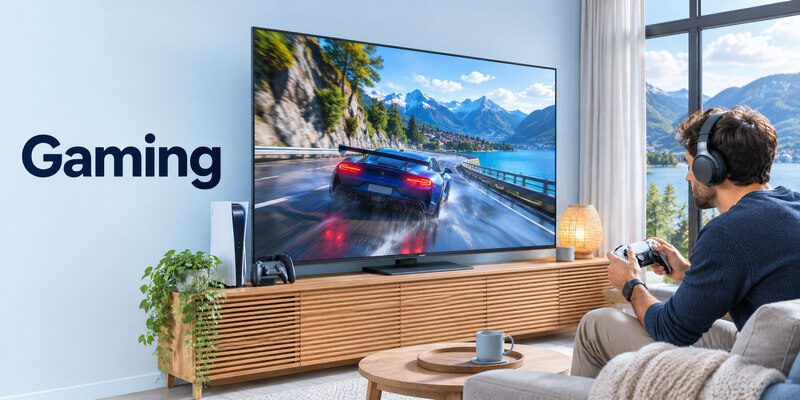
OLED generally offers fast pixel response, which can make motion crisp. A strong QLED/Mini-LED gaming TV can offer high refresh and brightness. Both categories include models with VRR and ALLM, but the exact HDMI port map and input lag matter. LG’s C6 cited US page lists 120 Hz native and VRR up to 165 Hz; Samsung’s S90H lists 165 Hz gaming motion. Those ceilings do not make a PS5 game render at 165 fps.
Console gaming
PS5 and Xbox benefit from a supported 4K/120 route, VRR when the game and console use it, and a low-latency Game Mode. Check the TV’s exact port and count how many devices can use it while eARC handles a soundbar. PlayStation recommends the included or Ultra High Speed cable for 4K/120 troubleshooting, plus a direct connection to isolate receivers. The panel technology is secondary if the chosen model cannot accept the console’s desired signal.
PC and desktop use
A PC can take advantage of higher refresh rates and desktop clarity, but static UI elements may remain visible for hours. OLED care becomes more relevant for such use; LCD subpixel layouts and viewing angle can also affect text clarity. Inspect the exact model as a monitor at the seating distance. A “240 Hz accelerator” may run only at reduced resolution, so verify the native 4K mode.
Read more: Best TV Brand 2026: Choose by Picture, Budget, Gaming, and Software
Viewing Angles, Uniformity, and Size
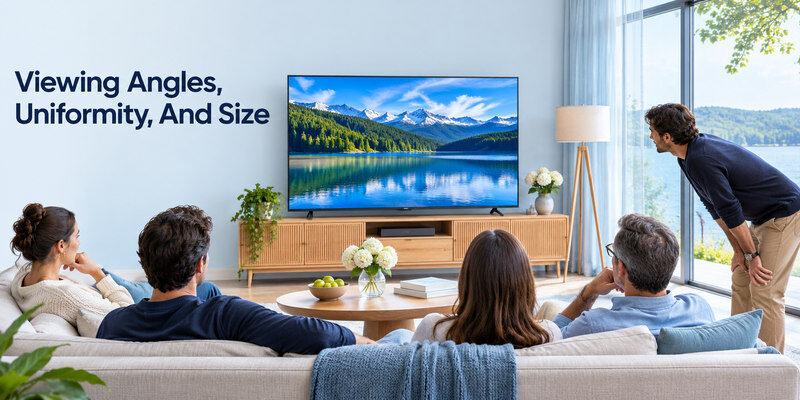
OLED often retains contrast from wider angles. LCD viewing angles vary greatly by panel type and optical layers; some models sacrifice off-axis contrast for stronger head-on blacks. In a wide seating arrangement, move to the side in the showroom or during the return window. Uniformity can vary between individual units, so a single photograph or store sample is not conclusive.
Group viewing
If several people watch from a sectional sofa, a wide-angle OLED may keep color and contrast more consistent. A Mini-LED with a wide-angle layer can be competitive but should be tested. A brighter LCD may still be preferable when those seats face a large window. View ordinary sports and a dark film from each seat.
Choose 55 or 65 inches carefully
A larger mid-tier QLED and smaller premium OLED can cost similar amounts. The larger image may be more immersive; the OLED may look better in dark scenes. Measure the wall and cabinet, not just the diagonal. Check whether the 55- and 65-inch variants share panel refresh, dimming, and port features. A product family name is not a complete specification.
If your preferred TV does not support a must-have app, compare the best streaming devices for different TVs and verify app compatibility before buying an external player.
Sound, Software, and Everyday Control
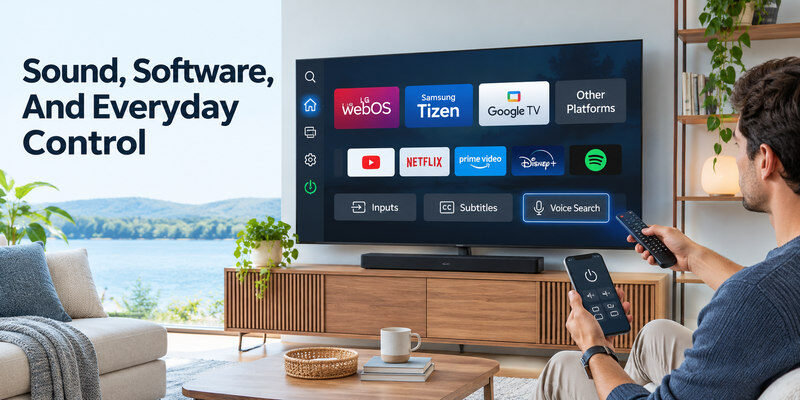
Panel technology does not dictate the TV’s app store, speakers, or remote. Compare LG webOS, Samsung Tizen, Google TV, and other platforms for your essential services and region. Test input switching, subtitles, and voice search. A separate streamer can improve software later; it cannot change black levels or reflections. A soundbar may improve dialogue on either display type, provided the TV has a suitable ARC/eARC or optical path.
Power and energy use
Power consumption varies with screen size, brightness, content, and picture mode. A dark OLED film and a full-screen bright sports broadcast can draw differently, while a high-brightness LCD also uses energy according to its settings. Compare official energy labels for the exact size and region under standardized conditions. Do not claim one technology always costs less to run.
Phone control fallback
A compatible may navigate supported, powered TVs on the required network. It does not change panel technology or add missing HDR formats. Keep a physical control option during initial setup and network outages.
A Fair In-Store and Home Comparison
- Select models of the same size and roughly the same installed price.
- Switch both to a normal or accurate picture mode.
- Compare a dark subtitled scene, bright HDR scene, sports, and a game.
- View from your normal seating angles and under similar lighting.
- Check ports, apps, sound output, written warranty, and return policy.
A demo loop is designed to flatter a display. Bring familiar legal content if the store permits, or use the return period to test in your room. Check for compression artifacts from the source before blaming the panel. A high-resolution showroom feed does not predict every streaming service’s quality.
Separate published specs from measurements
Manufacturers publish resolution, supported modes, sizes, and feature names. Independent reviewers can measure brightness, input lag, and viewing angles with stated methods. Use both. A marketing “peak brightness” claim cannot be compared fairly to another brand’s number without common test conditions. Never invent a single score to settle all use cases.
Make the conditional choice
Choose OLED when dark-room contrast and wide angles are central and your usage fits its care profile. Choose a strong Mini-LED/QLED LCD when daylight visibility, size per dollar, or static-content use is more important. A basic QLED with little dimming is a different purchase from a high-tier Mini-LED. Compare exact models, not technology badges.
Read more: How to Fix Smart TV Problems: A Symptom-First Guide
OLED vs QLED FAQ
Is OLED always better than QLED?
No. OLED has pixel-level black control, but a strong Mini-LED QLED can be brighter or better value in a sunlit room. A basic QLED may lag both. Compare exact models at the same size and price.
Does QLED have burn-in?
QLED LCDs do not have OLED’s self-emissive pixel-aging mechanism. They can still develop other failures or image issues. No display is guaranteed to last indefinitely; check model warranty and usage.
Which is better for gaming?
Both can be excellent. OLED offers fast response and dark-scene contrast; Mini-LED can provide strong brightness and less concern about static HUDs. Verify native refresh, VRR, ALLM, lag, and HDMI ports on the specific TV.
Is Mini-LED the same as QLED?
No. Mini-LED describes smaller backlight LEDs and local dimming; QLED refers to a quantum-dot color approach on LCD. A TV can use both, one, or neither.
Which uses less electricity?
It depends on size, picture mode, brightness, and content. Compare official energy labels for exact models under the same standard rather than assuming a technology-wide winner.
Model-to-Model Comparisons That Avoid Category Myths
A basic QLED against a midrange OLED
A low-cost QLED may have quantum-dot color but limited local dimming and only a 60 Hz panel. A midrange OLED can have stronger dark-scene contrast, response, and gaming ports, though it costs more and has static-content considerations. In an oled vs qled comparison, name the exact models and sizes before discussing technology. Compare a dark subtitle scene, bright sport, and the total installed price. A QLED badge by itself cannot stand in for Mini-LED, and an OLED badge cannot guarantee reflection handling in a sunny room.
A premium Mini-LED against an entry OLED
At similar price and size, a strong Mini-LED may offer higher brightness and less concern about OLED-specific pixel aging under static content. The OLED may retain black-level and viewing-angle advantages. Independent brightness and blooming measurements matter here; manufacturer “up to” claims are not directly comparable across test methods. An oled vs qled comparison that names the backlight system, panel, finish, and exact size is more useful than a broad winner. Test both from the sofa’s side seats as well as straight on.
A gamer with two consoles
Both technologies can offer 4K/120, VRR, and ALLM on the right model. Count usable ports after assigning eARC to the soundbar. OLED pixel response can sharpen motion, but a Mini-LED’s brightness may suit daytime gaming. A static game HUD used for very long sessions changes the OLED care calculation. In an oled vs qled comparison for gaming, verify input lag, VRR range, HDR Game Mode, and the actual console signal. A 165 Hz PC ceiling does not make a PS5 game run at that frame rate.
A viewer concerned about longevity
No panel technology guarantees a particular lifespan. OLED pixel wear can differ from LCD backlight or electronics failure, and warranty terms vary by model and region. Read the written panel, parts, and labor coverage. A store demo running a static logo all day is not the same use pattern as varied home viewing. An oled vs qled comparison should include service access, return policy, and operating conditions, not a blanket claim that one type always lasts longer. Keep ventilation clear and use manufacturer care settings.
Final Thoughts
An oled vs qled comparison is most useful when it compares named TVs in the same room, size, and price range. OLED’s pixel control and Mini-LED LCD’s brightness/value strengths create different best choices. Source basis: official LG and Samsung 2026 specifications, TCL/Hisense Mini-LED descriptions, and model-specific energy labels.
