
Best Budget Smart TV: Choose a Good Picture Without Paying for Extras
Short answer: The best budget smart TV is a current 4K model with the apps you use, a reliable return policy, and picture hardware that fits your room; shortlist TCL, Hisense, and Roku models by exact size and price.
A low sticker price is not enough. A 55-inch Mini-LED on sale may outperform a basic LED at a similar price, while a simple Roku TV may be easier for a household that values menus over gaming. Prices and model numbers vary by country and week. This guide explains the tradeoffs and a repeatable comparison; it does not pretend that one temporary deal is permanent.
Budget Smart TV Quick Picks by Need
| Need | Model family to inspect | Why | Verify locally |
| Better HDR for the money | TCL QM6K or current QM entry Mini-LED | Local dimming and 4K sizes | Exact model, size and sale price |
| Simple streaming interface | Roku Select/Plus series | Familiar app-first navigation | Required services and panel features |
| Feature-rich alternative | Hisense M/U entry Mini-LED | Local dimming on selected models | Native refresh, support, region variant |
| Lowest upfront cost | Basic TCL/Hisense/Roku LED | Widely available 4K options | Contrast, brightness, return policy |
TCL’s official US lineup lists QM6K in 55, 65, 75, 85, and 98 inches, but a page’s “starting at” price may refer to a different size. Hisense’s lineup shows Mini-LED and QLED families with refresh-rate footnotes by size. Verify the exact SKU and current price on the seller’s page. A store advertisement for “120 motion” may describe processing rather than a 120 Hz native panel.
Define the budget precisely
Decide whether the ceiling includes tax, delivery, mount, cables, soundbar, and an extended warranty. A 65-inch set for the same budget as a stronger 55-inch model may give a bigger picture but weaker contrast or fewer gaming features. Measure the cabinet and viewing distance before treating size as free value. Read the return policy for a large item that is difficult to transport.
Prioritize panel over software branding
A separate streaming box can replace a slow interface or missing niche app later; it cannot add local dimming or improve a panel’s viewing angles. Confirm the TV has your essential services, but spend the comparison effort on brightness, contrast, reflection handling, and size. A budget TV with a decent panel and a usable HDMI port can remain useful even after its built-in software ages.
Read more: Best TV Brand 2026: Choose by Picture, Budget, Gaming, and Software
Compare Picture Hardware at the Same Price
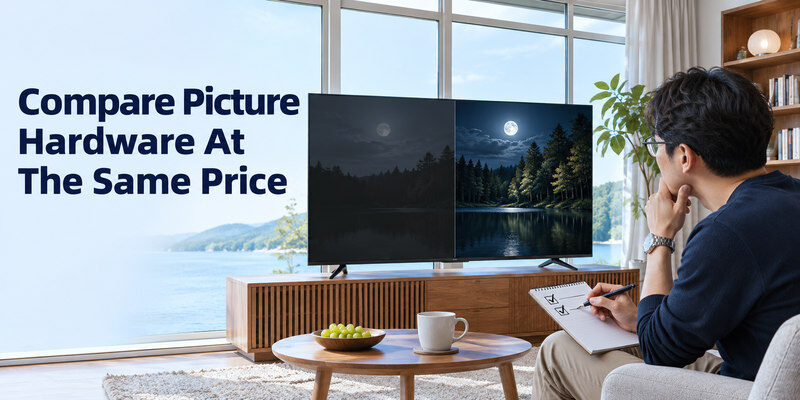
A budget Mini-LED with local dimming can improve dark-scene contrast compared with a basic edge-lit LCD, but zone counts and control matter more than the words on the box. A QLED color layer does not guarantee local dimming. Compare ordinary content in a normal picture mode. Look for halos around subtitles, dark corner uniformity, and whether a sunlit scene remains visible in your room.
Dark room checks
Play a film scene with black bars and subtitles. A set without effective dimming may look gray; a budget local-dimming set may show blooming around white text. Decide which tradeoff you notice from your seating position. Store demo loops are often bright and saturated, hiding both problems. A return window is useful when you cannot evaluate the TV under home lighting before purchase.
Bright room checks
Face the screen toward a window or lamp if possible and assess reflections. Manufacturer peak-brightness claims may use small highlights under test conditions, not sustained full-screen brightness. For a value purchase, check a credible independent measurement of the exact model where available. A matte finish can reduce visible reflections while changing perceived dark-scene contrast; choose for the actual room. If you plan to use an external player, compare the best streaming devices for different TVs and check whether your essential apps support the exact device.
Read more: Best LG TV Remote App in 2026: 8 Top Picks Compared
Native Refresh and Gaming Claims
Many affordable TVs use 60 Hz native panels even when marketing mentions “120” or “240” motion. Some game-accelerator modes reach higher refresh by reducing resolution. Read the exact model’s native refresh, HDMI input modes, VRR range, and ALLM support. For a PS5 or Xbox, 4K/120 requires a compatible TV input and cable, not just a console setting. A 60 Hz TV can still be enjoyable for many games; do not pay for a feature you will not use.
Console basics
Test Game Mode, input response, and HDR with your actual console if the return policy allows. A TV may have low input lag at 60 Hz but modest HDR brightness. A published “HDMI 2.1” label does not guarantee every HDMI 2.1 feature on every port. Count the ports you need for a console, streamer, and soundbar. An eARC soundbar may occupy a valuable input. To distinguish a source problem from a possible display defect, review these common TV picture quality issues and compare the affected content with the TV’s own menu or picture test.
PC gaming caveats
A PC can drive refresh modes beyond what a console game uses, but the TV’s panel and HDMI port must actually accept them. Check chroma, resolution, and VRR details for the exact size. A product page’s highest Game Accelerator number may apply at a reduced resolution. If gaming is occasional, favor a better all-around picture over a large headline refresh number.
Smart Platform and App Availability
Roku TV, Google TV, Fire TV, Samsung Tizen, and LG webOS offer different menus and account flows. Budget TCL and Hisense models can use different platforms by country or retailer, so check the carton and exact SKU. Open your must-have streaming apps in the store before buying. If a service is missing or its interface is slow, an external streaming device may help, provided the TV has a free HDMI input.
Navigation speed
Try moving from Home to Settings, switching HDMI inputs, and opening a major app. A slow store demo network can distort app-loading impressions, so compare menu response separately from internet speed. Storage and software updates affect longevity. Manufacturer promises about feature updates vary; do not invent a fixed support period unless the model’s official terms state one.
Privacy and accounts
Read what the platform asks for during setup. Some features need an account while basic HDMI viewing may not. Review advertising and viewing-data settings rather than tapping through every prompt. A physical remote with clear input and volume keys is valuable in a shared household. Confirm whether a phone remote requires the TV to be on the same network. For two popular streaming options, compare Fire TV Stick vs Chromecast and verify that your preferred services support the device you choose.
Read more: Best TV Remote App for Android in 2026: 8 Apps Compared
Sound and Connectivity Worth Paying For
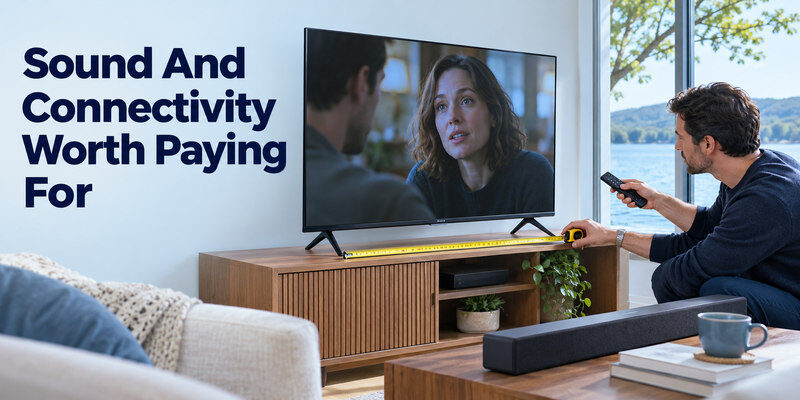
Built-in speakers on thin budget TVs can make dialogue hard to hear. Test speech at a normal level and check whether the TV has an HDMI ARC/eARC port for a future soundbar. Optical output or Bluetooth audio can help other setups, but these are model-specific. Do not assume Bluetooth for a remote means Bluetooth headphone output. Check Wi-Fi stability and Ethernet availability if streaming will be the main use.
Plan the soundbar path
A TV with eARC can send audio to a compatible soundbar, but the TV and bar still need matching ports and formats. If you already own a bar, note its inputs before purchasing the TV. A set with only two HDMI ports may feel cramped once one handles eARC. An optical fallback can be useful, although it may not support the same formats or remote volume control.
Check physical fit
Measure the stand width and height, VESA mount pattern, cabinet depth, and cable clearance. A center stand can fit a narrower cabinet than two wide feet. A 65-inch TV may need a larger delivery plan even if its sale price is attractive. The cheapest online listing is not the cheapest usable installation if a mount or furniture change is required.
Budget Models and Price Volatility
| Item on a listing | Useful evidence | Red flag |
| Exact model code | Match official manufacturer specs | Generic family name only |
| Native refresh rate | Panel specification | Motion marketing substituted |
| Local dimming | Named zones/system, independent test | “QLED” used as proof of dimming |
| HDMI port map | Supported modes by port | “HDMI 2.1” without feature details |
| Return terms | Written local seller policy | Final-sale large item without inspection |
A model that is “under $500” this week may not be under that amount next month or in another region. Compare current local listings, taxes, shipping, and stock. A prior-year higher-tier TV on clearance can beat a new entry model, but inspect warranty start and condition. Do not use a US price as a promise for a Vietnamese, European, or other market.
Refurbished and open-box choices
A refurbished premium model can offer better picture hardware at a lower price, but warranty, panel condition, and return rights matter. Ask about dead pixels, uniformity, hours used if available, included remote, and stand. An open-box TV with missing feet or no return can erase the savings. Test all important HDMI ports and Wi-Fi before the return window ends.
Avoid unnecessary add-ons
A costly “premium HDMI” upsell does not improve picture when a suitable working cable already carries the signal. An extended warranty should be evaluated by written coverage and price, not by a salesperson’s general claim about TV failure. A soundbar can improve dialogue, but buy it after you hear the TV’s speakers in your room. Spend first on the shortcomings you actually observe.
Read more: Best TV Remote App for iPhone in 2026: Which One Fits Your TV Brand?
One-Hour Home Acceptance Test
- Inspect the panel and frame for transport damage.
- Connect Wi-Fi or Ethernet and install official updates.
- Open your essential apps and play a dark and bright scene.
- Test one HDMI source, speaker output, and remote input switching.
- Check reflection, viewing angle, and subtitle clarity from normal seats.
- Save packaging and document any issue within the return period.
This test is more valuable than a long feature list because it uses the real room and sources. A defect that appears only in one streaming title may be compression or a service problem; compare a second app. A visible band or dark patch across the TV’s own menu deserves prompt seller or manufacturer attention.
Keep the setup simple
Use a normal or filmmaker-style picture preset as a starting point when available. Vivid store mode may exaggerate color and sharpening. Adjust room brightness and motion processing gradually, using the same content after each change. Do not factory-reset a new set because one app buffers; first compare network and service performance.
Control without the handset
A compatible can help navigate a supported, powered TV on the required network after setup. It cannot replace initial account entry when the TV is unreachable or add an app the platform lacks. Check compatibility before treating phone control as a purchase criterion.
Best Budget Smart TV FAQ
Is Mini-LED always better than a basic LED TV?
It can improve contrast and brightness, but implementation differs. Compare the exact models at the same size and price, especially haloing, viewing angles, and reflections. A label alone is not a measurement.
Should I buy a bigger TV or better picture quality?
Measure viewing distance and cabinet fit, then compare a stronger smaller model with the larger one. A bigger picture can be more immersive; poor contrast or a narrow viewing angle may bother you daily. There is no universal choice.
Does a cheap smart TV need an external streamer?
Not if its built-in apps and menus meet your needs. A separate streamer can later improve software usability or add a service, but it cannot change panel brightness or contrast.
Is a 60 Hz TV bad for gaming?
No. Many games and sources run at 60 Hz. Pay for 120 Hz, VRR, and appropriate HDMI ports when those features matter to your console or PC and the exact model supports them.
Which budget brand is most reliable?
A credible ranking requires comparable long-term failure data by model and usage. Instead, check exact-model reviews, written warranty, local service access, and return policy. Do not infer reliability from a few store ratings.
Budget TV Choices by Household
A bedroom screen used mostly for streaming
The best budget smart tv for a small bedroom need not have premium HDR if the viewer watches mostly shows at modest brightness. Prioritize a suitable size, clear dialogue, required apps, responsive remote, and stable Wi-Fi. A 43- or 50-inch model may leave room in the budget for a simple soundbar. Compare the exact SKU in the country where it will be used. A TV’s platform can age, but an HDMI streamer can later refresh software; a poor panel cannot be replaced without replacing the set.
A bright shared living room
In daylight, reflection handling and usable brightness matter more than an impressive app count. Compare a discounted Mini-LED model with a basic LCD at the same delivered price. The best budget smart tv is not necessarily the cheapest 65-inch screen if its picture washes out from the side sofa. Try a normal picture mode, a bright sports broadcast, and a dark scene. Check whether a QLED label includes meaningful local dimming. Read the exact-size review, as panel and zone features can differ within a series.
A console household
A budget TV can be fun for gaming at 4K/60 with a responsive Game Mode. If 4K/120 and VRR matter, verify the native panel, port map, input lag, and enhanced-input setting instead of trusting “motion 120.” A soundbar on eARC may occupy a gaming-capable HDMI port. The best budget smart tv for two consoles therefore needs enough usable inputs after audio is connected. Test the console directly, inspect its video information, then add a switch or receiver only if it passes the required mode.
An older relative who values simple controls
A streamlined remote, readable menus, captions, and easy input selection may outweigh aggressive recommendation feeds. Test the platform with the actual user, including a return from an HDMI source to live TV. A voice button is useful only if the language and service are supported. The best budget smart tv for this household might be a simple well-supported model with a sturdy physical remote. Confirm replacement availability and a physical power/input button for recovery.
Ownership after the sale
Include delivery, stand fit, mounting, soundbar, and power use in the total. An inexpensive set with a poor return policy can be a bad risk if the panel has visible uniformity defects. Check warranty and local repair before ordering. A price comparison should record date, region, and full model suffix; promotions make an evergreen ranking unreliable. This final step identifies the best budget smart tv as an actual purchase, not a feature list detached from stock and cost.
Final Thoughts
For the best budget smart tv, compare exact models at the same size and installed price. Favor the picture and connectivity you cannot upgrade later, verify the apps and return terms, and test the set in your room. Source basis: official TCL and Hisense model specifications; confirm current local prices and size-specific features before purchasing.
