
Simple TV Remote for Elderly: How to Choose and Set It Up
Short answer: Choose a large-button remote that controls the exact TV and any cable box, then hide or avoid keys the viewer never needs.
A simple tv remote for elderly viewers should reduce daily mistakes without removing necessary navigation. A six-function remote can be excellent for live channels but insufficient for streaming apps that need arrows, OK, Home and Back. The correct choice depends on the television, attached devices, vision, hand strength and routine. This guide compares named remote types, shows what to check before buying, and gives a setup test the intended viewer can complete independently.
Simple TV Remote for Elderly: Choose by Viewing Routine
| Daily viewing | Remote type to try | Essential buttons | Limitation |
| Live TV via cable or antenna | Flipper-style simplified TV/box remote | Power, channels, volume, mute | Few or no app-navigation keys |
| TV and one additional device | One For All URC6821 Big Button | Large navigation and device functions | Exact code/learning compatibility needed |
| Mostly Roku/Google/Fire TV apps | Official platform remote or compatible large-key alternative | Home, arrows, OK, Back, volume | A basic IR remote may not pair for voice/apps |
| Caregiver phone backup | Compatible Remote TV App | On-screen navigation | Network and initial pairing required |
Flipper’s official site describes six core functions and a TV plus cable/satellite setup with favorites. One For All describes its URC6821 as a big-button remote combining two devices with a learning function. Neither is a universal answer for every smart-TV app. A simple tv remote for elderly people who use Netflix may need navigation keys absent from a live-channel-only remote. Check the full model, return terms, and actual daily tasks before ordering. For a closer look at multi-device controls, compare universal remotes for TVs and connected devices and check whether each remote supports the equipment used every day.
One remote or two?
A television plus cable box may require the TV for power/volume and the box for channels. A compatible learning or combination remote can reduce the need to switch devices. Streaming sticks often use Bluetooth/RF pairing and platform-specific Home and voice features; a generic IR remote may not duplicate them. Count the actual devices and write down which remote currently performs each action. A simple tv remote for elderly users should control the full routine, not only turn on the TV during a store demonstration.
What a minimal remote cannot do
Flipper’s six-function design is deliberately focused. That can prevent accidental input changes for a viewer of live channels, but it may not open a streaming app, type a password or navigate a TV’s accessibility menu. Keep the original remote in a known place for setup and unusual tasks. If the viewer uses apps every day, choose a remote with distinct Home, Back, directional and OK keys, or simplify the platform’s home screen separately.
Read more: Easy Smart TV for Seniors: What to Buy and How to Set It Up
Check Compatibility Before Buying
Find the exact model number of the TV and cable/streaming box. Determine whether their current remotes use IR, Bluetooth, RF or a mix. A replacement that learns IR may control power and volume but not a Bluetooth voice interface. Check the maker’s supported-device list or programming codes and confirm the vendor accepts a return if your exact combination does not work. “Universal” is a coverage claim, not a guarantee.
IR line of sight and learning
An IR remote needs a clear path to the device’s receiver. It can sometimes learn commands from the original remote, provided the original still works and the new remote supports learning. One For All advertises a learning feature for URC6821; verify the steps for the market version you buy. A simple tv remote for elderly viewers should be tested from the actual chair, not only at arm’s length. A soundbar or decoration can block the TV’s IR sensor.
Streaming device pairing
Roku, Fire TV, Apple TV and Google TV remotes differ by model and generation. Some use IR for TV power but Bluetooth/RF for navigating the streamer. An inexpensive big-button IR remote may operate a TV without controlling the streaming interface. Check the platform’s official compatible accessories. If a full replacement is unavailable, the original streamer remote plus a simplified TV setup may be more reliable than forcing one remote to do an unsupported job. A simple tv remote for elderly viewers should pass the power-on test with the cable box and soundbar connected. Before programming, learn how to find the correct universal remote code for the controller’s exact model and the device you want to operate.
Cable box and soundbar
The TV’s channel buttons may do nothing when the channels are supplied by a cable box. Program the remote to the box as well as the TV, then test power, channel, volume and mute. A soundbar on HDMI ARC/eARC may follow TV volume through CEC; optical may need separate IR learning or a bar remote. A simple tv remote for elderly households should not leave the person with sound but no way to lower it after an input change.
Read more: How to Control TV With Voice Without Remote: Phone & Smart Speaker Guide
Button Design That Helps in Daily Use
Large buttons alone do not guarantee ease. A remote should have readable high-contrast labels, enough spacing to avoid double presses, a comfortable grip, stable orientation and a power button distinct from volume. Tactile shapes can help a person locate controls without looking. A glossy touchpad or pointer may be difficult for some viewers but useful for others; let the actual user try it.
The six functions for live TV
For a viewer who mainly watches one cable or antenna source, power, channel up/down, volume up/down and mute may cover most days. Favorites can reduce channel hunting where the remote and box support them. Test what happens if the TV starts on the wrong HDMI input. A minimalist remote with no Input key may then need the original remote or TV buttons for recovery. Write that rescue step on a large-print card.
The extra keys for streaming
Home, Back, arrows and OK are often essential to launch apps, browse titles and exit a wrong menu. A voice button can reduce typing, but it needs compatible hardware, a supported language and internet. A simple tv remote for elderly viewers who stream should prioritize a predictable way to return Home over a row of paid-service shortcuts they never use. Try searching for a familiar program with the user before choosing a remote.
Large print and contrast
Dark text on a light key or light text on a dark key may be more readable than subtle gray printing. Check labels under the room’s evening lighting, not only in daylight. A backlit remote helps in a dark room, but batteries and model compatibility matter. Do not assume every older viewer wants the largest possible key; some prefer a smaller remote that is easier to hold. Focus on the viewer’s hands and eyes rather than age alone.
For an Amazon streaming setup, check whether a universal remote works with Fire TV and verify navigation and voice support for the exact device.
Set Up a Simple TV Remote for Elderly Viewers
Step 1 – Establish a working baseline
With the original remote, confirm the TV, box and soundbar all function. Record the TV model, source input, cable-box model and volume route. Replace weak batteries. Do not start by factory resetting a working device. This baseline lets you identify whether a later failure comes from programming the new remote or from the TV itself.
Step 2 – Program one device at a time
Follow the new remote’s exact manual for code entry, automatic search or IR learning. Start with TV power and volume, then the cable-box channels. Do not assume a code that turns the TV off also maps Input or Mute correctly. Test every key that the viewer will use. If a learning remote needs the old remote face-to-face, keep both steady and away from strong direct sunlight while following its maker’s instructions. The setup cost of a simple tv remote for elderly users includes programming and a short practice session.
Step 3 – Label the daily source
If a cable box uses HDMI 1, name that input Cable where supported and set the TV to resume it if the model allows. A single source reduces accidental navigation. For a streaming household, put two favorite apps first on the home screen. The simple tv remote for elderly routine should begin at the same place each day. A remote alone cannot simplify a television whose home screen changes unpredictably after every power cycle.
Step 4 – Test from the usual chair
Ask the viewer to turn on the TV, select a favorite channel or app, adjust volume, mute and restore sound, then turn it off. Give no hints during the second attempt. Observe key confusion and whether the IR signal reaches the device from that seat. If there is a problem, change the setup or remote rather than blaming the user. A return period is valuable for this real-world trial.
Step 5 – Teach recovery, not every feature
Show how to return to the known input or Home screen, and how to unmute. Keep a printed card with two or three actions in large type and the helper’s contact. Store the original remote nearby but out of the daily path. A simple tv remote for elderly use succeeds when ordinary mistakes are reversible. Avoid taping over keys in a way that blocks the microphone or leaves sticky residue; a purpose-built layout is safer.
Read more: Best Voice Control TV App: Choose by Platform, Not Stars
A Remote App as a Backup
A phone app can help a caregiver navigate settings, change inputs or find a lost physical remote on a supported TV after setup. It needs the right local network and may require a code shown on the screen. The is a potential fallback for compatible models. It does not replace IR power for an unplugged TV or guarantee first-time Wi-Fi pairing. Keep the physical remote available for account, network and accessibility recovery.
Larger on-screen buttons
A phone interface can be enlarged using the phone’s accessibility settings, but touch targets and labels vary by app. Some viewers find a glass screen less reliable than tactile keys. Test it with the intended user. A simplified tv remote app should provide the same essential controls without accidental swipes into advertisements or subscriptions. Check current app terms and privacy permissions before making it the only daily control. To check the audio device separately, compare soundbar control options and confirm which method works with the exact soundbar model.
Shared household access
If several helpers control the TV by phone, decide who manages the account and network. Do not share service passwords through an unknown remote app. A pairing prompt on the TV is a security feature, so complete it with the viewer’s knowledge. A physical simple tv remote for elderly people may remain preferable because anyone in the room can pick it up without unlocking a personal phone.
When Cognitive or Memory Needs Change the Choice
A person with dementia may benefit from a stable, familiar routine, but needs and preferences vary. Consult the person and caregivers; do not present a remote as a medical intervention. A six-key live-TV layout can remove accidental menu paths, yet it may be insufficient if the person relies on a streaming channel. Test at different times of day and keep a consistent source. Mark the TV’s physical power button and ensure there is a way to recover if the remote is misplaced.
Avoid surprise changes
Software updates can reorder app tiles, sign out accounts or change a source screen. Turn off unnecessary auto-launch features where the platform allows, and maintain the same labels on the TV and printed guide. A simple tv remote for elderly use should be paired with a simple TV setup. After an update, repeat the core task test and update the large-print card only if the route really changed. A simple tv remote for elderly people is worth returning if one essential button fails on the actual TV.
Ask for feedback without taking control away
The intended viewer may prefer the original remote despite small keys because its layout is familiar. Observe rather than assume. Offer a large-button alternative and let them choose if practical. A remote that a caregiver considers simple can be unfamiliar to the person using it. Independence and confidence are better measures of success than the fewest possible buttons.
Read more: Voice Command TV Not Working? Diagnose the Failed Control Path
Match the Remote to Four Viewing Patterns
One favorite channel and basic volume
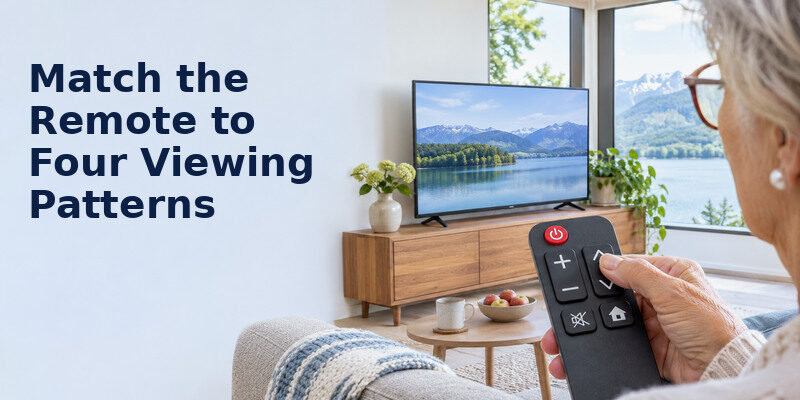
For a viewer who rarely changes sources, a reduced-button physical remote can prevent accidental menu navigation. Confirm that it handles power, volume, channel and mute on the exact TV and any cable box. Some simplified products learn codes from the original remote, so keep that original during setup. A simple tv remote for elderly viewers should be tested with the real receiver, not judged only by photographs of large keys.
Streaming apps on a smart TV
A six-button remote may be too limited if the viewer must select profiles, type a search term or return from an app. A voice-enabled original remote or a simplified app with large targets can be better, provided pairing and accessibility work. Ask the user to open the one service they watch most and return to Home. A simple tv remote for elderly users is the one that completes that whole path without frequent caregiver intervention.
Two devices: TV and cable box
Check whether power and volume control the TV while channel keys control the box. A remote that looks easy but changes device modes silently can be confusing. Label any necessary mode switch and test from a fully powered-off state. A simple tv remote for elderly people may be a learning model that combines the essential commands, but compatibility must be verified before purchase. Keep a recovery card for accidentally changing HDMI input.
Tremor, low vision, or memory difficulty
Large, separated, high-contrast buttons can help one viewer; another may prefer voice commands or tactile markers. Avoid assuming all seniors have the same needs. Test grip, key pressure, accidental presses and legibility from the couch. A simple tv remote for elderly people with dementia may need a very small stable set of functions, but caregivers should involve the person in the choice and avoid changing a familiar routine unnecessarily.
A seven-day acceptance test
Place the remote in its normal home spot. Over a week, record whether the viewer can power on, find a favorite source, change volume, mute and recover when something unexpected appears. Count errors rather than blaming the person. If two controls are repeatedly confused, reprogram or relabel them. If the device loses pairing, solve the reliability problem before buying a new remote. A simple tv remote for elderly users earns its name in ordinary use, not on a spec sheet.
A simple tv remote for elderly viewers should also be easy for another family member to reprogram after a battery change.
If a replacement must operate more than one device, review and check the exact models before buying.
Read more: Alexa Compatible Smart TV: Built-In and Works-With Choices
Simple Remote FAQ
Will a big-button universal remote control Netflix?
Only if it can navigate the exact TV or streaming device and has the necessary keys. Some six-function remotes are designed for live channels, not apps. Verify compatibility before purchase.
Can one remote control both TV and cable box?
Often. Products such as One For All URC6821 and Flipper advertise multi-device functions, but exact code and feature support vary. Test power, channels, volume and mute on your combination.
Does an IR remote need Wi-Fi?
No. IR sends commands by line of sight. A phone remote app usually needs network access, while a Bluetooth/RF streamer remote needs pairing. Different functions in one remote can use different methods.
Is a voice remote easier for seniors?
It can be for searching titles, if the viewer is comfortable pressing the microphone button and the language is supported. It does not replace clear physical Home, Back and volume controls for all users.
What if a simplified remote causes the wrong input?
Keep the original remote or a TV-button recovery path. Label the daily input and teach the viewer how to return to it. Test that routine before relying on the simplified remote alone.
Final Thoughts
A simple tv remote for elderly viewers should match the whole viewing routine and the exact TV, box and soundbar. Try a six-function design for straightforward live channels; choose a compatible big-button remote with navigation for apps. Program one device at a time and let the viewer prove that the daily tasks and common recoveries feel easy.
