
How to Protect TV From Power Surge and Storm Damage
Short answer: Plug the TV and connected electronics into correctly rated, listed surge protection, consider whole-home protection with a qualified electrician, and disconnect sensitive equipment well before a forecast thunderstorm if safe. Never unplug anything during active thunder, and no ordinary strip guarantees protection from a direct lightning strike.
How to protect tv from power surge is a layered electrical-safety decision. A surge can enter through mains power or a connected signal cable. A device labeled “power strip” may have no surge protection at all. The National Weather Service (NWS) warns that lightning can damage electronics at a distance and says not to unplug during a thunderstorm because contact can be hazardous. This guide separates everyday switching surges, storm preparation and what to do afterward.
What Can Damage a TV?
A brief overvoltage may stress a power supply, HDMI-connected source, network port or other electronics. Lightning can induce much larger surges than routine household events. Brownouts, unstable wiring and a loose outlet create different problems; a surge strip is not a universal fix for all power quality or wiring faults. How to protect tv from power surge starts with safe wiring and a realistic view of what a protective device can do.
Power, cable and network paths
A television may connect to a wall outlet, antenna/cable coax, Ethernet, soundbar, console and streaming box. A surge can travel through connected conductors. Protecting only the TV’s AC plug while leaving other equipment on an unprotected path may leave a gap. Do not jury-rig a ground or defeat a three-prong plug to make a strip fit. Ask a qualified electrician or provider how to protect relevant lines according to local code. How to protect tv from power surge begins with a sound outlet and correctly rated listed device.
Signs of a possible electrical issue
Repeated breaker trips, a hot or discolored outlet, sparking, burning smell, damaged cord or buzzing strip requires attention. Stop using the affected outlet and seek a qualified electrician. A TV that will not turn on after a storm may have a damaged power supply, but do not assume the panel is safe to open. Unplug only once the storm has passed and it is safe to approach; then contact manufacturer support.
Read more: TV Energy Saving Tips That Keep the Picture Watchable
Choose Surge Protection Carefully
A surge protector is a device designed to limit some transient overvoltages; a plain extension strip simply adds sockets. Check a recognized independent safety listing appropriate to your region, the product’s ratings and instructions, indicator status and warranty terms. In the US, UL 1449 is the relevant standard for surge protective devices; verify the actual listing on a reputable product, not just the marketing headline. A high joule number alone does not prove a product is suitable for your installation.
Match the strip to the load and outlet
Do not exceed the strip’s current rating, daisy-chain strips or run a cord under carpet. Plug the protector directly into a suitable grounded outlet as the maker specifies. A TV, soundbar, console and router may share a setup, but heating appliances should not. If an outlet is loose, improperly grounded or overloaded, have an electrician fix the installation rather than trusting a strip to compensate. A plain multi-outlet strip does not answer how to protect tv from power surge. Once conditions are safe and there is no visible electrical damage, follow our guide to a TV that will not turn on to document the power and standby symptoms before requesting service.
Watch the protection indicator
Some protectors have an indicator that shows whether their protective elements are still functioning. Follow the manufacturer’s replacement guidance after a major event or when the indicator changes. An illuminated power light is not necessarily a protection-status light. Record the purchase and warranty details, but do not interpret a connected-equipment guarantee as a promise that lightning cannot cause damage.
Consider whole-home protection
A service-entrance or panel surge protective device can be part of a layered approach, installed by a qualified electrician under local code. Point-of-use protection near electronics may still be useful. Consult an electrician about grounding, bonding and the home layout. How to protect tv from power surge in a house with recurrent events is not solved by stacking multiple cheap strips.
Read more: How to Clean Remote Control Buttons Safely
Storm Preparation: Timing Is Crucial
The NWS says unplug sensitive electronics before a thunderstorm arrives if you plan to do so. Its indoor safety guidance expressly says do not unplug equipment during a thunderstorm because of risk of being struck. A typical surge protector may offer little protection against a direct lightning strike. Plan ahead when storms are forecast; once thunder starts, leave cords and wired equipment alone and shelter safely.
Before the storm
Check forecasts and, while conditions are still safe, turn off and disconnect the TV and susceptible devices according to their manuals. If applicable, address connected coax and Ethernet only with safe provider/manufacturer guidance. Avoid handling an outdoor antenna lead or wiring near a storm. Some set-top boxes and routers serve essential functions; decide which devices can be disconnected without disrupting needed service. Keep cords organized so this can be done without pulling a wall-mounted TV. Connected coax and Ethernet matter when planning how to protect tv from power surge.
During thunder
Stay away from plugs, wired appliances and plumbing. Do not rush behind a TV cabinet to unplug it after hearing thunder. This safety rule takes precedence over saving equipment. The NWS advises staying indoors and avoiding contact with electrical equipment during a storm. A surge strip is not a reason to handle a cord or sit beside a damaged outlet. If the TV menu works but an external device does not display a picture, use this HDMI connection troubleshooting guide after confirming that the equipment and surrounding area are safe to inspect.
After the storm
Wait until the hazard has passed under local safety guidance before reconnecting. Inspect for obvious damage without opening equipment. If the cord, outlet or protector is discolored, hot, wet or smells burnt, stop and get professional help. If the TV powers on, test its own menu, each HDMI input, sound and network separately. Record faults and contact the maker or insurer as appropriate.
Protect the Whole Entertainment Chain
| Connection | Practical consideration | Avoid |
| AC outlet | Listed protector matched to load and outlet | Daisy-chained strips |
| Coax/antenna | Provider-approved protection and grounding | Improvised disconnect during thunder |
| Ethernet | Appropriate network-line protection if needed | Assuming AC-only protection covers it |
| HDMI devices | Keep connected equipment on coordinated protection | Mixed unsafe outlet paths |
| Wall mount | Accessible routing without strained cords | Pulling TV to reach plug in a storm |
HDMI and connected devices
A console or streaming box can be damaged independently. If one HDMI port stops working after a storm, try the TV’s built-in menu and another source only once safe. Do not repeatedly power-cycle a device that smells hot or shows visible damage. Disconnecting every cable during an active storm is dangerous; make any planned changes well beforehand. How to protect tv from power surge during lightning never means handling a plug after thunder starts.
Antenna and cable service
Outdoor antennas and coax have grounding and bonding requirements. This is professional installation territory. Ask the provider or qualified installer about code-compliant protection and do not climb onto a roof or touch antenna wiring near storms. A small coax protector is not a substitute for a properly installed system. The TV’s manual may also warn about antennas during lightning.
Portable generators and unstable supply
Do not plug the TV into an improvised generator connection or indoor extension arrangement. Follow generator safety instructions and use a qualified electrician for transfer equipment. If power flickers repeatedly, turn off sensitive gear when safe and contact the utility or electrician. A surge strip is designed for transients, not to repair a dangerous outlet or sustained overvoltage.
Read more: Remote Control Maintenance Tips: Batteries, Buttons, and Care
If the TV Will Not Turn On After a Surge
First safe checks
Once the storm is over and the area is safe, check whether another device works in the outlet without touching damaged wiring. Check the strip’s breaker and protection indicator according to its manual. Try the TV’s physical power button and disconnect peripherals. If a known-good outlet is available and the TV’s cord is intact, follow official troubleshooting. Do not open the TV; internal capacitors can retain dangerous charge. Once it is safe to use the equipment, learn how to diagnose TV picture quality issues by comparing the built-in menu with different sources.
Separate a failed source from the TV
If the TV menu appears but one HDMI source is blank, the source, cable or input may be damaged. Test a different port and a known-good device, when safe. If no picture or sound appears from the TV’s own menu, document symptoms and seek authorized service. A phone remote app may help only if the TV itself boots and remains on the network; it cannot repair electrical damage. An electrician can assess grounding as part of how to protect tv from power surge in a problem home.
Record for service and insurance
Take photos of visible damage without touching unsafe parts. Keep model and serial numbers, receipts, protector documentation and a timeline of the event. Ask for a written diagnosis and quote. Warranty coverage for surge or lightning damage varies; do not assume it is included. Compare repair cost with replacement only after a professional assessment.
Read more: How to Save Electricity With TV: Settings and Cost Examples
A Practical Checklist
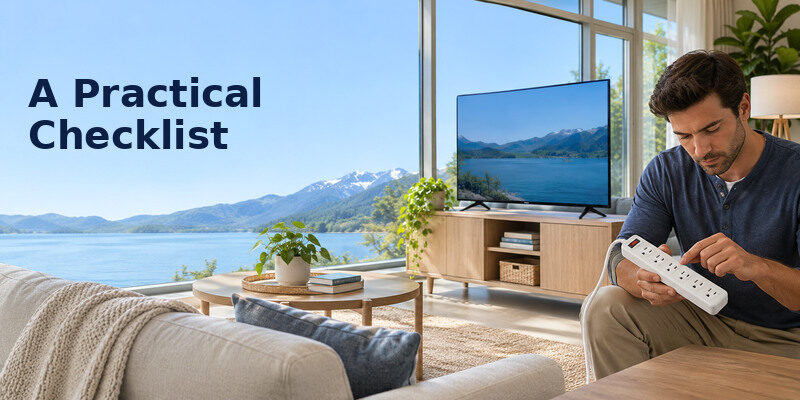
- Confirm the outlet and grounding are sound; use an electrician for suspected faults.
- Use a correctly rated, independently listed surge protector, not an ordinary multi-outlet strip.
- Review all connected power and signal paths with a qualified installer where needed.
- Keep the protector accessible and monitor its protection indicator.
- Plan any disconnection well before a forecast storm.
- Never handle plugs or wired equipment during thunder.
- After a surge, inspect and seek service for damage; do not open the TV.
How to protect tv from power surge is a continuing household plan, not a single product purchase. Keep the TV’s installation and care manual, the strip instructions and an electrician’s contact available. If accessibility needs make unplugging difficult, do not improvise a risky last-minute procedure; prioritize safe shelter.
Plan for Three Surge Situations
A brief utility fluctuation
A listed surge device on a sound outlet may reduce certain transient risks, but it does not correct bad wiring or prolonged abnormal voltage. How to protect tv from power surge in an older home begins with an electrician checking suspect outlets and grounding. If lights flicker repeatedly or a breaker trips, report the problem to the utility or electrician rather than adding more strips. Keep the TV and peripherals within the protector’s rating. How to protect tv from power surge also includes replacing a protector that has lost its protective status. If the picture returns but the TV has no sound, check the selected audio output and connected equipment only after confirming that all devices are safe to use.
A forecast thunderstorm
Prepare while conditions are safe. If you plan to disconnect sensitive electronics, do it well before thunder; the National Weather Service says never unplug during an active storm. How to protect tv from power surge does not justify reaching behind furniture during lightning. Shelter and avoid wired electrical equipment. A typical strip cannot guarantee protection from a direct strike, so treat storm timing as a safety rule first.
A damaged protector afterward
Once the storm is over, inspect the status indicator and casing without touching hot, wet or scorched parts. Replace a protector according to its maker’s guidance after a major event or lost protection indication. How to protect tv from power surge includes knowing when the protective device is spent. A power light alone does not prove its surge components still work. Seek an electrician for outlet damage.
A TV that partially works
The display may show its built-in menu while a connected source or one HDMI port fails. Test only after safe conditions return, using a known-good source and cable. How to protect tv from power surge after an event means documenting symptoms and avoiding repeated power attempts on equipment with odor, heat or visible damage. A technician can assess the power supply and interfaces; do not open the casing yourself.
Read more: How to Extend TV Lifespan: A Practical Care Plan
Check the Protector Without Taking Risks
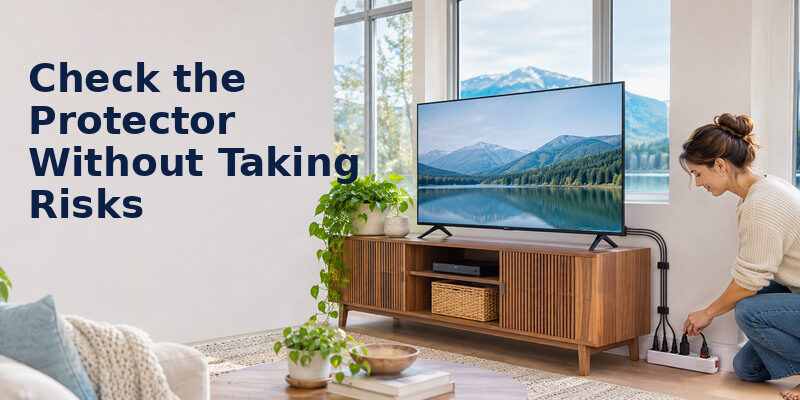
Before connecting the TV
Confirm the strip’s rating and independent listing, use a suitable grounded outlet, and leave its cord unpinched. Do not daisy-chain strips. How to protect tv from power surge includes checking whether a device is truly surge protective rather than a plain multi-outlet extension. A qualified electrician should handle questionable grounding or a loose outlet. No ordinary point-of-use strip guarantees how to protect tv from power surge caused by a direct strike.
During ordinary use
Know which indicator reports protective status; a power light alone is not proof. Follow the maker’s replacement interval and instructions after a surge. How to protect tv from power surge also means accounting for connected coax, Ethernet and peripherals with a professional installation plan. Do not assume AC-only protection covers every conductive path.
During a storm
The National Weather Service says to unplug sensitive equipment before the storm if planned, never during thunder. How to protect tv from power surge never overrides personal safety. Once a storm is active, avoid electrical equipment and shelter. No typical point-of-use strip can guarantee protection from direct lightning. Reconnect and inspect only after safe conditions return.
Keep the outlet and protector accessible before a forecast storm. How to protect tv from power surge never requires reaching behind a wall-mounted set while thunder is active. Personal safety comes first.
Read more: How to Clean TV Screen Safely: Steps for OLED and LCD
Frequently Asked Questions
Will a surge protector save my TV from lightning?
Do not count on a typical strip for a direct strike. The NWS says such protectors can do little against lightning, and the safe approach is to plan ahead, disconnect sensitive electronics before a storm when feasible, and avoid wired equipment during thunder. Even layered protection reduces risk rather than guaranteeing survival. Documenting damaged equipment is part of how to protect tv from power surge after a severe event.
Is a power strip the same as a surge protector?
No. A plain strip provides extra outlets. Verify a genuine surge protective device’s listing, ratings and protection-status instructions. Avoid relying solely on labels such as “heavy duty” or a joule number. A grounded, properly wired outlet remains essential.
Should I unplug the TV when I hear thunder?
No. The National Weather Service specifically advises not unplugging during an active thunderstorm because you can be struck while contacting equipment. If you plan to disconnect it, do so well before the storm arrives. Once thunder begins, stay away from cords and follow indoor lightning safety guidance.
Can a surge damage only an HDMI port?
It is possible for a connected device or interface to fail while the TV otherwise works, but a technician must diagnose the cause. After conditions are safe, test the TV menu and a different source. Do not attribute every HDMI handshake problem to a surge; cables and software can also fail. Stop using any component with heat, odor or visible damage.
Sources and Editorial Method
The Remote TV App Team reviewed National Weather Service indoor lightning guidance and general manufacturer electrical-safety principles. The NWS instructions on storm timing govern the safety advice here. Surge device standards, wiring codes, grounding and insurance terms vary by location; consult a qualified electrician for installation and the product maker for model-specific care.
