
Fire TV Stick vs Nvidia Shield: Which Streaming Device Should You Buy?
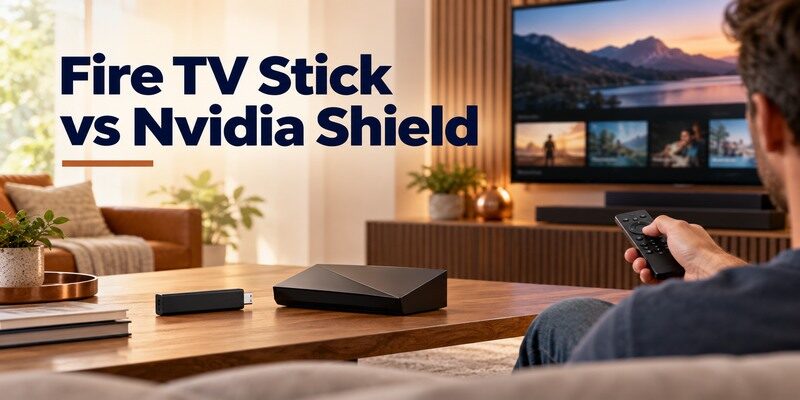
Short answer: Buy a Fire TV Stick for straightforward streaming at a lower hardware commitment, and choose Nvidia Shield TV Pro for local media, USB expansion, and advanced home-theater use. The Shield is a larger set-top device, while the Stick is designed to hide behind the TV. The comparison changes when you mean a basic HD Fire TV Stick rather than a current 4K model, or the standard tube-shaped Shield rather than Shield TV Pro. This fire tv stick vs nvidia shield guide compares like-for-like needs and avoids treating a higher price as automatic proof of a better viewing experience.
Fire TV Stick vs Nvidia Shield: The Quick Verdict
The devices overlap on mainstream streaming, but they are built for different levels of expansion. Fire TV Stick prioritizes a compact, remote-led route to apps. NVIDIA lists the Shield TV Pro’s two USB 3.0 ports, Plex Media Server, and AI-enhanced upscaling among its differentiators. The standard Shield TV does not have the Pro’s full set of expansion options. If you only open a few streaming apps, pay for the features you will use rather than a longer specification sheet.
In fire tv stick vs nvidia shield, the first useful question is whether the streamer will also manage your own files.
| Need | Likely better fit | Why |
|---|---|---|
| Simple HDMI upgrade for a spare TV | Fire TV Stick | Small form factor and familiar remote setup |
| Local media server and USB drives | Shield TV Pro | USB expansion and Plex Media Server support |
| Alexa-led smart home | Fire TV Stick | Fire TV and Alexa ecosystem |
| Google TV/Android TV apps and casting | Shield TV | Android TV environment and casting support |
| Advanced receiver and media formats | Compare exact models | The entire HDMI and audio chain matters |
Where the extra hardware matters
A streaming app launches on both devices if supported in your region; the Shield’s benefit appears when you need local files, a drive, a network library, or a particular home-theater path. The difference between fire tv stick and nvidia shield is therefore larger for a media hobbyist than a viewer who mainly watches two subscription apps. The Shield TV Pro is not simply a faster Fire TV Stick; it supports a different kind of setup.
For a closer look at the buttons and setup process, see the Chromecast with Google TV remote guide before comparing it with the Fire TV handset.
Compare named models, not brands
Amazon’s official Fire TV specifications include multiple generations and 2026 devices. NVIDIA’s official pages distinguish Shield TV and Shield TV Pro. Model year affects storage, network, codecs, and software. A fire tv stick vs nvidia shield 2026 search can compare products launched in different years. Record the exact full names and check the manufacturers’ specifications, especially if a listing is refurbished or a retailer has old inventory.
Hardware, Ports, and Placement
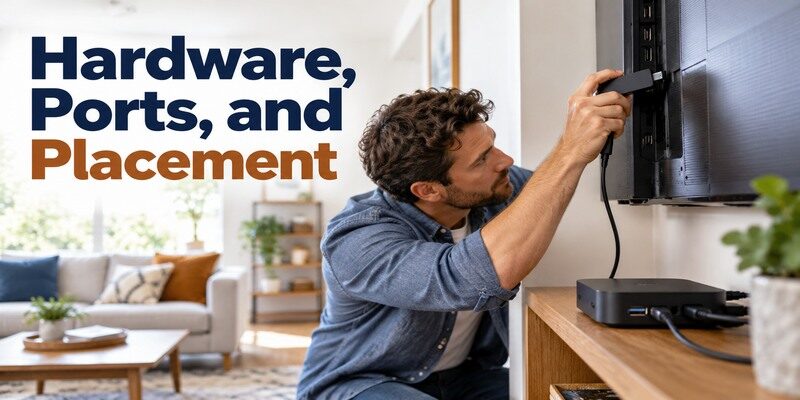
A Fire TV Stick plugs into an HDMI port and uses its supplied power arrangement. Shield TV Pro sits on a shelf and connects by HDMI cable. The physical setup can determine the purchase before benchmark claims do: a wall-mounted TV with little shelf space favors a stick, while a media cabinet with Ethernet and drives favors a box. Make room for the power cable, HDMI path, and any receiver before deciding where it will live.
For fire tv stick vs nvidia shield on a wall-mounted screen, check the available clearance behind the panel before ordering. The Chromecast remote app guide explains when a phone provides a full virtual remote and when it only controls casting playback.
The Stick behind the television
The Stick is convenient for a secondary TV or a setup with few cables. Its compact form still needs adequate power and Wi-Fi coverage behind the panel. A crowded HDMI cluster may need an extender if one is included with the model. An accessory that provides Ethernet or extra connections must be compatible with the exact Stick. For fire tv stick vs nvidia shield, the hidden form factor is a practical advantage until it makes access to cables or wireless coverage difficult.
Shield TV and Shield TV Pro in a cabinet
NVIDIA’s standard Shield TV and Pro have different physical designs. The Pro’s USB ports support attached storage and peripherals, and its Ethernet port suits a fixed TV cabinet. The standard model has its own port arrangement; do not buy an accessory on the assumption it is identical to Pro. For a local library, plan where the drives will sit, how they will receive power, and whether the network path reaches the server reliably.
Read more: How to Set Up Nvidia Shield TV & Shield TV Pro (Step-by-Step)
Streaming Apps and Interface
Both platforms can serve as a daily streaming hub, but their stores and menus differ. Fire TV centers its own interface and Amazon account; Shield uses Android TV and a Google account. Individual streaming services still require subscriptions and may impose region, plan, or device restrictions. Before choosing nvidia shield or fire tv stick for streaming, confirm your essential apps on the exact model and operating-system version instead of relying on a generic “supports streaming” label.
Fire tv stick vs nvidia shield also means choosing the search and account environment family members will see every day.
Fire TV browsing and Alexa
Fire TV’s remote, search, and Alexa integration suit households that already use Amazon services. App availability is broad, but a particular regional service may change support over time. Check its current app listing and the Fire TV generation you intend to buy. Menu recommendations and sponsored placements are also part of the everyday experience; use a demonstration or recent interface guide if that matters to you. The fire tv stick vs nvidia shield verdict should include how you find a title, not merely whether the device can decode it.
Shield’s Android TV workflow
Shield offers an Android TV interface, Google account integration, and supported casting paths. It can fit a household already comfortable with Google services or a media library. Some apps differ by country or have platform-specific feature limits, so validate the niche app before buying. A home screen that resembles another Google TV product does not mean the hardware has the same software version or support timeline. Keep service compatibility separate from local media features.
Read more: How to Set Up Fire TV Stick in 6 Easy Steps (Beginner’s Guide)
Picture Quality and AI Upscaling

NVIDIA advertises AI-enhanced upscaling for Shield models, with capability varying by model and frame rate. Upscaling can make lower-resolution sources look different on a 4K TV, but it cannot recover detail absent from the original video. Fire TV Stick models have their own resolution and HDR support; check Amazon’s device table for the exact generation. Neither device guarantees a superior image for every stream. Content quality, TV processing, and your settings can dominate the result.
The fire tv stick vs nvidia shield picture test should use a channel you actually watch, not a specially mastered trailer.
Compare the same source material
Use the same app, title, service plan, TV input settings, and network when evaluating two devices. A 4K title and a compressed HD live channel are different tests. If the TV itself applies sharpening or motion processing, its settings can mask what the streamer does. The fire tv stick vs nvidia shield which is better question becomes meaningful only after controlling the content and display path. A showroom clip is not necessarily representative of your regular shows.
When Shield upscaling helps
NVIDIA’s Pro specification lists AI-enhanced upscaling up to 4K at higher frame rates than the standard Shield’s listed limit. Its effect depends on the incoming resolution and selected mode, and taste varies. If you mostly watch native 4K titles, the feature may be less decisive than for lower-resolution live or archived content. Do not buy solely on the phrase “AI upscaling” without checking what your actual sources output.
Before connecting either generation, review how to set up Chromecast to identify the correct setup route for your model.
Audio, Network, and Reliability
A receiver or soundbar adds another set of compatibility constraints. Device specifications list supported formats, but an app, title, TV HDMI port, and audio system all need to support the desired output. A weak wireless link can cause buffering on either platform. When comparing fire tv stick vs nvidia shield 2026, draw the full connection route before blaming one streamer for a signal problem.
If fire tv stick vs nvidia shield appears to be an audio contest, first confirm which device is decoding the soundtrack.
| Symptom or goal | Check first | Reason |
|---|---|---|
| Surround title plays in stereo | App/title, output setting, receiver format | Pass-through chain can limit sound |
| Buffering in one room | Router signal and internet stability | Hardware swap may not fix weak Wi-Fi |
| Drive not visible | Shield model, drive power, file system | USB feature and media app differ by model |
| 4K screen blanks | HDMI cable, receiver, TV input mode | Format handshake crosses several devices |
Choose a stable network route
Shield TV Pro has built-in Ethernet, useful for a stationary media cabinet. Fire TV Stick can use Wi-Fi or model-compatible network accessories. Test speed and stability at the actual TV location; a phone measurement near the router is not representative. The difference between fire tv stick and nvidia shield matters most if you need a wired port without another accessory or regularly serve local high-bitrate media.
Keep the audio chain explicit
Connect directly to the TV for a baseline, then add a soundbar or receiver if needed. Test a simple stereo clip before a surround title. If audio fails only in one app, check that service and its plan before resetting the whole device. NVIDIA’s official specifications describe audio formats for Shield, and Amazon’s device table describes Fire TV models, but neither can override a receiver that lacks the format. A remote volume issue is a separate equipment-control setting.
Read more: Nvidia Shield TV Remote App: Setup and Troubleshooting
Local Media, Plex, and Games
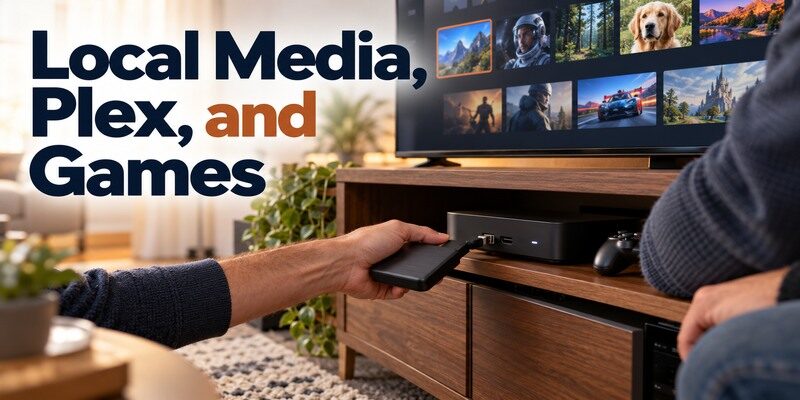
Shield TV Pro’s local-media features are the clearest reason to spend more. NVIDIA documents Plex Media Server use and USB expansion on Pro. That does not mean every external drive or network configuration works without preparation. A Fire TV Stick can access compatible media apps as a client, but it is not equivalent to a Pro with attached storage and server duties. Distinguish “play a file” from “host and organize a library.”
This is where fire tv stick vs nvidia shield stops being a generic app comparison: the Pro can take on server work.
A Plex server at the TV
If you want the Shield TV Pro to host a library, check drive format, power, network access, and how other devices will reach it. A server that must remain on should have reliable power and network. NVIDIA’s support provides the model-specific setup route. The fire tv stick vs nvidia shield comparison changes here: a Stick may play content from a server elsewhere, while the Pro can be that server in supported configurations.
Casual games versus gaming goals
Some games and cloud services may be available on a streaming device, but catalogs, controllers, and service support change. Check the precise game or service, compatible controller, network conditions, and subscription before buying. The Shield’s expansion and processing headroom may appeal to a hobbyist; a Fire TV Stick may be enough for occasional supported games. Do not assume either is a replacement for a console without verifying your library.
Read more: Hitachi TV Remote Not Working? Fast Model-Based Fixes
Setup, Remote, and Household Use
Both connect to TV HDMI and power, then ask for a network and account. Fire TV uses Amazon credentials; Shield uses Google credentials. The TV’s original remote selects the HDMI input, while each device’s handset controls its own interface. If the streaming remote navigates menus but not volume, reconfigure TV or receiver control rather than repeating Wi-Fi setup. The first playback test should be a normal title before optional storage and display changes.
For fire tv stick vs nvidia shield setup, keep the first test identical: one app, one title, and the same television.
Short setup path for a Stick
Connect HDMI and supplied power, select the input, pair its remote if requested, join Wi-Fi, sign in, and let updates finish. Test a familiar app. If the TV is blank, verify input and power before touching the router. The fire tv stick vs nvidia shield choice is easier to appreciate after a simple setup on a spare TV: the Stick keeps hardware demands modest, provided its wireless signal is adequate.
Staged setup for Shield Pro
Start with HDMI, power, remote, Google sign-in, network, and a single streaming app. Only then add a drive, Plex, controller, or advanced audio mode. NVIDIA’s user guide separates first-run tasks from optional features. If a problem appears after attaching storage, return to the earlier working baseline. This method gives nvidia shield or fire tv stick for streaming a fair daily-use comparison instead of blaming the platform for a new peripheral.
Who Should Buy Each Device?

Choose by the bottleneck in your current setup. If it is an old TV interface, a compact Stick may solve it. If it is a large local library or a need for ports, Shield TV Pro may justify the extra hardware. If it is weak broadband, neither purchase addresses the root cause. List the three tasks you will perform weekly before comparing prices or claims of “best streaming device.”
Fire tv stick vs nvidia shield is easier to answer when the actual problem is stated as a task rather than a specification.
Buy Fire TV Stick for the simpler role
A compatible Stick is sensible for mainstream services, a guest room, or a TV with no room for a separate box. Match HD or 4K to the television and preferred formats. Check app support in your region. The fire tv stick vs nvidia shield verdict favors the Stick when the Pro’s ports, Plex server, and advanced media settings would remain unused. You can upgrade the remote or network arrangement later within supported options.
Buy Shield TV Pro for expansion
The Pro suits a fixed theater setup with wired networking, storage, Plex, or a carefully configured receiver. Budget for cables and drives, and check whether the apps and formats you need are supported now. The standard Shield TV can be a middle route if its ports and features suffice. Do not pay for the Pro because a comparison chart calls it “premium”; buy it for a specific capability you will put to work.
Fire TV Stick vs Nvidia Shield FAQ
These answers address common buying objections, but check the exact model and service before committing. The fire tv stick vs nvidia shield recommendation can change when one required app or format is absent in your region.
Is Shield TV Pro worth it just for Netflix or another major app?
Usually not for that reason alone. Confirm the service and format on both exact models, then consider whether Shield’s upscaling, Ethernet, storage, or other features matter in your room. Subscription quality and TV processing can have more effect than the streamer for a single app.
Can a Fire TV Stick play files from Plex?
A compatible Plex client app may play from a server on the network, subject to app and server support. That is different from hosting Plex Media Server on Shield TV Pro. Check both the app’s current platform support and the media format before planning a large library.
Does Shield TV Pro need a separate HDMI cable?
Check the current retail box contents for your region; connect the Pro with a suitable HDMI cable to the TV or receiver. A Fire TV Stick has its HDMI connector built into the stick. Both require power. Never assume the accessory list from a different model or refurbished listing is complete.
Which is better for a weak Wi-Fi room?
Shield TV Pro’s built-in Ethernet may be convenient if a cable reaches the cabinet. A compatible wired accessory may be possible for a particular Fire TV model. First test the local network and router because neither streaming platform fixes an unreliable internet connection on its own.
Can I use my phone if the remote is lost?
A compatible phone app can often navigate a device already reachable on the local network. Amazon and NVIDIA provide official remote options for supported models. The is another phone-based fallback where your TV or streaming device is supported; check compatibility and network access before relying on it.
Final Thoughts
Fire tv stick vs nvidia shield is a choice between a compact everyday streamer and, especially with Shield TV Pro, a more expandable media hub. Compare the exact Fire TV and Shield generations, your essential apps, network route, and whether you will actually use USB and Plex. Test simple playback before advanced format settings. A clear use case matters more than a headline speed comparison or a generic claim that one box is “better.”
The final fire tv stick vs nvidia shield decision should reflect your own TV, network, and library, not a universal ranking.
