
Free IPTV Channels: Legal Ways to Watch Live TV
Short answer: Watch free IPTV channels through legitimate ad-supported services such as Pluto TV, Tubi, The Roku Channel, and Samsung TV Plus where available. These internet-delivered channels are usually curated FAST streams, not a free copy of every cable network or local broadcast affiliate. Channel names, rights, and device support vary by country and change over time. This guide explains how to find a current channel list on the provider’s own app, set up a TV, and distinguish free streaming from an antenna or a suspicious third-party playlist. U.S. examples are used where regional availability matters.
Free IPTV Channels: Where to Start
“IPTV” simply means television delivered using internet protocol. A free, ad-supported live guide can be a legitimate form of it. The safest starting point is the provider’s official app and current channel page, not a copied list of stream URLs. Pluto TV, Tubi, The Roku Channel, Samsung TV Plus, and other supported services publish their own programming. The app’s live guide is the current list; a static free iptv channels list can go stale as licensing changes.
| Service | Free live-TV route | Key limitation |
|---|---|---|
| Pluto TV | Live channel guide and on-demand library | Availability varies by region |
| Tubi | Live TV channels and free on-demand titles | Lineup changes; not every local affiliate |
| The Roku Channel | Live guide and on-demand content | Device and country support vary |
| Samsung TV Plus | Built-in service on supported Samsung devices | Hardware and market eligibility |
| Antenna (not IPTV) | Receivable local over-the-air broadcasts | Location and signal dependent |
Pick one official app first
Open its live guide and choose a channel that actually plays on your TV. Check whether it asks for a free account, shows ads, and supports the device in that country. If it works, add another service only to cover a missing genre. How to watch free iptv is easier when you start with one known app than when you import an unverified playlist of hundreds of streams. If you need a separate player, compare the best streaming devices for your TV and check that your preferred free service supports the exact model.
Set the right expectation
Free ad-supported services may include news, movies, documentaries, themed entertainment, and some sports-related channels. They do not guarantee a particular pay-TV network, current premium movie, or local game. A channel named after a sport may show highlights or archived programming rather than the live event you want. For free iptv channels 2026 searches, verify the event and schedule in the actual provider guide.
Read more: Best IPTV Service: Licensed Live TV Options in 2026
Pluto TV for a Channel-Surfing Guide
Pluto TV’s official Live TV page offers a free channel guide with categories including news, entertainment, and sports. It also has on-demand content. The precise channel lineup is region-specific and can change. Its guide is useful for a viewer who likes flipping through programs without choosing a separate episode first. Free iptv channels on Pluto are supported by advertising, so expect breaks rather than a subscription fee for the core service.
For free iptv channels with a familiar guide format, test Pluto’s live tab on the actual television remote.
Find a live category
Install the official Pluto TV app or open its supported web experience. Select Live TV, choose a category, and play a channel. Save favorites where the current app allows it. Search for a specific program in the guide rather than trusting an old channel number; Pluto’s support says its live guide now emphasizes channel names. If a channel is missing, check your region and current lineup before changing the TV hardware. If you are unfamiliar with the Home, Guide, or channel controls, our guide to Samsung TV remote buttons can help you navigate the available menus.
Separate live from on-demand
A live channel follows a schedule, while an on-demand title starts when you select it. The same show may appear in both with different episodes or timing. Some users searching free iptv channels really want free movies rather than a live guide; Pluto’s on-demand section may be the simpler route. Check ads and content ratings for children. An account may add convenience, but read the current terms rather than assuming every feature works anonymously.
Read more: Best TV Remote App for Android in 2026: 8 Apps Compared
Tubi for Free Live and On-Demand
Tubi’s help center describes its live TV channel categories and says the service is free and legal through advertising. The app also has a large on-demand library. Its live channels can include news and themed programming, but the lineup differs from the cable or broadcast stations a household might expect. The best free iptv app for someone who also wants movies may be Tubi, provided the exact device and country are supported.
Free iptv channels on Tubi are easier to evaluate by checking one named live program at its scheduled time.
Browse the current channel list
Use Tubi’s official live section or help page, then check the schedule in the installed TV app. Channel totals and individual streams can change, so avoid treating a screenshot from last year as a current guide. If a local news stream appears, confirm it is the station and market you need. Free iptv channels are not automatically the same as the station’s full over-the-air feed.
Test a TV, not only a phone
Tubi lists support for several TV and streaming platforms on its official site. Install the app on the main screen and play a live channel with the physical remote. Check captions and whether the live guide is easy to navigate. A free phone experience may use a different layout. If one title fails, test another to separate a service issue from a device or Wi-Fi problem.
The Roku Channel and Device Support
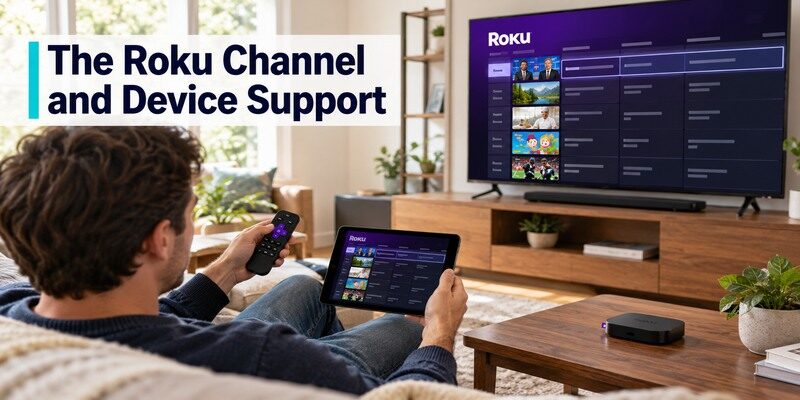
The Roku Channel’s official site offers free live TV and on-demand titles, with optional paid premium subscriptions in some markets. Do not confuse the free live section with those paid add-ons. Roku devices are a natural access route, but web and other platform availability varies. Free iptv channels in this guide should be judged by the actual accessible lineup at your location, not by an advertised total from another country. If your physical handset is unavailable, a free Roku remote control app can help you browse the guide when your compatible Roku device is powered on and reachable on the local network.
Open the free live guide
On a supported device, find The Roku Channel, select live TV, and browse the current channel names. Check the program schedule for a particular show. If a service or title asks for payment, you may have opened a premium subscription rather than the free guide. The Roku Channel site describes its free selection, but individual rights and device access can change. Keep purchases protected in a shared household.
Check the platform first
A Roku TV or player is not the only way a person might encounter The Roku Channel, but do not assume it runs on every smart TV or in every country. Use Roku’s current supported-device and region pages. If the app is absent, another legitimate free service may be easier than buying new hardware only for one guide. A free iptv channels list is useful only when it includes a route your main television can actually open.
Read more: Roku Remote TV: Complete Guide to Setup, Pairing, Apps, Fixes, and Replacement
Samsung TV Plus on Eligible Devices
Samsung describes TV Plus as a free, ad-supported service on supported Samsung devices, with live channels and on-demand content. Availability varies by model year, device type, and country. It can be convenient because the guide may already be on the TV, avoiding a separate stick or subscription. Check Samsung’s official support for your model and region before following generic instructions.
The free iptv channels offered by a built-in TV service are convenient only if that television receives updates and remains online.
Find and customize the guide
Open Samsung TV Plus from the TV’s home screen and browse the live categories. Samsung’s support describes favoriting channels on supported interfaces. If the app is absent, check network connection, region, model compatibility, and software updates. Free iptv channels through Samsung TV Plus still use broadband; the TV’s antenna input is a separate source. Label or learn the input switch if your household uses both.
Know what it cannot replace
A themed news channel is not guaranteed to carry the local station’s full broadcast or every sports game. Samsung’s catalog changes and differs by market. Check the exact program guide on the day you want to watch. Do not buy a Samsung TV solely on the assumption it provides a particular free premium channel forever. Compare the TV’s other features and current official lineup as well. If you use a TCL television, our guide to TCL TV remote buttons and inputs explains where to find source and navigation controls on different platforms.
Read more: What Is the Code for TCL TV Universal Remote
Free Streaming versus Free Antenna TV
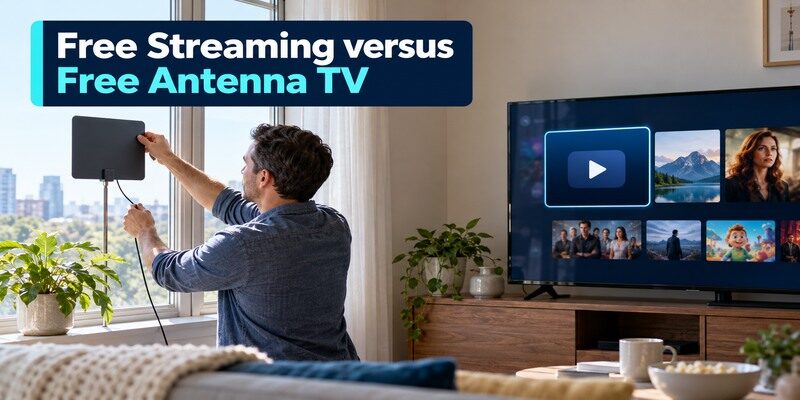
In the United States, an antenna receives available local over-the-air broadcasts without an internet stream or monthly channel fee. It is not IPTV. The FCC’s DTV reception map and antenna guidance help estimate stations, and a real channel scan tests the address. A FAST service streams curated internet channels. Use both if they cover different needs: an antenna for receivable local broadcasts and a free app for additional movies or themed programming.
| Question | Free IPTV/FAST | Antenna broadcast |
|---|---|---|
| Needs broadband? | Yes | No for reception |
| Needs TV tuner? | No, compatible app/device | Yes, built-in or external |
| Local network affiliate? | Only if service offers it | Reception dependent |
| Subscription? | Core free guide is ad-supported | No channel subscription |
| Lineup change? | Licensing and region | Transmitter, location, scan |
Scan for local stations
Connect a suitable antenna to the TV’s RF input, select Antenna or Air in tuner settings, and run a channel scan. The FCC recommends rescanning periodically because station frequencies can move. Reception depends on building and placement; an indoor antenna’s advertised range is not a guarantee. Do not expect cable-only premium channels. This is often the most useful supplement to free iptv channels for local news.
Match the correct source on the remote
A TV might have HDMI streaming, built-in apps, and an antenna tuner as separate sources. If a family member says a channel disappeared, first check whether the TV is on the right source. Keep the original TV remote available for input changes. A compatible phone controller can help with supported devices, but cannot cause an antenna to receive a weak signal or turn a FAST feed into a local affiliate.
Read more: Can You Turn On TCL TV Without Remote? Try These Methods
How to Set Up Free Live TV on a Smart TV
Choose an official app from the TV’s store or use a supported built-in service. Confirm the television has internet, install or open the app, browse Live TV, and play a channel. If the TV’s store lacks the app, a compatible streaming device may offer it. The free iptv channels setup should require no mysterious playlist URL or sideloaded file. A legitimate free app may show ads or offer optional paid upgrades; read the screen before selecting them.
Use a trusted installation route
Search the TV platform’s official store for the provider’s exact name. Check the publisher, permissions, and country availability. A website that offers an APK or playlist with a familiar logo is not necessarily the official service. The best free iptv app is the one your device supports directly and the household can operate safely. On a shared TV, lock purchases or accounts as appropriate.
Test network and playback
Play two live channels and an on-demand title if offered. If every stream buffers, check the Wi-Fi signal in that room and another app. If only one channel fails, try it later or check provider support. A fast phone connection near the router does not guarantee the TV’s link behind a wall. Use Ethernet on a supported device if wireless coverage is the real bottleneck.
Avoid Unverified M3U Lists and Claims
A free iptv links 2026 search can lead to publicly posted M3U playlists with unclear rights, broken URLs, intrusive apps, or requests for payment information. A playlist file format is not inherently unlawful, but its contents and distribution rights matter. We do not provide an unverified list of premium streams. Use official providers and broadcaster apps, and verify the channel owner if a stream’s source is unclear.
For free iptv channels, the trusted provider’s own guide is a better bookmark than a copied link that may vanish tomorrow.
Check who distributes the content
Find an identifiable operator, terms, privacy policy, and current support route. If a seller advertises every premium channel worldwide free or for a tiny charge, question its rights. Do not install an unknown app that asks for broad device permissions. Free iptv channels from named ad-supported providers have a clearer origin and schedule than an anonymous URL copied through multiple forums.
Protect payment and accounts
A core free FAST guide should not require buying a mysterious “activation code” from an unrelated seller. Optional premium subscriptions on a legitimate platform are separate and should show their price and renewal terms. Use distinct passwords and official billing routes. If an unexpected charge appears, contact the billing provider and retain records. The FTC’s consumer subscription guidance stresses documenting cancellation and checking subsequent statements.
Read more: Roku Remote Control Free: Get the Official App Working
What Free Channels Can and Cannot Cover
Free guides can fill many hours of news, movies, children’s shows, and themed entertainment, but the exact schedule and licensing change. They may not replace a paid sports package, first-run cable channel, or local broadcast signal. Make a short must-watch list and look up each title in the current guide. The benefit of free iptv channels is choice without a core subscription fee, not universal access to all television.
News and local information
Some services carry national news streams and selected local news feeds. Check the city, station, and live schedule; a clip or continuous web channel may differ from the full affiliate broadcast. An antenna may be more reliable for a receivable local station. Weather alerts may also be available through official station apps. Free streaming should be one part of a local-information plan, especially when internet outages occur.
Sports and premium shows
A sports-themed FAST channel may carry commentary, highlights, archives, or selected live events. Confirm an upcoming game on the provider’s official schedule and the rights holder’s listing. Premium shows often remain behind subscriptions. A free iptv channels list with famous pay-TV logos does not establish legal or actual access to those programs. Avoid building a household plan on a title that has not been verified in the app.
Fix Missing Channels or Remote Control
If a channel disappears, check the provider’s current guide, region, and app update. A licensing change may be permanent; a local network fault may affect all channels. If the app opens but the handset does not navigate, check the TV or streaming remote separately from the service. The can be a phone-based fallback for supported TVs and streamers on a reachable network; it does not supply a channel lineup.
Missing one channel
Search the official app by name and category, then check its help page. A channel number may have changed or a stream may have left the catalog. If it is a local antenna station, rescan the TV tuner and inspect reception instead. Free iptv channels and antenna channels follow different technical paths; applying an antenna rescan to a streaming app will not restore a removed FAST feed.
App or remote does not respond
Try another app to see whether the TV interface itself is stuck. Restart the app or device if needed, then check its network. Replace batteries or re-pair the compatible physical remote using the manufacturer guide. A phone controller generally requires the TV or streamer to be powered and reachable. Do not reset every account just because one free channel pauses.
Free IPTV Channels FAQ
The answers below concern legitimate free iptv channels in supported markets; exact lineups and availability can change.
Are free IPTV channels legal?
Yes when a provider has rights to distribute the programs and offers a legitimate free, often ad-supported service. The delivery technology itself does not determine legality. Use official apps and verify the operator and rights when a playlist or seller is unfamiliar. A premium lineup offered anonymously for free deserves scrutiny.
Do free IPTV apps show local TV?
Some offer selected local news streams, but that is not a guarantee of your full ABC, CBS, FOX, NBC, or other local affiliate feed. Check the station and schedule in your region. In the United States, a suitable antenna may receive available over-the-air local stations without broadband.
Do I need a subscription or account?
Many core FAST live guides are free with ads, although account features or premium add-ons vary. Review the app’s current terms. Do not assume an optional paid service is included simply because it appears next to free titles in the same interface. Use official billing if you choose an upgrade.
Can I watch free IPTV on Fire TV or Google TV?
Often yes through supported official apps, but check the exact device generation, country, and provider store listing. A casting-only Chromecast may use a compatible phone app’s Cast function instead of a native TV app. Test one channel on the main television before planning a complete replacement for cable.
Why did a free channel vanish?
Licensing, region, app version, and guide changes can alter a FAST lineup. Search the provider’s current channel page. If all channels fail, investigate internet and device status. If an antenna station vanished, rescan the TV tuner and check signal. These are different fixes for different sources.
Final Thoughts
Free iptv channels are easiest to use through named, ad-supported providers with official apps and current live guides. Pluto TV, Tubi, The Roku Channel, and Samsung TV Plus offer different catalogs in supported markets. Verify your device and region, then test the actual channel rather than relying on a stale URL list. An antenna can supplement local broadcasts in the United States. Keep premium sports and subscription-only shows out of the “free” expectation unless the rights holder confirms an event.
