
Cheap Smart TV Review: What You Gain and Give Up in 2026
Short answer: A cheap smart TV review is worth buying for basic 4K streaming when its apps, viewing angle, and return policy fit your needs, but do not expect premium HDR or gaming from the lowest tier.
This review is a buying framework for inexpensive smart TVs, not a fabricated hands-on test of one unnamed set. It explains the compromises to inspect in a real model and how to compare affordable alternatives without overpaying for marketing labels. Availability and prices vary by country and week, so verify the exact SKU and current listing before buying.
Cheap Smart TV Review: Verdict and Scorecard
| Use | Budget TV verdict | What to check |
| Casual streaming in a bedroom | Often good value | Apps, Wi-Fi, sound, viewing angle |
| Bright-room HDR films | Usually a compromise | Measured brightness, reflection handling, dimming |
| 4K/120 console gaming | Only on select models | Native refresh, HDMI, VRR, input lag |
| Large family room | Depends on size and seating | Uniformity, off-axis contrast, dialogue |
| Long ownership | Model and support dependent | Warranty, firmware policy, repair options |
The phrase “smart TV” only promises an operating system and apps, not fast menus or long software support. A 4K badge specifies 3,840 by 2,160 pixels; it does not prove good contrast, HDR, motion, or upscaling. A low-priced 55-inch set can be a sensible purchase for a guest room. For a sunlit main room, a better panel at a smaller size may be wiser. Judge the cost against the intended use, not a generic star rating. When testing the television at home, check for common TV picture quality issues such as unusual colors, motion artifacts, or a blurry image across different sources.
The strongest reason to buy cheap
Modern entry TVs often give you built-in major streaming apps and sufficient 4K resolution for everyday viewing. A separate streaming device can improve a slow interface later. This means the panel’s basic contrast, backlight uniformity, and viewing angle deserve attention before obscure software features. Use the TV with a normal picture mode and actual content rather than trusting the store’s vivid loop.
The main reason to spend more
HDR quality needs strong brightness, contrast, and accurate tone mapping. A basic LCD may accept HDR10 but display little visual difference from SDR. Limited local dimming can make subtitles glow or shadow detail disappear. You may also get a 60 Hz panel, fewer gaming features, weaker speakers, and slower processing. More expensive is not always better; the upgrade must solve a weakness you can notice.
Read more: Best 65 Inch TV in 2026: Choose the Screen for Your Room
Picture Quality at the Lowest Price Tier
A cheap LED-backlit LCD is often capable of a clear HD/4K picture in a moderately lit room. Black levels, screen uniformity, and glare control vary widely. A “QLED” label means quantum-dot color technology on an LCD; it does not guarantee Mini-LED or effective local dimming. Ask whether the exact model has any local dimming, and check independent measurements when available.
Use a practical five-scene test
Try a dark film with white subtitles, a bright sports field, a moving camera pan, a close-up of a face, and a low-bitrate stream. Watch from the sofa’s side seats. A gray cloud on a plain background may reveal dirty-screen effect; a dark scene may reveal corner glow. Some panel variation is normal, but conspicuous defects during ordinary content justify checking the return policy. A showroom demo loop is a poor substitute. If you need a separate player, compare the best streaming devices for your TV and check that the exact model supports your essential apps.
Don’t confuse accepted HDR with good HDR
An inexpensive set may advertise Dolby Vision or HDR10+ yet lack the brightness and dimming to make the format shine. The label can still aid compatibility. Compare measured brightness and color accuracy at the actual screen size; manufacturer peak claims may use a small test window and a short burst. If your budget cannot reach convincing HDR, prioritize clean SDR picture and size rather than the number of format logos.
Motion and viewing angle
Native 60 Hz is common in the entry class and adequate for many streams. Claims such as “120 motion rate” may describe interpolation or backlight control, not a 120 Hz panel or 4K/120 input. A narrow-angle LCD can lose color and contrast from a side chair. If multiple people watch together, view the exact panel from every seat. Sports fans should check motion and uniformity rather than focusing solely on pixel count.
Read more: Best 55 Inch TV in 2026: Picks by Room, Budget, and Use
Streaming Apps and Interface Speed
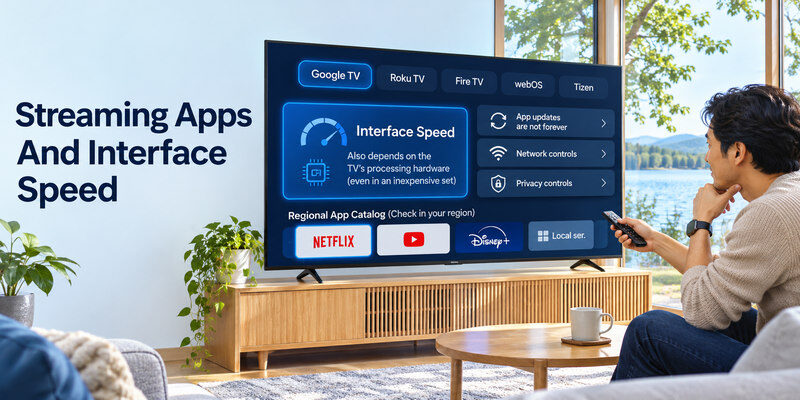
Google TV, Roku TV, Fire TV, webOS, and Tizen are different software experiences, but the processing hardware in an inexpensive set also affects responsiveness. Check the current regional app catalog for Netflix, YouTube, Disney+, local services, and any niche app you use. Try loading settings and switching HDMI inputs. A five-second delay every time you press Home becomes noticeable over years of use.
App updates are not forever
Manufacturers and services can change support. Check official model pages and written update commitments where available, and do not promise a fixed number of years without evidence. If the panel still works after its built-in platform ages, an HDMI streamer can provide a newer interface. It cannot improve the panel’s black levels, brightness, or viewing angles. Reserve one HDMI input for that possibility.
Network and privacy controls
Reliable Wi-Fi matters more than an elaborate home screen. Test the TV near the intended installation spot; crowded wireless networks can cause buffering. Some inexpensive models have an Ethernet jack, but verify the exact SKU. Review the TV’s advertising, voice recording, and data settings during setup and disable options you do not want. A cheap smart tv review should cover the everyday interface as well as pixels.
For two popular streaming options, compare Fire TV Stick vs Chromecast and verify that your preferred services work on the device you choose.
Read more: Best TV for Gaming: 2026 Picks for PS5, Xbox, and PC
Gaming: The Specifications That Matter
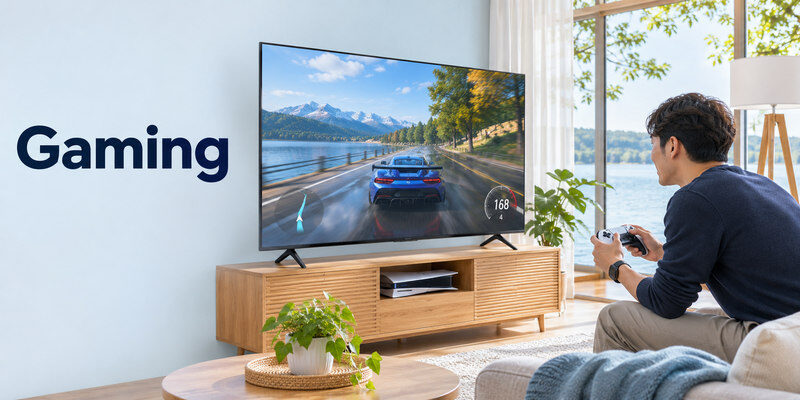
For a basic console, Game Mode and low input lag can matter more than the panel’s flashy HDR badge. For PS5 or Xbox Series X, check whether the set actually accepts 4K/120, VRR, and ALLM. An HDMI 2.1 port label alone is not enough. Read the manufacturer’s per-port capabilities and an independent input-lag test. At 60 Hz, many games still play well, but a 120 Hz mode cannot be displayed at its full frame rate. If only one service fails to open, learn how to fix a TV app that is not loading before assuming the television needs to be replaced.
Test with your console
Connect directly using its included or a certified appropriate cable. Select the correct TV input and enable enhanced mode if required. Inspect the console’s video-output information. If the set reports only 4K/60, determine whether the panel or port limits the mode before replacing cables. A receiver or switch can reduce supported modes, so start with a direct connection. Our companion how to connect ps5 to tv article covers that specific setup.
What a budget gaming TV can do well
A 60 Hz set with responsive Game Mode and acceptable contrast can be enjoyable for single-player games. Spend on a reliable controller, audio, or a bigger screen instead of a feature you never use. Competitive players or PC users should verify native high refresh and VRR on the exact model, not a series-wide marketing page. Input lag can vary by picture mode and resolution.
Sound, Build, and Remote Quality
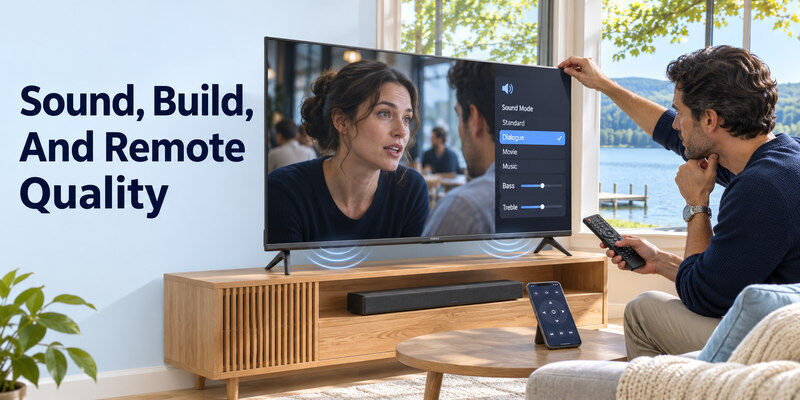
A thin affordable TV may have small downward-firing speakers. Speech can sound weak at normal volume even when the picture is adequate. Try dialogue-heavy content and compare the TV’s sound settings. If you add a soundbar, confirm ARC/eARC or optical output, the HDMI-CEC behavior, and placement clearance. The bar’s cost belongs in the buying decision.
Look beyond showroom plastic
Check stand rigidity, foot spacing, cable routing, and port access. The chassis may be light but still require two people to mount at larger sizes. Read the manual’s VESA pattern and weight. A narrow stand can fit furniture better; wide feet may need a new cabinet. None of these are visible in a generic product-category rating.
Physical remote and phone fallback
Assess button layout, input selection, captions, and replacement availability. If the remote is lost, a compatible may navigate a supported TV on the required network after initial setup. It does not guarantee a way through the first-time Wi-Fi screen or a factory reset. A TV with a useful physical power/menu control is easier to recover.
Read more: Best Budget Smart TV: Choose a Good Picture Without Paying for Extras
A Fair Value Comparison
Compare the total price of two exact models at the same size and delivery terms. List your must-haves before reading ratings: apps, viewing angle, audio output, number of HDMI inputs, and gaming modes. Then inspect independent tests and the return terms. A model with a better picture can be cheaper in practice than a weak screen plus a soundbar or streamer purchased to patch avoidable problems.
| Red flag | Why it matters | Better verification |
| “120 motion” without native refresh | May still be a 60 Hz panel | Manufacturer spec and 4K/120 input test |
| HDR logo alone | No guarantee of visible HDR impact | Measured brightness and dimming review |
| Very low flash-sale price | Could be old or special SKU | Full model number and warranty |
| App logos on package | Regional availability can change | Current app store on the exact TV |
| No written return details | Panel variation is possible | Return window and defect policy |
Cost over several years
A cheaper purchase can still be good value if it meets your daily needs. Include an external streaming device, replacement remote, mount, and power use only when relevant. Compare official energy labels for the exact size instead of claiming every inexpensive TV draws more power. Warranty and local repair options may matter more than small picture differences if you intend to keep the set a long time.
Timing a purchase
Promotions can make a stronger midrange model overlap an entry model’s ordinary price. Check price history where trustworthy and current offers in your region; do not treat an expired sale as the normal market. A store-exclusive SKU may differ in stand, remote, or software. Confirm the suffix and return rights on your receipt. There is no evergreen “best under $X” without a date and market.
Cheap Smart TV Review FAQ
Is a cheap 4K smart TV worth it?
Yes, for casual streaming when the exact model has the apps, fit, and basic picture quality you need. It may disappoint in bright HDR, wide seating, or 120 Hz gaming. Compare a real model’s independent review and return policy.
How long will a cheap smart TV last?
There is no reliable universal lifespan by price tier. Component quality, heat, use, software support, and repair access all matter. Read the warranty and model-specific reliability evidence; an HDMI streamer can extend useful app access after built-in software ages.
Do budget TVs have good HDR?
Some midrange discounted models do. Very cheap sets may accept HDR formats without enough brightness or local dimming for compelling results. Check measured performance at the exact size rather than a logo alone.
Can I add a streaming stick later?
Yes, if the TV has a suitable HDMI input and supports the stick’s resolution and HDCP requirements. This can refresh apps and speed up navigation, but it cannot change the panel’s contrast, motion, or reflections.
What matters most for a budget TV?
Your room and use case. Prioritize screen fit, basic picture quality, required apps, a responsive remote, adequate ports, and a fair return policy. Add gaming and sound features only if you will use them.
The Cheap-TV Review Tests Most Buyers Skip
A normal stream rather than a demo loop
Use a familiar show from the service you actually watch, including a dark scene and a face in daylight. A highly compressed stream can expose posterization or artificial sharpening that a showroom 4K demo hides. A cheap smart tv review should note the source and picture mode. Compare two models at similar brightness rather than leaving one in vivid mode. If the budget set looks clean with normal content at the intended seating distance, its missing premium badge may not matter to you.
Menu speed after several apps are installed
Open Home, launch two apps, switch to HDMI, return, and search for a title. A TV that feels responsive with no apps may slow after updates and storage fills, though the effect varies. Check storage management, current firmware, and app support for the exact model. A cheap smart tv review should test routine navigation, not only the boot screen. If a separate streamer is needed to make the interface tolerable, include its price and HDMI occupation in the value calculation.
A wide family seating layout
Move from the center seat to the sofa’s far end. Some inexpensive LCD panels lose contrast or color off-axis, turning a cheap large screen into a poor shared-viewing choice. Sport can reveal uneven backlight or dirty-screen effect during camera pans. The cheap smart tv review verdict should reflect the actual room, not a head-on store display. A smaller, stronger panel may be preferable if everyone watches from different angles. Check stand placement too: wide feet may not fit the existing cabinet.
A console at 60 and 120 Hz
Most entry models accept a console at a compatible 60 Hz mode, but “motion 120” is not proof of native 120 Hz or 4K/120 input. Open the console’s display-information screen and test Game Mode. If input lag is low and the household plays casual games, a 60 Hz set can be a good value. A cheap smart tv review should reserve a stronger gaming recommendation for verified 4K/120, VRR, ALLM, and port availability. A soundbar on eARC can reduce usable inputs.
Audio and remote recovery
Test speech at normal volume, not only loud action scenes. A basic soundbar might solve dialogue, but pushes the total purchase above another TV’s price. Check the remote’s input button, captions, battery type, and replacement availability. A phone app is useful after pairing but may fail at first-time setup or a new Wi-Fi password. The cheap smart tv review should include those ownership details because a frustrating remote is encountered every day. Written warranty and return terms finish the comparison.
Final Thoughts
This cheap smart tv review finds a clear value case for an affordable 4K set used mainly for streaming, especially in a bedroom or moderate-light room. Verify the exact SKU’s panel, apps, sound output, and warranty. Spend more only where the upgrade fixes a problem you can see or use daily, and judge the complete installed price before deciding.
