
Best 65 Inch TV in 2026: Choose the Screen for Your Room
Short answer: Compare the LG C6 OLED for dark-room movies and gaming with a Sony BRAVIA 7 II or well-reviewed Mini-LED LCD for a brighter living room.
A 65-inch television is a major piece of furniture as well as a display. Its actual footprint, port placement, reflection handling, and total installed cost decide whether an excellent model is right for you. This guide uses exact manufacturer specifications where available and makes no claim of hands-on testing. Prices are dynamic, so check local offers immediately before purchase.
Best 65 Inch TV: Three Sensible Shortlists
| Priority | Model to investigate | Why it belongs | Critical check |
| Dark films and games | LG C6 65-inch OLED | Pixel-level blacks, Dolby Vision, 4K/120 inputs | Room reflections, price, OLED care |
| Bright mixed-use room | Sony BRAVIA 7 II 65-inch Mini-LED | High-end LCD alternative with Google TV | Exact gaming port allocation and measured blooming |
| Size per dollar | TCL QM7K 65-inch Mini-LED | Local dimming and gaming features | Exact-size review, service and local stock |
The best 65 inch tv is a choice among actual SKUs, not a technology acronym. LG’s official C6 line includes a 65-inch size with 120 Hz native refresh and 165 Hz VRR capability in the 55-inch specification; verify the exact 65-inch spec page before assuming every detail carries over. Sony’s official K-65XR70M2 BRAVIA 7 II sheet identifies model year 2026, four HDMI inputs, VRR on HDMI 3 and 4, and ALLM on all four. TCL’s QM7K official specification lists a 65-inch version and QD-Mini LED technology. Compare independent measurements for the same size and firmware.
For a dark movie room
OLED’s individual pixels can switch off, preserving black around bright subtitles without local-dimming halos. An LG C6 is an appealing film and game benchmark if the seating is wide and light can be controlled. Verify the actual 65-inch price and warranty. A less expensive OLED, such as a B-series model where available, may free budget for audio, but compare brightness, processing, and HDMI features before substituting it.
For windows and daytime sport
A capable Mini-LED LCD can push a bright picture through ambient light, though its reflected window and local-dimming behavior still matter. Put a Sony BRAVIA 7 II and TCL QM7K side by side in a reasonable picture mode; watch a dark scene as well as sports. A specification’s peak-nit number is not a whole-screen brightness measurement. Manufacturer “up to” claims often differ by size.
While comparing the displays, look for common TV picture quality issues such as motion artifacts, unusual colors, or a soft image from a low-quality source.
For a constrained budget
A 65-inch basic 4K LCD may be a better purchase than a feature-rich 55-inch model when the couch is far away. Check whether it has native 60 Hz or 120 Hz, useful local dimming, and enough HDMI inputs. Prioritize a good return policy because backlight uniformity can vary by unit. Add delivery, wall mount, and soundbar costs to the budget before deciding.
Measure the Room Before Ordering
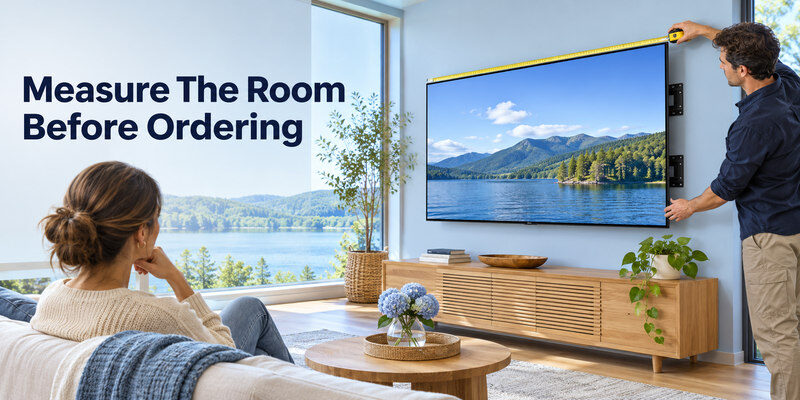
For a 16:9 display, the illuminated portion of a 65-inch diagonal is approximately 56.7 inches wide and 31.9 inches high. The bezel makes the television slightly larger, and the feet may require a wider cabinet. Sony’s K-65XR70M2 sheet lists its body with stand at 57 by 35.75 by 13.5 inches and weight with stand at 67.7 pounds. Those dimensions belong to that model, not every 65-inch TV. Measure the actual product drawing for yours.
Wall mounting and handling
Confirm the VESA pattern, weight rating, stud placement, power outlet, and cable access. Have enough people to handle the panel according to its manual; pressing on the screen can damage it. Plan for a soundbar beneath the image without blocking the IR sensor. A flush mount may make side HDMI easier than rear-facing connectors. Local installation fees and cable concealment can be substantial.
Seating distance and sightlines
A 65-inch screen often suits a living room around seven to eleven feet away, but viewing preference and source quality vary. Use tape to mark the outer edges on the wall. Sit at the nearest and farthest seats and check neck angle. A set mounted too high can be uncomfortable even when the size is perfect. Reflective daylight from a window opposite the screen may matter more than an extra inch of diagonal. If your preferred 65-inch TV lacks a must-have app, compare the best streaming devices for different TVs and check whether the exact player supports your services.
Read more: Best 55 Inch TV in 2026: Picks by Room, Budget, and Use
Compare Picture Quality With Real Content
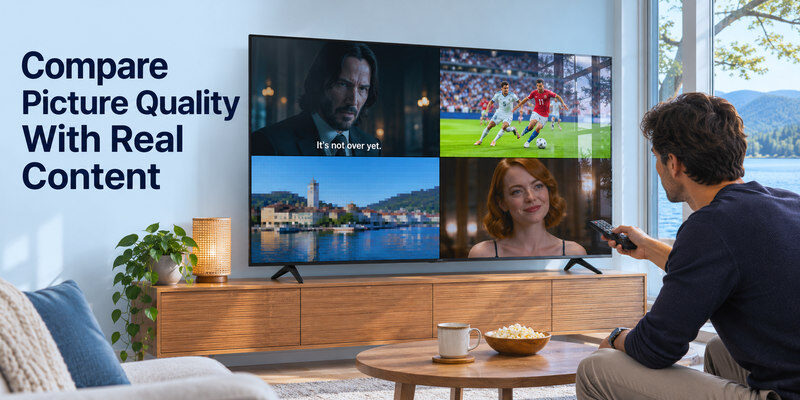
A still image in a store rewards excessive saturation. Use several content types: a dark subtitled film, a bright sporting event, a low-bitrate stream, and a familiar face. Try a normal/cinema mode, similar brightness, and the same source. Different screens may process the same input in different ways. If one TV receives a cleaner feed, that is not a fair panel comparison.
OLED black and Mini-LED blooming
An OLED can render a black background while a tiny star remains bright because pixels operate independently. A Mini-LED uses larger zones; white subtitles may illuminate surrounding black. Zone algorithms can suppress halos by dimming small highlights, which trades one artifact for another. Watch moving scenes and off-axis seats. Neither “OLED” nor “Mini-LED” alone identifies the best implementation.
HDR and reflections
Look for supported HDR formats used by your services, then examine measured peak and sustained output. Dolby Vision on an LG C6 may be valuable to a household with compatible content; a different set may favor HDR10+. Strong reflection handling can outperform a higher advertised brightness in a sunlit room. Use independent tests on the exact size, as finish and panel may change within a family.
Motion and upscaling
A 65-inch screen reveals compression noise and low-resolution content more clearly than a smaller set at the same distance. Test a cable broadcast or older show if that is much of your viewing. Motion interpolation can smooth sports but make films look artificial; turn it down if preferred. A native 120 Hz panel can show 24-fps film without the same 3:2 cadence concerns as a 60 Hz path, but real processing varies by model.
Read more: OLED vs QLED Comparison: Which TV Fits Your Room and Use?
Gaming at 65 Inches
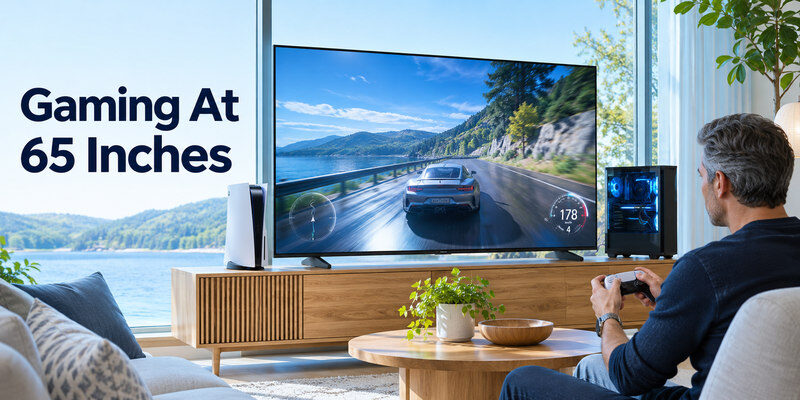
At this size, a console can feel immersive from the couch. Inspect 4K/120, VRR, ALLM, input lag, HDR handling, and the physical port map. Sony’s BRAVIA 7 II official sheet lists VRR on HDMI 3/4; if HDMI 3 also serves eARC on the exact model, a soundbar may leave one VRR-capable port. Plan for your number of consoles rather than assuming four identical HDMI ports. LG’s C6 line is designed for high-refresh gaming, but verify 65-inch regional specifications.
If an LG OLED is on your shortlist, our LG Magic Remote comparison can help you check handset compatibility and button preferences.
Test the actual signal path
Connect PS5 or Xbox directly using the supplied or a certified Ultra High Speed HDMI cable. Enable the TV’s enhanced input setting where needed; then inspect the console’s video-capability screen. Only add an AV receiver, soundbar passthrough, or switch once direct 4K/120 works. If you get a blank screen, try the proper port and lower output mode to isolate bandwidth. Our how to connect gaming console to tv article describes the sequence.
Console versus PC requirements
The advertised 165 Hz ceiling on some TVs is mainly relevant to a capable PC. PS5 and Xbox content commonly targets up to 120 Hz in supported games and configurations. A 60 Hz TV is still playable; it simply cannot display a 120 Hz signal as 120 distinct frames. If the 65-inch set doubles as a desktop monitor, assess text clarity, static UI usage, seating distance, and eye comfort.
Read more: Best TV for Gaming: 2026 Picks for PS5, Xbox, and PC
Apps, Audio, and Everyday Use
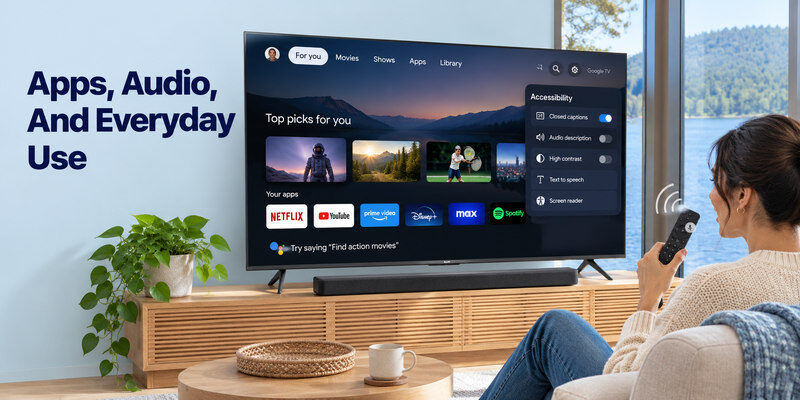
LG webOS, Sony Google TV, and TCL Google TV have different home screens, recommendations, voice integrations, and regional app catalogs. Confirm your required services and accessibility options on the exact TV. External streamers can change the interface later, so panel, ports, and physical design deserve priority. Check whether the TV remembers the last input and whether its remote has convenient shortcuts for your household.
Soundbar path
A large panel does not ensure strong dialogue or bass. Reserve an ARC/eARC HDMI port or optical output for the soundbar. On first setup, select external audio, enable the relevant HDMI-CEC setting, and match the soundbar input. If audio works from TV apps but not the console, inspect the console’s format and the TV’s passthrough setting. A multichannel format unsupported by the bar can cause silence or fallback. A larger screen often deserves a separate audio budget.
Remote fallback and accessibility
Test subtitle control, voice search, and the input menu before the return period closes. A compatible can help navigate supported TVs when the physical remote goes missing, provided the network and initial pairing are in place. It cannot create a missing HDMI signal or replace a required first-time setup control. Keep the original remote accessible for recovery.
If you need another way to select the soundbar’s input or adjust its settings, explore soundbar remote app options and confirm support for your exact model.
Read more: Best Budget Smart TV: Choose a Good Picture Without Paying for Extras
Calculate Total Ownership Cost
The sticker price excludes sales tax, delivery, bracket, installation, cable concealment, audio, and possibly recycling. Read the written warranty and service process for your region. LG’s US C6 product page lists a one-year limited parts-and-labor warranty for the 55-inch SKU; other sizes/regions need their own confirmation. An advertised panel promise may carry conditions. Check the retailer’s dead-pixel, shipping-damage, and return policies before accepting delivery.
| Decision | Verify before checkout | Avoid this assumption |
| Fit | Box dimensions, stand spread, VESA, weight | All 65-inch sets fit the same cabinet |
| Gaming | Number of 4K/120 and VRR inputs after eARC | Every HDMI socket is equivalent |
| Picture | Review of exact size and firmware | Series-wide peak claims apply equally |
| Software | Apps in your country, updates | Every Google TV or webOS set has identical support |
| Value | Installed price and warranty | Lowest shelf price equals lowest total cost |
Inspect delivery before setup
A 65-inch box can be too wide for a small car or stairwell. Check delivery route, elevator dimensions, and the retailer’s damage-report window. Photograph packaging if visibly damaged before opening. Follow the manual’s unpacking instructions; do not lift a thin screen by its top corners. Keep the box for the return period if space permits.
Confirm energy labels and operating conditions
The energy label for a named 65-inch SKU is more meaningful than a generic claim that OLED or LCD always uses less power. Consumption changes with brightness and content. Keep ventilation space around the set and attached consoles. If it runs for long periods in a bright room, sensible picture settings can balance clarity and energy use without making the screen unusable.
Best 65 Inch TV FAQ
Is a 65-inch OLED better than a Mini-LED?
For dark scenes and wide angles, a good OLED is often compelling. A strong Mini-LED may suit a bright room or a lower price. Compare exact models, reflection handling, and warranty rather than assuming one panel type wins every room.
How far should I sit from a 65-inch TV?
There is no universal distance. Around seven to eleven feet is a useful living-room range to try, but content resolution and desired immersion change the answer. Mark the size on the wall and judge from each seat.
Are two HDMI 2.1 inputs enough?
They may be, but count an eARC soundbar and any consoles or PC. A TV whose eARC shares a gaming-capable port can leave fewer usable high-refresh inputs. Inspect the exact port map before ordering.
Is a 65-inch budget TV better than a premium 55-inch TV?
It depends on distance and room light. The larger image can be more engaging, while the smaller premium set may offer much stronger contrast, motion, and HDR. Compare both from your actual seating position at the same total installed cost.
Can I use a phone instead of the included remote?
Sometimes, after the TV and phone are set up on a compatible network. The original remote may still be necessary for first-time pairing, a factory reset, or a network outage. Confirm your model’s supported control method.
Four 65-Inch Decisions in Practice
A sofa ten feet from the wall
At a longer viewing distance, 65 inches may be more engaging than a smaller premium panel. Mark the approximately 56.7-inch display width on the wall and allow for the bezel. The best 65 inch tv should fit the cabinet, delivery route, and sightline without forcing viewers to look up at a high mount. Sony’s official BRAVIA 7 II 65-inch sheet gives a 57-inch body width with stand for that model; another 65-inch TV will differ. Measure the stand footprint and soundbar clearance, not only the diagonal.
Film nights in controlled light
A 65-inch OLED such as LG C6 can deliver pixel-level black and wide angles, especially when curtains manage reflections. Compare exact-size brightness and near-black processing in independent reviews. The best 65 inch tv for this room may justify a higher price if films are the main use. Check the written warranty and whether persistent static content is common. A discounted OLED from a prior model year may offer value, but verify ports, OS support, and stock rather than assuming its family name matches the new version.
A bright room with sport
A well-reviewed Mini-LED from Sony or TCL is a strong comparison because brightness and reflections matter more in daylight. Watch a moving field from each seat and a dark subtitle scene after the room is dimmed. The best 65 inch tv cannot be chosen by a peak-nit advertisement alone; sustained brightness, blooming, uniformity, and finish affect real viewing. Check exact-size dimming features, as a series may use different zone counts across diagonals. Add curtains or adjust TV placement before buying solely to overpower a window.
Games, soundbar, and several sources
A 65-inch screen can share a console, PC, streamer, and soundbar. Count the 4K/120/VRR inputs after eARC. Sony’s 2026 BRAVIA 7 II official port sheet lists VRR on HDMI 3/4; confirm the eARC overlap for the exact SKU. The best 65 inch tv for several gamers may be one with more independent high-bandwidth inputs. Connect each console directly and check its video information; add a switch only if its full signal and audio requirements are documented. A cable cannot create a port feature the TV lacks.
Warranty, delivery, and final price
A large TV can require professional mounting and careful transport. Check carton size against doorways and elevators, damage-report deadlines, return rights, panel terms, and local service. A premium set with a poor installation plan can become expensive. Compare delivered and installed price for the exact SKU on the same day. The best 65 inch tv recommendation should identify the room, budget, and service region; a stale sale price or a review of a different size is insufficient.
Final Thoughts
The best 65 inch tv is the one that fits the room and the entire device chain. Compare an LG C6 OLED for film and gaming, a Sony BRAVIA 7 II for a premium Mini-LED route, and a TCL QM7K for value. Verify the exact 65-inch SKU, independent picture results, current local price, port map, and installation dimensions before you buy.
