
AC Remote Control App: Which Option Actually Works for Your Air Conditioner?
Last updated: November 4, 2026
Quick answer: An ac remote control app lets you operate a compatible air conditioner from your phone. For a Wi-Fi-enabled AC, start with its manufacturer’s official app, such as LG ThinQ, Samsung SmartThings, or Daikin Onecta.
For an older unit controlled by infrared (IR), you need a phone with an IR blaster or a compatible Wi-Fi-to-IR hub. Downloading an app alone cannot add infrared hardware to your phone.
1. What Is an AC Remote Control App and How Does It Work?
An ac remote control app is a mobile interface for sending commands to an air-conditioning system. The screen may resemble a handheld remote, with buttons for power, temperature, operating mode, fan speed, and swing. Some systems also show current settings, running schedules, or electricity-use information.
Choosing the right ac remote control app starts with how the command reaches the AC. There are three common routes:
| Connection | What sends the command? | Internet required? | Typical use |
|---|---|---|---|
| Built-in IR | Your phone’s infrared transmitter | No | Older ACs with IR remotes |
| Native Wi-Fi | The AC’s own connected module | Usually for remote-away control; setup requirements vary | Supported smart air conditioners |
| Wi-Fi-to-IR hub | A separate hub sends infrared commands | Usually for remote-away control | Traditional IR ACs with phones lacking IR |
An air conditioner remote app cannot automatically work with every cooling system. A central HVAC system controlled through a wall thermostat is not the same as a split AC that came with an infrared handset. Match the control technology before choosing software.
Download TV Remote App2. How to Check Whether Your Air Conditioner Is Compatible
Before downloading an ac remote control app, spend two minutes identifying your equipment. It prevents incompatible downloads.
Find the full model number
Find the exact model on the indoor-unit label or in the manual. Different models of the same brand may use different connections.
Look for Wi-Fi or smart-home support
Search the model specifications for Wi-Fi, ThinQ, SmartThings, Onecta, or wireless LAN adapter. For example, LG says ThinQ remote functions require a compatible Wi-Fi-enabled air conditioner. Daikin describes Onecta-enabled controllers that can control compatible indoor units through a local network or the internet. These statements concern supported models, not every AC sold by either company.
Check the original remote
If your AC came with a conventional infrared remote and has no supported network module, your options are an IR-equipped phone, a dedicated IR controller, or an appropriate replacement handset. If the system uses a wired thermostat, choose a thermostat-compatible solution instead of an IR-only accessory.
| Your equipment | Best starting point | Extra hardware? |
|---|---|---|
| Wi-Fi-enabled LG AC | LG ThinQ | Usually no, if Wi-Fi is built in |
| SmartThings-compatible Samsung AC | SmartThings | Usually no, if supported |
| Daikin system supporting Onecta | Daikin Onecta | Possibly a compatible Wi-Fi adapter |
| Traditional IR split/window AC | Compatible IR remote app or IR hub | Only if the phone lacks IR |
| Central system with wall thermostat | Manufacturer-supported thermostat app | Depends on thermostat |
3. Best Types of AC Remote Apps for Different Air Conditioners
The best ac remote control app usually matches the air conditioner’s hardware.
Official manufacturer apps
For connected models, a manufacturer-backed ac remote control app is the first option to evaluate.
LG ThinQ is a strong first choice for supported LG models. Depending on the model, it may allow remote power control, target-temperature adjustment, fan settings, and additional monitoring. LG explicitly warns that functions and regional availability vary.
Samsung SmartThings offers controls for eligible Samsung ACs and other connected household devices. Samsung’s setup guidance describes adding an air conditioner, registering it to an account, and connecting it to the home router; its instructions note that certain AC models use 2.4 GHz Wi-Fi during setup.
Daikin Onecta supports certain Daikin systems and connection adapters. Depending on your equipment, features can include temperature setting, scheduling, status monitoring, and remote access. Check the adapter and indoor-unit combination before installing.
IR-based Android apps
A compatible ac remote app for android can be convenient if the handset has an actual IR blaster. Start with the phone maker’s remote utility, then test power and temperature nearby.
Smart IR hubs and their companion apps
For a conventional infrared AC and a phone without IR, a Wi-Fi-to-IR controller may bridge the gap. Products such as Sensibo and Cielo devices are examples, but their exact model compatibility and functions differ. Sensibo explains that its controllers reproduce infrared remote commands, while Cielo notes that its controllers are not intended for central systems lacking an IR remote.
📘 Find the Right Guide: IR Remote Control App for Android: What Works With an IR Blaster?
4. How to Set Up an AC Remote Control App Step by Step
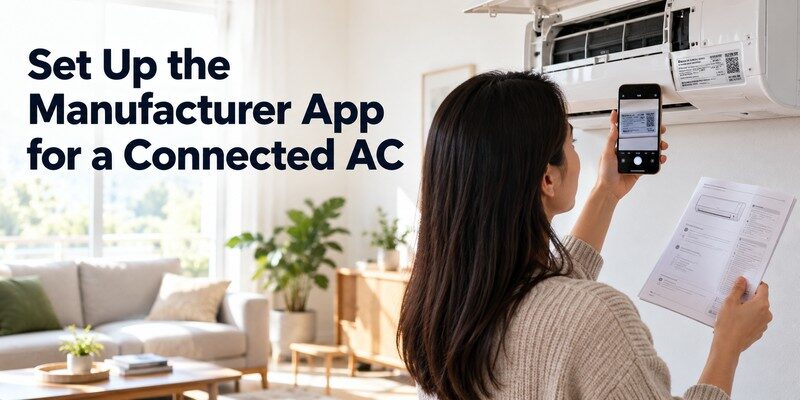
Setting up an ac remote control app is easier when you follow the path that matches your equipment. These steps are general; the manufacturer’s on-screen instructions always take priority.
Option A: Your AC already supports Wi-Fi
A Wi-Fi ac remote control app must register the actual appliance, not merely discover your phone’s network.
- Confirm compatibility. Find the exact indoor-unit model and supported app in its manual or official product page.
- Install the official application. Use the Apple App Store or Google Play, not an unknown APK download page.
- Prepare the network. Turn on the AC and connect your phone to the home Wi-Fi specified by the manufacturer. Check whether the AC requires a 2.4 GHz connection.
- Sign in and add the appliance. Choose Add Device, select air conditioner, and follow the instructions for your specific model.
- Enable pairing mode. Some units require holding a button on the physical remote or indoor unit; the exact button and duration vary.
- Complete registration. Wait for the unit to appear in the app, then give it a recognizable name such as Bedroom AC.
- Test commands. Try power, a modest temperature change, and fan-speed selection. Check that the unit actually responds.
If pairing fails, stop and check the network requirements before repeatedly resetting the AC.
Option B: Your phone has an IR blaster
- Open a compatible built-in remote utility or trusted app.
- Select Air Conditioner, the correct manufacturer, and the nearest supported model or code profile.
- Aim the top of the phone toward the indoor unit’s infrared receiver.
- Send a Power command and confirm a response.
- Test temperature, mode, fan, and swing separately.
- Save the working remote profile for future use.
Option C: You use a Wi-Fi-to-IR hub
A hub lets an ac remote control app issue commands through separate IR hardware.
Power the hub and position it facing the AC. Pair it in its app, choose the model or train it with the original remote, and test commands. Keep its IR path clear.
📘 Find the Right Guide: How to Control AC With Phone: Wi-Fi, IR Blaster, and Hub Steps
5. Can You Control an Air Conditioner Without an IR Blaster?
Yes, but an ac remote control app without an infrared-equipped phone still needs another communications path. The realistic choices are native Wi-Fi built into the AC, a compatible optional Wi-Fi adapter, or a separate smart IR hub. Software alone does not transform a standard phone camera or flashlight into an infrared transmitter.
People searching for an ac remote control app without ir often mean one of two things: they want to use an iPhone, or their Android phone lacks an IR blaster. Both cases can work with a Wi-Fi-enabled AC. They can also work with many traditional IR units after adding suitable hub hardware.
| Scenario | Possible without phone IR? | What is needed? |
|---|---|---|
| iPhone + Wi-Fi smart AC | Yes | Supported manufacturer app |
| Android without IR + Wi-Fi smart AC | Yes | Supported manufacturer app |
| iPhone + older IR AC | Yes | Compatible smart IR hub |
| Android without IR + older IR AC | Yes | Compatible smart IR hub |
| Phone with no IR + basic AC + no hub or Wi-Fi | No | Hardware or physical remote required |
For air conditioners using a wired thermostat, look instead for a system-compatible connected thermostat. An app built to imitate infrared commands will not replace an electrical thermostat connection.
6. Free vs. Paid AC Remote Apps: What Matters?
A free download does not guarantee free control, while payment cannot fix incompatible hardware.
If you want a free ac remote app, start with the official utility for your supported air conditioner or phone. LG, for example, says ThinQ is free for supported models, although compatible hardware is still required.
Before choosing another ac remote control app or paying for a hub, compare:
- Device support: Does the developer identify your exact AC model or supported remote family?
- Core controls: Can you change power, set temperature, operating mode, fan speed, and swing?
- Scheduling: Can you set a routine for sleep or arriving home, and does it require cloud access?
- Privacy and permissions: Does the app request only permissions necessary for pairing and operation?
- Pricing clarity: Are ads, trials, subscriptions, and hardware purchases disclosed up front?
- Offline behavior: Will local control still work if the internet connection fails?
📖 Read More Guides: Fan Remote Control App: Best Options for Smart, Ceiling, and IR Fans
7. AC Remote Control App Not Working? Common Fixes
When your ac remote control app stops responding, first identify whether the failure is happening over infrared, local Wi-Fi, or an internet service.
The AC does not appear during setup
If the ac remote control app cannot find your unit, start with basic pairing checks.
Verify that the model supports phone control at all. Check AC power, Wi-Fi signal, app updates, device permissions, and the required network band. In particular, Samsung’s supported pairing process calls for a 2.4 GHz network on certain air conditioners. Temporarily disable VPNs or network isolation during pairing if your manufacturer recommends it; reconnect securely afterward.
The app connects but buttons do nothing
For an IR setup, point the transmitter directly at the indoor unit, remove obstacles, and try another supported code profile. For Wi-Fi, confirm the AC is online and registered.
Temperature or power status looks wrong
Some IR systems send one-way commands and cannot confirm the actual AC state. That can leave the phone showing “on” while the unit is off. Cielo documents this possible mismatch for certain hub setups. Reconcile the state using the hub’s supported sync feature and avoid sending separate remote commands that the hub cannot observe.
Control works at home but not outside
Check internet connectivity at the AC or hub, manufacturer account status, cloud-service availability, and any remote-access settings. Local network control and away-from-home control are not identical features. Some products keep local functions available during an internet outage; others require the cloud.
Only some buttons work
Power and temperature commands may be supported even when swing, sleep, or special fan modes are not. Check the exact profile and your model’s available functions.
Quick diagnostic rule: If your physical AC remote works but the phone does not, examine the app, phone IR hardware, hub placement, and pairing. If neither works, inspect the AC’s power and error indicators and consult its official service guidance.
8. Smart AC Settings That Can Help Save Energy
An ac remote control app is most useful when it helps you adjust cooling intentionally, not when it simply adds another screen. Scheduling and remote access can reduce unnecessary operation, but energy savings are not guaranteed merely because you installed an app.
The U.S. Department of Energy says appropriate thermostat adjustments of 7–10°F for eight hours daily may save up to 10% a year on heating and cooling. This is a general estimate, not an app-specific saving; heat-pump systems need special consideration.
Build a sensible cooling routine
Use your ac remote control app to make practical adjustments, not constant unnecessary changes.
- Choose a comfortable setpoint: The Department of Energy advises setting cooling temperatures as high as comfortably possible rather than excessively cold.
- Adjust for absence: Where appropriate for your equipment and climate, reduce cooling demand while the room is unoccupied.
- Use schedules carefully: Apply a bedtime or return-home routine only if the AC and app support it reliably.
- Maintain the appliance: Clean or replace filters according to the manual. An app cannot compensate for poor airflow or neglected servicing.
💡 Discover Helpful Guides: Smart AC Control App: How to Control Your Air Conditioner From Your Phone
9. AC Remote Apps vs. TV Remote Apps: Know the Difference
An ac remote control app and a TV controller may look similar, but use different protocols and commands. A listing supporting Roku, Samsung TV, LG TV, or Fire TV does not automatically support air conditioners from those brands.
If you also want to control your television from your iPhone, the Remote TV app is a separate TV-focused solution. Its App Store listing describes support for compatible smart TVs over Wi-Fi, including channel navigation, volume control, and media features. It is not advertised as an air-conditioner controller.
For TV-only needs, you can explore universal remote tv control. Someone looking for a universal remote control app should check the store’s supported-device list before installing. For AC-only needs, choose one of the air-conditioner-specific methods explained earlier.
10. Frequently Asked Questions
Can I use an AC remote app on an iPhone?
Yes, a compatible ac remote control app can use built-in AC Wi-Fi or a smart IR hub. An iPhone cannot transmit the usual AC remote-control infrared commands simply by installing software. Start with your AC model’s official setup instructions.
Can I turn on my AC while I am away from home?
An ac remote control app may support this through the manufacturer’s internet-connected service or a compatible smart hub. Confirm that your chosen device offers away-from-home access and that the AC is connected, powered, and registered correctly. An IR-only phone app generally requires you to be nearby.
Will one app work with every air-conditioner brand?
No. Broad IR libraries still have model-specific limitations. Verify the AC or original remote model before assuming compatibility.
Do I need Wi-Fi to control my air conditioner from my phone?
Not when a compatible phone has an IR blaster and uses an IR remote utility nearby. Native smart-AC applications and Wi-Fi-to-IR hubs generally need network connectivity for setup, and remote operation may require internet access.
Why can I change power but not fan speed or temperature?
Your selected remote profile may not match every command. Confirm the model and try another supported profile, or check whether the special control is available in the official app.
11. Final Thoughts
The right ac remote control app depends first on how your air conditioner communicates. Use the manufacturer’s app for supported Wi-Fi models, a compatible IR utility when your phone has infrared hardware, or a carefully selected smart IR hub for an older unit and a phone without IR. Check model compatibility, test essential functions, and keep the original remote available during setup.
If your household also needs phone-based TV control, download Universal Remote TV Control for iPhone and iPad. It is intended for compatible televisions, not as a substitute for your air conditioner’s remote.
