
How to Cast Phone to TV Without WiFi: 5 Reliable
Want to display your phone’s photos, downloaded videos, or presentations on a bigger screen when the internet is down? How to cast phone to tv without wifi depends on what you mean by without Wi-Fi. A wired HDMI connection can work without a router or internet, as long as your phone supports video output. Miracast can mirror compatible Android devices via Wi-Fi Direct, without a home Wi-Fi network. If you simply have no internet subscription but still have a router, some local screen-mirroring features can work on that network.
Quick answer: For Android, check for Miracast/Wireless Display or supported USB-C video output. For iPhone, use a compatible Lightning or USB-C digital AV adapter and HDMI cable. A hotspot may help, but Google Cast is not reliably offline. How to cast phone to tv without wifi becomes easier when you separate internet access, a Wi-Fi network, and wireless display technology.
How to Cast Phone to TV Without WiFi: What Works?
First identify your situation:
- No internet, but a working router: Devices can share a local network without internet. Some local mirroring still works.
- No router or home Wi-Fi at all: Use compatible Miracast hardware or a wired video connection. The TV and phone must support the selected method.
- Only mobile data is available: A hotspot creates a network; online video still uses cellular data.
Casting asks a receiver to play content; screen mirroring duplicates your phone’s display. Local photos can be mirrored offline, but streaming apps may require internet or block external playback.
If your real goal is to cast phone to tv without internet, prioritize offline media already saved on your device. If you want to screen mirror without wifi, prioritize a compatible cable or direct wireless-display method rather than ordinary Google Cast.
| Method | Home router required? | Internet required? | Main limitation |
|---|---|---|---|
| HDMI adapter and cable | No | No for local content | Phone must support video output |
| Miracast via Wi-Fi Direct | No on compatible devices | No for local content | Both ends need matching support |
| Local Wi-Fi router | Yes | Not always for local mirroring | App and receiver behavior varies |
| Mobile hotspot | No separate home router | Sometimes | May consume mobile data or fail discovery |
| Ordinary Google Cast | Typically needs shared Wi-Fi | Often needed for streamed content | Offline behavior is not guaranteed |
Method 1: How to Cast Phone to TV Without WiFi With HDMI
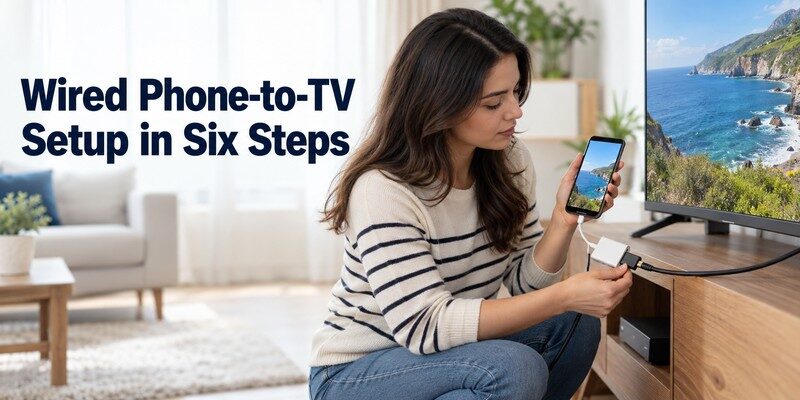
When someone asks how to cast phone to tv without wifi in a hotel, classroom, or office, a wired connection is often the most predictable answer. HDMI carries picture and sound directly to a television’s HDMI input; no wireless discovery or network password is involved.
Android: Check video output before buying a cable
- Look up your exact Android phone model in its official specifications. Confirm DisplayPort Alternate Mode, wired external display, or a manufacturer-supported desktop mode. Merely having USB-C does not prove that HDMI works.
- Get a compatible USB-C-to-HDMI adapter or dock, plus an HDMI cable. For long sessions, consider pass-through charging.
- Connect the phone to the adapter, then connect HDMI to an available TV input.
- Use the TV remote to select HDMI 1, HDMI 2, or whichever port you used.
- Accept any prompt on the phone. Some models mirror automatically; others launch a desktop-style interface.
An adapter cannot create video-output support that a phone lacks. If unsupported, try a compatible wireless method.
iPhone: Match the adapter to the connector
Apple describes Lightning Digital AV and USB-C display adapters for supported iPhones. Connect the adapter and HDMI cable, select the TV input, and play local content. Depending on your iPhone model and the accessory, supported display modes vary.
How to cast phone to tv without wifi with HDMI does not mean all paid streaming services will play offline. Some services require downloaded titles, account checks, or compatible content-protection hardware. Test a saved personal video before relying on a movie service for a trip.
Older TVs without HDMI require a suitable converter; verify the input before buying.
💡 Discover Helpful Guides: Screen Mirroring Not Working? 12 Easy Fixes for Any TV
Method 2: Use Miracast or Wi-Fi Direct on Android
Miracast is one of the most practical ways to understand how to cast phone to tv without wifi when you want a wireless solution and have compatible hardware. The technology uses Wi-Fi Direct to establish a device-to-device connection instead of relying on your usual router. It still uses Wi-Fi radios; it simply does not need a household Wi-Fi network.
Step-by-step: Start a direct wireless display
- On the TV, look in its input or network settings for Screen Mirroring, Wireless Display, Miracast, or Screen Share. Enable the receiving mode if necessary.
- On the Android phone, open Quick Settings or Connected devices and look for Smart View, Cast, Wireless Display, or Screen Share.
- If the phone offers multiple casting systems, select the option compatible with Miracast. A Google Cast-only menu may not find a Miracast display.
- Choose your TV from the list, then approve the pairing request or PIN on the big screen.
- Open a saved photo or document to test the picture. Disconnect from the same menu when finished.
Not every Android phone or smart TV supports Miracast. Samsung recommends the same Wi-Fi network for standard Smart View connections. Verify the actual model before relying on a direct connection.
For readers searching cast to tv without wifi android, this compatibility check is essential. A wireless display without internet is possible with Miracast, but no compatible Miracast receiver means no direct Miracast session. A supported HDMI adapter or external receiver can be an alternative.
Privacy: Enable Do Not Disturb before sharing a phone screen publicly.
💡 Discover Helpful Guides: Cast Phone Screen to TV: Choose Full Mirroring or App Playback
Method 3: Use a Hotspot or Local Wi-Fi Network
A hotspot is sometimes suggested as the universal solution to how to cast phone to tv without wifi. That advice leaves out an important detail: a hotspot creates Wi-Fi; it does not eliminate the need for Wi-Fi. It may replace your home router, but the TV still needs compatible network discovery, and content apps may require an internet connection.
Option A: Use a second phone as the hotspot
With two phones:
- Enable a personal hotspot on Phone A. Choose a password and keep the hotspot active.
- Connect the television or streaming device to that hotspot, if it supports joining Wi-Fi networks.
- Connect Phone B to the same hotspot, rather than to a different nearby network.
- Try a compatible local mirroring feature first. If you test Google Cast, expect that device setup and many streaming apps may still require internet access.
- Turn off mobile data on the hotspot device only if you are deliberately testing whether your specific equipment can operate on an offline local network.
For how to cast phone to tv without wifi via hotspot, using two phones avoids the sender-hotspot conflict. Chromecast may still reject offline access.
Option B: Keep your router on even when the internet is down
For how to cast phone to tv without wifi, consider that your actual problem might be missing internet rather than missing Wi-Fi. Leave a functioning router powered on, connect both devices to its network, and test local screen sharing. The router can still connect devices to each other even if the internet service provider is offline.
This can work for local sharing, not for internet streaming. Google Cast expects sender and receiver on the same Wi-Fi network; Chromecast may also report missing internet access.
Important 2026 correction: Google’s old Chromecast Guest Mode is no longer supported. Google’s developer changelog records its removal on July 11, 2023. Avoid tutorials promising that a Guest Mode PIN will solve modern offline Chromecast casting.
Option C: Use a travel router
A travel router creates a local network without broadband. Connect the phone and TV, then test your mirroring feature with internet deliberately disconnected.
A travel router does not override an app’s or Chromecast’s internet requirements.
Android, iPhone, and TV Brand Compatibility
How to cast phone to tv without wifi varies by phone, TV, and supported connection protocol.
Samsung TV and Galaxy phone
On a compatible Galaxy phone, Smart View is typically the first screen-sharing control to check. Samsung’s support guidance says that its normal Smart View connection uses the same Wi-Fi network, and it warns that DRM-protected content cannot be mirrored. A direct Miracast connection may be possible on particular hardware, but verify it instead of assuming every Samsung combination can operate without a network.
For how to cast phone to tv without wifi on Samsung, confirm mirroring support first; our samsung tv remote app guide addresses menu controls, not mirroring.
LG, Roku, Fire TV, and Google TV
LG may offer Screen Share, Roku Screen Mirroring, and Fire TV Enable Display Mirroring. Check actual model compatibility; brand names alone do not confirm Miracast.
Google Cast generally needs both devices on the same Wi-Fi network. For discovery problems, see Google TV remote not working or Vizio SmartCast app won’t connect to TV.
iPhone, AirPlay, and wired adapters
Apple documents AirPlay as a way to stream or mirror from an iPhone to a compatible TV, usually with both devices connected to the same network. For an uncomplicated how to cast phone to tv without wifi setup on iPhone, a compatible HDMI adapter is often a better fit than assuming wireless AirPlay will operate without a network.
Even a non-smart TV can display compatible HDMI output. See our Best Remote TV App guide for TV-control options.
How to Watch Offline Content Without Using Mobile Data
How to cast phone to tv without wifi is often really a question about saving data. Mirroring a downloaded family video does not require downloading that file a second time. But if you open a live streaming app while your phone is using cellular data, the stream still consumes mobile data, regardless of whether the TV is connected through HDMI or a hotspot.
Netflix’s official Help Center estimates data use at up to 0.3 GB per hour on Low, 0.7 GB on Medium, 3 GB per hour for HD on High, and 7 GB per hour for 4K on High. These are service-specific upper figures, not measurements of Miracast or HDMI. An offline video that has already been downloaded is fundamentally different from an online 4K stream.
For how to cast phone to tv without wifi during a trip, prepare before leaving home:
- Download permitted movies or presentations in advance while you have internet access.
- Test playback in airplane mode or with mobile data disabled, if the app permits offline viewing.
- Store personal videos and photographs locally, rather than only in cloud photo storage.
- Carry a compatible HDMI adapter and cable if the TV input is available.
- Charge your phone and check that offline downloads remain valid.
For how to cast phone to tv without wifi while traveling, test locally saved content and video-output hardware before departure.
💡 Discover Helpful Guides: How to Mirror iPhone to TV: AirPlay and HDMI Steps
Fix Casting Problems When Wi-Fi Is Unavailable
If how to cast phone to tv without wifi still fails, troubleshoot the specific method first.
The phone cannot find the TV
Enable the TV’s receiving mode. Google Cast and Miracast are different; a Cast-only TV may be invisible to Miracast. On a router or hotspot, check the shared network and client-isolation settings.
HDMI gives no picture or sound
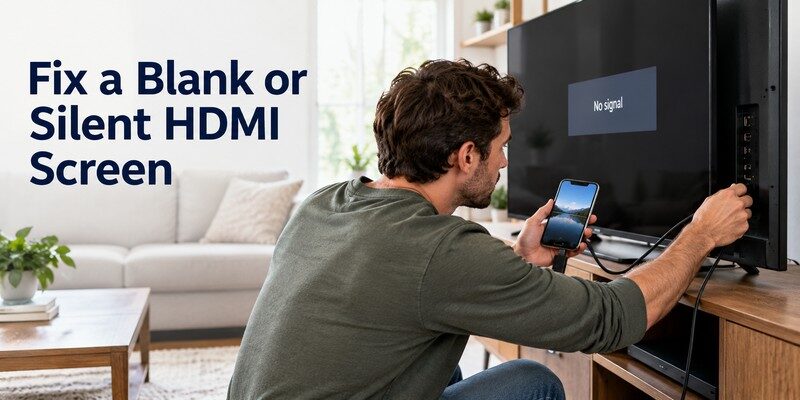
Select the correct HDMI input, reconnect the adapter, and verify the phone’s wired-output capability. If picture appears without sound, check audio settings. Protected apps may block external playback.
Mirroring starts, then shows a black screen
Test a personal photo. If it works but a movie stays black, DRM may block mirroring. Use the streaming service’s supported TV app.
Hotspot casting disconnects or uses unexpected data
Hotspots can turn off when idle or isolate devices. Reconnect, review power saving, and check cellular-data usage: a TV may stream directly online.
Ask: Does the phone send the chosen protocol, does the TV receive it, and does the content work offline? These checks narrow the problem.
Can a TV remote app replace Wi-Fi for casting?
No. Begamob Global Limited’s Remote TV app helps control compatible TVs on iPhone and iPad; it is not an Android Miracast sender. Remote functions may require a local network.
For compatible iOS remote functions, see universal remote tv control. iPhone/iPad CTA: Download universal remote tv control. This is not Wi-Fi-free Android casting.
Frequently Asked Questions
Can I cast my phone to a TV with no router and no internet?
Yes, if your phone supports wired video output and the TV has a matching input, or if both devices support a direct wireless-display protocol such as Miracast. How to cast phone to tv without wifi does not have one universal solution; you must confirm the hardware combination.
Does Wi-Fi Direct use mobile data?
Not by itself. If how to cast phone to tv without wifi involves Wi-Fi Direct, local mirroring needs no cellular data; an online app can still consume it.
Can I use Chromecast without internet or a home Wi-Fi connection?
Do not rely on this as a standard setup. Google’s Cast instructions expect sender and receiver on the same Wi-Fi network, and Chromecast devices or apps may require online services. Chromecast Guest Mode is discontinued. Unusual local-network setups are model-specific.
Can I mirror my iPhone without Wi-Fi?
For how to cast phone to tv without wifi on an iPhone, use an HDMI adapter compatible with your model. Ordinary AirPlay usually expects both devices on the same network.
Can I share a downloaded movie without using cellular data?
Often, yes, if the app allows offline playback and external display output. Use a local video file or an approved offline download, and test with mobile data disabled. Certain subscription titles have rights-management restrictions, even when a file was previously downloaded.
What works best on a hotel or classroom television?
A tested HDMI connection is easiest: plug in and select the input. Otherwise, check for Miracast. Hotel guest Wi-Fi may block discovery.
Do I need to buy a casting app?
Usually not. For how to cast phone to tv without wifi, built-in Miracast or supported HDMI may suffice; apps cannot create missing hardware capabilities.
💡 Discover Helpful Guides: How to Cast Phone to TV Without WiFi: 5 Reliable
Final Thoughts
The most reliable answer to how to cast phone to tv without wifi is HDMI for a completely wireless-network-free setup, or Miracast/Wi-Fi Direct for compatible Android devices that can establish a peer-to-peer connection. A router without internet may support local sharing, while mobile hotspots and Google Cast need additional compatibility checks. Prepare offline media, test the exact devices, and choose the simplest method that actually works.
Download TV Remote App