
Voice Remote for Smart TV: Pick the Right Control Method
Short answer: Choose a voice remote made for your exact TV or streaming platform; a generic universal remote cannot reliably add voice features to every smart TV.
A microphone button can search the TV’s built-in apps, control an attached streaming box, or talk to a smart speaker ecosystem. Those are different functions. Match the remote to the TV’s model number, region, and software before buying. This guide compares the official replacement, an external streaming device’s voice remote, a smart speaker, and a phone app, with practical setup and privacy checks.
Voice Remote for Smart TV: Which Option Fits?
| Option | Best use | Prerequisite | Common limit |
| Official TV voice remote | Full native menu and voice search | Exact model compatibility and pairing | Replacement availability/cost |
| Streamer voice remote | Search in Google TV, Fire TV, or Apple TV | Compatible HDMI streamer | TV menu/input control may be limited |
| Smart speaker | Hands-free supported commands | Linked TV/account/network | Standby and app integration vary |
| Phone control app | Remote fallback after setup | Compatible TV and network | May lack platform voice API |
| Basic IR universal remote | Power, volume, input | TV IR code support | No native voice search |
The safest first choice is usually the TV manufacturer’s specified replacement remote. Google TV’s Assistant remote uses a press-and-hold microphone flow. Fire TV uses Alexa on compatible remotes and can link an Echo. Apple TV uses a Siri Remote, while some AirPlay TVs accept Siri commands through Home after separate setup. Each route controls a different device layer; the button on a Fire TV remote does not automatically become the microphone for an unrelated television’s own app store. For Google TV devices, learn how to choose a compatible Google TV remote replacement by checking the device generation, pairing method, and supported voice features.
Confirm the exact model, not just the brand
Find the model code on the rear label or Settings > About. Read the manufacturer’s accessories page and pairing instructions. A remote that looks identical can use different Bluetooth, RF, or IR protocols. Some replacement remotes control power by IR but cannot pair for voice. A listing that says “universal voice remote” needs a specific supported-device list, not only an image of a microphone icon.
Know what “voice control” means to you
Write down the three commands you want: search a title, launch an app, change volume, select HDMI, or power on. A streamer may do the first two well and require HDMI-CEC/IR configuration for the others. A smart speaker may control a TV hands-free but fail while it is fully off. A phone app may let you dictate a search into an app without offering a continuously listening TV assistant.
Official Remote Versus Streaming-Box Remote
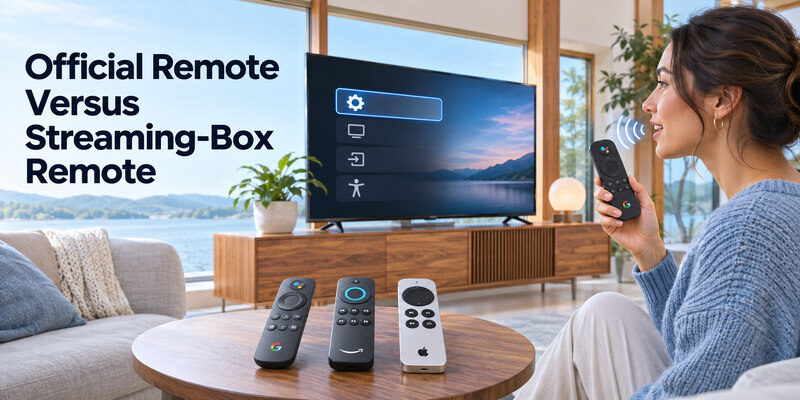
An official TV remote generally has the best chance of accessing native settings, inputs, and accessibility controls. Follow the exact manual for pairing; voice may need a Bluetooth connection even when basic IR power already works. A streamer voice remote controls its own interface and can add a better app platform to an older TV. It needs an HDMI port, power, network, and possibly CEC or IR equipment-control setup to adjust the physical TV.
Google TV Assistant remote
Google’s support page says to hold the Assistant button and speak; a wake phrase is unnecessary for that button flow. Searchable apps can be selected in the supported Google TV privacy settings. A Google TV Streamer remote may pair with the streamer, not an arbitrary TV. If voice works for its apps but not TV power, inspect the streamer’s TV-control configuration and TV’s HDMI-CEC setting. For Google’s compatible streaming devices, follow the steps to pair a Google TV voice remote, then test navigation and voice search separately.
Fire TV Alexa remote
A compatible Alexa Voice Remote can search and navigate Fire TV. Amazon publishes a model-specific compatibility list for its 2026 Fire TV Remote, including different Fire TV devices and smart TVs. Check the generation and exact device before purchasing. An Echo linked through Alexa’s TV & Video settings offers a separate hands-free route; the Fire TV and Echo must share the relevant account.
Apple TV Siri Remote
A Siri Remote controls Apple TV, while Siri on iPhone, iPad, or HomePod can control supported Apple TV or AirPlay-compatible smart-TV playback after Home setup. Apple TV’s HDMI-CEC or IR configuration may be required for TV power and volume. Do not buy a Siri Remote expecting it to pair directly with a non-Apple TV simply because that television supports AirPlay.
Read more: Siri TV Control: Apple TV, AirPlay TVs, and Voice Commands
Setup: Pair, Enable Voice, Then Test
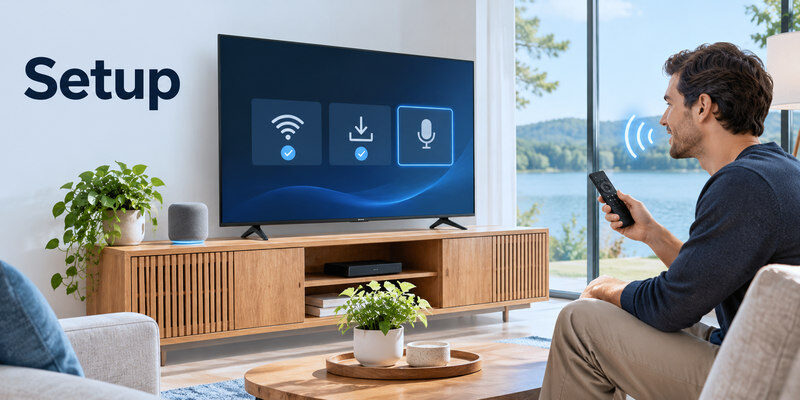
Step 1 – Put the TV online and update it
Complete the TV’s network and account setup with a physical control method. Install current firmware through the official menu. Voice searches commonly require internet and a signed-in account. If an HDMI streamer is involved, select its input and register the device separately. A remote cannot discover an unpowered, unconfigured box.
Step 2 – Pair using the maker’s sequence
Follow the exact remote and TV manual. An IR-only power button may work even when the microphone’s Bluetooth link has not paired. Test arrow keys, Home, and input selection, then the voice button. If the pairing prompt fails, replace batteries or charge the remote, keep it close to the TV, and retry the model-specific sequence. While checking replacement options, the Fire TV Stick remote app may provide phone-based navigation when the device is powered and connected to the required network.
Step 3 – Choose microphone and account settings
Enable the TV’s voice assistant if offered and select a supported language. Review privacy, voice activity, and personalized results. Some TVs have a physical microphone switch for hands-free use. A button-based voice remote may work even when hands-free TV microphones are disabled, depending on the platform. Test what you intend to enable rather than accepting a blanket permission prompt.
Step 4 – Test commands by category
Try a simple search on the device’s home screen, then playback, volume, input, and power. If search works but power fails, the microphone is probably fine; investigate CEC, IR, or standby support. If the mic button does nothing, check pairing, batteries, language, and network. Write down the exact failure and device name before contacting support.
Read more: How to Control TV With Google Assistant: Setup and Commands
App and Free Remote Claims
A free phone remote can be helpful if it supports the TV’s protocol and both devices share the required network. It may need local-network permission to discover the TV. Some apps expose a phone microphone for speech-to-text search; that is not the same as integrating Google Assistant, Alexa, or Siri for all TV commands. Read the app’s supported brands and permissions. Avoid typing a streaming-service password into an untrusted remote app.
When Remote TV App helps
A compatible can provide navigation when the physical remote is misplaced after setup. Verify your TV’s supported model, network, and pairing route. It cannot turn a non-voice TV into a fully integrated Google Assistant or Alexa device. Keep a physical control method for first-time network setup and recovery.
Infrared versus network control
An IR app needs a phone with a suitable emitter or accessory; many phones do not have one. A network app needs the TV powered or in a supported network-standby state and reachable on the same network. Bluetooth pairing is another route used by some platform remotes. “Universal” describes broad claimed support, not guaranteed compatibility with every TV.
To identify the right controller for your streaming box, compare Apple TV Siri Remote features and compatibility across remote generations.
Troubleshoot Before Replacing a Voice Remote
| Symptom | Check first | Likely next step |
| No buttons work | Batteries/charge and pairing | Re-pair per exact model |
| Buttons work, mic fails | Assistant setting, mic, language | Check Bluetooth voice pairing |
| Search works, volume fails | CEC/IR/audio device route | Configure equipment control |
| Works on one app only | App search integration | Check searchable apps/region |
| Fails after router change | TV/streamer connection | Reconnect network and account |
An HDMI port or soundbar problem cannot usually be solved by buying a different voice remote. Use the TV’s physical power/input buttons to isolate the television. If the microphone itself is broken, check the manufacturer’s replacement part, warranty, and return terms. A generic third-party remote may operate basic buttons but lack the licensed voice service and device pairing required for speech.
Multi-TV households
Give each TV or streamer a unique room-based name in Google Home, Alexa, or Apple Home. A speaker may act on its default TV rather than the one you meant. A physical remote may control two nearby TVs by IR if they share codes; Bluetooth pairing can distinguish the intended one. Test in the room where the remote will be used.
Standby and power limits
A smart speaker may not wake a TV that has disabled network standby. Some Fire TV smart TVs have model-specific Alexa Anytime controls; ordinary power behavior differs. A streamer powered from the TV’s USB port may shut down when the television turns off. Consult official model guidance before promising hands-free power on.
For a TCL model, check the compatibility details before buying a lookalike microphone remote.
Read more: Which TV Brand Is Most Reliable in 2026?
Voice Remote FAQ
Can a universal voice remote work with any smart TV?
No. Basic IR buttons may work across brands, but microphone search often requires a specific platform, Bluetooth pairing, account, and service integration. Check the exact compatibility list before buying.
Can I use a phone as a voice remote?
Sometimes. A compatible phone app may navigate the TV and offer voice search or dictation, but features vary by model. Initial TV setup and network recovery can still require physical controls.
Do voice remotes need Wi-Fi?
Many voice searches need an internet connection, while basic IR or Bluetooth navigation may work without one. The remote’s pairing route and the assistant’s cloud requirements differ by product.
Is a smart speaker better than a voice remote?
It is better for hands-free supported commands. A remote is more reliable for detailed navigation, passwords, and recovery screens. Use both if your TV and ecosystem support them.
What if my voice button does nothing?
Test ordinary buttons, battery level, pairing, microphone switch, language, account, and network. Follow the maker’s model-specific re-pairing guidance before ordering a replacement.
Match a Voice Remote to the Actual Control Job
Search in the TV’s native apps
If the aim is to find shows in a TV’s built-in platform, start with the manufacturer’s specified voice remote for the exact SKU. The microphone may pair over Bluetooth even when IR power works without pairing. A voice remote for smart tv should be checked against the official accessory list, included remote model, supported language, and regional voice service. Open a built-in app and test one search before judging the whole product. A lookalike universal remote might navigate by IR but cannot necessarily activate the TV’s assistant or search installed apps.
Search in an HDMI streaming box
A Fire TV, Google TV, or Apple TV voice remote addresses the attached box’s interface. It may operate TV power and volume through configured CEC or IR, but it does not automatically search the television’s own tuner or app store. A voice remote for smart tv setup can therefore involve two remotes or an equipment-control step. Select the correct HDMI input, pair the box remote, and test its apps. Then configure TV power separately. If the box is powered from the TV USB port and goes offline in standby, hands-free speaker commands may fail to wake the system.
Use a smart speaker without touching a remote
A linked Echo, Nest, or HomePod can send supported commands to a TV or streamer, but needs account/Home setup, a distinct device name, and power-state support. This may suit accessibility needs or a kitchen viewer with occupied hands. It is not the same as a voice remote for smart tv: a remote’s mic button is press-to-talk and may work within the platform even when a speaker cannot find the TV. Test playback, volume, and power individually. Keep physical control for passwords and Wi-Fi recovery.
Replace a damaged microphone remote
Check batteries or charge, button response, Bluetooth voice pairing, privacy switches, and assistant language before paying for a new remote. If navigation works but mic does not, the voice link or service can be the issue. Find the manufacturer’s replacement part number and written compatibility list. A voice remote for smart tv bought from a marketplace should be returnable if its model suffix differs. Test all buttons and speech during the return window; basic IR power alone is not enough evidence of full pairing.
Control several screens in one home
An IR universal remote may affect two same-brand TVs nearby, while a paired platform remote addresses one box. Smart speakers can target the wrong screen when both are named “TV.” Use unique room names and test from each room. A voice remote for smart tv used by a family should have intuitive source, volume, captions, and Home buttons as well as a microphone. A command that launches the wrong screen is a naming or default-device problem, not proof that the remote mic is broken.
Budget for the whole route
An official replacement, HDMI streamer, smart speaker, and phone app have different costs and dependencies. A free app may require a subscription for some controls; check current store terms. An external box needs a free HDMI input and power. A voice remote for smart tv that merely solves lost navigation may be more expensive than a model-compatible physical replacement without voice. Decide which commands you truly use and verify them on the exact model before spending.
Privacy and household preferences
Press-to-talk gives a clear action to initiate speech; hands-free hardware listens for a wake word when enabled. Review voice history, personalized results, child purchase controls, and physical mic switches. A voice remote for smart tv is a convenience, not a requirement to enable every microphone in the room. Keep ordinary buttons functional for outages and guests. When a feature is disabled deliberately, document that choice so another household member does not mistake a muted microphone for a defect.
Final Thoughts
The right voice remote for smart tv is the one that genuinely pairs with your exact TV or streamer and performs your desired commands. Start with official compatibility, test voice search separately from power and volume, and keep a physical fallback. A phone or smart speaker can complement the remote once the TV is configured, but neither guarantees universal control.
