
Universal Remote for Home Appliances: What Actually Works in 2026
By the Remote TV App Team
Last updated: November 2026
Quick answer: A universal remote for home appliances can control multiple compatible devices, but no single phone app works with every appliance automatically. Older televisions, air conditioners and fans may need an infrared (IR) transmitter; connected appliances typically use Wi-Fi, Bluetooth or a compatible smart-home platform. Check each model’s control method before choosing a physical remote, phone app or smart hub.
The easiest setup combines the right controls rather than forcing every device into one app. You might use an IR hub for an older air conditioner, a smart-home platform for connected lights and plugs, and a dedicated phone remote for a smart TV.
1. What Can a Universal Remote for Home Appliances Control?
A universal remote for home appliances is a controller that sends commands to more than one compatible device. It might be a handheld remote with programmable buttons, a phone application, or a hub that relays commands between your phone and equipment.
Typical candidates include TVs, soundbars, streaming boxes, air conditioners, ceiling fans, space heaters with remote receivers, air purifiers, lights and smart plugs. Compatibility depends on the exact model and the commands it accepts, not simply the category printed on a product box.
| Appliance | Common control method | What to verify |
|---|---|---|
| Television or soundbar | IR, Wi-Fi, Bluetooth or HDMI-CEC | Power, volume, inputs, navigation |
| Split air conditioner | IR or manufacturer Wi-Fi | Modes, temperature, fan speed |
| Ceiling or pedestal fan | IR, RF or Wi-Fi | Receiver type and speed commands |
| Air purifier | IR or Wi-Fi | Power, modes, filter-status display |
| Smart bulb or plug | Wi-Fi, Thread, Zigbee or bridge | Compatible platform and hub |
| Washing machine or refrigerator | Manufacturer cloud/app, if supported | Monitoring versus remote operation |
Buying a universal remote for home appliances is useful only when its capabilities match the tasks you actually want to perform.
📘 Find the Right Guide: AC Remote Control App: Which Option Actually Works for Your Air Conditioner?
2. How Appliance Remotes Work: IR, Wi-Fi, Bluetooth and Matter
The phrase “universal” describes convenience, not a single wireless technology. When comparing a universal remote for home appliances, understanding the connection method is the fastest way to eliminate incompatible choices.
Infrared: simple, local and often line-of-sight
An IR remote sends light-based signals to a receiver on the appliance. Many older televisions and split-system AC units use it. A universal ir remote app works only if the phone contains a compatible IR blaster or communicates with a separate IR hub. Installing software cannot add an infrared transmitter to a phone that lacks one. Standard iPhones do not provide a built-in IR blaster.
IR hubs can sit in a room and relay phone commands to nearby appliances. Some AC units also use long, state-dependent IR commands, so a basic TV-code library may not support their temperature or mode functions.
Wi-Fi and Bluetooth: software-based control
Network-enabled devices exchange commands through their own local interfaces or vendor services. A smart universal remote app may discover compatible TVs over Wi-Fi, while other products require a manufacturer account or explicit pairing. Bluetooth usually has shorter local range and its own pairing process.
Matter, Thread and other smart-home standards
Matter aims to improve interoperability among certified devices, but you still need a compatible controller and supported device category. A Matter logo does not turn an ordinary IR air conditioner into a Matter appliance. The Connectivity Standards Alliance documents supported categories and explains that Matter can operate over Wi-Fi, Ethernet or Thread.
💡 Discover Helpful Guides: Smart AC Control App: How to Control Your Air Conditioner From Your Phone
3. Which Type of Universal Remote Should You Choose?
The best universal remote for home appliances depends on whether your household is mostly legacy IR equipment, newer connected devices, or a mixture.
| Option | Best for | Important limitation |
|---|---|---|
| Programmable handheld IR remote | TV, audio gear and supported IR appliances | Model-specific codes; usually local control only |
| Phone with built-in IR | Compatible older AC, TV or fan | Limited to phones with IR hardware |
| Wi-Fi-to-IR hub | Multiple IR appliances in one room | Requires hub placement and code support |
| Smart-home platform | Compatible lights, plugs and connected appliances | Hub, account or integration may be required |
| Dedicated TV remote app | Supported smart TVs across brands | Does not automatically control ACs or fans |
For an older apartment with an IR air conditioner, a Wi-Fi-to-IR hub may be more useful than replacing the AC itself. This is why a universal remote for home appliances should be selected room by room instead of by advertising claims.
If you are searching for a universal remote app for appliances, compare its supported device list with the actual model numbers. Test the free functionality first and read the subscription terms before committing.
4. Check Device Compatibility Before Installing Anything
Before choosing a universal remote for home appliances, make a small inventory. Record the brand, exact model, year or generation, current remote type and the controls you use most frequently.
For an air conditioner, the model plate may be on the indoor unit or behind a service panel.
Follow this compatibility checklist:
- Identify whether the existing remote uses IR, RF or Bluetooth, or whether the appliance has Wi-Fi.
- Check whether the remote or app lists your exact model or an explicitly compatible series.
- Confirm support for essential commands, not only Power On/Off.
- Check whether a bridge, controller, account or same-network connection is required.
- Consider whether the appliance can be controlled after standby or a power outage.
- Verify pricing and permissions before making it your everyday remote.
Do not assume every appliance bearing the same brand uses the same protocol. This is the most common shortcut that turns a universal remote for home appliances into an unreliable purchase. An AC model sold in one region may need a different code set from a similarly named unit sold elsewhere.
5. How to Set Up Infrared Control for Older Appliances
A universal remote for home appliances using IR needs both a transmitter and matching command codes. The transmitter can be a dedicated handset, an IR-capable Android phone, or a network-connected IR hub.
Set up a programmable physical remote
Start with fresh batteries and the appliance switched on. Find the device category and manufacturer code in the remote’s documentation. Enter pairing or programming mode, input the code and test Power, Mode and other functions.
For AC units, test temperature up/down, cooling versus heating, and fan speed before discarding the original remote. Some generic remotes replicate a power command but not the full state of the air conditioner.
Set up a Wi-Fi-to-IR hub
Place the hub where it can reach the appliance’s IR receiver. Connect it using its companion app, add the appliance category, select the brand and run the suggested command test. If the app offers a learning function, follow its instructions with the original working remote; learning is not available on every hub.
A universal remote for home appliances should reproduce the functions you use daily, not merely pass one power-button test. An IR hub usually cannot read the appliance’s current state from the air, so app controls can show the wrong temperature or mode after someone uses another remote.
📖 Read More Guides: Fan Remote Control App: Best Options for Smart, Ceiling, and IR Fans
6. How to Connect Smart Appliances to a Phone
Setting up a universal remote for home appliances over Wi-Fi begins with the manufacturer’s supported connection method.
Pair the device on the correct network
Install the manufacturer’s official app or a documented compatible controller. Put the appliance into pairing mode, then follow its on-screen prompts. Many smart-home products support 2.4 GHz Wi-Fi, but requirements vary; check the model rather than automatically changing your router settings.
Approve local-network permissions when required. A universal remote for home appliances using Wi-Fi often needs device discovery to function correctly. For supported smart TVs, the phone and TV often need to be on the same home network for discovery and initial pairing.
Organize rooms and routines
After pairing, assign meaningful names such as “Living Room TV” or “Bedroom Air Conditioner.” If your controller supports automation, create simple routines that act on genuinely supported functions. A bedtime scene might switch off a smart plug and dim connected lights, while an AC schedule belongs in the AC’s authorized control system.
A universal remote for home appliances becomes useful when it reduces daily steps.
7. Using One Remote for Air Conditioners, Fans and Air Purifiers
Climate-control devices are where the limitations of “universal” control become especially visible. A universal remote for home appliances may handle all three categories, but often through different technologies.
Air conditioners
An older split AC commonly accepts IR commands for temperature, operating mode, fan level and swing. A compatible IR controller or hub can reproduce these functions if it supports the exact code set. Newer Wi-Fi models may offer more accurate status through their manufacturer apps.
The U.S. Energy Information Administration reported that 88% of U.S. households used air conditioning in 2020, based on its Residential Energy Consumption Survey.
Ceiling and pedestal fans
Fans may use IR, RF, Wi-Fi or a wall-mounted controller. An IR hub will not operate an RF-only fan receiver just because both products have remote buttons. Consult the receiver documentation before buying an adapter.
Air purifiers
Basic purifiers may expose IR power and speed commands; connected models may also show filter information and schedules. A phone button that changes speed is not the same as seeing accurate air-quality readings.
📘 Find the Right Guide: How to Control AC With Phone: Wi-Fi, IR Blaster, and Hub Steps
8. Controlling TVs, Soundbars and Streaming Devices
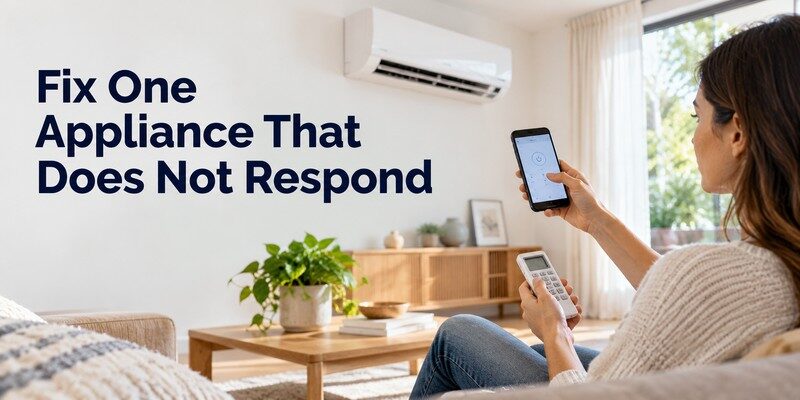
The entertainment area is often the easiest place to start with a universal remote for home appliances because many modern TVs already accept network commands, while soundbars and older components frequently support IR.
A physical multi-device remote can coordinate volume and input changes if it supports the equipment. HDMI-CEC may also let one TV remote control selected HDMI-connected devices, although functions and naming vary by brand. In this room, a universal remote for home appliances should be judged on input switching, volume control and reliable reconnection, not only the number of advertised brands.
For a general comparison of hardware and software choices, see best universal tv remote. If you need programming fundamentals, the universal remote TV guide covers codes, pairing and common limitations.
For a compatible Samsung television, this samsung tv remote app guide explains the phone-based option. Homes with mixed brands can also compare a best TV remote app for iPhone before choosing a single TV interface.
Do not confuse TV compatibility with appliance-wide compatibility. A TV app may provide excellent channel navigation and casting without any infrared capability for an older air conditioner.
9. Can One App Really Control Every Appliance?
The search for one app to control all appliances is understandable, but no mainstream app can guarantee control over every device and every proprietary feature. A universal remote for home appliances works best as a collection of verified integrations, not a magic remote that ignores protocols.
One smart-home dashboard may consolidate Matter-compatible lights, selected smart plugs and certain thermostats. A manufacturer’s app may still be needed for advanced diagnostics, filter replacement, firmware upgrades or specialized modes. Meanwhile, a conventional IR fan may need its own hub and a TV may work best with a dedicated network remote.
Apple’s Home documentation describes control of compatible HomeKit and Matter accessories such as lights, locks and thermostats, along with automation and remote-access requirements.
For a universal remote for home appliances, verified integrations matter more than the total number of icons shown in an app. Choose your main dashboard based on devices you already own. Keep secondary apps only for the features the dashboard cannot provide. If a controller claims to support everything without identifying models or protocols, treat that claim cautiously.
10. Fixes When Your Universal Remote Stops Working
When a universal remote for home appliances fails, diagnose the connection method first.
| Symptom | Likely cause | First action |
|---|---|---|
| IR remote works only nearby | Obstruction, weak batteries or hub placement | Clear line of sight; reposition hub |
| TV is missing from phone app | Wrong network or permission | Check Wi-Fi, local-network access and pairing |
| AC power works, temperature does not | Incomplete or wrong IR code profile | Test another supported model profile |
| Fan ignores IR commands | Fan uses RF or another protocol | Identify receiver technology |
| Controls disappear after router change | Device lost network connection | Reconnect and re-register device |
| App works while TV is on, not in standby | Standby network restrictions | Check supported wake settings |
For infrared problems
Check transmitter direction and replace depleted batteries in a handheld controller. Move the IR hub out of cabinets and confirm that its profile supports the actual appliance. Where supported, relearn a command using the original remote.
For connected-device problems
Restart the app and appliance, then check network membership and device authorization. Update firmware through the official manufacturer procedure.
Before trusting a universal remote for home appliances every day, run the same test after a normal power cycle. A practical test is to issue Power, one primary function, and a standby-recovery command. If all three work consistently, your setup is much more useful than one that responds only during initial pairing.
11. Security, Privacy and Energy-Saving Considerations
Convenience is not the only measure of a good universal remote for home appliances. Connected controllers may collect device information or require accounts, and some allow other household members to send commands.
Use unique passwords for appliance accounts and enable multifactor authentication where offered. Keep your phone, hub and appliance firmware updated. Review sharing permissions, remove abandoned devices and avoid installing unofficial APK files from unfamiliar sites. If a device must use a vendor cloud, understand that remote access may depend on the provider’s service availability.
Smart control can support energy-saving habits, but the app itself does not guarantee lower bills. The U.S. Energy Information Administration found that heating and air conditioning represented 52% of average U.S. household energy consumption in 2020.
The U.S. Department of Energy says turning a thermostat back 7–10°F for eight hours a day can save up to 10% annually on heating and cooling under suitable conditions. Savings depend on climate, equipment and operating patterns. Apply manufacturer guidance rather than copying a thermostat schedule blindly to every heat pump or AC.
A well-configured universal remote for home appliances helps you operate supported equipment more deliberately; it is not a substitute for efficient settings or maintenance.
📘 Find the Right Guide: IR Remote Control App for Android: What Works With an IR Blaster?
12. A Practical Setup for Different Types of Homes
Instead of buying a universal remote for every room, design your control setup around the devices and habits that matter.
Mostly older appliances
Keep a reliable physical remote for critical functions. Add a compatible IR hub if you want phone access to an older television or AC. Avoid buying multiple hubs before testing whether one can reach both appliances in the same room.
Mostly connected appliances
Choose a supported smart-home platform and add compatible accessories one at a time. Group them by room, confirm local behavior and build automations only after the individual devices respond reliably.
A mixed home with several smart TVs
Use the manufacturer app or a cross-brand TV remote for supported televisions, then add separate control for IR climate devices and compatible smart-home accessories. For an iPhone household, the Remote TV app can be a convenient TV-specific part of that setup, but it should not be presented as a universal AC, fan or purifier controller.
If your priority is replacing a missing television remote, try universal remote tv control on a compatible iPhone or iPad. The App Store describes Wi-Fi-based TV discovery and functions such as channel changes, volume control and navigation on supported TVs. The app is free to download with in-app purchases; check available features and current pricing before subscribing.
The most useful universal remote for home appliances is ultimately the combination you can operate confidently after a router restart, an appliance power cycle or a change of household user.
13. Frequently Asked Questions
Can I use my phone as a remote for any home appliance?
No. Your phone needs a supported communication path. Older IR appliances require an IR transmitter in the phone or a separate hub. Smart appliances need compatible network control, pairing and any required accounts. Check each model’s supported features before installing an app.
Does a universal remote work with an air conditioner?
Often, but not always. Many split ACs accept IR commands, and some programmable controllers include AC code profiles. However, matching the brand alone is insufficient: temperature, mode and fan-speed commands must also work. Wi-Fi ACs may require their official apps.
Can an iPhone replace an infrared appliance remote?
Not by itself for ordinary IR-only equipment. iPhones do not include built-in IR blasters. You can control supported appliances through a compatible Wi-Fi-to-IR hub or through their own network integration.
Do universal appliance remotes work without internet?
Some do. Traditional IR handsets work locally without Wi-Fi or internet. Certain hubs and local-network apps also support offline operation, but cloud-based registration, voice assistants or remote access may stop working. Test the exact setup with the internet disconnected rather than assuming offline support.
Is a free appliance remote app enough?
It can be for basic functions. Compare whether the app provides usable power, mode and navigation controls without a subscription. A free download can still include ads or paid features. Most importantly, no payment can fix missing IR hardware or an unsupported appliance protocol.
Can one remote control both my TV and ceiling fan?
Yes, if it supports both protocols and command sets. A hub could handle an IR TV and IR fan, while a Wi-Fi TV app would usually need separate integration for a fan. RF-only fan receivers may require a different controller. Test the complete function set before relying on one interface.
📖 Read More Guides: Smart Plug Control App: Setup, Features & Best Options
14. Final Thoughts
A universal remote for home appliances is a realistic way to reduce remote clutter when you choose equipment by protocol, exact model and required functions. Infrared works well for many older TVs and ACs; Wi-Fi and compatible smart-home ecosystems make connected devices easier to organize. There is no single universal app that guarantees support for every appliance.
Begin with a short compatibility inventory, select a controller for each device group and verify everyday commands before automating anything. For compatible televisions, a universal remote control app can replace the physical remote without claiming to control the rest of your household. The best arrangement is the one that stays understandable, reliable and safe.
Download TV Remote App