
Fire TV Stick Review: Is It Worth Buying in 2026?
Short answer: A Fire TV Stick is worth buying for an inexpensive, compact way to add streaming apps and Alexa-led control to a compatible TV, provided its exact model runs your essential services. The 2026 Fire TV Stick 4K and HD models are not identical to older 4K Max, 4K Plus, or Select listings. This fire tv stick review is an evidence-based assessment of Amazon’s official specifications and support guidance, not a claim that we tested a unit in a lab. It focuses on what daily owners will notice and who should choose a different platform.
Fire TV Stick Review: Verdict and Scorecard
The Stick’s strongest appeal is its compact HDMI form factor and included remote. Its limitations depend on the model: output resolution, software generation, storage, wireless capability, and power method are not uniform across the range. Amazon’s Fire TV device table includes a 2026 Stick 4K and HD plus earlier variants, so a single fire tv stick performance review cannot represent all units. Buy by model number and required app, not a generic “Fire TV Stick” search result.
The fire tv stick review verdict changes if a required service supports an older model but has not yet been updated for newer software.
| Area | Assessment | Who should check twice |
|---|---|---|
| Setup | Straightforward HDMI, power, input, account flow | Older instructions for a 2026 Direct Power model |
| Navigation | Remote and Alexa voice features | Viewers who dislike Fire TV’s interface |
| Apps | Broad mainstream selection, region-dependent | Users of a niche or sideloaded app |
| Picture | Model-specific HD/4K and HDR | Owners of advanced TV and receiver chains |
| Expansion | Compact form limits built-in ports | Local-media server and USB-heavy users |
The right buyer
A Fire TV Stick suits a spare TV, a wall-mounted screen with limited shelf space, or a household comfortable with Amazon services. Its remote makes shared viewing easier than an old casting-only dongle. The fire tv stick pros and cons are most favorable when a few mainstream services are your primary activity and Wi-Fi is healthy near the television. It is a practical upgrade to a sluggish TV interface, but it does not make the TV panel itself better.
The fire tv stick review recommendation is strongest when the installed device can stay behind the TV without sacrificing Wi-Fi reception.
The wrong buyer
If you need built-in Ethernet, attached storage, or a Plex server, compare a set-top box such as Shield TV Pro. If Google casting is your chief workflow, a Google TV device may fit better. If one essential app does not support the exact Fire TV software generation, the Stick is a poor choice regardless of hardware specifications. This fire tv stick review treats those mismatches as buying blockers rather than minor footnotes. For a closer look at casting, navigation, and platform differences, read our Fire TV Stick vs Chromecast comparison.
Read more: How to Set Up Fire TV Stick in 6 Easy Steps (Beginner’s Guide)
Which Fire TV Stick Did You Find?
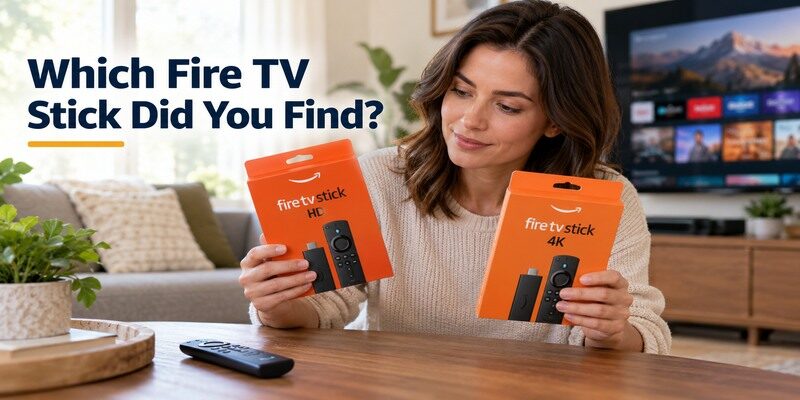
The lineup changes over time. Amazon’s official developer specifications distinguish Fire TV Stick 4K third generation (2026), Fire TV Stick HD (2026), 2025 4K Plus and Select, and older 4K Max variants. Some generations run a different operating-system family, which can affect app compatibility and installation advice. Retail pages may continue selling older stock. Verify the listing against Amazon’s current model table before drawing conclusions from this fire tv stick review 2026.
A useful fire tv stick review identifies its test subject in the first paragraph; here, each observation is qualified by the applicable generation.
HD versus 4K
An HD Stick can be adequate for an HD television, while a 4K TV and compatible content justify considering a 4K model. The device’s maximum output does not guarantee a 4K stream: your plan, app, title, network, and display must support it. Check HDR formats on the exact specification page. A model comparison without TV resolution is a weak basis for saying whether is fire tv stick worth it for you.
New software and older advice
Amazon’s 2026 Stick 4K documentation describes Direct Power through a suitable TV USB port, unlike the wall-adapter procedure commonly used on older sticks. Follow the in-box instructions for your model. Amazon’s device tables also indicate software-platform differences across releases. An accessory, app, or sideloading tip written for a 2023 model may not apply to a 2026 one. Avoid turning a forum workaround into a default setup method. If you use the Stick with an older television, our guide to controlling a non-smart TV explains why switching HDMI inputs and navigating the streamer can require different controls.
Read more: How to Set Up Chromecast and Chromecast with Google TV in 7 Steps
Setup Experience and First Playback
Connect the HDMI device, use its model-correct power method, select the matching TV input, pair the remote if prompted, join Wi-Fi, and sign in to Amazon. Then let the device finish updates and test one supported app. Amazon’s official setup page is the source for the exact flow. The most common early confusion is the wrong HDMI input; a router reset cannot make a welcome screen appear on another port.
For a fair fire tv stick review, the setup result should include a playable title rather than merely a visible home screen.
HDMI and power check
Write down whether the Stick is in HDMI 1, HDMI 2, or an extender supplied with the model. Select that input with the TV’s original remote. On a 2026 Direct Power product, confirm the TV port meets Amazon’s stated requirements; on older models, use the supplied adapter arrangement. An underpowered device can restart and look like a Wi-Fi issue. In this fire tv stick review, stable power is a prerequisite for any fair performance judgment.
Account, updates, and app login
An Amazon account configures Fire TV; each third-party service may still require its own subscription and sign-in. Let updates finish before timing menu responsiveness or app launches. Test a familiar free title or a service you already pay for. If only one app fails to open, check its support and account rather than resetting the entire Stick. A first-run download queue can make a newly installed device temporarily feel busier than ordinary use.
Remote, Alexa, and Everyday Navigation
The remote is the center of Fire TV’s daily workflow. Direction, Select, Home, and Back operate the interface; TV power and volume depend on equipment-control configuration. Alexa voice functions depend on region, language, account, and model. Check which remote is included with the exact listing. A premium remote shown in an advertisement is not necessarily in every Stick box.
In this fire tv stick review, remote comfort matters because every member of a shared household repeats those button presses nightly.
Physical buttons first
Test basic navigation before setting up voice or TV volume. If the remote does not respond, check batteries or charge method for the included handset and follow Amazon’s pairing guidance for that generation. Keep the TV’s original remote for input selection. A fire tv stick review that judges a remote by volume alone can confuse a soundbar’s control path with a failed Fire TV pairing. Those are distinct fixes.
Voice search and interface preference
Alexa can search and control supported features, but the result depends on the service and region. Compare whether the actual home screen makes your favorite app easy to find. Recommendations and promotions are part of the Fire TV experience and may not suit everyone. Is fire tv stick worth it if you dislike that layout? A Roku, Google TV, or Apple TV device may be a better personal fit despite similar app availability. If the soundbar needs separate controls, explore these soundbar remote app options and check compatibility with your audio equipment.
Read more: Fire TV Stick vs Nvidia Shield: Which Streaming Device Should You Buy?
Streaming Picture and Audio
Fire TV Stick models differ in HD, 4K, HDR, and audio capabilities. Amazon’s specification table is more reliable than broad claims that “Fire TV supports Dolby” without a model. Even with compatible hardware, the streaming app, title, service tier, TV HDMI input, cable or extender, and receiver must support the format. A good playback test uses the same title and TV settings when comparing devices.
A fire tv stick review should never infer a model’s HDR output solely from a screenshot of a television menu.
Ordinary HD and 4K titles
Start with a normal HD clip, then try a known 4K or HDR title if your equipment supports it. A blank screen only on HDR can indicate an HDMI handshake or input-mode issue rather than a defective Stick. A Fire TV Stick does not improve a low-bitrate source into native high-resolution detail. The fire tv stick performance review that matters most is whether your actual channels play smoothly and consistently, not a promotional demo loop. To compare more platforms before buying, see our guide to the best streaming devices for different households.
Soundbar and receiver path
Test a stereo title before a surround one. If the TV shows video but the room is silent, identify whether audio should come from TV speakers, a soundbar, or a receiver. The app and equipment may limit pass-through formats. Remote volume setup is separate from the stream’s audio format. Bypassing the receiver temporarily can isolate a problem. Do not assume every advertised codec is emitted by every app and title.
Network and Responsiveness
A Stick often sits behind the TV, where Wi-Fi conditions can differ from a phone held in the middle of the room. Buffering may come from a weak signal, service outage, crowded network, or insufficient bandwidth. Test more than one app and another device on the same network. The fire tv stick pros and cons change with the room: a perfectly capable Stick can feel unreliable if the TV location has unstable Wi-Fi.
If a fire tv stick review reports poor responsiveness, check power, updates, free storage, and app behavior before assigning all delay to the processor.
Diagnose buffering accurately
If all apps buffer, check network status and the router. If one app buffers, check its service, plan, or current outage. Measure from near the TV, not the router. Restarting the Stick may clear a temporary issue, but repeated restarts call for checking power and heat as well. A compatible Ethernet accessory could help some models; confirm exact model support before ordering. Wi-Fi hardware alone cannot fix an overloaded broadband connection.
Storage and app load
Available storage varies by generation and shrinks as apps and cache accumulate. Remove unused apps if the device reports low space. An app can be slow because of its own login or server, so compare a second app before calling the whole device sluggish. Amazon’s specifications identify model storage, but actual free space after system files differs. The fire tv stick review 2026 should not project an older 4K Max storage figure onto a new basic Stick. Our Fire TV Stick remote app setup guide explains how to pair your phone and troubleshoot device discovery.
Read more: Fire TV Remote iOS: How to Control Fire TV and Fire Stick From iPhone
Pros, Cons, and Alternatives
The advantage is an easy, compact path to a remote-controlled TV interface. The drawbacks are model confusion, limited physical expansion, and a platform experience that may not match everyone’s app and search habits. None of these is universally disqualifying. The useful question is whether the limitation conflicts with your own weekly viewing pattern.
The fire tv stick review trade-off is sharper for media-library owners than for people who watch only familiar subscription apps.
| Pros | Cons or caveats |
|---|---|
| Small HDMI form factor | Wi-Fi behind TV can be uneven |
| Included remote for shared use | Equipment volume needs separate setup |
| Alexa integration on supported models | Interface and promotions are a preference |
| Multiple HD and 4K choices | Similar names hide major model differences |
| Mainstream apps in supported regions | Limited built-in storage and ports |
Versus Roku and Google TV
Roku can suit a viewer who prefers its remote and channel organization. Google TV can suit households that use Google Cast and related services. Check the exact model and essential app in each case. A different launcher is not automatically faster or more reliable in your room. This fire tv stick review recommends choosing by navigation preference and verified service support after the hard hardware requirements are met.
Versus an expandable box
Shield TV Pro and other set-top products offer built-in ports and media features that a Stick is not designed to replace. They occupy space, add cables, and may cost more. If you host a Plex library or require wired media playback, the box’s extra hardware has a purpose. If you simply watch a few apps, those features may remain unused. The best alternative is based on a job, not a prestige label.
Who Should Buy, Keep, or Skip It?

A current compatible Stick is worth considering for a straightforward TV upgrade. An existing Stick that still runs your apps and plays reliably need not be replaced merely because another model exists. Skip or return a unit if your must-have app is absent or the required network and format path cannot be made reliable. Test the actual use case during the return period rather than keeping a device based only on the box claims.
This fire tv stick review favors keeping working hardware until a specific app, picture format, or reliability issue justifies change.
Buy for a simple TV upgrade
Confirm the TV resolution, app list, Wi-Fi coverage, and model generation. Check the included remote and power method. A compact form is especially useful where a box would be awkward. Is fire tv stick worth it for a guest room? Often yes if the service logins and TV input are easy for guests to manage. Establish purchase controls or profiles where appropriate.
Keep a working older model
If your essential apps remain supported and playback is stable, a new Stick may change little. Upgrade for a specific missing format, app, or network need. Check whether an accessory could solve the existing problem more cheaply, and whether the new software family supports everything you use. A broad fire tv stick performance review cannot predict a particular household’s improvement without its current bottleneck.
Skip if the platform conflicts with your needs
A local-media server, built-in Ethernet, or a particular casting workflow may point elsewhere. If your favorite niche app is available only on another platform, that matters more than general rankings. A TV with blocked HDMI inputs or unstable broadband will not be rescued by the Stick. Address those constraints first, then revisit the hardware choice.
Read more: Download Fire TV Remote: Install Amazon’s App and Start Controlling Your TV
Remote Problems and Phone Control
A broken or missing handset does not necessarily require replacing the streamer. Amazon provides an official Fire TV phone app for compatible devices on a reachable network. Check batteries, pairing, and TV input first. If the Stick is offline after a router change, a phone app may not discover it; restore the network with a supported physical route. Phone control cannot fix missing power.
Remote recovery belongs in a fire tv stick review because it affects the cost and usability of an otherwise healthy device.
Re-pair or replace the handset
Follow Amazon’s official model-specific pairing instructions rather than a button combination from an unrelated generation. Test navigation after pairing, then set up TV power and volume separately. A replacement remote must be compatible with your Fire TV model. Save the model name before shopping, because similar-looking remotes can have different features.
Use a phone as a fallback
The offers a phone-based option for supported TVs and streaming devices when a remote is unavailable. Check compatibility and keep the phone on the local network required for discovery. Amazon’s official phone remote is another route for supported Fire TV hardware. A physical remote remains useful for first-time network setup and TV input switching.
Fire TV Stick Review FAQ
The questions below cover the practical limits behind a short buying verdict. A fire tv stick review is most useful when it identifies the model and region in each answer.
Is Fire TV Stick worth it in 2026?
Yes for a compatible TV and app mix when you want a compact remote-led streamer. Confirm the exact 2026 or older model, its software, power method, and the services available in your region. An existing reliable Stick may not need replacement. A media-server need calls for a different class of product.
Does Fire TV Stick include free channels?
The platform can offer free, ad-supported content in supported regions, but hardware ownership does not include every paid subscription. Apps and catalogs change. Check the current services available in your country and read any sign-in or trial terms before assuming a particular channel is permanently free.
For a fire tv stick review, “free” describes particular channels or apps, not an unlimited replacement for every cable package.
Can I power it from the TV USB port?
It depends on the model and the TV port. Amazon describes Direct Power for its 2026 Stick 4K, while many older models use a supplied wall adapter. Follow the exact in-box and official instructions; inadequate power can cause restarts that resemble software or network problems.
Will a 4K Stick make an HD TV show 4K?
No. The TV panel limits displayed resolution. A 4K-capable device can still work with a compatible HD TV at a lower output, but native 4K needs a 4K display and compatible content, service plan, and connection. Check the model’s supported formats and the TV input.
Can I replace the remote with my phone?
A compatible phone app can provide navigation if the Stick is powered and reachable on the appropriate network. It may not recover an offline device after a Wi-Fi change without another setup route. The TV’s original remote may still be needed for HDMI input and equipment controls.
This fire tv stick review treats phone control as a backup, especially when someone needs a controller during a network change.
Final Thoughts
This fire tv stick review finds a strong fit for compact, everyday streaming, with the exact model and essential apps deciding whether the purchase makes sense. Amazon’s 2026 lineup changes the power and software assumptions that older guides make. Verify the model, test your own services and network, and judge the interface with the household’s remote habits in mind. If you need a media server or built-in expansion, choose a device built for that role.
Return to the fire tv stick review criteria after setup: one must-have app, steady playback, comfortable remote navigation, and the correct picture and audio path.
