
Cord Cutting Guide 2026: A 30-Day Plan to Leave Cable
Short answer: Replace cable in stages: inventory the programs you watch, test antenna and streaming options, compare the full bill, then cancel TV only after the new setup works. Keep broadband active and confirm its standalone rate. A sports household may need a licensed live-TV provider, while an on-demand household may need only a few rotating apps and free sources. This cord cutting guide 2026 turns that decision into a 30-day checklist with a clear go/no-go test. U.S. examples use official provider and FCC guidance; channels, rights, and prices vary by address and change over time.
Cord Cutting Guide 2026: The 30-Day Map
Use the first week to document current viewing and bills, the second to choose sources and test devices, the third to run real programs and simultaneous streams, and the fourth to cancel only if the replacement passed. Do not buy a pile of hardware on day one. The best cord cutting setup is the smallest combination that delivers the programs your household actually uses.
The cord cutting guide 2026 timeline leaves time to discover a weekend sports gap that a weekday-only trial might miss.
| Period | Task | Evidence that it is done |
|---|---|---|
| Days 1–7 | Program and bill audit | Must-watch list and standalone internet quote |
| Days 8–14 | Antenna/app setup | Local scan and supported apps on main TV |
| Days 15–21 | Real viewing trial | Live event, DVR, captions, concurrent screens tested |
| Days 22–30 | Decision and cancellation | Full-year cost, confirmation, equipment receipts |
Define success before a trial
Write down non-negotiable shows, exact local stations, teams, and accessibility features. Set a maximum comfortable annual TV budget and note how many screens need to work at once. A cord cutting checklist should measure whether every required program is reachable, not whether a new device has a fashionable interface. Include the least technical viewer in the test. If you are new to replacing a cable package, learn what cord cutting means and how antennas, streaming apps, and broadband fit into the transition.
Keep the old service during validation
Overlapping service for a short trial costs something, but avoids discovering a missing game after canceling cable. Check promotional end dates so trials do not renew unnoticed. Use an actual weekday and weekend. The cord cutting guide 2026 is designed to make cancellation the result of a verified replacement, not a leap based on an advertisement.
Days 1–3: Audit Programs, Channels, and People
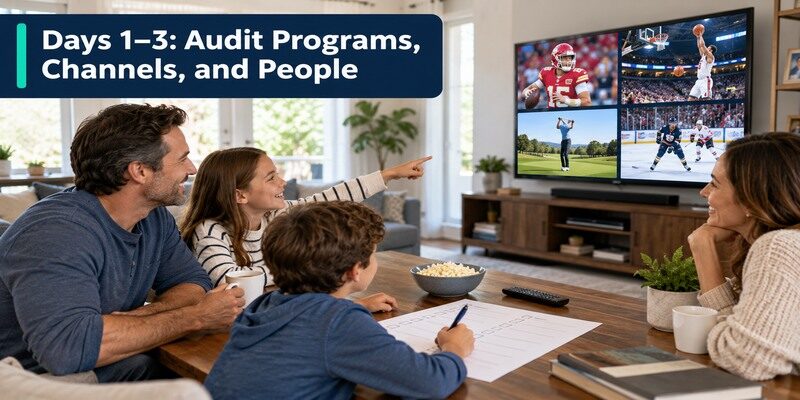
Collect one month of viewing history from the household. Group items into live local broadcasts, cable-style live networks, sports, and on-demand titles. For each program, record the person who watches it and whether a later replay is acceptable. Many families pay for a channel to watch one show; that show may have a different legitimate route. Others genuinely need a live regional network.
In the cord cutting guide 2026 audit, have each person mark one program they would be disappointed to lose, then verify those first. Once you have a program list, explore how to watch live TV without cable and identify which antenna or streaming route carries each event.
List exact programs rather than genres
“Sports” is too broad; write the team, league, next game, and broadcaster. “Local news” needs a station call sign and normal viewing time. A movie title needs its current licensed catalog. A cord cutting guide 2026 comparison cannot know these household facts. Use the official schedule and service search to check whether a program is included now, then revisit seasonal rights later.
Count simultaneous viewing
If three TVs run at once, a one-screen plan is not a complete replacement. Record which devices and rooms are used, including a bedroom with weak Wi-Fi. Check profiles, child controls, and whether captions or audio description are needed. The person who configures the service may not be the one who uses it most. Have every viewer identify one must-have action for the trial.
Read more: Antenna vs Streaming for Local Channels: What Works Better?
Days 4–7: Audit the Real Bill
Separate TV service, internet, rented boxes, taxes, fees, sports add-ons, and bundle discounts. Ask the provider what standalone broadband will cost after TV cancellation. Request any contract or equipment-return terms in writing. Add existing Netflix, Disney+, sports, or other subscriptions that continue regardless of the change. The headline cable TV line item is not the entire comparison.
The cord cutting guide 2026 bill baseline should include charges billed through app stores or mobile carriers, not just the cable provider’s invoice.
Calculate a baseline year
Use normal rates after promotions. Include the date a current cable discount ends and any annual subscription renewals. A monthly comparison can hide seasonal sports and one-time equipment purchases. The cord cutting guide 2026 budget asks whether the new mix saves enough to justify its complexity, not whether the first discounted month looks cheap. Keep an invoice or screenshot of each price and term.
Identify subscriptions already duplicated
A household may pay for an app directly and also receive it in a bundle. Note the billing provider for each subscription, because cancellation must happen through the right account. Do not assume deleting an app stops a charge. This audit can save money before cable is canceled at all. Keep a renewal calendar and read the next statement after changes.
For a closer comparison of live, on-demand, and free options, review the best streaming services for cord cutters and shortlist only those that cover your must-watch programs.
Days 8–10: Check Free Local Broadcasts
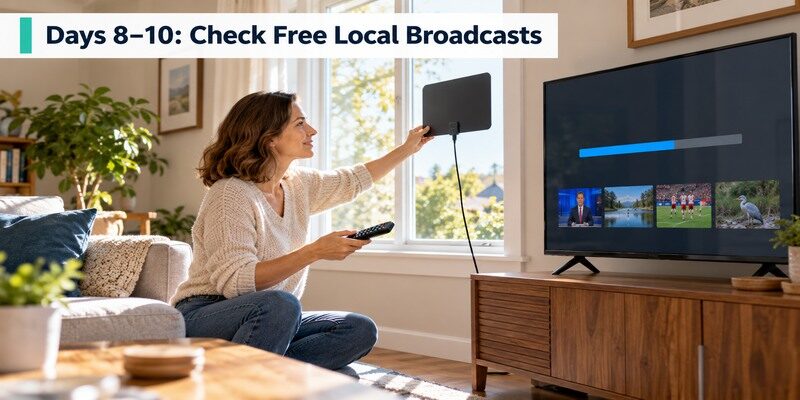
For U.S. households, use the FCC DTV reception map as an estimate, then connect a suitable antenna to a TV tuner and run a real channel scan. The FCC advises rescanning periodically. Reception depends on building, terrain, and placement. The FTC warns against antenna claims that promise premium cable channels. If local news and some games arrive clearly, an antenna may reduce the paid live-TV package needed.
A station that appears in the scan but breaks up during a full program does not pass the cord cutting guide 2026 local-broadcast test.
Run the scan at the main TV
Select Air/Antenna rather than Cable in the TV tuner menu. Move the antenna and rescan if important stations are missing or unstable. Test a full program, not just a channel that appears during scanning. Write down the working channels and input. The cord cutting checklist should mark local broadcast as solved only when the desired station plays reliably at its normal viewing time.
Consider another room separately
A signal on the main TV does not automatically feed a bedroom. A second antenna, cabling, or network tuner could be needed. Compare that hardware with a licensed stream that supports the room’s device. An external tuner may be needed for a monitor without a built-in broadcast tuner. Do not invest in whole-house distribution until the first TV’s reception is proven.
Read more: How to Get Free TV Channels on Your Television
Days 11–14: Choose Live and On-Demand Services
Use official ZIP-code lineup checkers for licensed live providers such as YouTube TV, Hulu + Live TV, Fubo, and Sling. Compare exact affiliates, sports rights, DVR, supported devices, simultaneous streams, and full renewal prices. For on-demand viewing, search the actual titles in current catalogs such as Netflix or Disney+ rather than relying on an old ranking. Free FAST services can add themed channels, but do not promise cable parity.
The cord cutting guide 2026 provider shortlist should contain only services that carry a named must-watch program or solve a specific control problem.
Choose a base, then fill only gaps
Start with one primary live or on-demand service that covers the most important requirement. Add a second only for a named missing program. A bundle may reduce duplicate subscriptions, but read its ad tier and included services. The cord cutting guide 2026 discourages recreating cable with many overlapping monthly charges. If an antenna handles local broadcasts, a smaller paid lineup may suffice.
Verify sports by event
Use the next real game, its date, broadcaster, market, and blackout rules. A general “sports included” claim is not enough. Rights can change within a season or between seasons. Record the exact plan carrying the event. If a premium add-on is needed for only three months, compare a seasonal subscription with a year-round live package. Recheck before every new season.
You can also explore free IPTV channels for additional news and entertainment, while checking the current guide for the programs available in your region.
Days 15–17: Set Up the Main Television
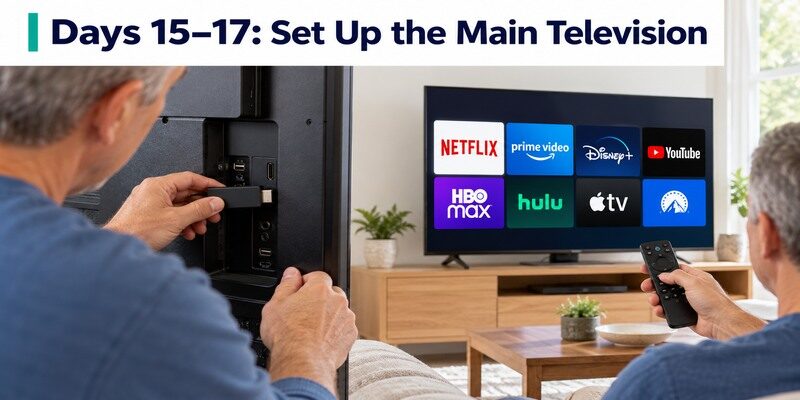
Confirm that the selected app runs on the exact smart-TV model or HDMI streaming player. Install from the official store, sign in, and move it to an obvious home-screen position. Test the TV remote’s Home, Back, direction, Select, power, and volume; equipment control may need separate setup. Keep the TV’s original handset to switch between Antenna and HDMI if necessary.
If the TV input is wrong, a working streamer can look broken. The cord cutting guide 2026 setup check starts at power and input before network settings.
Choose hardware for a specific gap
An older TV may need a current streamer because its app store lacks a service or is slow. Roku, Fire TV, Google TV, Apple TV, and Shield devices have different interfaces and ports. Match the exact model to your app, display format, and network. Do not buy a 4K premium box to solve a weak broadband connection. This cord cutting guide 2026 recommends testing existing TV hardware first.
Give the network a real test
Play a long live program in the room with the weakest Wi-Fi while another screen streams. If every app buffers, investigate broadband and router placement. Ethernet on a compatible device can remove a wireless link but not a provider outage. If only one app fails, check its service. Note data caps if a television will run live streams for many hours daily.
Read more: Chromecast Review: Should You Buy One in 2026?
Days 18–21: Run Four Viewing Tests
Test a local newscast, an actual sports event, an on-demand episode, and a second simultaneous TV. Record one live program and replay it later if DVR matters. Check captions, profiles, audio, and remote navigation. Have another family member perform the same actions without coaching. A trial is complete only when the must-have list passes on the devices people use.
Use the cord cutting guide 2026 pass table as a decision record; a single failed non-negotiable item should be resolved before cancellation.
| Test | Pass condition | If it fails |
|---|---|---|
| Local news | Exact station plays live | Try antenna placement or another licensed lineup |
| Sports event | Actual game and market rights work | Recheck broadcaster, plan, blackout |
| DVR | Saved program replays as needed | Compare plan terms or tuner hardware |
| Two screens | Both play under normal load | Check stream cap and network |
| Remote | Another viewer finds a show | Simplify apps or controls |
Log failures by cause
A blank screen could be the wrong HDMI input, not a broadband problem. A missing game could be rights, not a defective streamer. Buffering on every device suggests the network; one app failing suggests the service. This cord cutting checklist separates the cause before money is spent on new hardware. Keep the last working configuration while changing one variable at a time.
Test recovery too
What happens when the remote is misplaced? Official phone remote features or the can help on supported TVs and streamers with a reachable local network. A phone controller does not restore power, internet, or rights to a missing channel. Keep the physical TV remote for input switching, and show the family how to restart an app without factory resetting the set.
Days 22–24: Compare the Full-Year New Cost
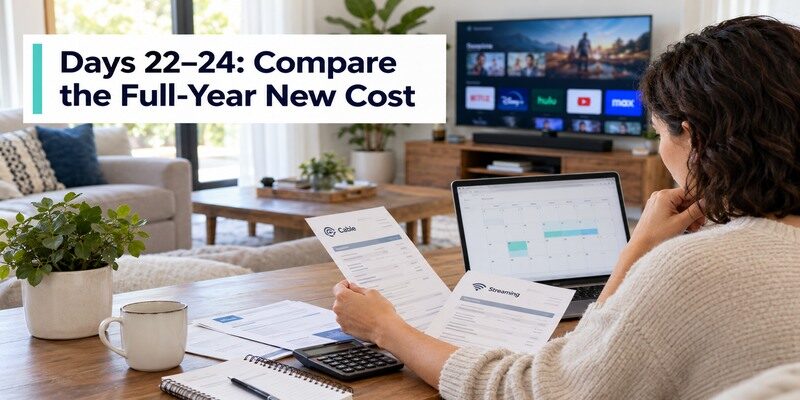
Add the standalone internet quote, paid live service, on-demand apps, seasonal sports add-ons, tax, and one-time antenna or streamer costs. Subtract only actual canceled charges. Include the trial’s renewal date and any annual commitments. The best cord cutting setup may cost a little more for a must-have sport but offer flexibility; decide consciously rather than relying on an advertised “save hundreds” promise.
The cord cutting guide 2026 cost sheet should show both a normal month and the peak sports month, plus the first-year hardware expense.
Compare a quiet and a sports month
A household could use one on-demand plan in summer and add a live sports package in autumn. Calculate both cases, then annualize. If the live plan is retained all year for one event, the projected savings may disappear. The cord cutting guide 2026 budget is a calendar, not a single monthly screenshot. Keep a reminder to cancel temporary services after the season.
Check non-price friction
Count the remotes, sign-ins, and steps needed to find the five most-watched programs. Saving a small amount may not justify a setup that nobody else can use. Conversely, an antenna and two simple apps may be easier than a complex cable box. The goal is reliable access at an acceptable cost and effort. Let the household’s actual trial decide.
Read more: Fan Remote Control App: Best Options for Smart, Ceiling, and IR Fans
Days 25–27: Cancel the TV Package
When the new setup passes, tell the provider exactly which TV service to cancel and which internet service to retain. Confirm effective date, standalone broadband price, final charges, and rented-equipment returns. Get written confirmation. The FTC recommends keeping cancellation request records and checking later statements. If moving broadband too, install and test the new connection before the old one ends.
The cord cutting guide 2026 cancellation step is complete only after the first new bill matches the quoted service and old TV charges stop.
Return equipment with proof
List each rented box, remote, modem, and accessory identified by the provider. Follow the return instructions and save tracking or store receipts with serial numbers where available. Do not assume an unused box can be discarded. Check the final invoice for unreturned equipment charges and resolve discrepancies promptly. This step protects the savings you calculated earlier.
Verify the first new bill
Compare the actual standalone internet rate against the written quote. Check that TV and rental charges stopped on the agreed date. Review all new streaming subscriptions for unexpected trial renewal or duplicate billing. Keep statements and cancellation confirmation. A cord cutting guide 2026 is incomplete if the old service continues charging after the hardware is returned.
Days 28–30: Make the Setup Easy to Maintain
Create a one-page viewing map: each person’s favorite show, its service, the live guide or on-demand route, and the correct TV input. Put the most-used apps first. Save station favorites and clarify how to reach captions and profiles. Revisit the subscription list every few months as titles and rights change. A successful setup remains simple after the person who installed it leaves the room.
This cord cutting guide 2026 handoff turns a personal experiment into a dependable family routine, even when a guest uses the television.
Train a second viewer
Ask another member to find local news, start a show, switch to the antenna, and recover from the wrong HDMI input. If they cannot, simplify the menu, reduce app duplication, or write clearer instructions. The cord cutting guide 2026 test is not only technical availability; it is independent daily use. A phone-only control route can be inconvenient for guests.
Schedule seasonal reviews
At the start of each sports season, verify the team rights again. When a series ends, consider canceling or rotating its service. Rescan antenna channels periodically under FCC guidance. Check the current provider lineup when a station disappears. Keep a record of recurring charges. The benefits of cord cutting grow when the household removes subscriptions it no longer uses.
Common Setbacks and Recovery Paths
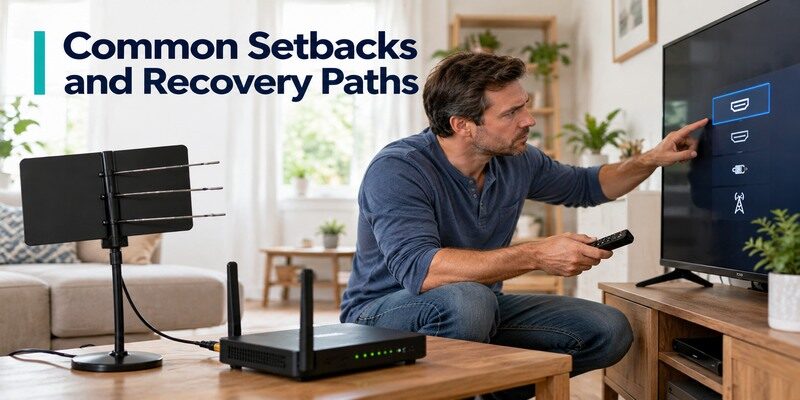
A trial can reveal a missing local channel, weak Wi-Fi, unfamiliar remote, or unexpected cost. Address the specific cause before abandoning the entire plan. An antenna may fill one affiliate; a different licensed provider may cover a sport; a compatible streamer may fix an unsupported TV app; router placement may solve buffering. If the fix is too expensive or awkward, keeping the current cable package may be reasonable until conditions change.
The cord cutting guide 2026 fallback is to fix one documented gap at a time, then repeat only the test that previously failed.
Missing channel versus missing signal
A station absent from a provider guide is a rights or package issue. A station absent from the TV antenna scan is a reception or tuner issue. A FAST channel that vanished may have left the free catalog. These require different remedies. The cord cutting guide 2026 uses exact program names so a searcher does not mistake one free news stream for the full local affiliate.
Trial cost higher than expected
Check duplicate apps, temporary premium add-ons, and the real standalone internet price. Remove services that do not serve the must-watch list. Consider an antenna for receivable locals and a seasonal sports plan where appropriate. If costs still exceed the current bundle, do not force a switch for the sake of the label. A reversible trial has provided useful information.
Read more: How to Watch Live TV Without Cable: Six Practical Steps
Cord Cutting Guide 2026 FAQ
Can I keep internet from my cable provider?
Often yes. Ask for the standalone broadband rate, equipment changes, and effective date when TV ends. Obtain written confirmation and compare the first new bill. Do not accidentally cancel internet before streaming services are tested. An antenna can receive broadcasts without it, but apps cannot.
Will an antenna replace every cable channel?
No. In the U.S., it receives available local over-the-air stations at the address, subject to signal and tuner. It does not unlock cable-only networks or every regional sport. The FCC map is a starting estimate; a real scan is essential. A licensed paid service may cover other channels.
How many streaming services should I buy?
Start with the fewest that pass the must-watch test. One live package may cover several channels, while a single rotating on-demand app can suit a non-live viewer. Free FAST and antenna sources may fill gaps. Add only a service tied to a named program, then review its use and renewal date.
Can I cancel cable immediately after subscribing?
It is safer to test the replacement through a normal week, including a required live event, local news, DVR, and simultaneous screens. Confirm the post-cancellation internet rate and equipment return terms. Then cancel TV and keep proof. A signup screen alone does not prove the main television and household can use the new service.
What if a game moves to another service later?
Check the team’s and broadcaster’s current schedule at each season. Rights and blackouts change. A flexible monthly package can be adjusted when terms allow. Keep the household’s must-watch list and budget current rather than assuming the original lineup remains permanent. Avoid paying year-round for an unused seasonal service.
Final Thoughts
This cord cutting guide 2026 gives you 30 days to audit, install, test, compare, and cancel with proof. Start with the exact programs and people, use an antenna or free app where it genuinely covers a need, verify licensed live rights by address and season, and count the full internet-plus-TV bill. Keep cable until the replacement passes in the actual rooms. Then document cancellation and revisit subscriptions as viewing habits change.
