
Smart Home Devices Compatible With Google Home: What to Check Before Buying
Quick answer: The most useful smart home devices compatible with google home include smart bulbs, plugs, switches, thermostats, locks, cameras, doorbells, sensors, blinds, speakers, and supported TVs or streaming devices. Choose products marked Works with Google Home or Matter, then check the exact model, available controls, and whether a compatible hub is required. Start with lighting and plugs, then add climate, security, or entertainment devices that solve a real problem.
Google says its platform can connect with more than 80,000 Works with Google Home devices. That figure does not guarantee identical features across models. When comparing google home compatible devices, verify the controls you actually need.
This 2026 guide explains which categories make sense, how Google Home and Matter work together, and where a dedicated TV remote can complement—not replace—your smart-home controls.
What Makes a Smart Device Compatible With Google Home?
A compatible product can be connected to the Google Home ecosystem and expose at least some functions through the Google Home app, supported voice commands, or automations. However, compatibility does not mean full feature parity. A camera might display a live feed while its advanced alerts remain in the manufacturer’s app. A robot vacuum might support starting and stopping, but not detailed room mapping.
There are three common ways smart home devices compatible with google home enter your setup:
- Works with Google Home: You set up the device in the manufacturer’s app, then link that account or service to Google Home. This is common for lights, plugs, cameras, and appliances.
- Matter: You add a Matter-certified device with a setup code and a supported Google Home hub. Matter helps devices from different brands work together through a common standard.
- Google and Nest devices: Products such as Nest speakers, displays, thermostats, and selected cameras are designed for Google’s own ecosystem, though installation steps still vary.
Google Home supports voice control, rooms, routines, and remote management where integrations permit. Check exact model numbers and regional variants.
📘 Find the Right Guide: AC Remote Control App: Which Option Actually Works for Your Air Conditioner?
Smart Home Devices Compatible With Google Home at a Glance
Here is a practical category comparison for smart home devices compatible with google home in 2026.
| Device category | Useful Google Home tasks | What to confirm before buying |
|---|---|---|
| Smart lights and switches | On/off, dimming, scenes | Bulb fitting, switch wiring, hub needs |
| Smart plugs | Switch lamps or small appliances | Voltage, load rating, Wi-Fi band |
| Thermostats | Set temperature, schedules | HVAC wiring and system compatibility |
| Cameras and doorbells | View feeds, receive supported alerts | Subscription, display and alert features |
| Locks and garage controls | Check status, supported lock actions | Installation, authentication, safety limits |
| Sensors and blinds | Trigger routines, open/close shades | Matter device type, Thread support |
| TVs and streaming devices | Power, playback or media control | TV platform and available commands |
| Speakers and displays | Voice requests, music, home control | Hub and Thread border-router capabilities |
Prioritize devices that solve daily problems. Use the table to shortlist smart home devices compatible with google home and verify their features.
Best Device Categories to Add to Your Google Home
The best smart home devices 2026 are not necessarily the newest or most expensive. For smart home devices compatible with google home, prioritize reliable basics and expand one room at a time.
1. Smart Lights and Switches
Smart lighting is often the easiest place to begin. You can dim an evening reading lamp, create a bedtime routine, or turn off several rooms with one voice request. Philips Hue is a long-established example of an ecosystem that can integrate with Google Home, while supported Tapo and Kasa lights provide another route.
Some bulbs use Wi-Fi or Matter; others need a bridge. Check the total system cost and whether dimming, colors, and power-restoration settings are supported.
Among smart home devices compatible with google home, lights are especially helpful because their actions are easy to verify. Say “turn on the kitchen lights,” and you immediately know whether grouping and voice recognition are working.
2. Smart Plugs for Everyday Electronics
A smart plug gives an ordinary lamp or suitable fan scheduled on/off control. For example, the TP-Link Tapo P125M is a Matter-certified Wi-Fi smart plug that TP-Link lists as compatible with Google Home. It uses 2.4 GHz Wi-Fi, so a 5 GHz-only network will not meet its connection requirements.
A plug switches power; it cannot add fan-speed or TV-channel controls. Respect its electrical rating and avoid unsafe unattended use.
For renters, plugs are some of the lowest-commitment smart home devices compatible with google home because installation usually requires no rewiring. Label devices by purpose—“Desk Lamp” rather than “Plug 3”—to make commands more natural.
3. Thermostats and Climate Control
A connected thermostat can adjust temperatures on a schedule and make your home more comfortable when routines change. Google’s Nest Learning Thermostat (4th gen) supports Google Home and Matter, but you must verify that it works with your particular HVAC wiring and system before installation.
The U.S. Environmental Protection Agency’s ENERGY STAR program reports that certified smart thermostats save households about 8% on heating and cooling bills, or approximately $50 per year on average. These are program-level estimates, not guaranteed savings for a specific household.
Among smart home devices compatible with google home, thermostats demand extra checks: HVAC voltage, wiring, regional model, and installation requirements.
4. Cameras, Doorbells, and Smart Locks
Security products deserve a more careful comparison than light bulbs. Google and Nest offer cameras and doorbells, and third-party manufacturers provide additional supported products. Some allow live viewing through Google Home, while recording, package detection, or advanced notifications may require a subscription or the maker’s app.
For locks, check installation, battery life, and backup access. Do not assume voice unlocking is available. For cameras, review privacy controls, recording storage, and account security.
The safest way to choose smart home devices compatible with google home for security is to check both the hardware specifications and the exact Google Home features. Reliable manual access matters if Wi-Fi or power fails.
5. Sensors, Shades, and Robot Vacuums
Contact sensors can report when a door opens; motion sensors can trigger lights; compatible blinds can close during the afternoon. A robot vacuum may integrate with supported cleaning actions. These devices become valuable when linked to useful automations, rather than added simply because they are connected.
Matter certification does not guarantee every feature works in Google Home. Check current device-type support before buying less common accessories.
For more advanced smart home devices compatible with google home, consider whether you need a Thread border router. Thread-based accessories require one, while ordinary Wi-Fi products do not use Thread in the same way.
💡 Discover Helpful Guides: Smart AC Control App: How to Control Your Air Conditioner From Your Phone
Matter vs. Works With Google Home: What Should You Choose?
Matter is a device-interoperability standard; Works with Google Home is a compatibility path into Google’s ecosystem. They are not identical labels, and neither should be treated as a promise that every advanced feature is available in every app.
Works with Google Home often uses manufacturer account linking. Matter uses a shared protocol over Wi-Fi or Thread and can offer local control. Some services and automations still depend on network availability.
Google lists several products as Matter hubs, including Nest Mini, Nest Audio, Nest Hub displays, and Google TV Streamer (4K). For Matter over Thread, choose hardware with border-router support, such as Nest Hub (2nd gen), Nest Hub Max, Nest Wifi Pro, Google TV Streamer (4K), or Google Home Speaker (2026). Not every Matter hub also supports Thread.
When comparing smart home devices compatible with google home, start with these three checks: the correct certification badge, a supported device category, and the right hub for its network protocol. Matter is often the stronger choice for a flexible multi-brand home, but a well-supported existing cloud integration can remain entirely useful.
How to Check Compatibility Before Buying
Use this verification routine to compare smart home devices compatible with google home without assuming every model from a popular brand will work.
- Find the exact model number. Similar-looking products can differ by region, generation, or hardware revision.
- Check the badge. Look for Works with Google Home or Matter on the box and official product specifications.
- Confirm the required hub. Matter over Wi-Fi and Matter over Thread have different requirements; some devices also need a manufacturer’s bridge.
- Read the feature list. Check whether Google Home supports only power control or also dimming, temperatures, locks, live video, and automations.
- Review network requirements. Many Wi-Fi plugs use 2.4 GHz, and Google advises enabling IPv6 for Matter networking.
- Check ongoing costs. Camera history, premium alerts, and some automation features may be limited by subscriptions.
This process makes shopping for smart home devices compatible with google home considerably less risky. A compatibility label is the beginning of your evaluation, not the end. If you rely on a particular feature—such as viewing a camera on a display—verify that use case explicitly.
📖 Read More Guides: Fan Remote Control App: Best Options for Smart, Ceiling, and IR Fans
How to Set Up Smart Devices in Google Home
For smart home devices compatible with google home, setup starts with stable Wi-Fi, current app software, and clear names. Steps then depend on whether you bought Matter hardware or a cloud-connected partner product.
For a Matter Device
- Power on the accessory and place it close to the router or supported hub.
- Open Google Home and select the option to add a device.
- Choose the Matter setup flow and scan the product’s Matter QR code, or enter its pairing code.
- Follow the prompts to name the device and assign it to a room.
- Test a basic action before creating automations.
For a Works With Google Home Device
- Install and configure the accessory in its manufacturer’s app, if required.
- In Google Home, choose to add or link a service and search for the brand.
- Sign in to the manufacturer account and authorize the connection.
- Assign the device to the correct room and test its controls.
Tip: Use names such as “Bedroom Lamp” rather than “Light,” and connect any required bridge first.
Build a Useful Starter Setup Without Overspending
A practical smart home starter kit can consist of one compatible Google Home hub or speaker, two smart bulbs, and one smart plug. Add a thermostat or a camera only if the benefits justify the cost and installation effort. The right starting bundle depends on whether your devices use Matter, Thread, Wi-Fi, or a proprietary bridge.
Here is a simple first-week plan:
- Day 1: Set up the hub, create rooms, and confirm your Wi-Fi is stable.
- Day 2: Add one lamp and test both app and voice controls.
- Day 3: Add a second light, then group both by room.
- Day 4: Connect a smart plug to an appropriate low-risk appliance.
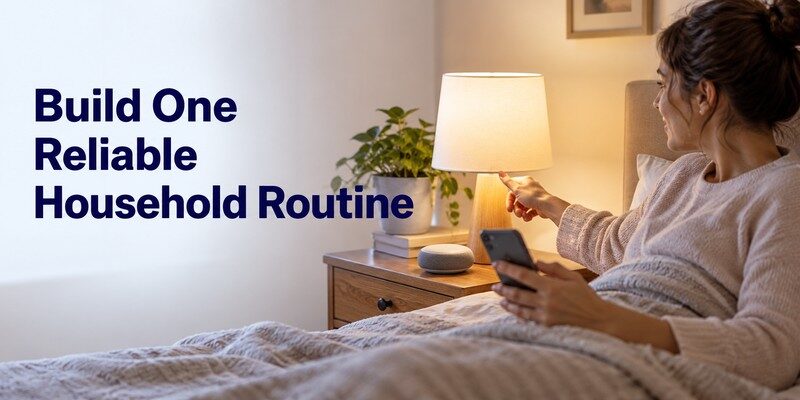
- Day 5: Create a bedtime routine that switches those lights off.
- Day 6: Test the routine with another household member.
- Day 7: Identify one genuine inconvenience before buying anything else.
For smart home devices for beginners, expand gradually. One dependable routine beats ten unreliable ones. Choose smart home devices compatible with google home that everyone can operate.
Connect Your TV and Add Easier Remote Control
Supported TVs and Google TV streamers can join your home setup, but available commands differ by model. Some expose only basic power or playback.
For TV-specific guidance, read our google home tv remote guide or compare options in best google tv remote app. If the device stops responding, the google tv remote not working troubleshooting guide is a useful next step. Samsung owners can also explore the samsung tv remote app guide.
The Remote TV app focuses on TV control, while Google Home focuses on the wider home. If you want a dedicated phone remote for a supported television, explore universal remote tv control on the App Store. This universal remote control app is a complement to Google Home, not a replacement for managing bulbs, sensors, or thermostats. Always confirm support for your TV model and phone before downloading.
For households interested in smart home devices compatible with google home, separating TV navigation from whole-home automation can make each task easier instead of trying to force one app to do everything.
📘 Find the Right Guide: How to Control AC With Phone: Wi-Fi, IR Blaster, and Hub Steps
Fix Common Google Home Compatibility Problems
If smart home devices compatible with google home stop responding, check network and account settings before resetting them.
Device not found: Confirm power, place the device closer to Wi-Fi, verify the Google account and home, and confirm setup in the manufacturer’s app when required. Restart the accessory if its instructions recommend it.
Matter pairing fails: Confirm that a suitable Matter hub is online, check Thread support when relevant, and verify that IPv6 is enabled on the home network. A product already paired to another ecosystem may require the manufacturer’s multi-admin sharing procedure or a reset.
Voice command controls the wrong thing: Rename similarly named devices and put them into clearly labeled rooms. Check whether the device category is correctly identified.
Camera or TV shows limited controls: The manufacturer’s Google Home integration may expose only selected capabilities. Test its own app before treating the behavior as a fault.
Automation does not run: Test each participating device separately. Remember that routines are designed for convenience, not safety-critical operations; they can be affected by power, Wi-Fi, internet, and service availability.
📘 Find the Right Guide: IR Remote Control App for Android: What Works With an IR Blaster?
Frequently Asked Questions
Do All Matter Devices Work With Google Home?
No. Google Home supports many Matter device types, but feature availability and support for newer categories vary. Check Google’s supported-device information, plus the exact model, firmware, and required hub. When evaluating smart home devices compatible with google home, do not treat Matter certification alone as a guarantee of full control.
Do I Need a Nest Speaker to Use Google Home?
Not for every third-party integration. You can manage many Works with Google Home devices through the Google Home app. However, adding Matter accessories requires a compatible hub, and Thread accessories also need a Thread border router. Some Google TVs and streaming devices can provide hub functionality, depending on their specifications.
Can Google Home Control a TV Without a Physical Remote?
Sometimes. Google TV and selected television integrations support phone, voice, or media controls. Available commands depend on the model and network. A dedicated remote app may be helpful for supported TVs, especially when you need convenient on-screen navigation.
Can I Mix Smart Devices From Different Brands?
Yes, when their integrations are compatible. Google Home supports many third-party services, and Matter is designed to improve cross-brand interoperability. Still, advanced functions may remain in the brand’s app. Compare specific features rather than assuming every device shares the same menus.
Are Google Home Smart Devices Safe for Renters?
Many are. Bulbs, plugs, and speakers are easy to remove. Check your lease before changing fixtures, and preserve manual controls.
📖 Read More Guides: Smart Plug Control App: Setup, Features & Best Options
Final Thoughts
The right smart home devices compatible with google home make ordinary routines simpler: switch lights off at bedtime, adjust a compatible thermostat, check a doorbell, or control supported entertainment devices. Verify the exact model, the compatibility badge, the available Google Home functions, and the hub requirement before buying. Start small, test every device, and expand only when you see a clear benefit.
Download TV Remote App